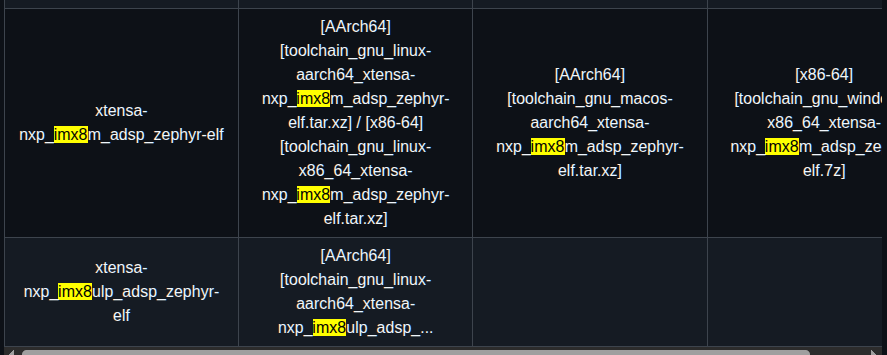
4 Building DSP Framework on Linux OS Before you compile the DSP-related code, set up the DSP-related toolchains. The DSP framework, DSP codec wrapper, and DSP codec use Xtensa development toolchain.
For details on how to harness the power processing of the DSP by running Zephyr RTOS on the DSP, while running Linux OS on the main Cortex-A core, see the Running Zephyr RTOS on Cadence Tensilica HiFi 4 DSP (AN13970). This covers simple and more complex examples, such as hello_world or IPC samples. In the application note, all examples are explained using the existing drivers and/or frameworks from the Linux OS and Zephyr RTOS.
Qwen3.8-Flash-Next on any consumer hardware: one-click install for Windows / Linux. Strata inference engine, OpenAI/Anthropic API on localhost, optional image input.
cpu offload는 하지 않고 아주 빈번하고 VRAM을 바꾸면서 연산을 하도록 하여, 대용량 모델을 돌릴수 있게 하나보다.
Strata runs Qwen3.8-Flash-Next, a 125-billion-parameter model that normally needs a server, on a normal PC. It chats, writes code, reads pictures and works with your apps and coding agents. Your chats and files stay on your PC.
New here? Check what you need, then install the app.
Runs on a gaming PC. 32 GB of RAM and graphics memory together is enough to start. Works with your tools. It speaks the OpenAI and Anthropic APIs, so Claude Code, Codex CLI, OpenCode and other agents connect to it. Reads pictures. They are on by default. Free. MIT license, no account, no cloud. Private. No telemetry. What Strata downloads, when it uses the internet and how it checks downloads is in docs/SAFETY.md.
You need at least 32 GB of RAM and graphics memory (VRAM) together. On a Mac or a Ryzen AI Max, that is the unified memory. More memory gives a bigger model or a faster one.
A 32 GB PC with a 12-16 GB card runs the Coder. 64 GB of RAM runs every size.