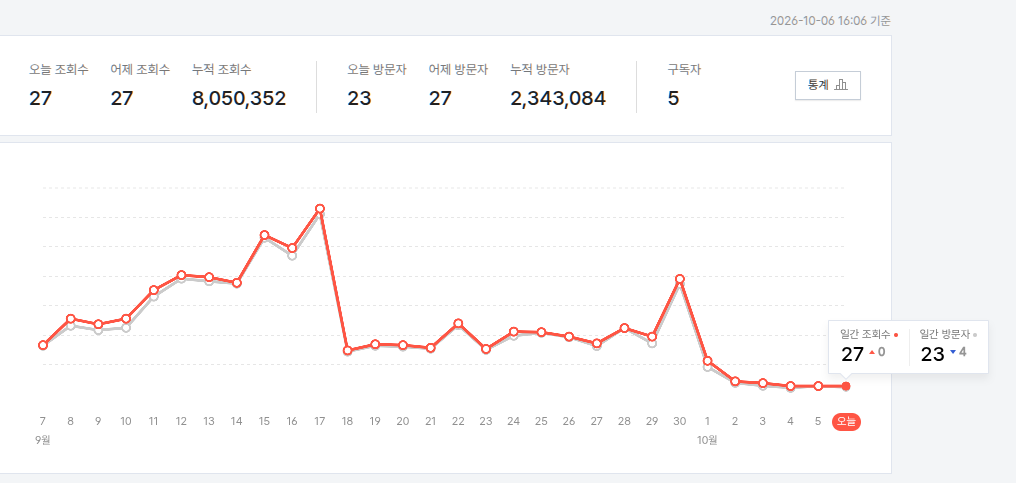
어휴.. 아주 바닥을 기고 있구만 ㅠㅠ
'개소리 왈왈 > 블로그' 카테고리의 다른 글
| 곧 마법이 풀리겠군 (2) | 2026.10.01 |
|---|---|
| 방문자 어디까지 올라가는거에요? (2) | 2026.09.02 |
| 해피빈 기부 (0) | 2026.08.18 |
| 불법촬영물 여부 검토 (2) | 2026.07.24 |
| 다음은 언제이려나? ㅋㅋ (2) | 2026.06.23 |

어휴.. 아주 바닥을 기고 있구만 ㅠㅠ
| 곧 마법이 풀리겠군 (2) | 2026.10.01 |
|---|---|
| 방문자 어디까지 올라가는거에요? (2) | 2026.09.02 |
| 해피빈 기부 (0) | 2026.08.18 |
| 불법촬영물 여부 검토 (2) | 2026.07.24 |
| 다음은 언제이려나? ㅋㅋ (2) | 2026.06.23 |
1시간 일찍 사용을 시작하면 좋겠다 싶어서 (리셋 때문에)
찾아보게 되었는데
옆자리 분은 tmux로 클로드 띄우고 특정 터미널이나 tmux에게 명령 보낼수 있으니
간단하게 ping 하면 pong 하라는 걸로 haiku 모델로 설정해서 쓰신댔는데
인터넷 검색하니 레딧에서 루틴이라는게 있대서 시도해봤는데
제법 깔끔하게 잘 작동하는 듯 하다.

출근하고 10시에 작동하면 매번 3시에 리셋되어서 좀 불편했는데
2시 리셋이면 밥 먹고 와서 딱 연결해서 하면 하니 좋아좋아.

| 클로드 사용량 재설정 (0) | 2026.09.29 |
|---|---|
| llm 초기값 (0) | 2026.09.26 |
| diffusion gemma 실행해보기 (0) | 2026.09.24 |
| diffusion gemma (0) | 2026.09.23 |
| 직접만든 LLM .. part 2 (0) | 2026.09.23 |
이제 아트웤!
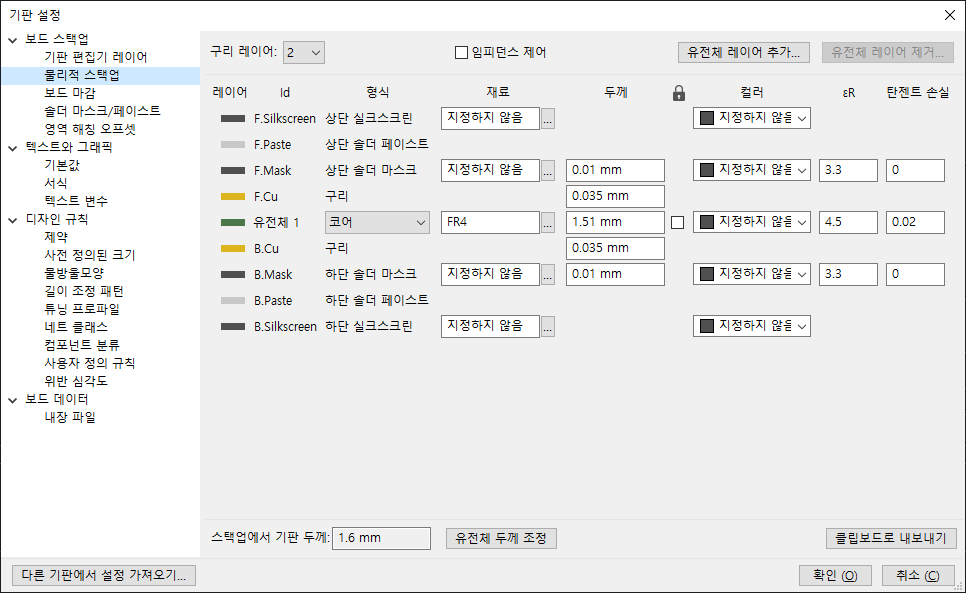
구리 레이어를 2개로 올리라는데 일단 기본값이 2개인가 보다. 음.. 단면은 그럼 오히려 줄여야 하나?
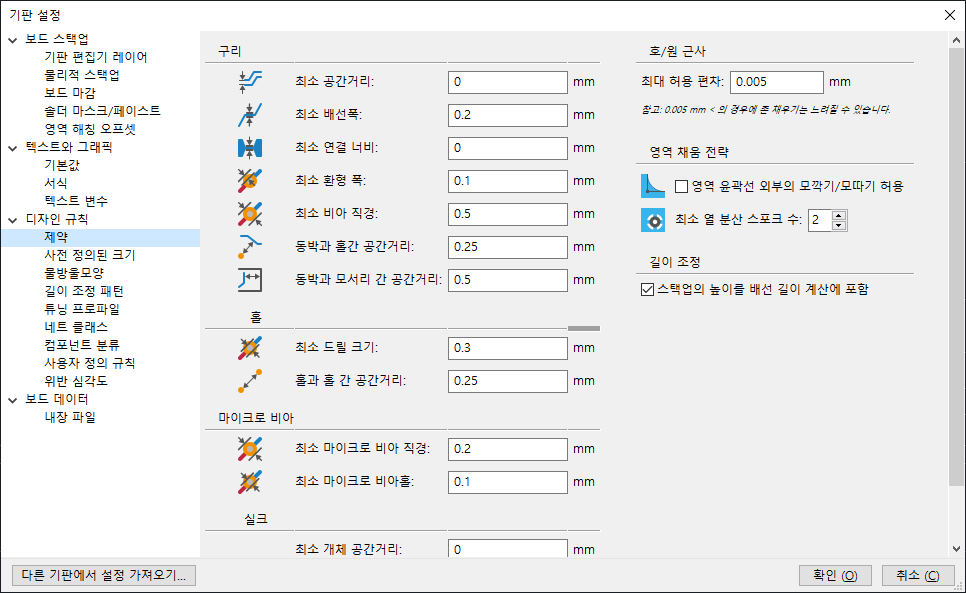
설계 제약사항으로 선의 폭, 최소 거리 등을 설정해야 하나보다.
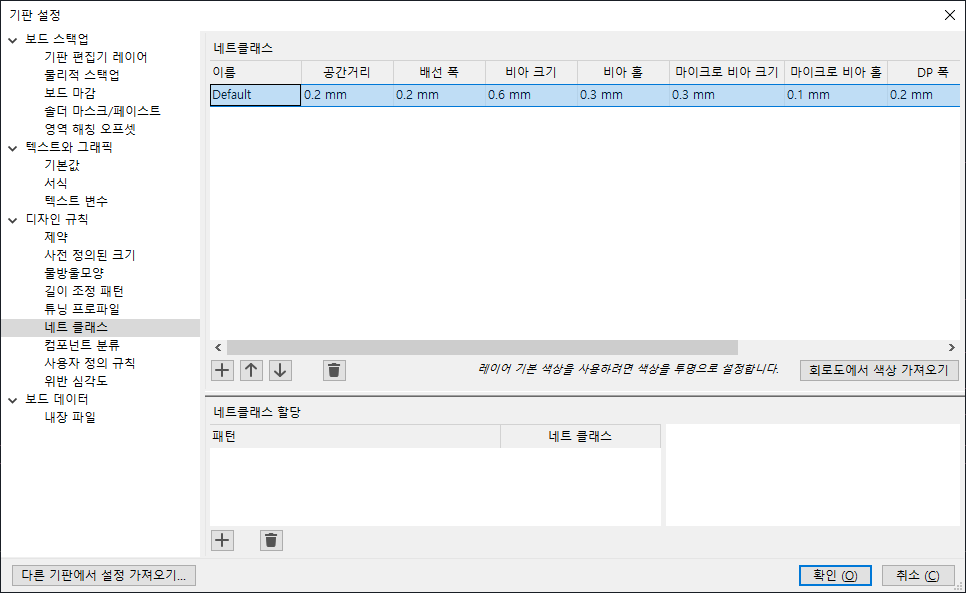
넷 클래스 가라는데.. 아까 제약사항이랑 같은 내용 같은디..
F8 혹은 "도구 - 회로도에서 PCB 업데이트"를 누르면
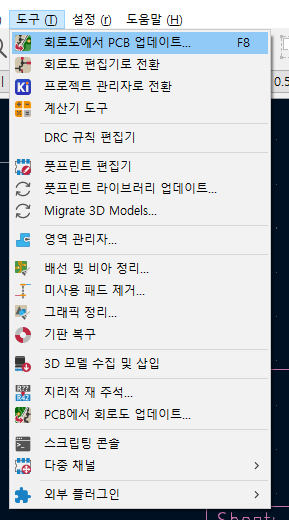
다이얼로그가 열리는데
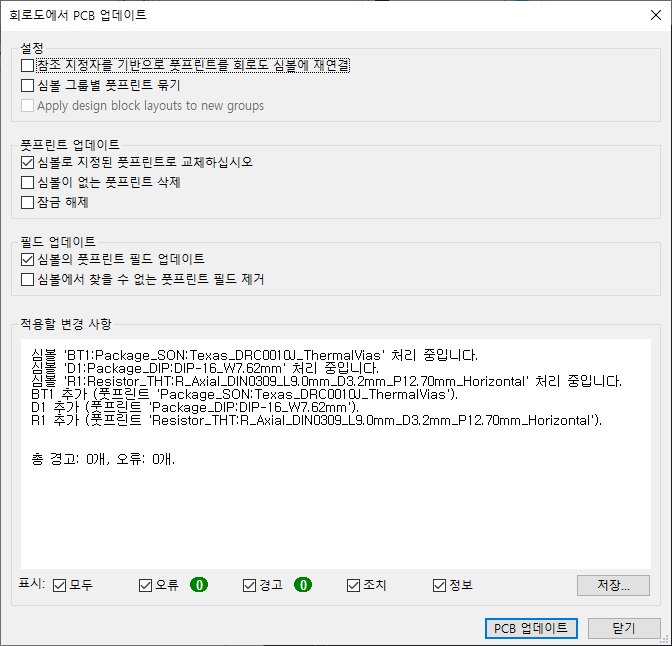
워어~ 에러가 뿜뿜
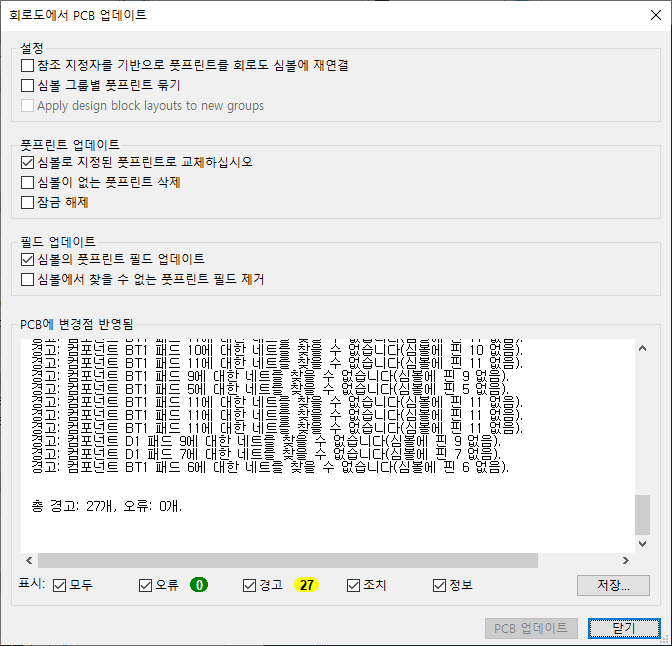
닫기 누르면 커서에 튜토리얼 2에서 했던 부품들이 끌려 오고 적당히 클릭해서 위치시켜 준다
근데 부품을 먼가 잘못한듯 ㅋㅋ 다시 해야겠따
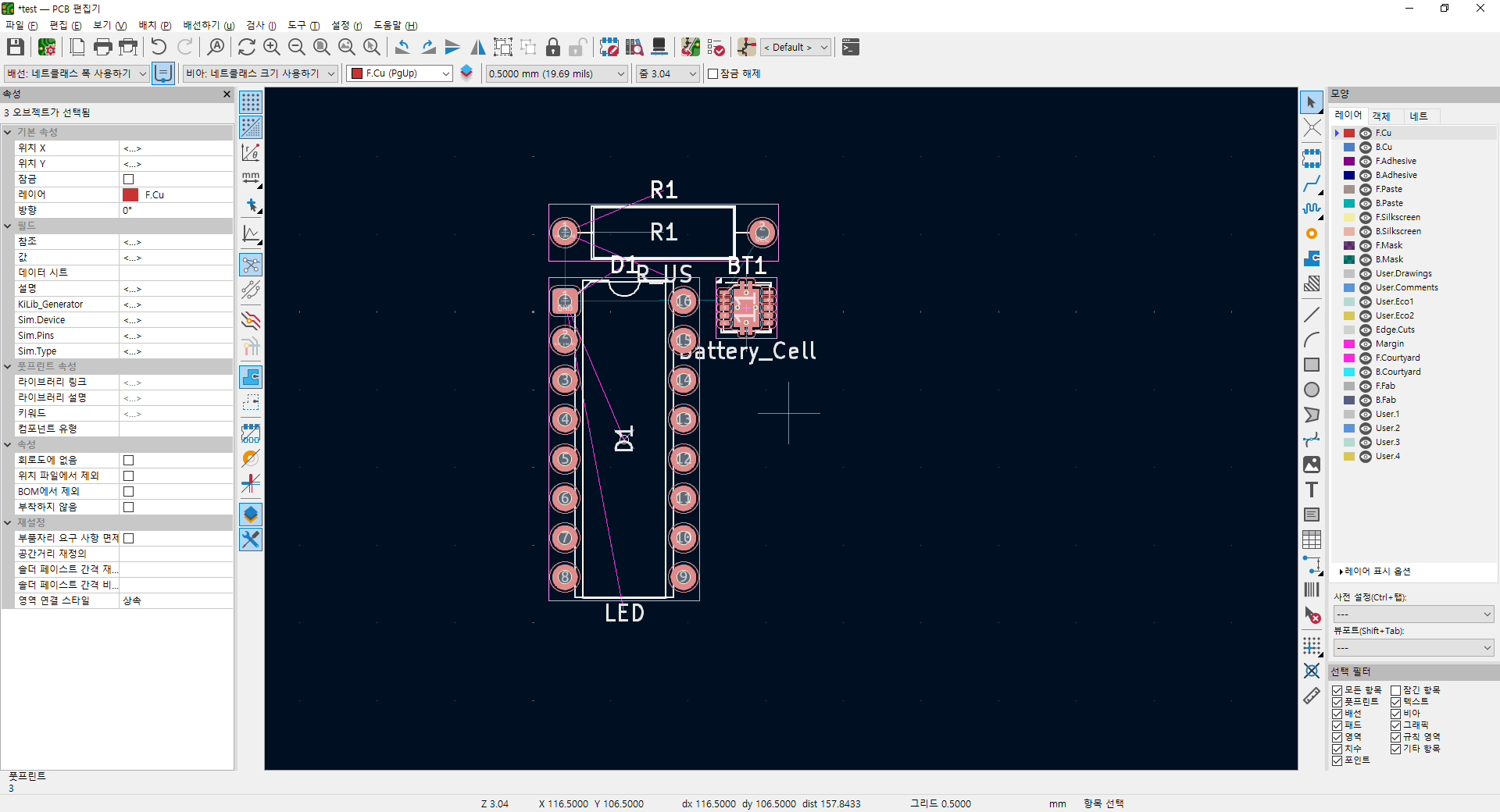
일단 부품 다시 설정하고
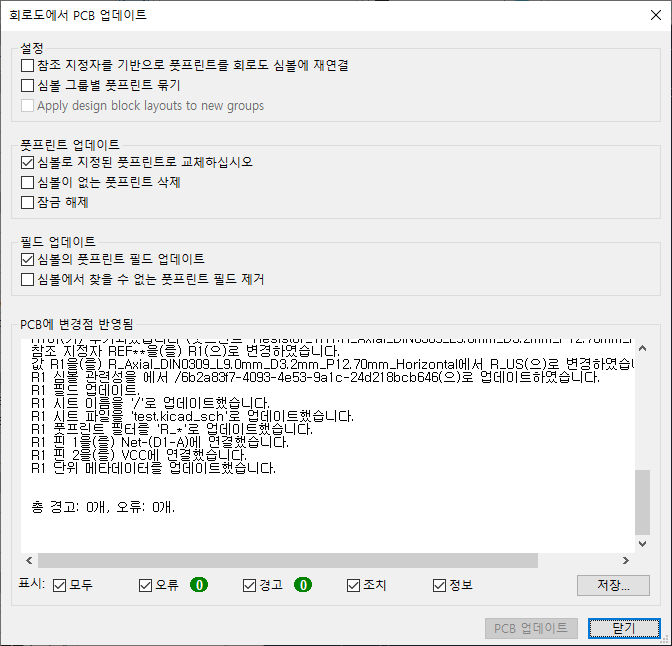
이제야 먼가 좀 정상으로 나오느군
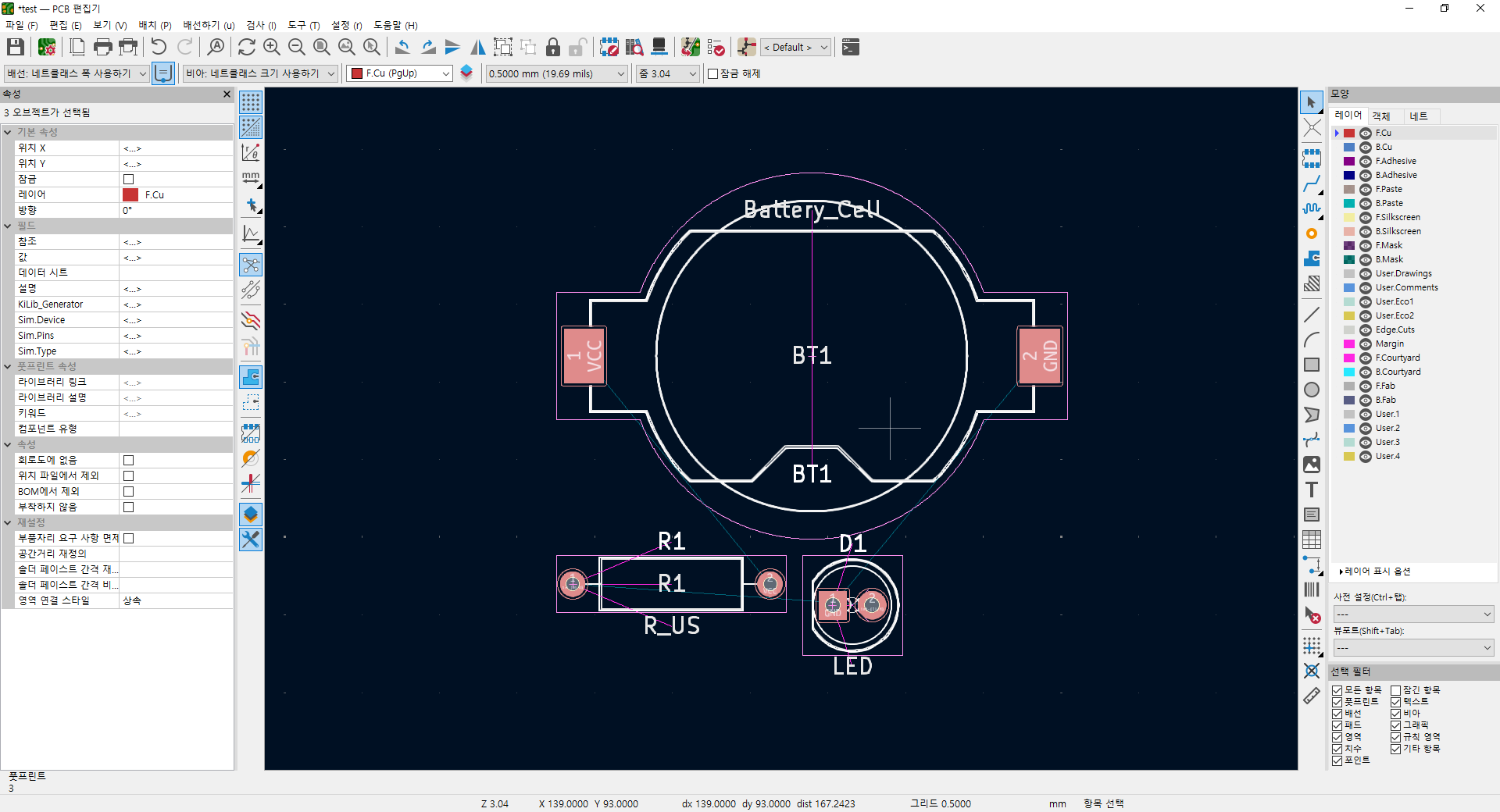
상단의 0.5mm 를 1.0 으로 바꾸고
우측의 Edge.cuts 를 선택후, 그 왼쪽의 도구 바에서 사각형 그리기를 클릭한다.
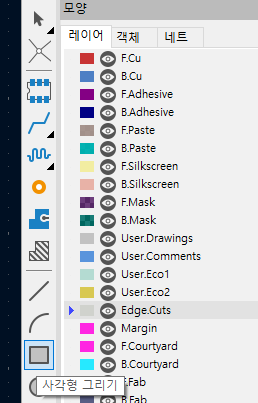
얘네는 드래그가 아니라 두 지점 클릭으로 그릴수 있으니 주의
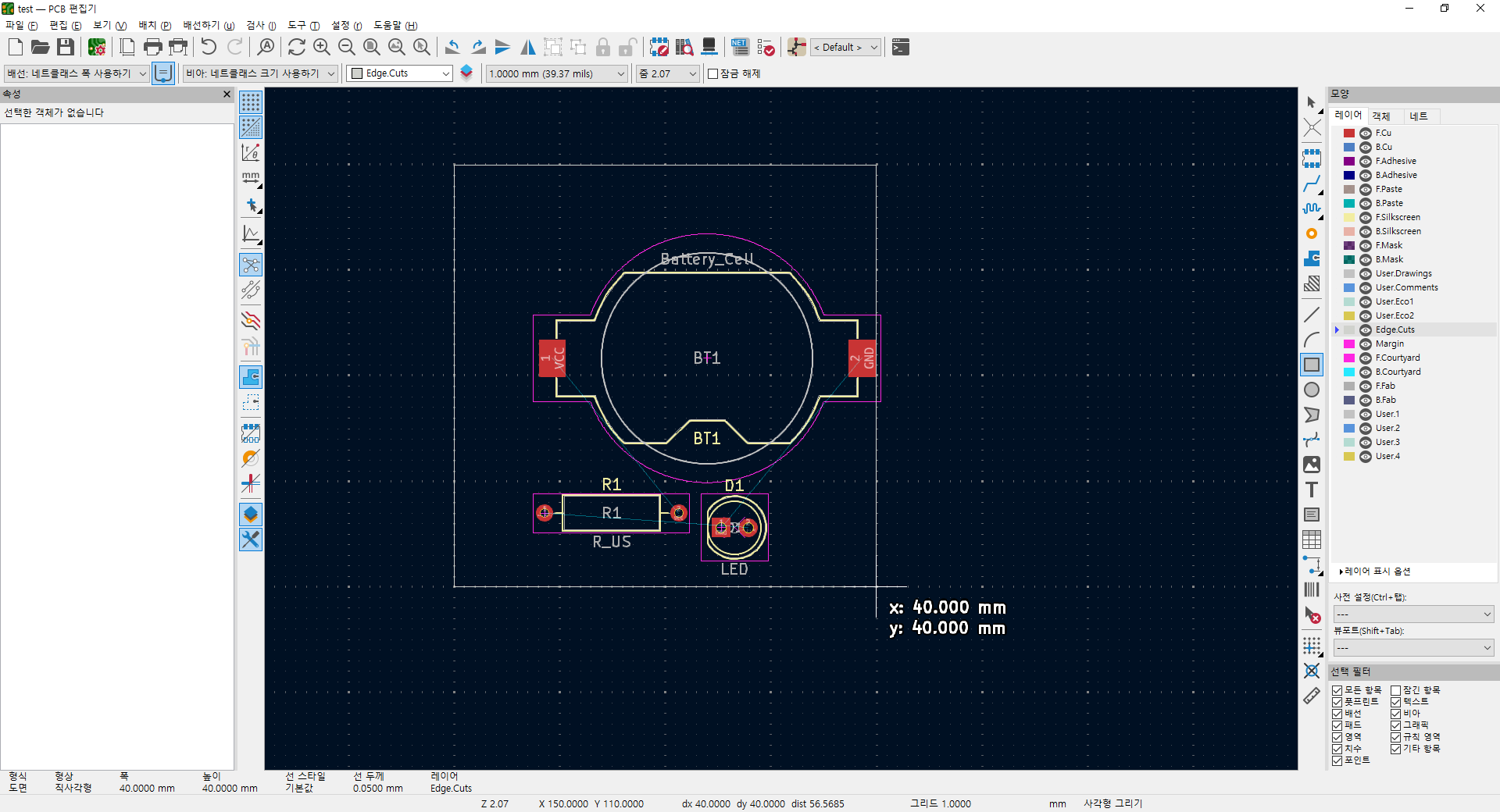
아무튼 이렇게 되면 이게 pcb 영역이 된다.
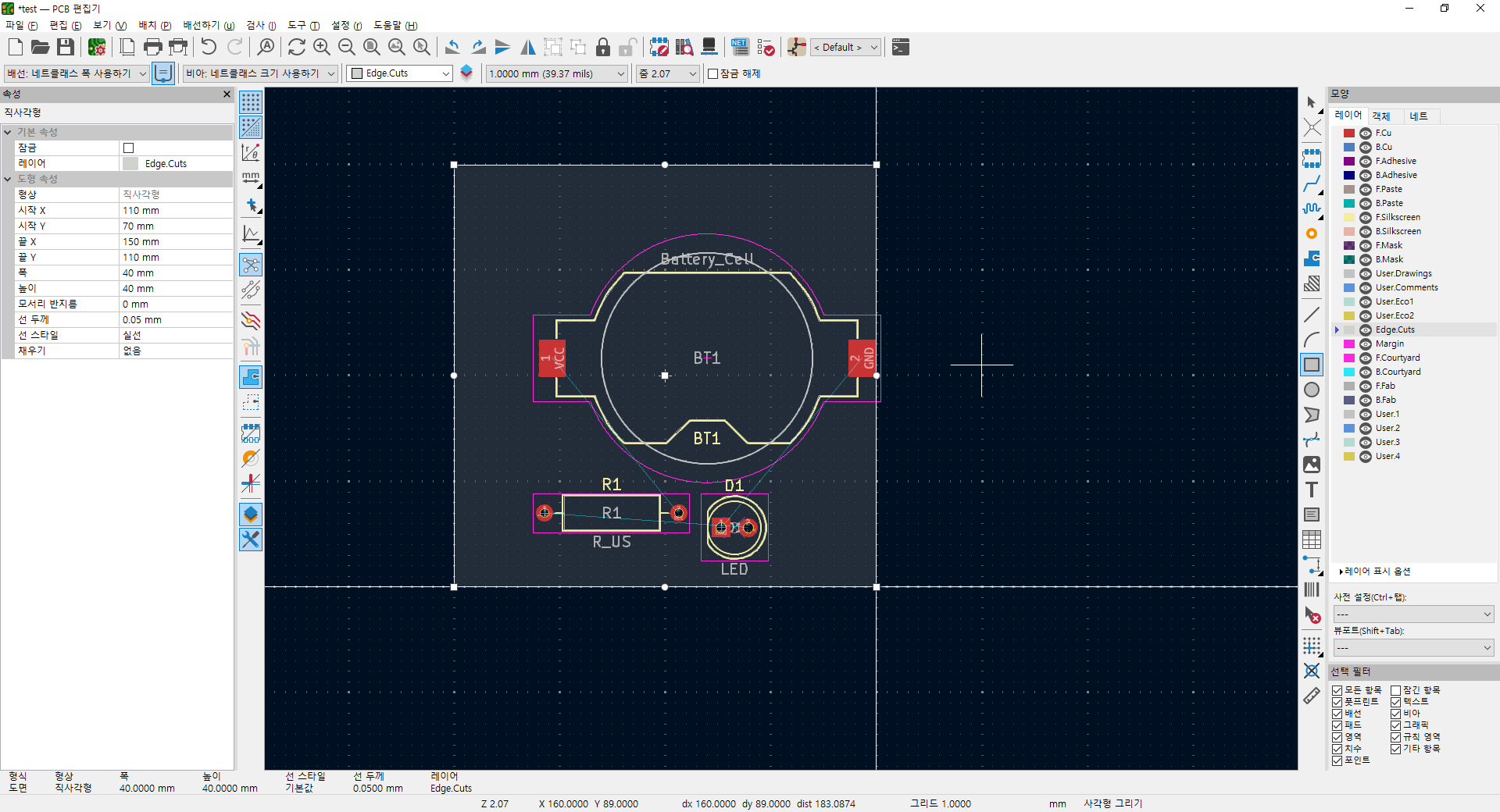
F는 flip 으로 뒤집는다는데 180도 라는게 어떤건지 좀 감이 안온다
방향 0
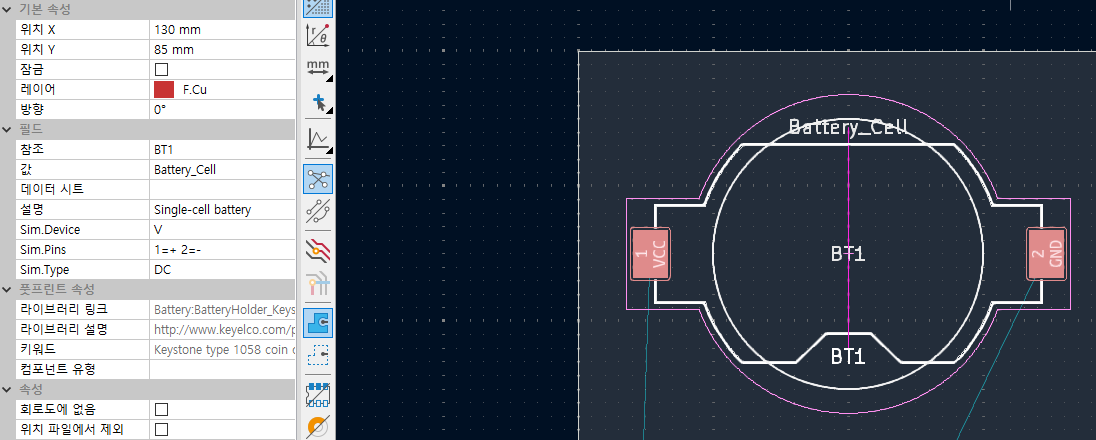
F 누르고 방향 180. 마치 뒷면에 놓은것 처럼 나온단 말이지.. 헷갈리네
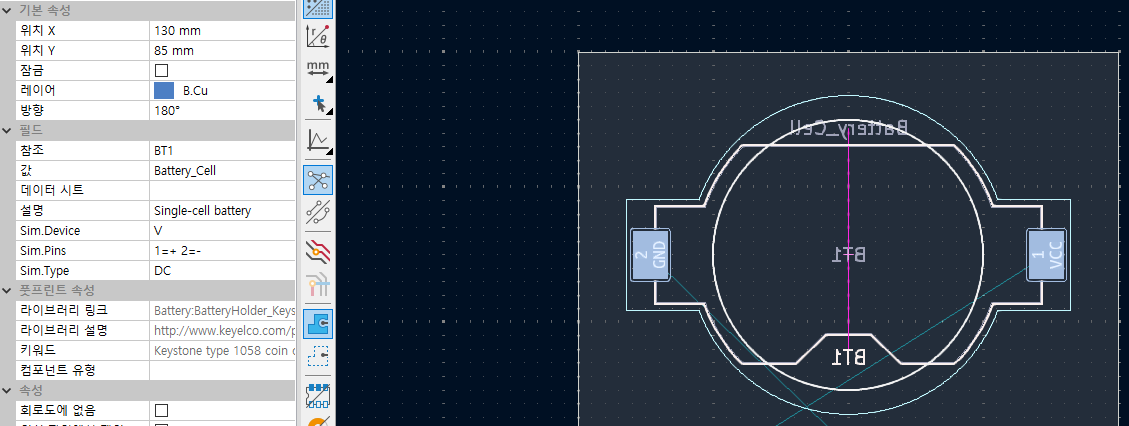
이동에 G도 되네?
그리고 회전은 R
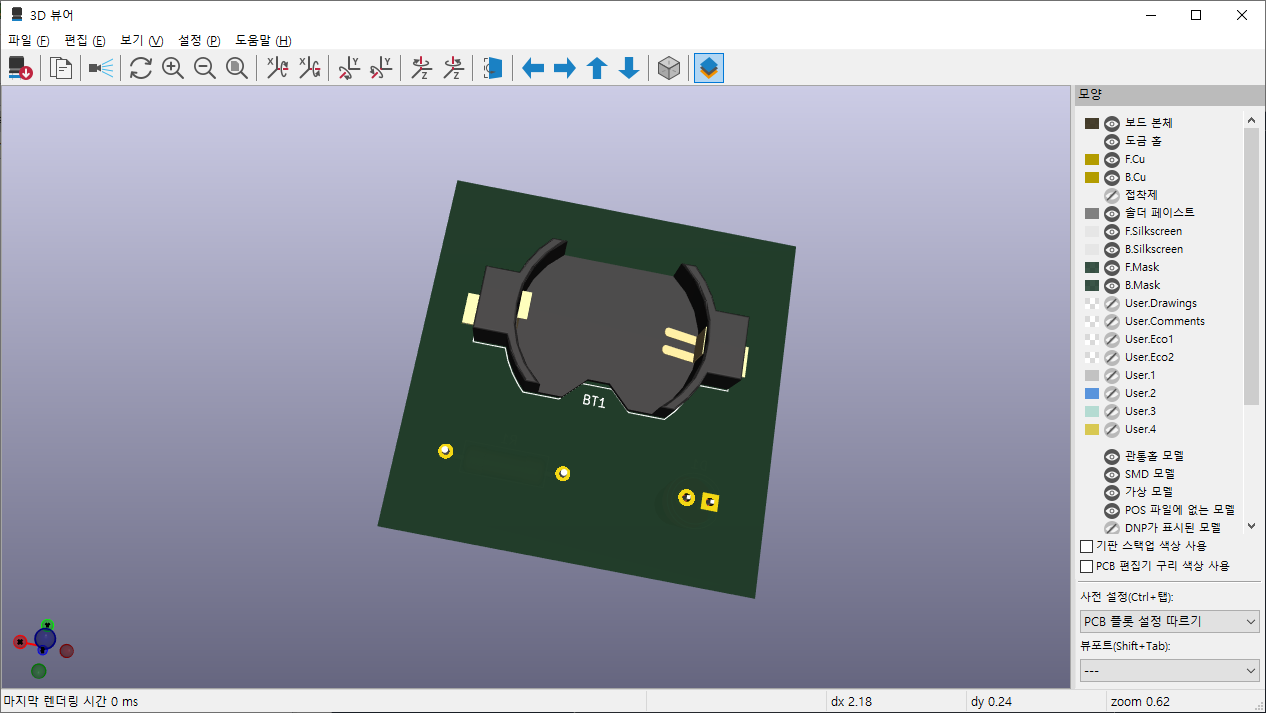
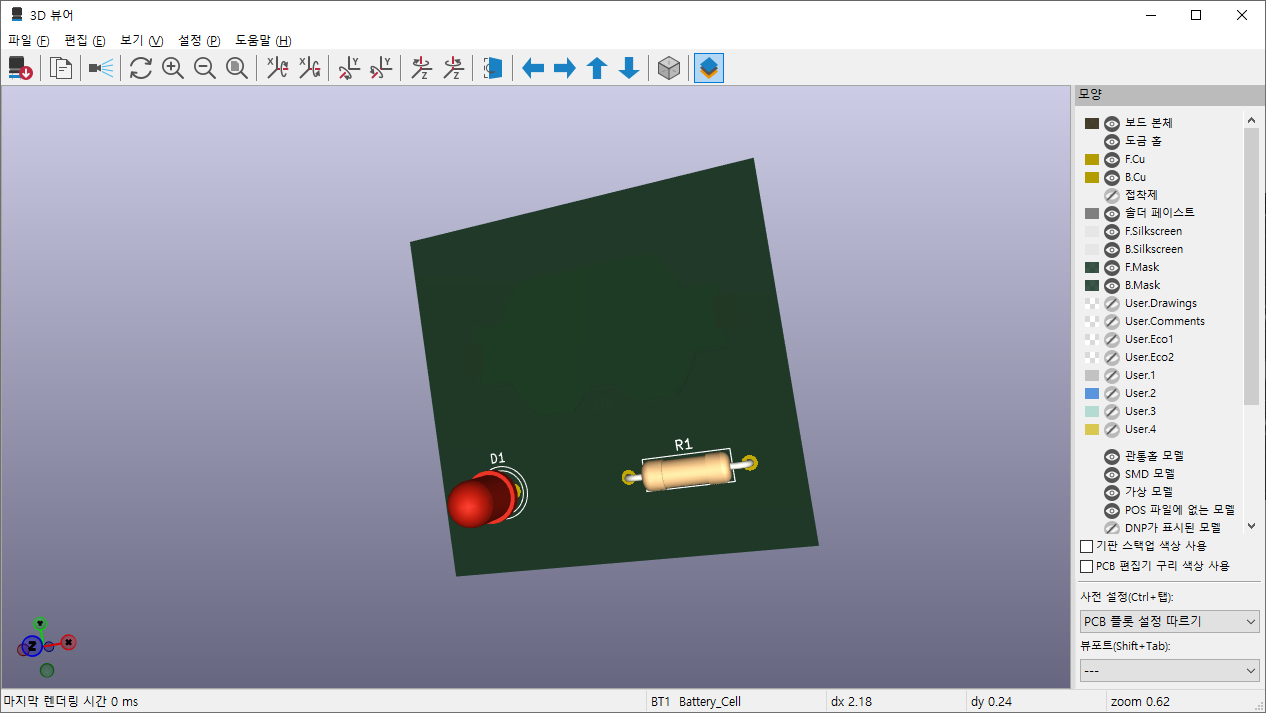
일단은 3d 뷰어로 해보니 오오.
F가 flip이 아니라 front / back의 f인가.. 양면으로 이동해버린다.
 |
 |
아무튼 하라는대로 route line을 찾는데 없네?
단선 배선. 틀린건 아니지만.. 흐음.. 아무튼 X를 누르거나
우측 툴바에서 "단선 배선"을 누른다
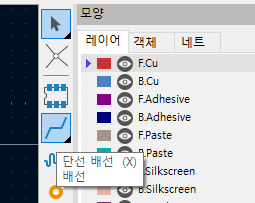
먼가 잘 안되는데..
D1의 하나의 패드에 커서를 올리고 나서 X를 누르니 된다.
회로도에서 연결정보가 있으니 상대편이 활성화 되니까 그걸 따라가면 끝
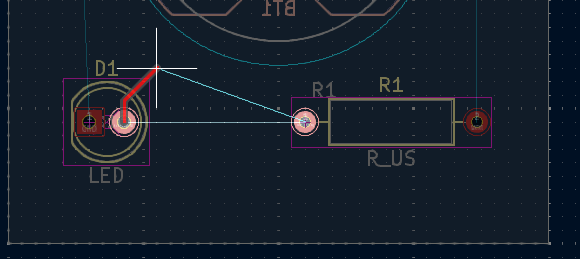
아무튼 v를 누르거나
F.Cu (Front Copper?) 혹은 B.Cu (Back Copper?)를 누르면 선택면이 바뀌는데

면이 다를 경우 배터리 셀 처럼 쓰루홀 타입이 아니라면 비아를 배치해서 보내도 된다.
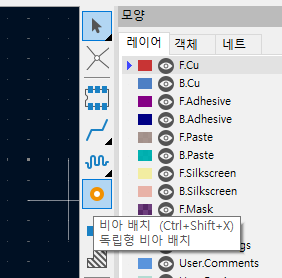
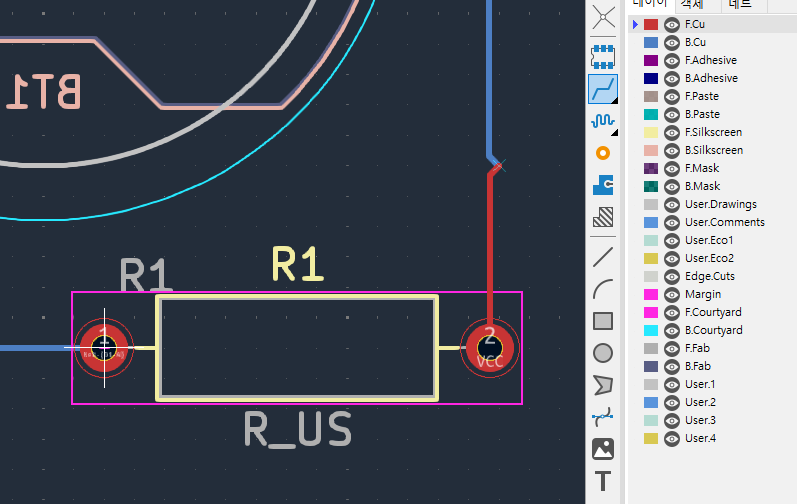
요건 쓰루홀이라서 뒷면으로 선을 보내버린 거. 그래서 하늘색으로 뜬다.
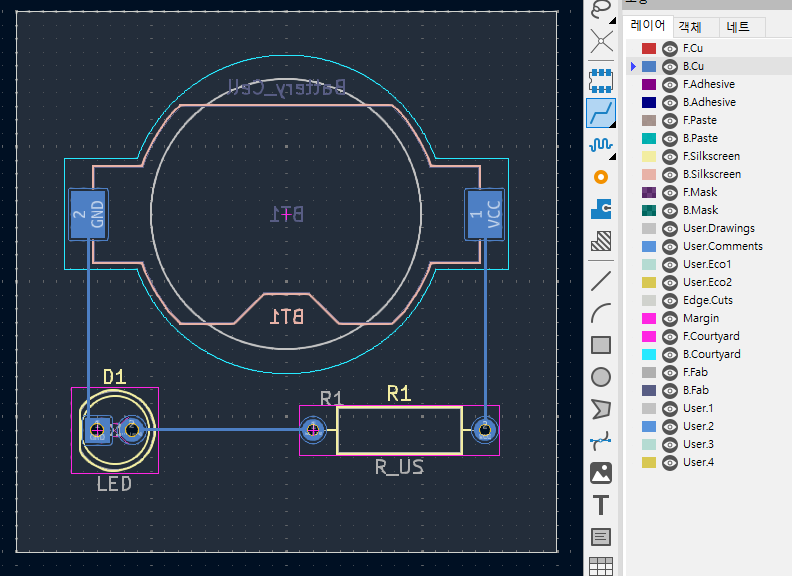
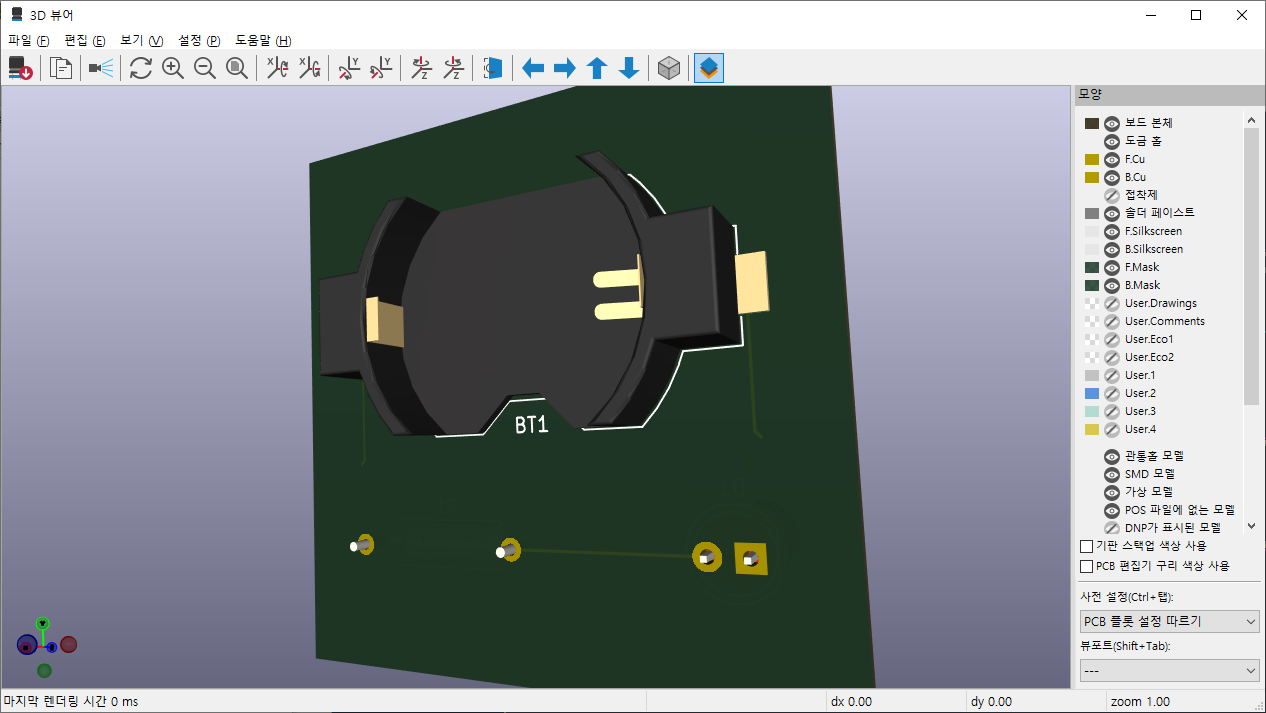
3d로 보면 이렇게 배터리 셀 쪽으로 배선이 연결된다.
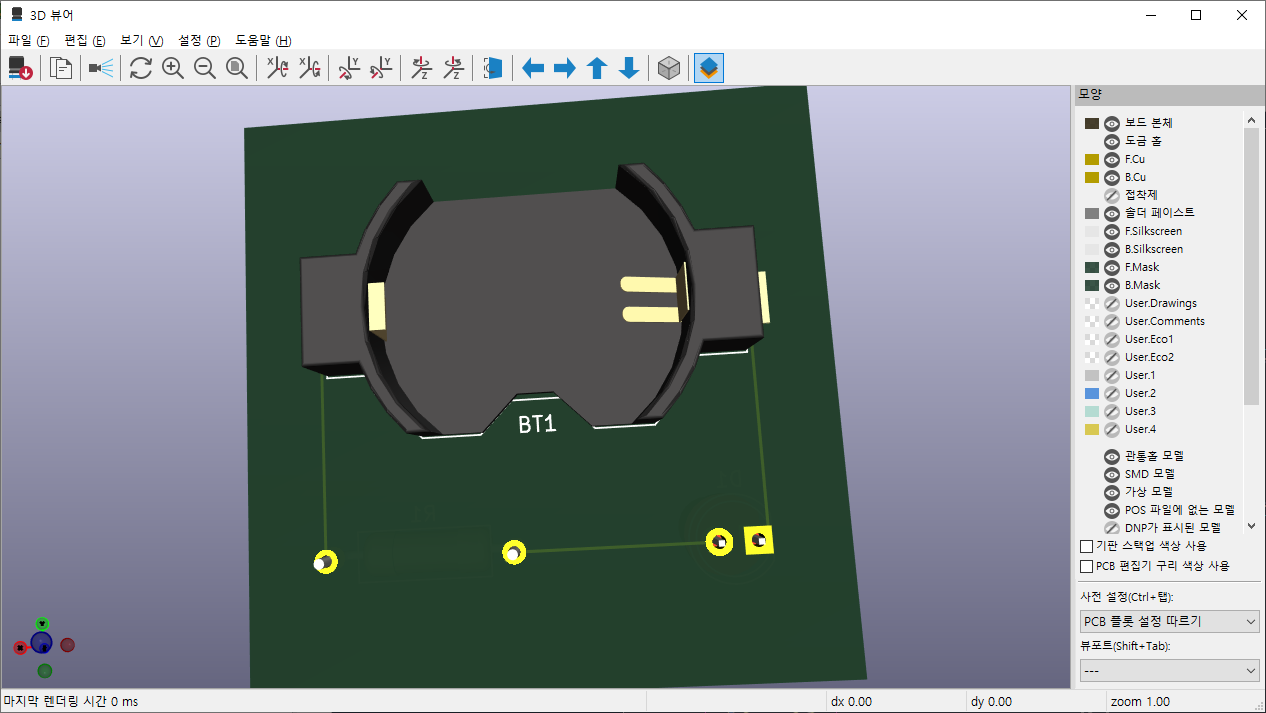
이렇게 연결해도 비아홀이 없으니까 정작 연결은 되지 않는다.
렌더링으로 보면 한쪽만 보이는 상황
그래서 비아홀을 뻥!
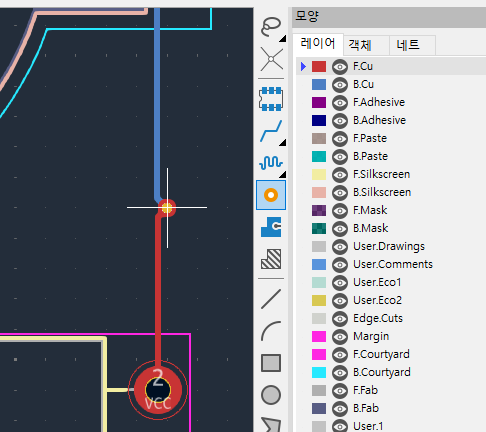
하면 흔히 볼 수 있는 비아홀이 생긴다.
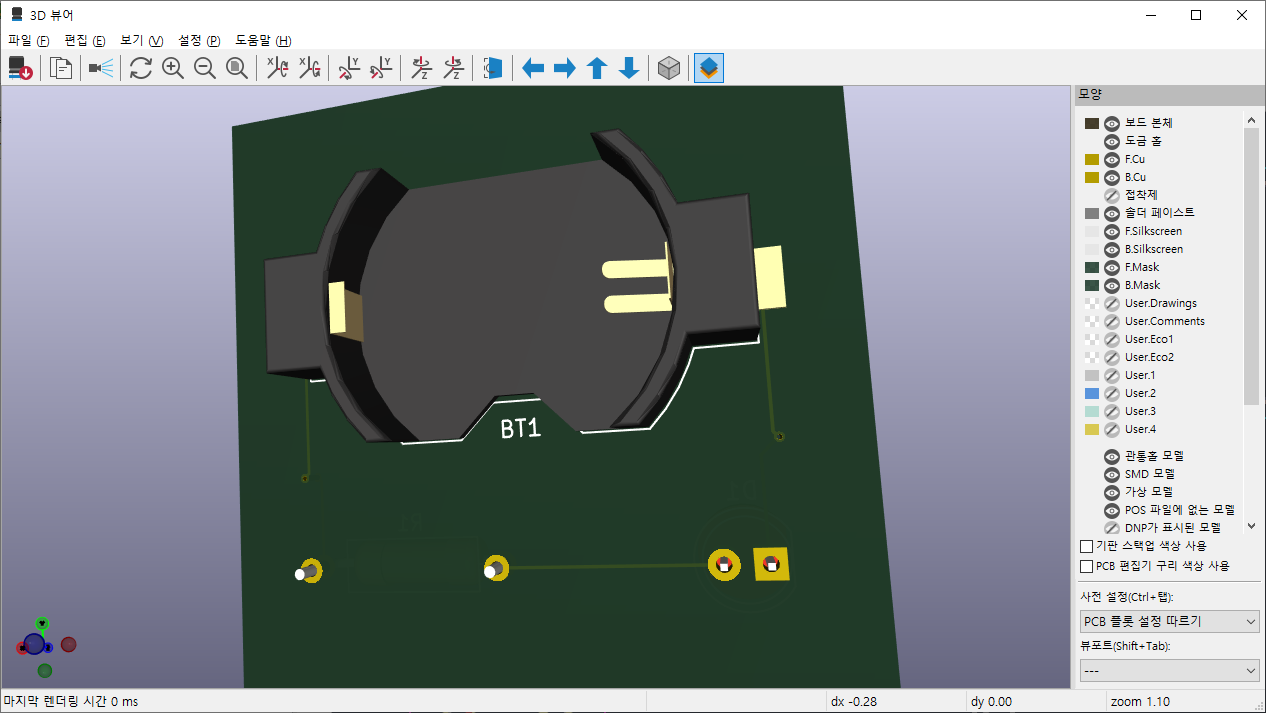
카퍼 부어주라는데 일단 귀찮으니 패스(!)
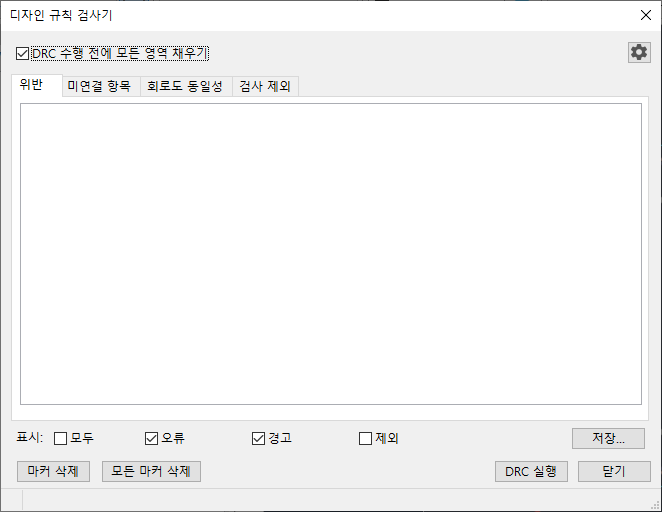
아까처럼 문제없는지 검사하는 DRC 라는걸 쓰란다
검사 - 디자인 규칙 검사기
혹은 상단 메뉴의 NET 아이콘 우측의 체크리스트를 누르면

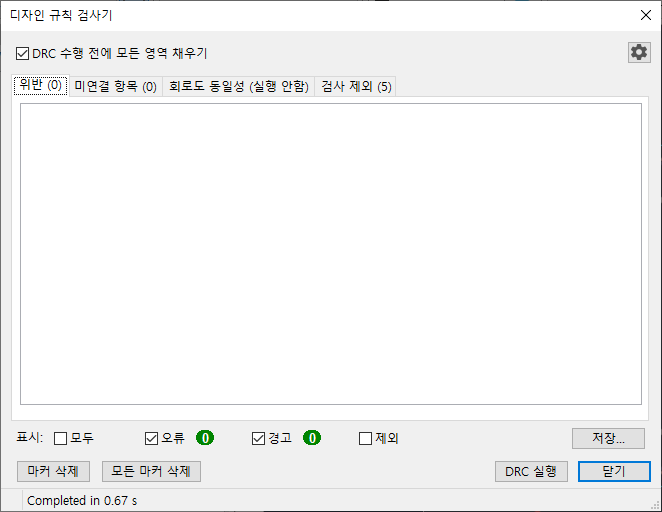
이렇게 뜨고, DRC 실행을 누르면
일단은 오류 0 경고 0 이니 쓸 수 있을 듯 ㅋㅋ
| kicad 10.0 튜토리얼 2 (0) | 2026.10.03 |
|---|---|
| kicad 10.0 튜토리얼 1 (0) | 2026.10.03 |
| kicad 공식 사용법 (0) | 2026.09.28 |
| kicad 발음 (0) | 2026.09.28 |
| kicad 사용법 (0) | 2026.08.14 |
프로젝트 파일에서 회로도 파일 더블클릭, 혹은 우측의 회로도 편집기 클릭해서 회로도(schematic) 그리러 ㄱㄱ
많이(?) 보던 회로도 종이가 보인다.
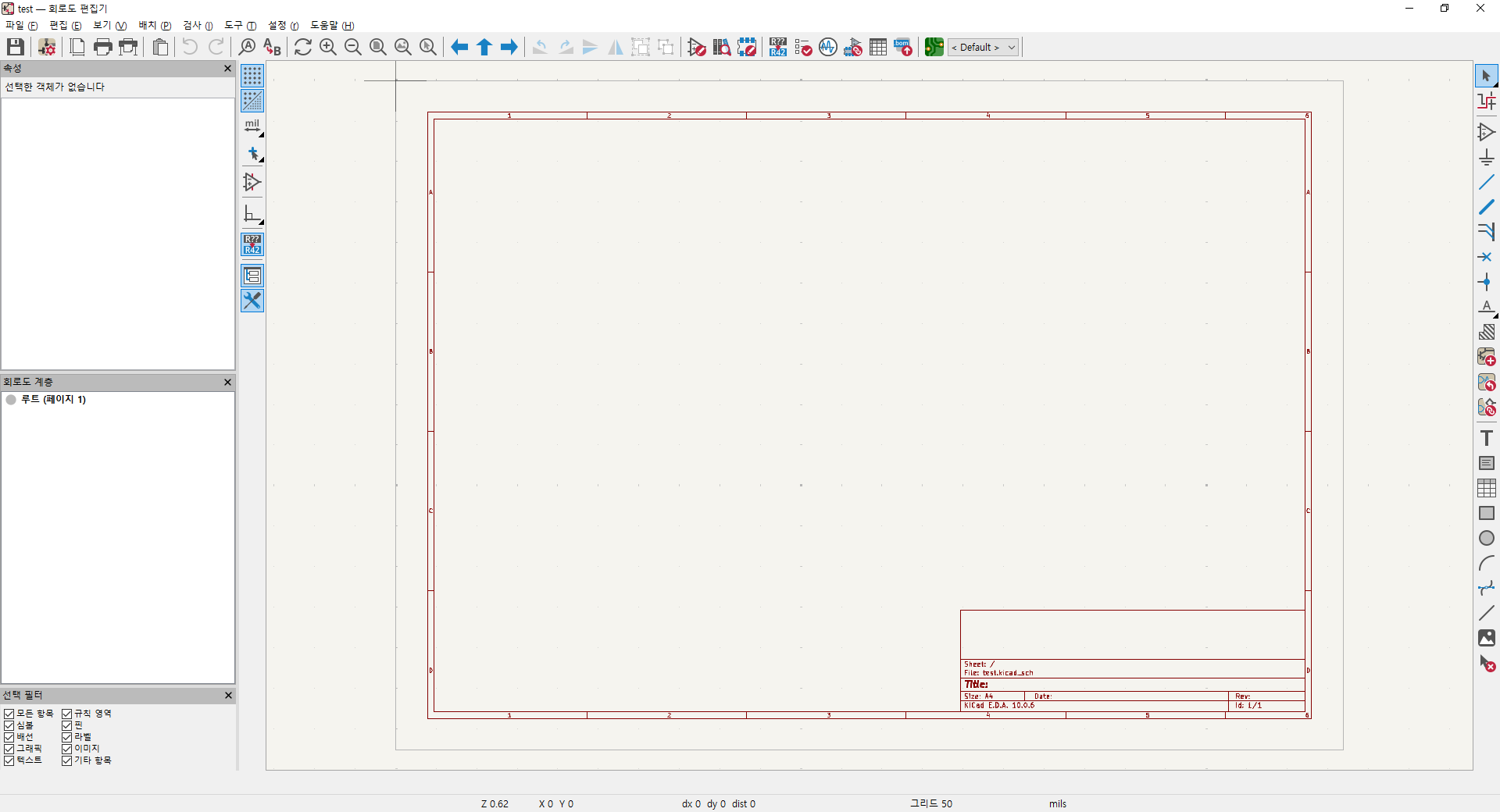
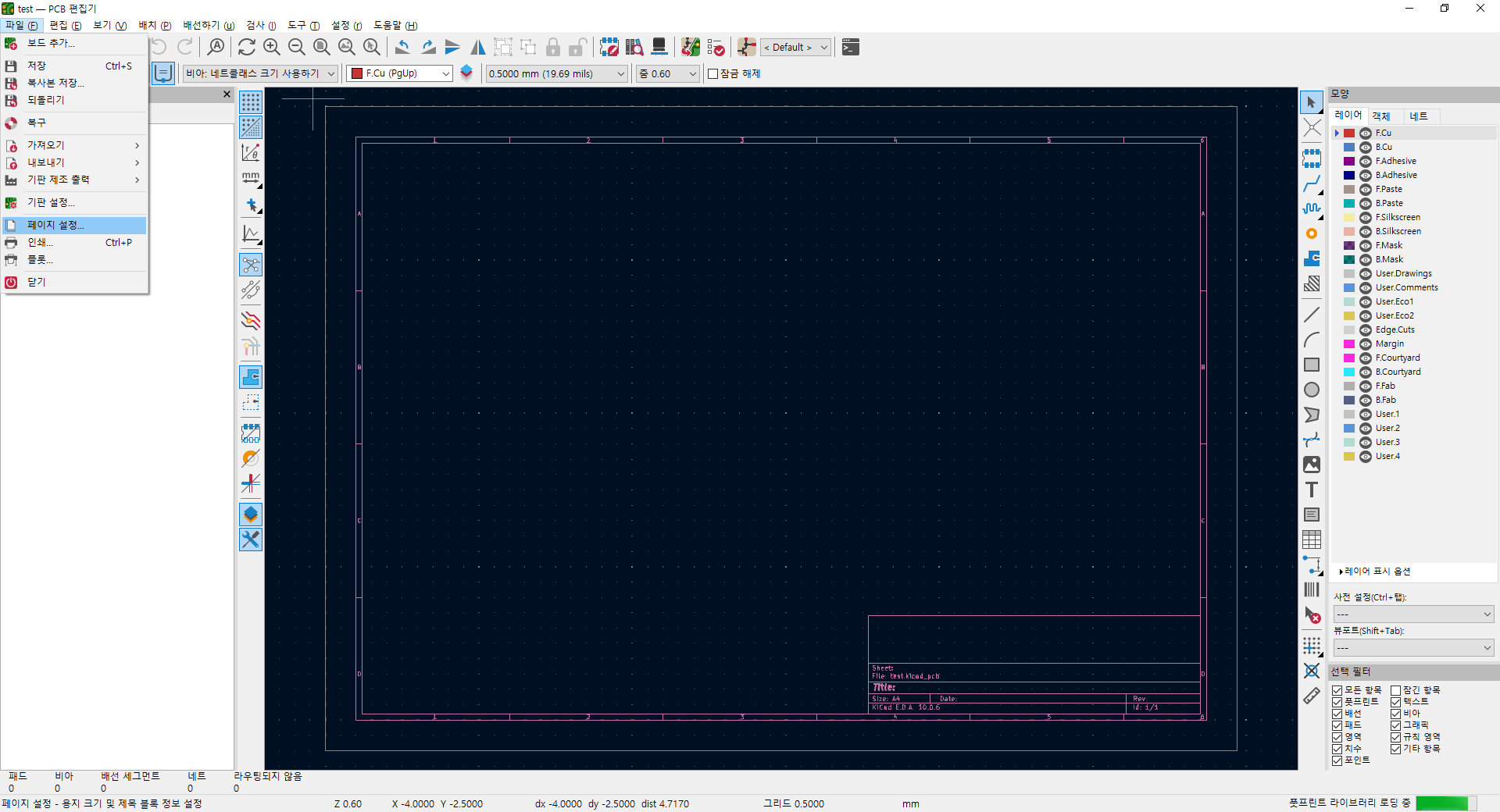
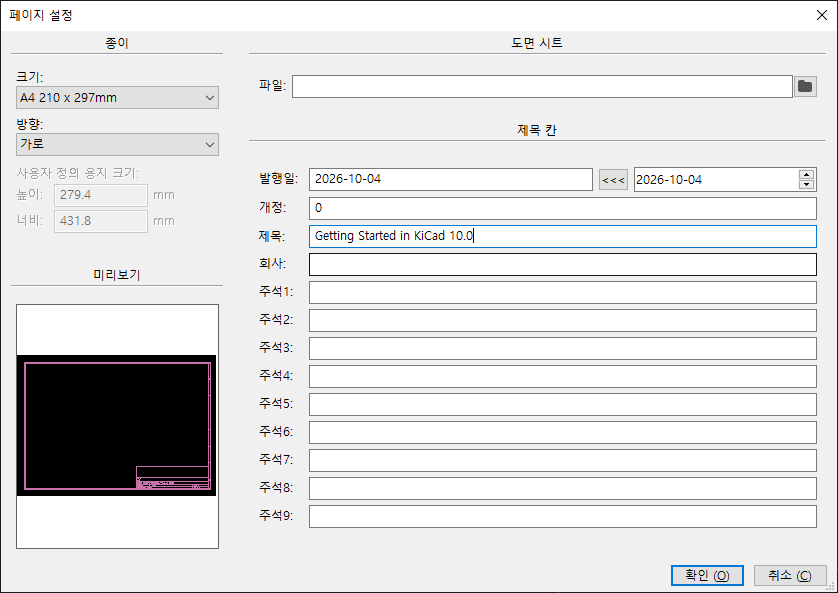
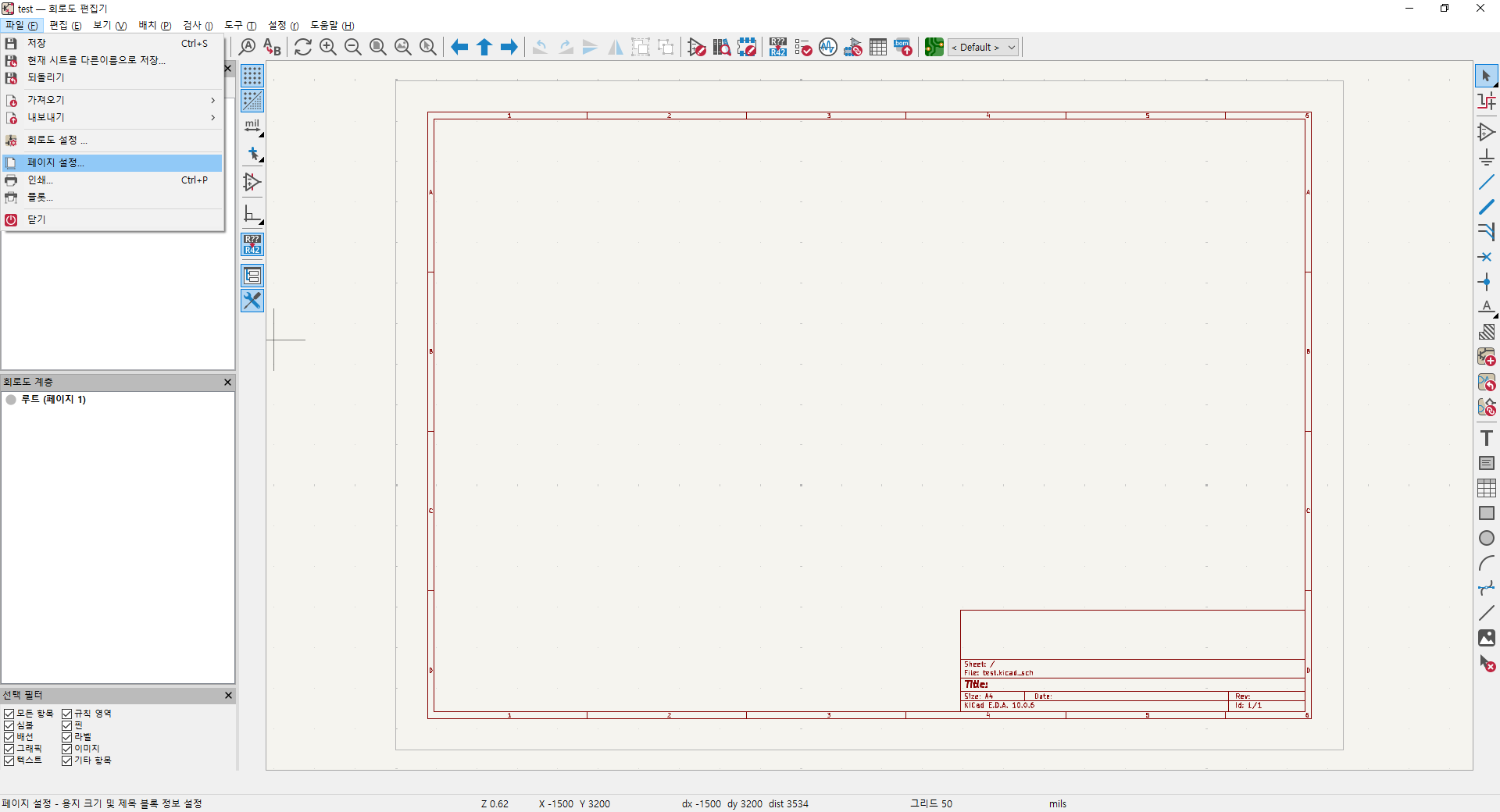
파일 - 페이지 설정에서
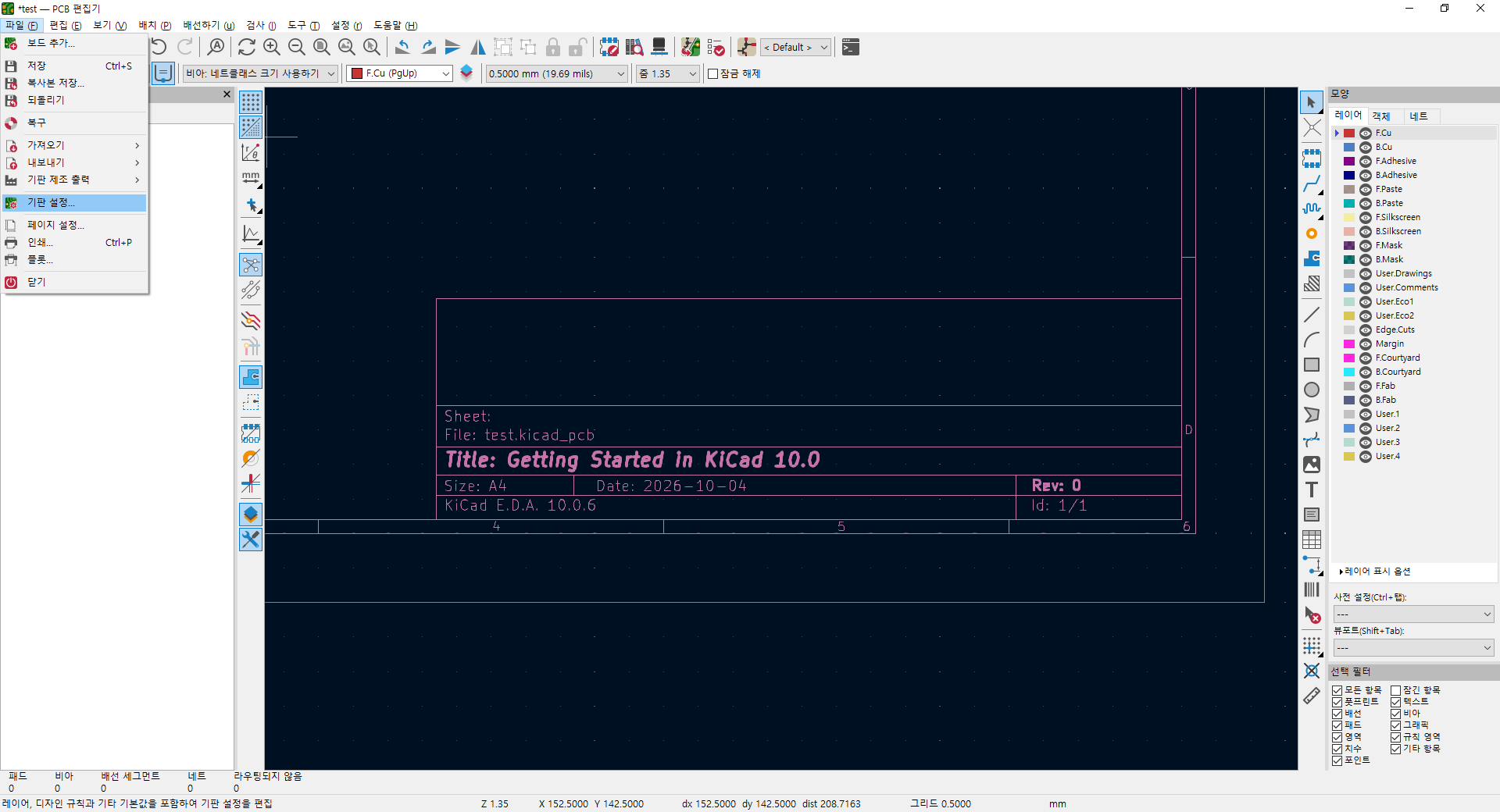
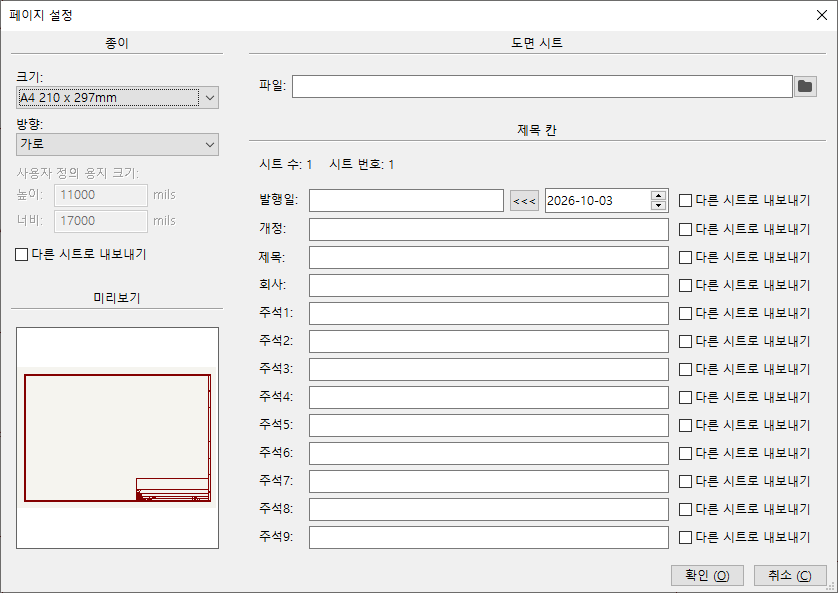
하단에 표기될 내용을 채워주고 용지 크기도 설정해 준다.
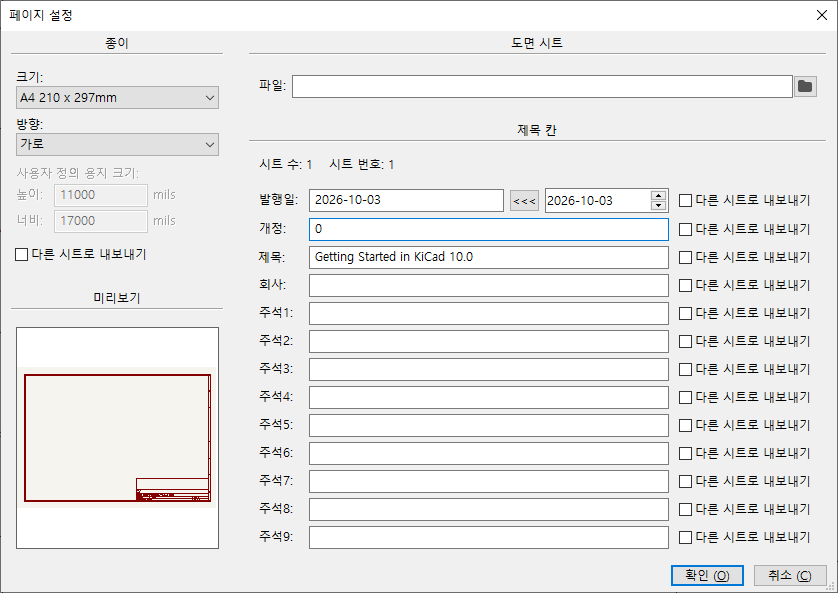
안넣어도 되지만 나중에 버전 관리하려면 착실하게 넣는게 좋다.
A 키를 누르거나 우측의 '심볼배치' 를 클릭한다
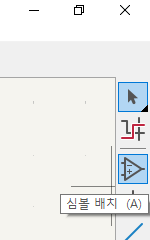
그럼 심볼 선택 다이얼로그가 열리는데
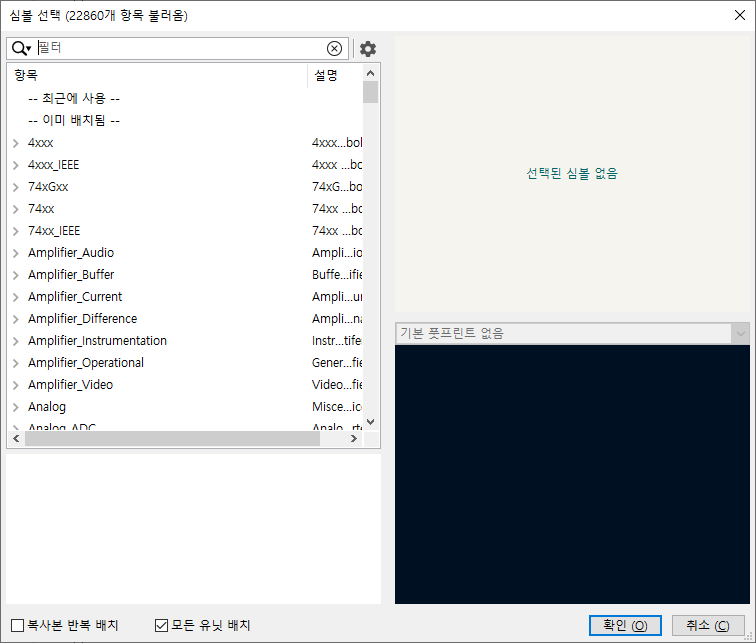
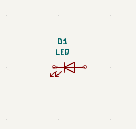
led를 치고
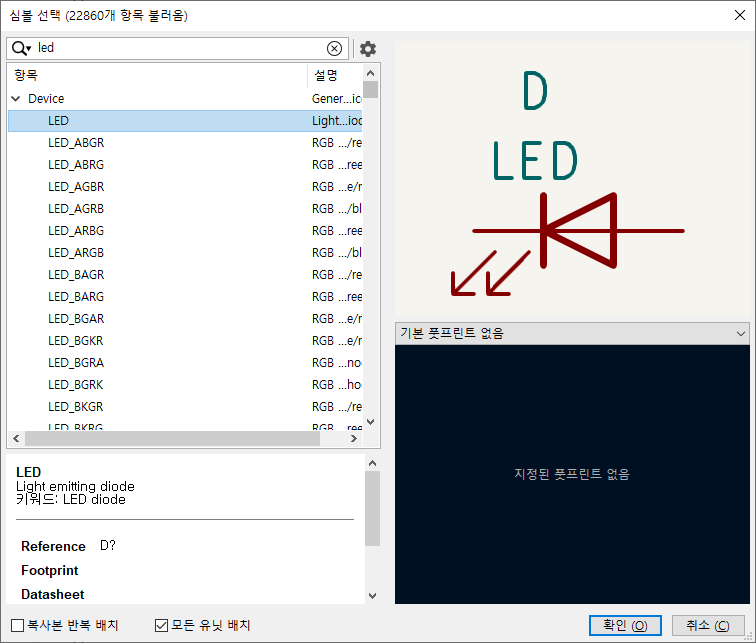
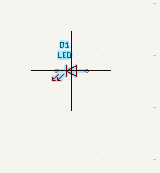
커서를 따라서 왼쪽처럼 파란색으로 떠다니다, 클릭하면 오른쪽 처럼 바뀐다.
 |
 |
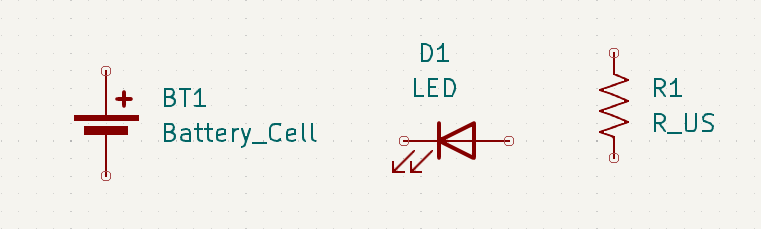
다시 A 눌러서 저항을 추가한다.
심볼 검색에서 R을 누르고 R_US를 한다. 저항도 기호가 엄청 여러가지네..

그리고 건전지 추가
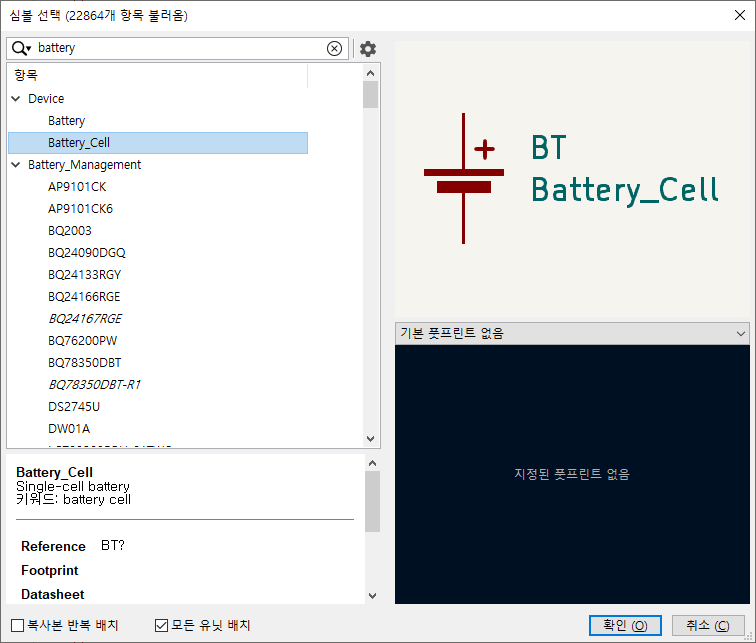
클릭하고 m 누르고 이동하면 된다.
회전은 r 인데 심볼만 할수도 있고 글씨만 할수도 있어서 위치를 잘 잡고 눌러야 한다.
W를 누르거나, 선 그리기 아이콘을 누른다.
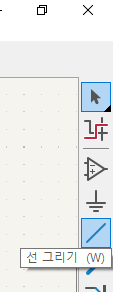
w 누르는 순간부터 줄이 위치하니까 , 미리 심볼의 원쪽에 위치시키고 하거나,
아이콘 누르고 심볼에서 끌어서 하는것이 좋을듯.
두곳을 이으면 에메랄드 녹색에서 녹색으로 바뀐다
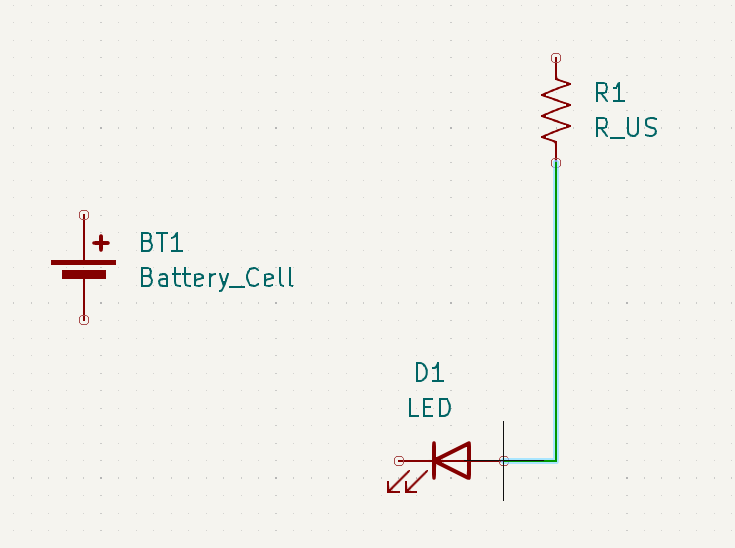 |
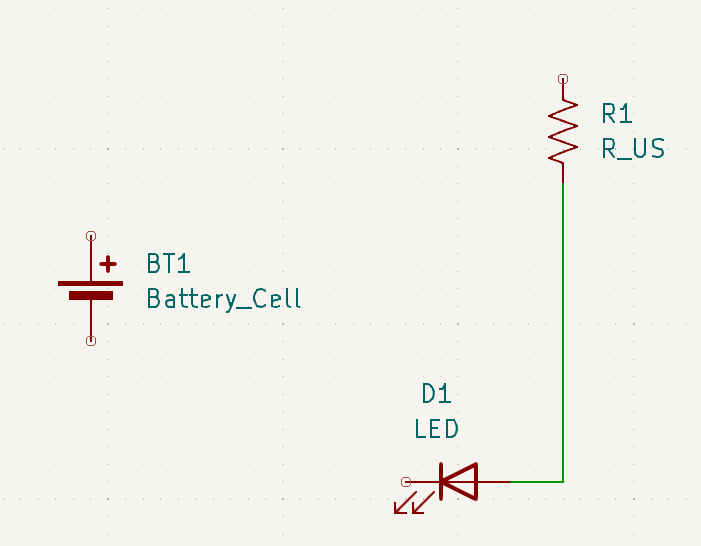 |
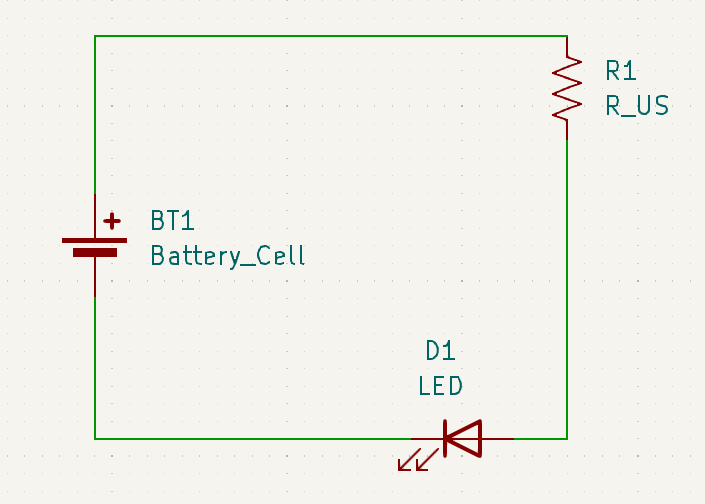
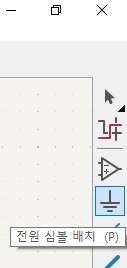
P를 누르거나 "전원 심볼 배치"를 클릭한다
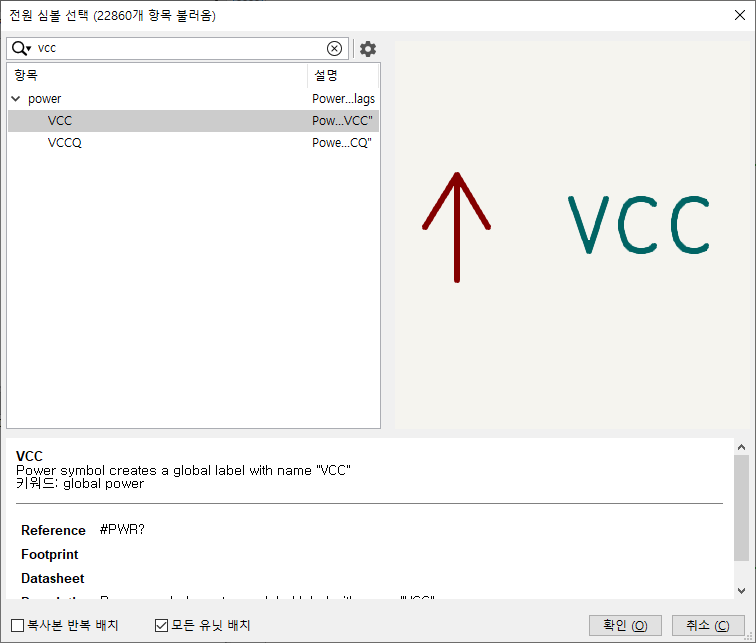
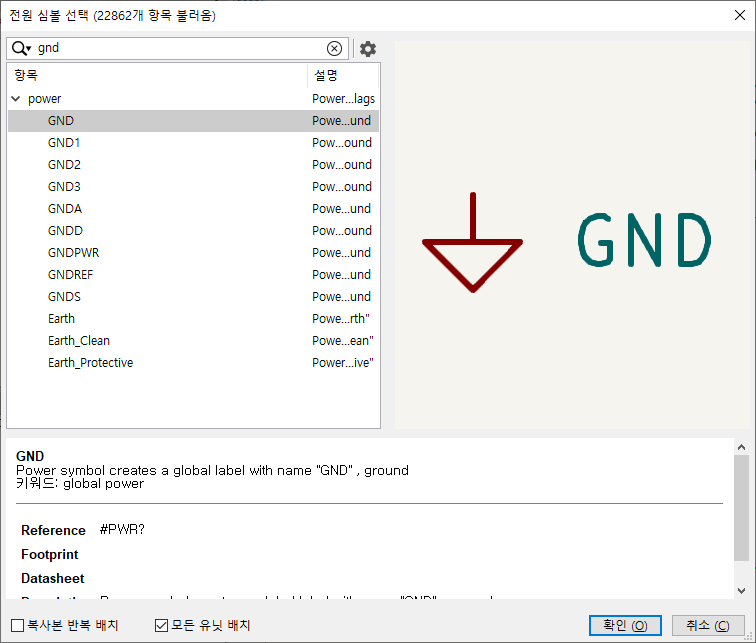
선 위에다 vcc, gnd를 배치하면 바로 연결된 원으로 뜬다.
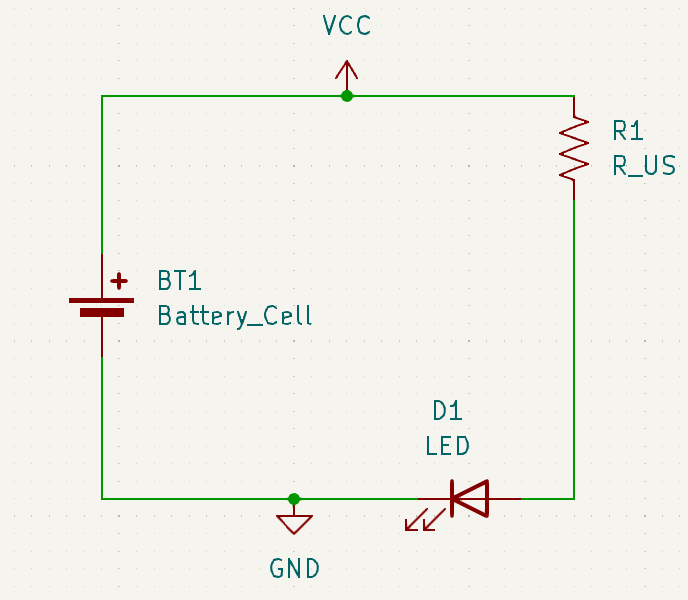
풋프린트 편집기를 누르라고 하는데
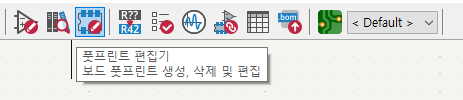
들어가면 아래처럼 뜬다.
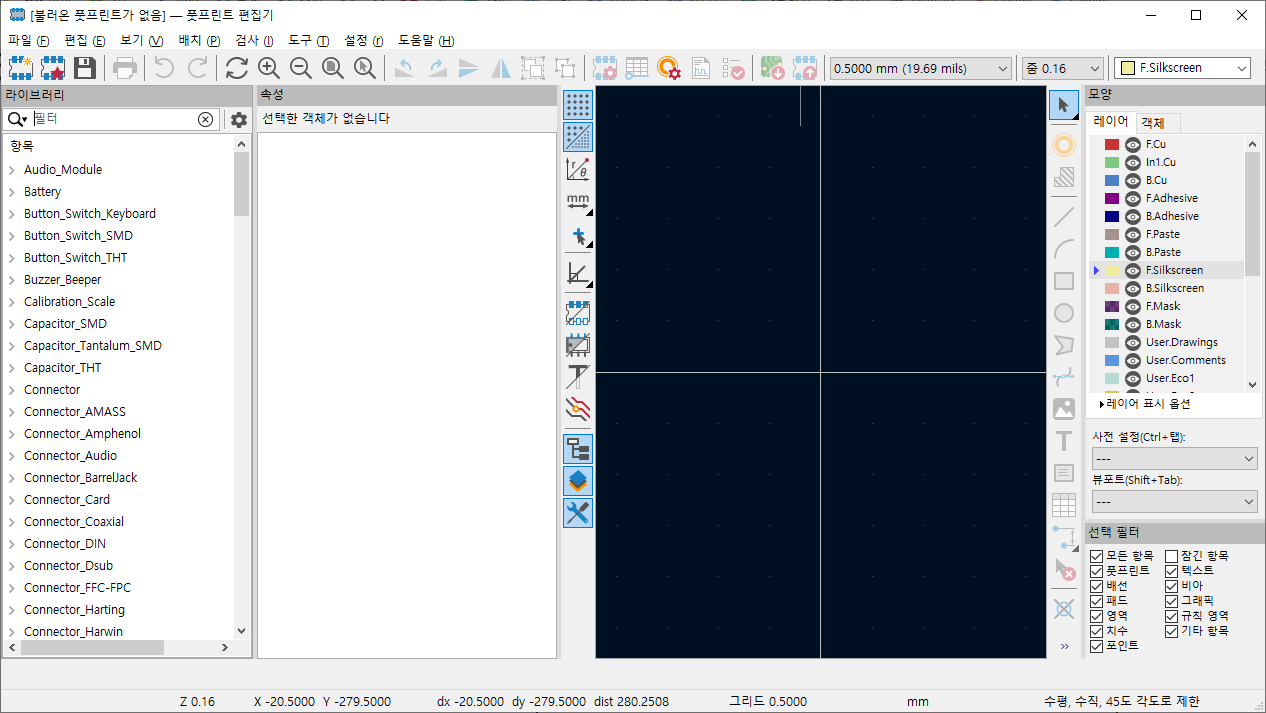
일단 튜토리얼 페이지의 내용을 따라 LED_D5.0mm 라고 입력하니 먼가 나오고
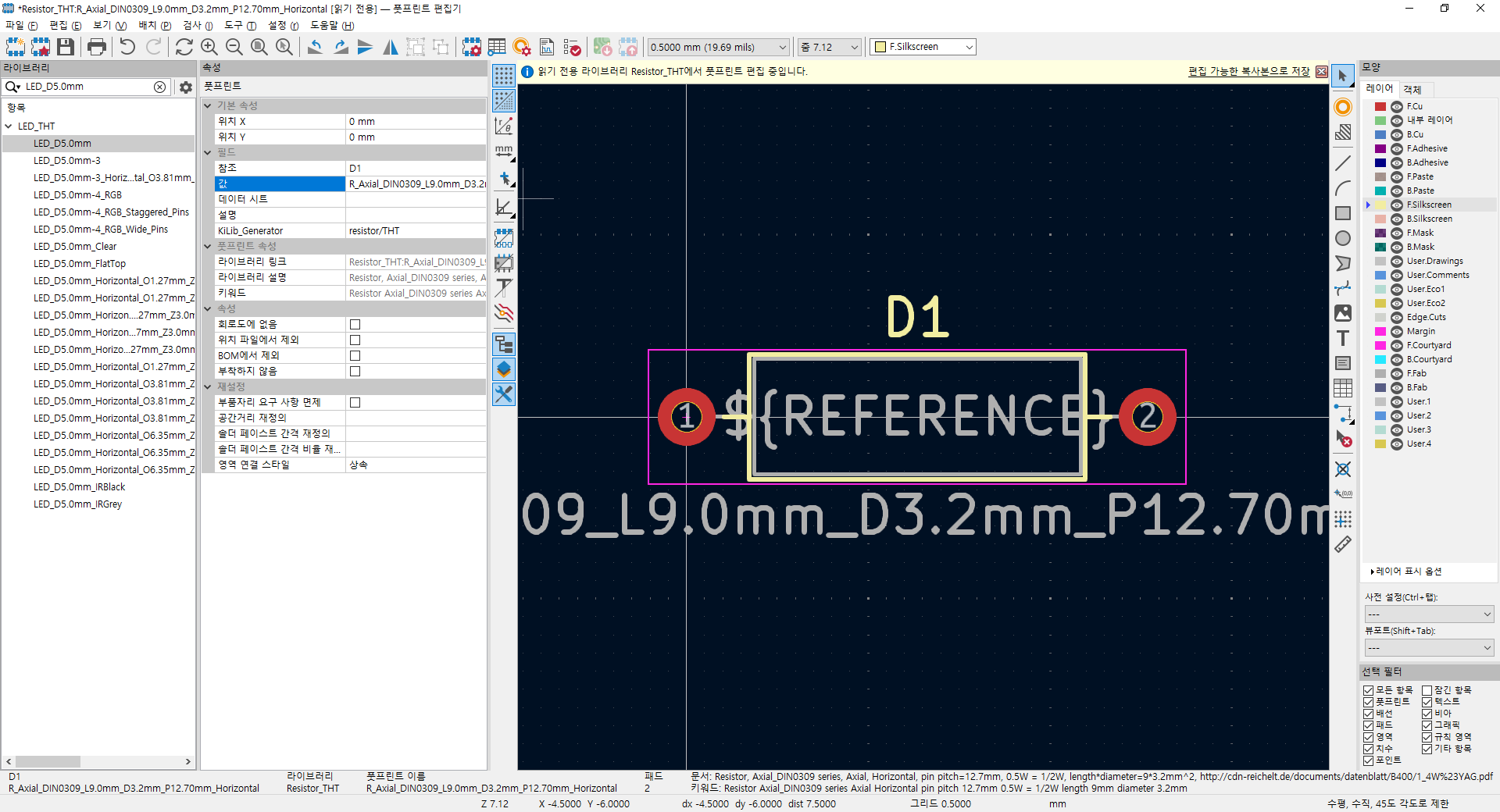
속성에서 참조에 REF** 대신 회로도에 기재된 부품의 파트명 을 넣어준다.
LED 니까 아까 D1 이라고 입력이 되어있던걸 넣어준다.
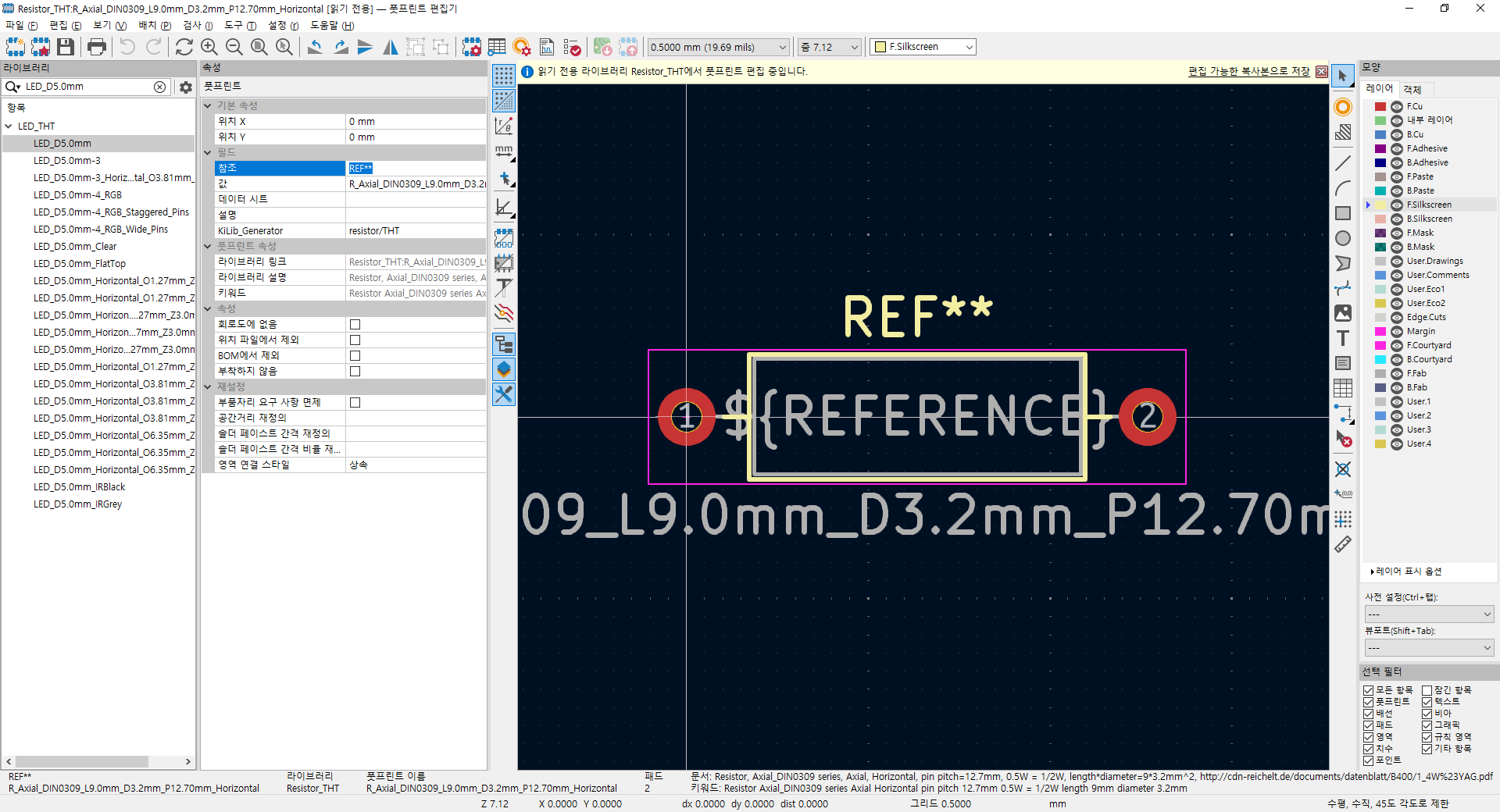
그럼 이렇게 REF** 에서 D1 이라고 뜬다.
(어떻게 보면 부품선정을 현재 단계에서 바로하나...? 싶다)
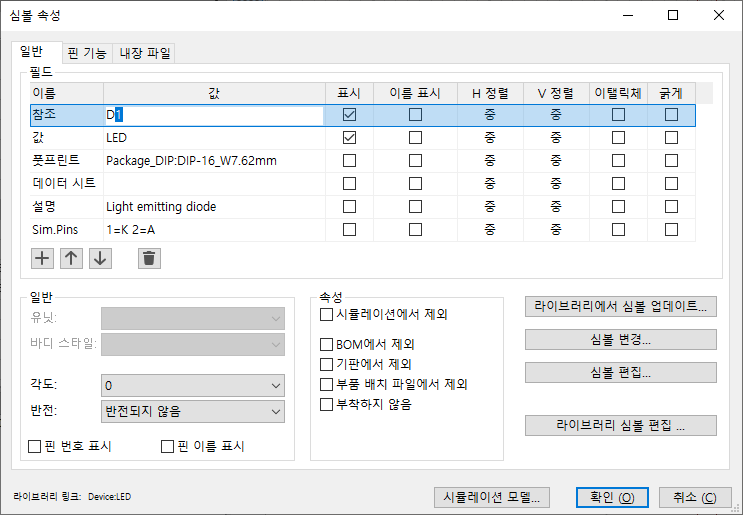
회로도에서 부품을 더블클릭하면 심볼 속성이 뜨는데
이렇게 참조 D1 / 풋프린트 해서 나와있으면 된다.(지금 다시 보니 왜 LED가 아니라 뜬금없는 DIP-16 타입?)
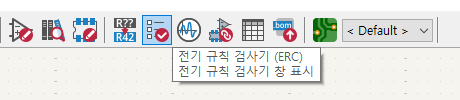
그리고 할걸 다 했으면 전기 규칙 검사기라고
연결안된거 있으면 해결하라고 도움을 주는걸 실행시키라고 한다.
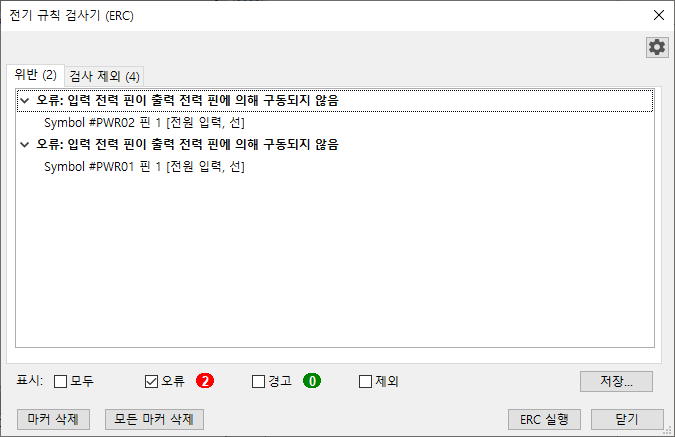
하단의 ERC 실행을 누르면 이렇게 오류/경고 뜬다. 해결해줄수 있으면 해결해주는게 좋다는데 모르니 패스 ㅋㅋ
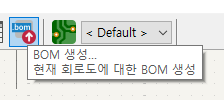
그럼 이제 BOM(부품 명세서, Bill of Material)을 생성하러 ㄱㄱ
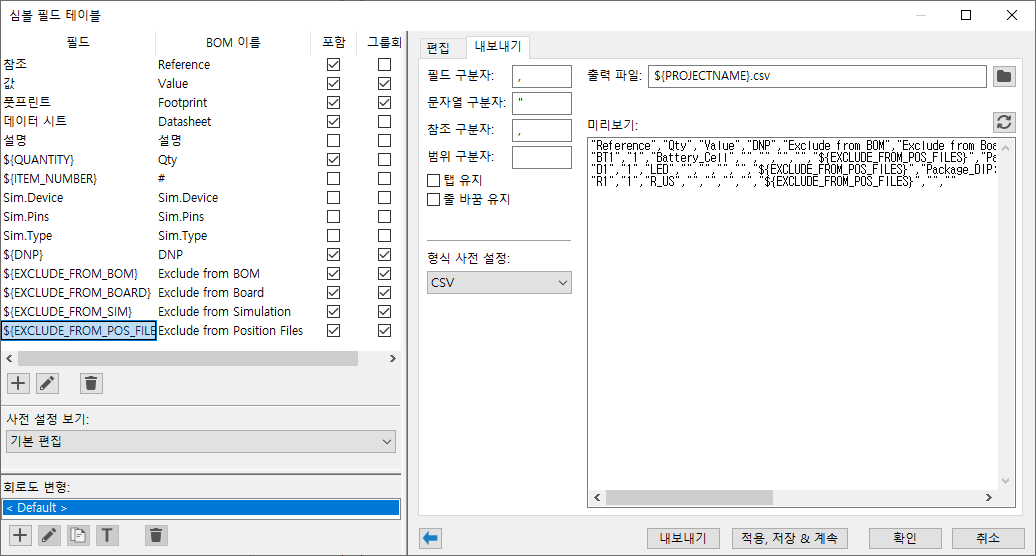
머라마라 나오는데 귀찮으니 CSV, 내보내기 쿡!
| kicad 10.0 튜토리얼 3 (0) | 2026.10.04 |
|---|---|
| kicad 10.0 튜토리얼 1 (0) | 2026.10.03 |
| kicad 공식 사용법 (0) | 2026.09.28 |
| kicad 발음 (0) | 2026.09.28 |
| kicad 사용법 (0) | 2026.08.14 |
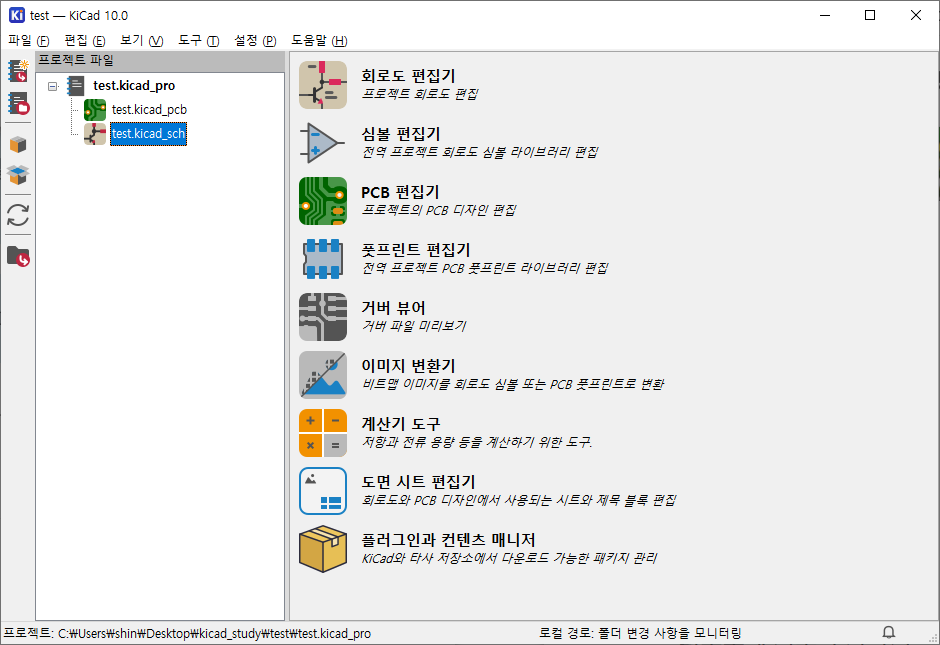
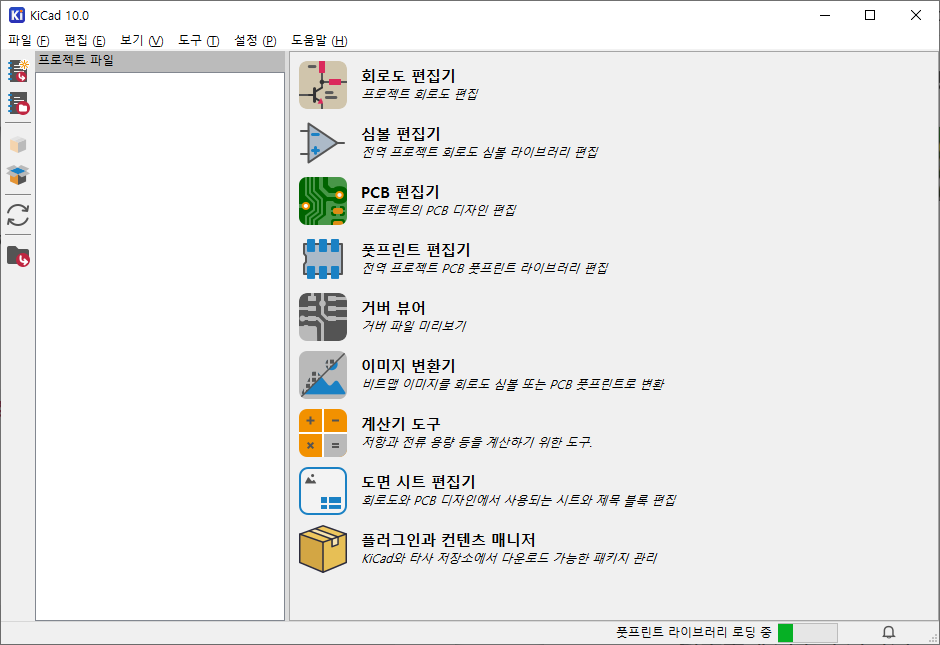
설치하고 실행하면 아래와 같이 뜬다.
프로젝트 파일이라고 뜨는데 막상 프로젝트 생성하라는 버튼은 없는데
개인적으로는 프로젝트 파일 아래 칸에 프로젝트 생성하기 버튼이 있으면 좋겠다는 생각이 든다.
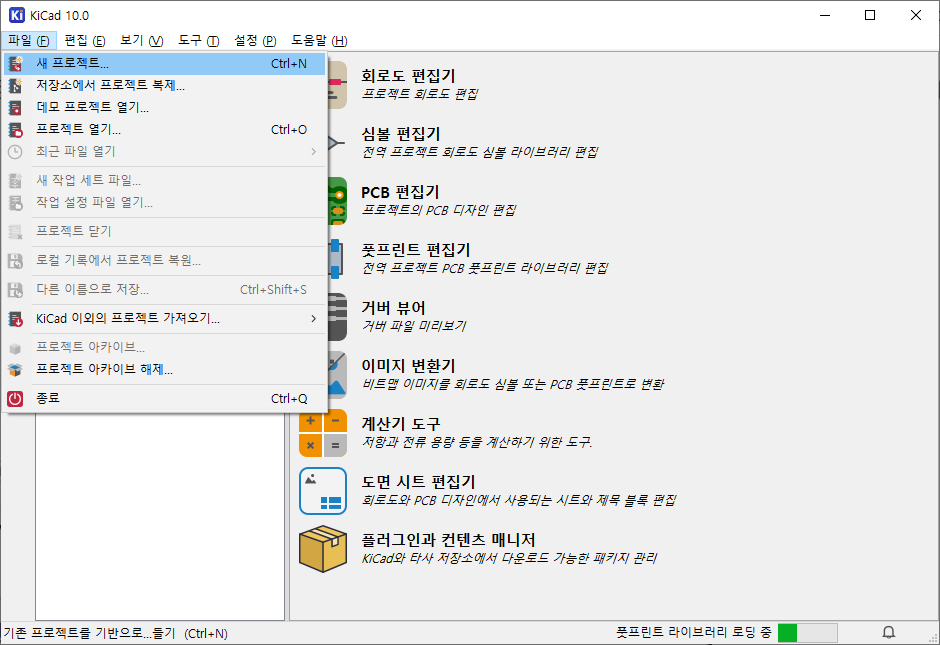
파일 - 새 프로젝트
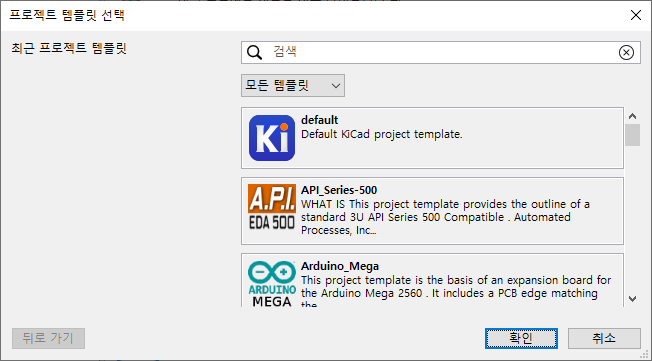
먼진 모르겠으나 defaul로 하라니 일단 따라가보자.
나중에 pcbway 같은것도 여기 있으려나?
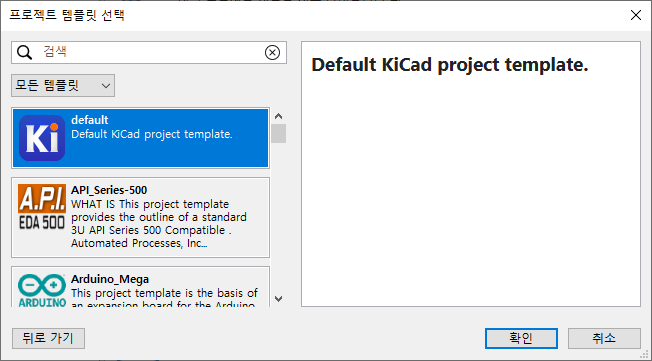
default KiCad template를 선택!
조금은 뜬금없는데 그러면 바로 프로젝트 파일 저장하라고 한다.
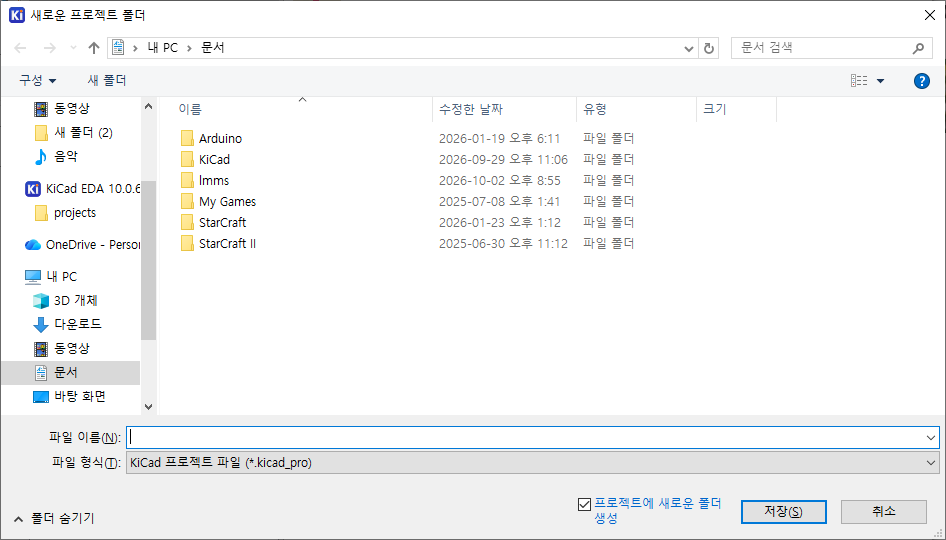
프로젝트에 tree view로 뜨는데
_sch 를 더블 클릭하거나 회로도 편집기의 아이콘을 누르면 프로그램이 실행된다.
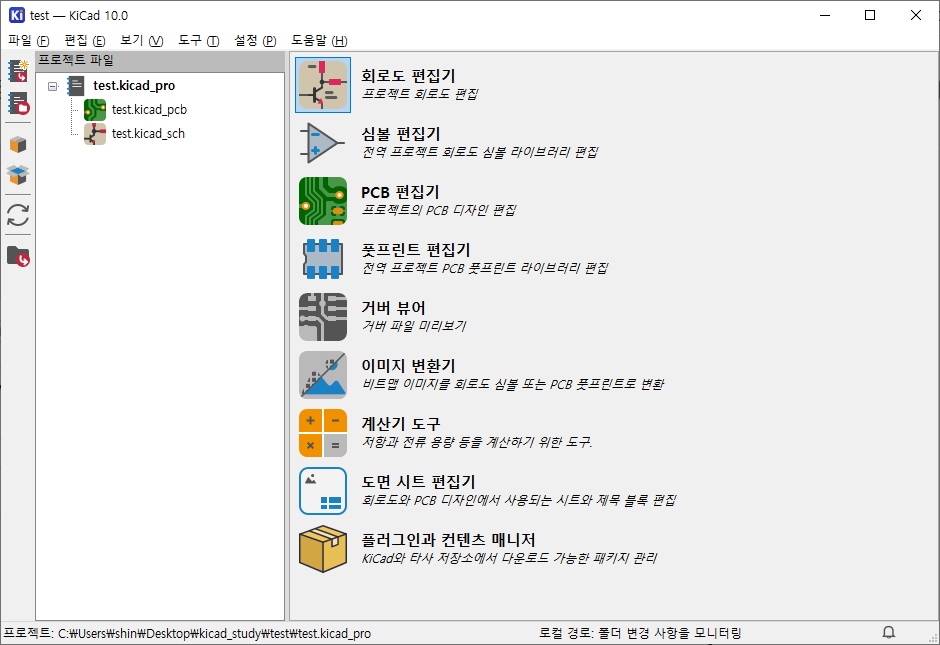
| kicad 10.0 튜토리얼 3 (0) | 2026.10.04 |
|---|---|
| kicad 10.0 튜토리얼 2 (0) | 2026.10.03 |
| kicad 공식 사용법 (0) | 2026.09.28 |
| kicad 발음 (0) | 2026.09.28 |
| kicad 사용법 (0) | 2026.08.14 |
음.. 음.. 음..
피아노 커넥터가 문제지 변환 젠더가 문제가 아니었네?
머.. 흰색 이쁜 헤드셋 생길걸로 만족을...(!)
| 다이소 4p 3p 변환 젠더 (0) | 2026.09.20 |
|---|---|
| 영창/커즈와일 m110 보면대 (0) | 2026.09.15 |
| 신기하네 (0) | 2026.09.15 |
| ardour6 midi 연결 (0) | 2026.09.13 |
| 악보 - 보표와 옥타브 (0) | 2026.09.09 |
자꾸 멈추고 빅스비 눌려서 분해해버림
커넥터 쪽에 선이 꺾이면 오작동해서 분해해보는데
진짜 부품이 저게 다냐 싶을정도
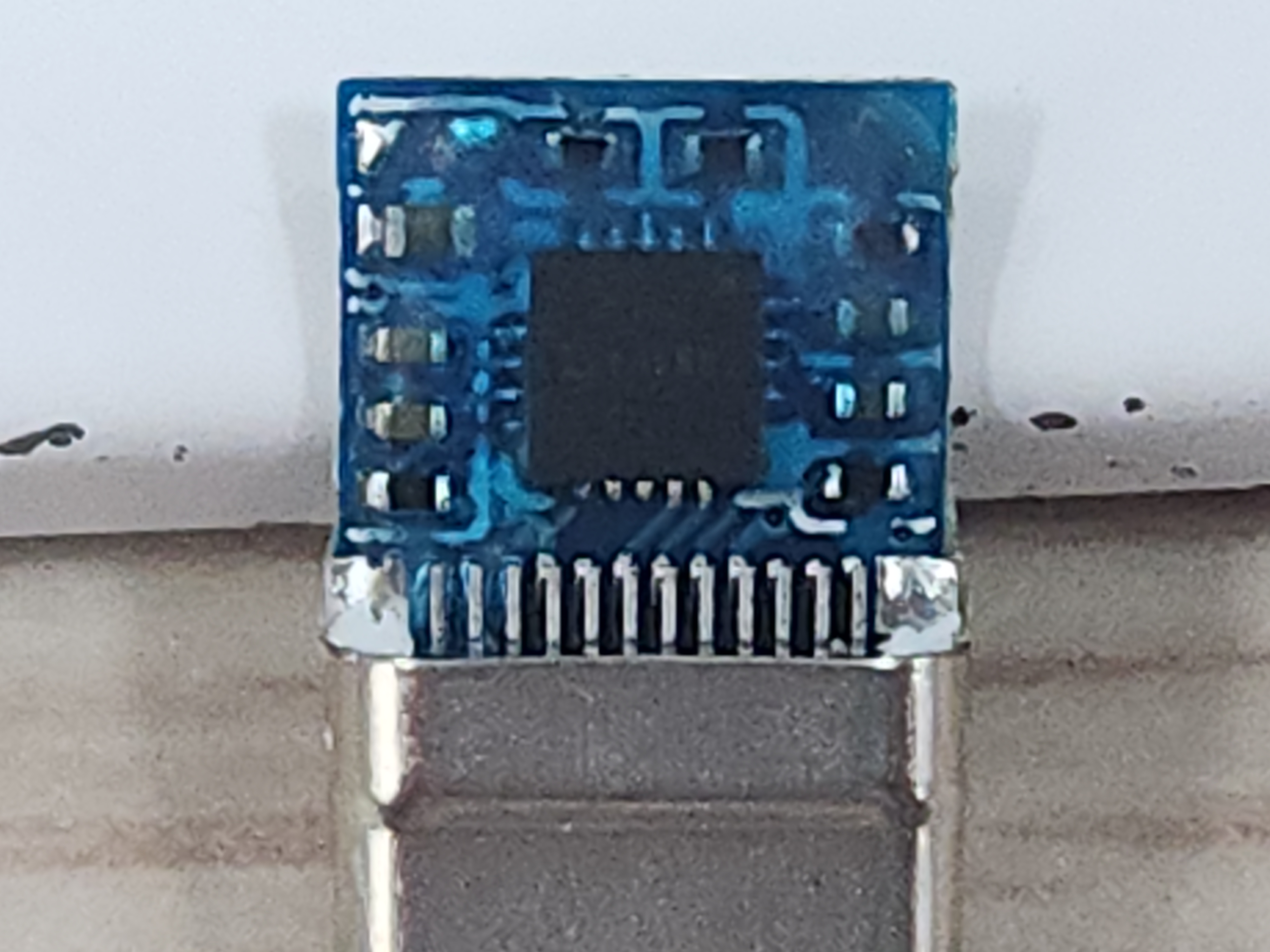
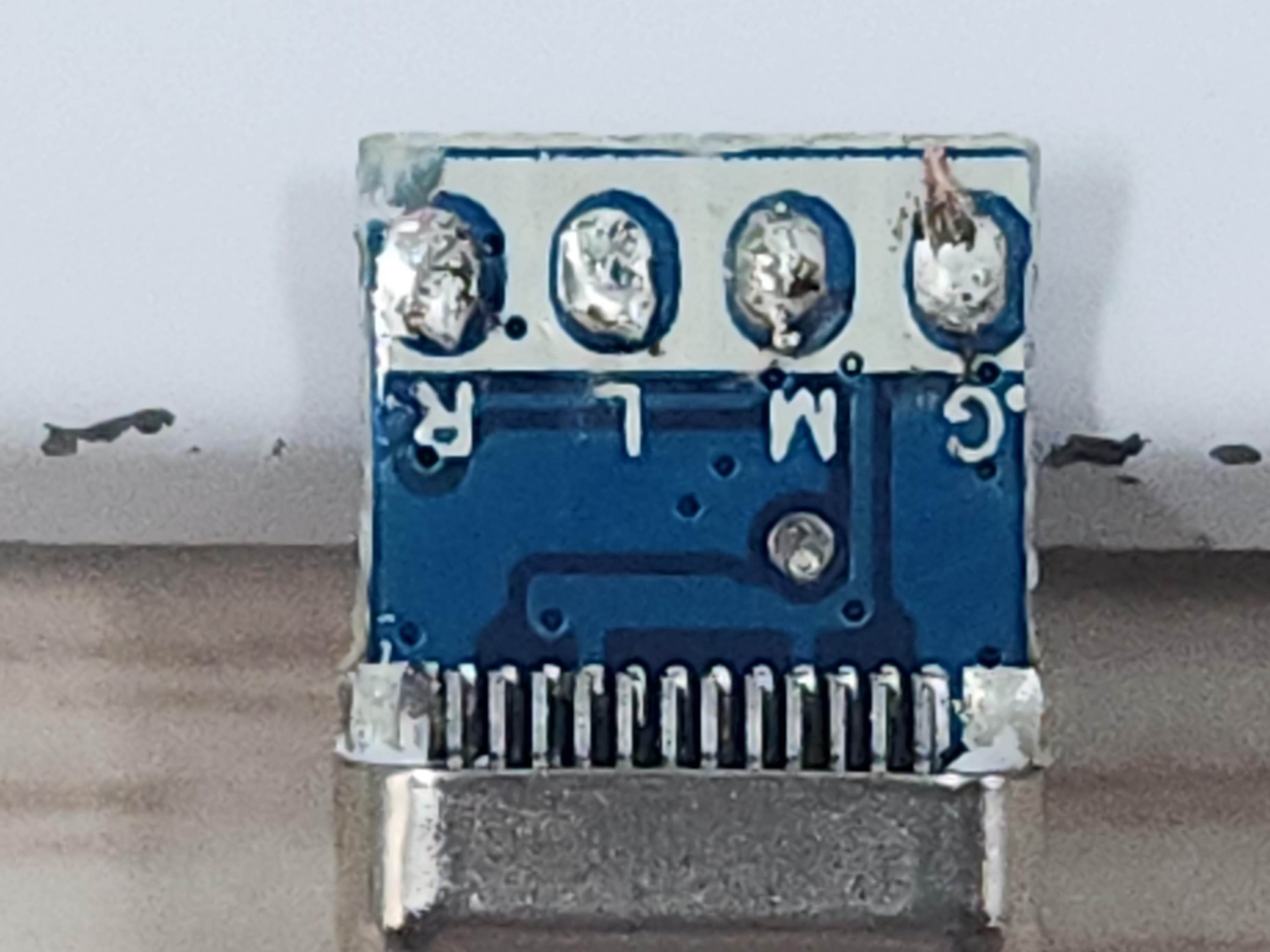
USB-C 커넥터 절반 사이즈의 PCB. 그리고 저쪽은 아마도 사람손으로 떔하고, 실리콘 부어서 만드나 보다.
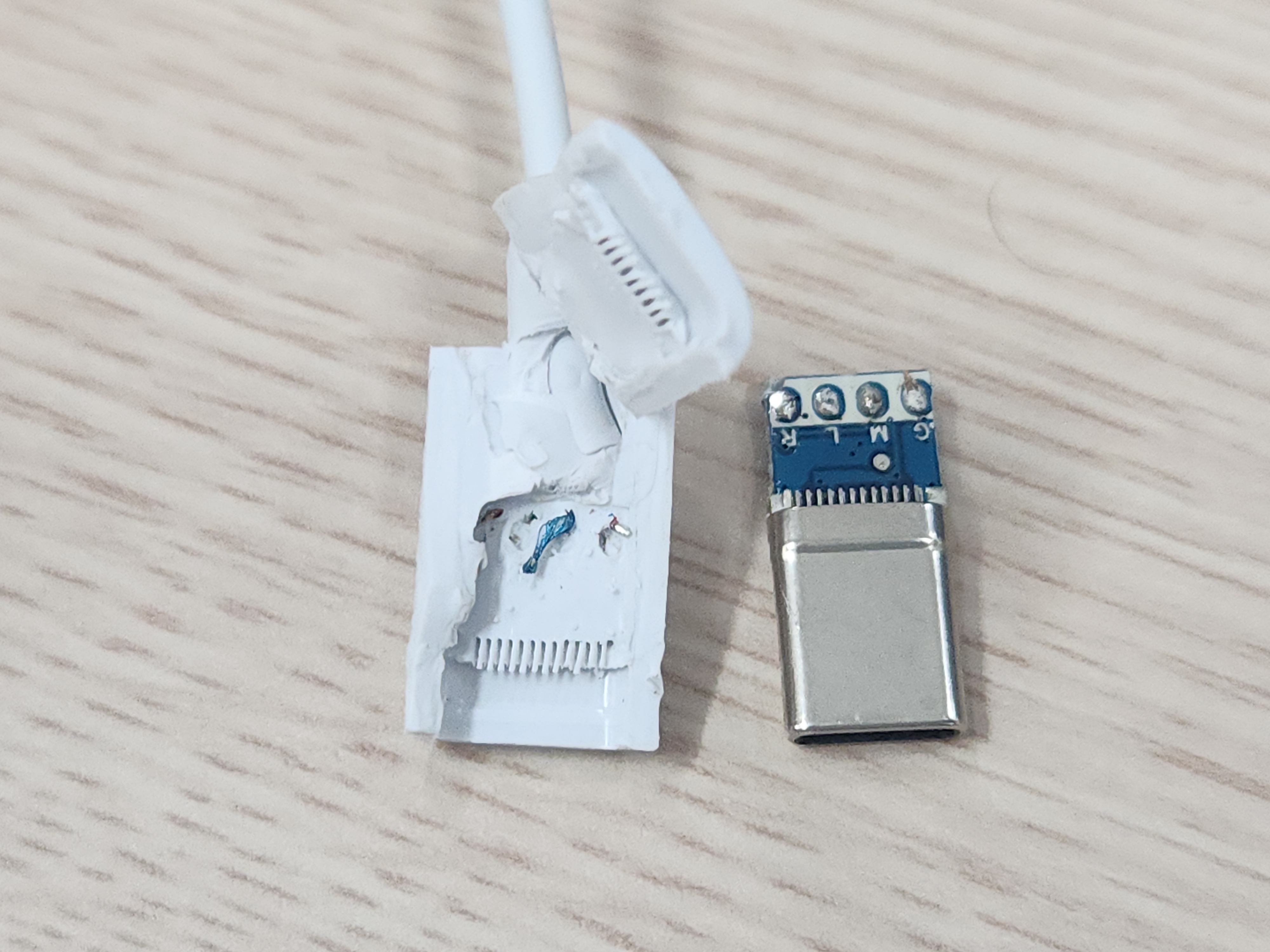
pcb의 1/9 정도 밖에 안되는 사운드 코덱
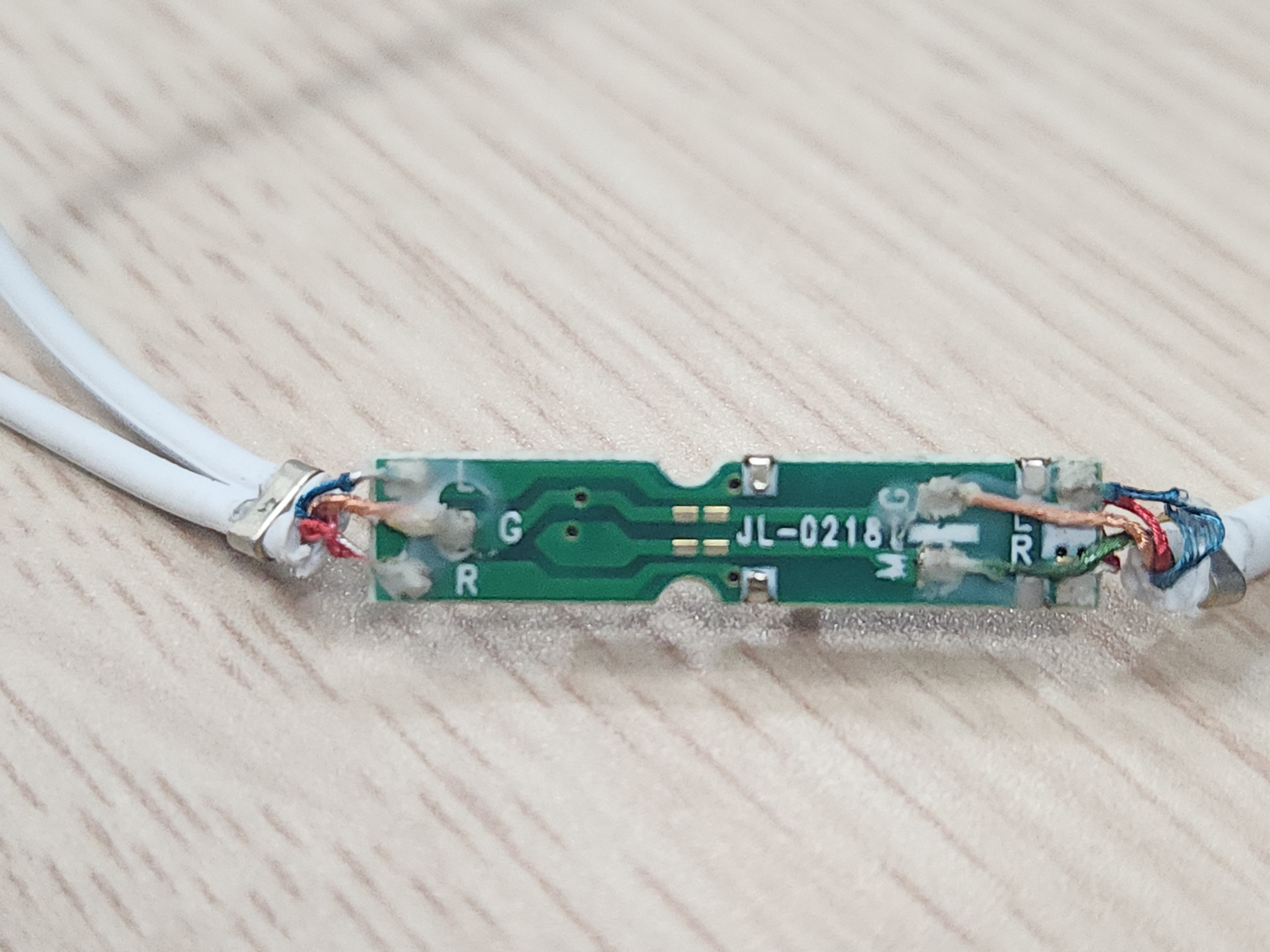
아주 직관적인 네이밍
Right / Left / Mic / Gnd
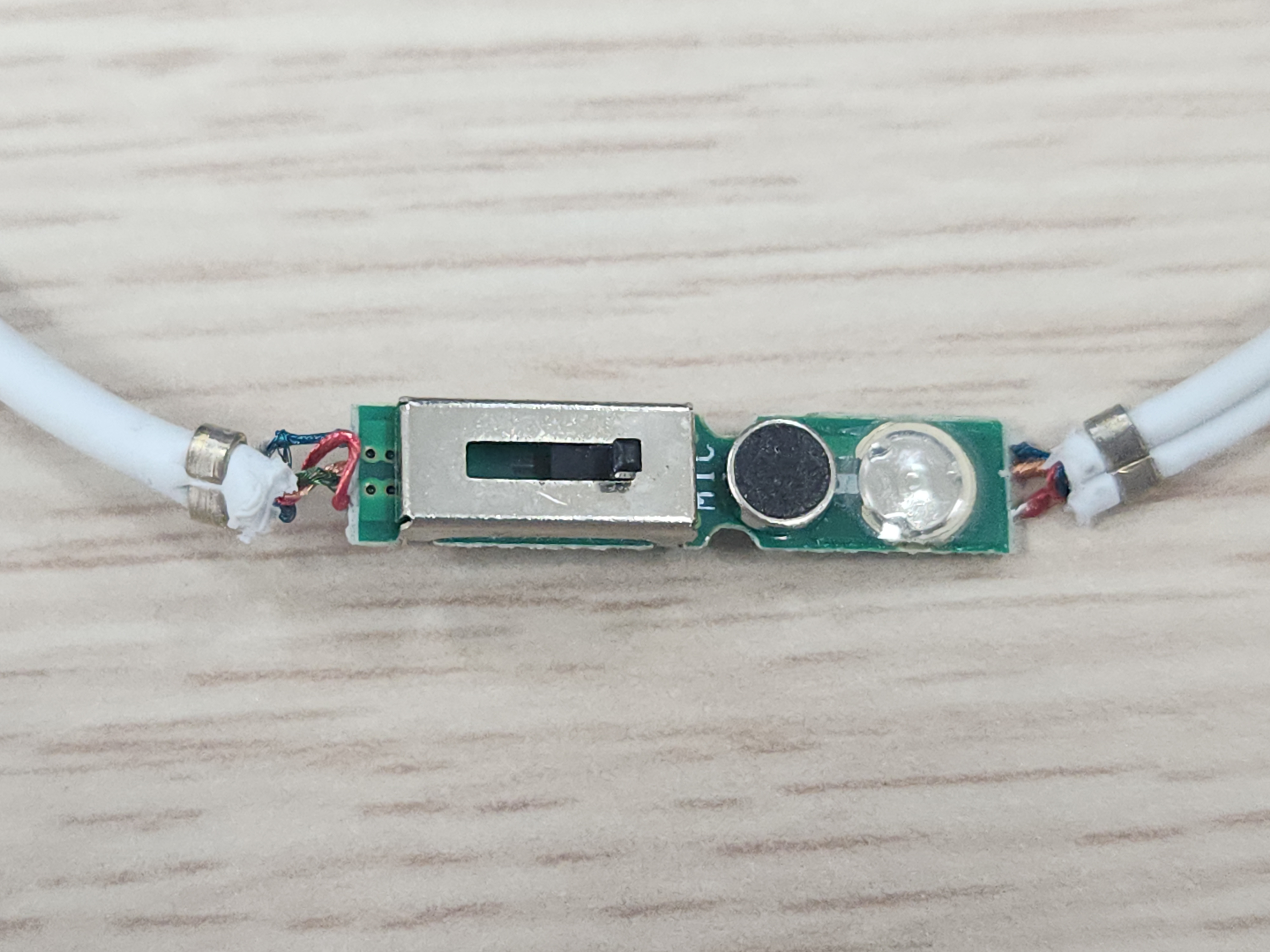
중앙의 마이크, 전화받기 버튼, 볼륨 조절쪽 pcb인데
연선에 에나멜이라서 아마도 아래쪽에 까졌는데 그게 마침 gnd/mic 였나보다.
어우 저 슬라이드만 뗴어낼까 한차을 고민하다가 쓰레기통으로 -_ㅠ
| 지름 도착! (0) | 2026.09.01 |
|---|---|
| 아 몰라 질러 ㅋㅋ (0) | 2026.08.31 |
| qsenn pts-gk1000 한손키보드 (0) | 2026.08.24 |
| 한손 키보드 지름 (0) | 2026.08.22 |
| 오늘자 줍줍 (0) | 2026.08.18 |
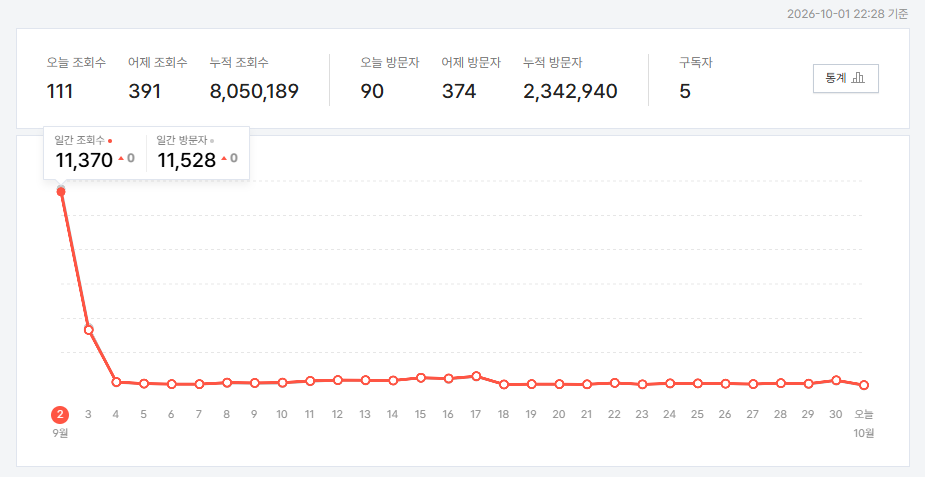
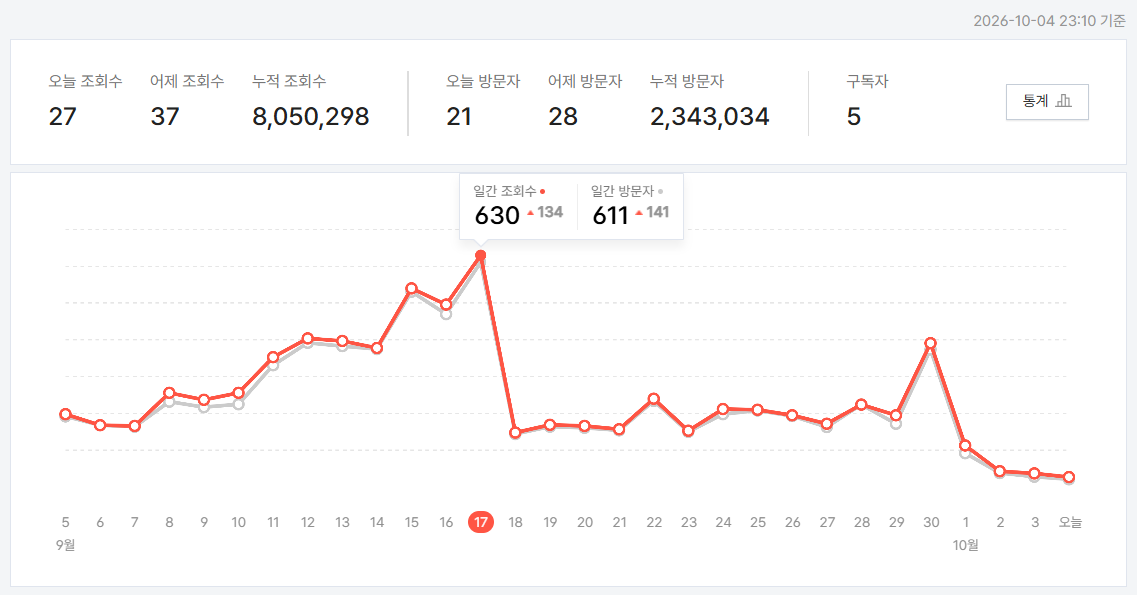
딱 봐도 확 줄긴했는데
너무 튀는게 하나 있으니 한달을 제대로 정상적으로 볼 수 없어서 아쉽네
+
26.10.04
| 블로그 방문자가!!! (0) | 2026.10.06 |
|---|---|
| 방문자 어디까지 올라가는거에요? (2) | 2026.09.02 |
| 해피빈 기부 (0) | 2026.08.18 |
| 불법촬영물 여부 검토 (2) | 2026.07.24 |
| 다음은 언제이려나? ㅋㅋ (2) | 2026.06.23 |
음.. 해봐야지
[링크 : https://m.blog.naver.com/eduino/221030701469] L298 / DC 모터 제어
[링크 : https://blog.naver.com/roboholic84/220851897579] L298 / 스테핑모터 제어 1개
[링크 : https://m.blog.naver.com/varofla_blog/222690154327] L298 / stm32 / BLDC
[링크 : https://m.blog.naver.com/antplustech/221162505258] L293 / 스테핑모터 제어
[링크 : https://blog.naver.com/eduino/221185591299] L293 / 스테핑모터 2 or DC모터 4 제어
[링크 : https://bota.tistory.com/2453] L293 / stm32 / DC모터
[링크 : https://tobesp.tistory.com/41] stm32 / 스테핑모터 시퀀스
| 모터 드라이버 TB6600 분해 (0) | 2026.09.03 |
|---|---|
| 모터 드라이버 사용해보기 (TB6600 + FL42STH33) (0) | 2026.09.03 |
| 스테핑 모터와 컨트롤러 (0) | 2026.08.31 |
| 진공펌프 (0) | 2026.07.03 |
| 하모닉 드라이브, 사이클로이드 드라이브 (0) | 2026.01.13 |

|


