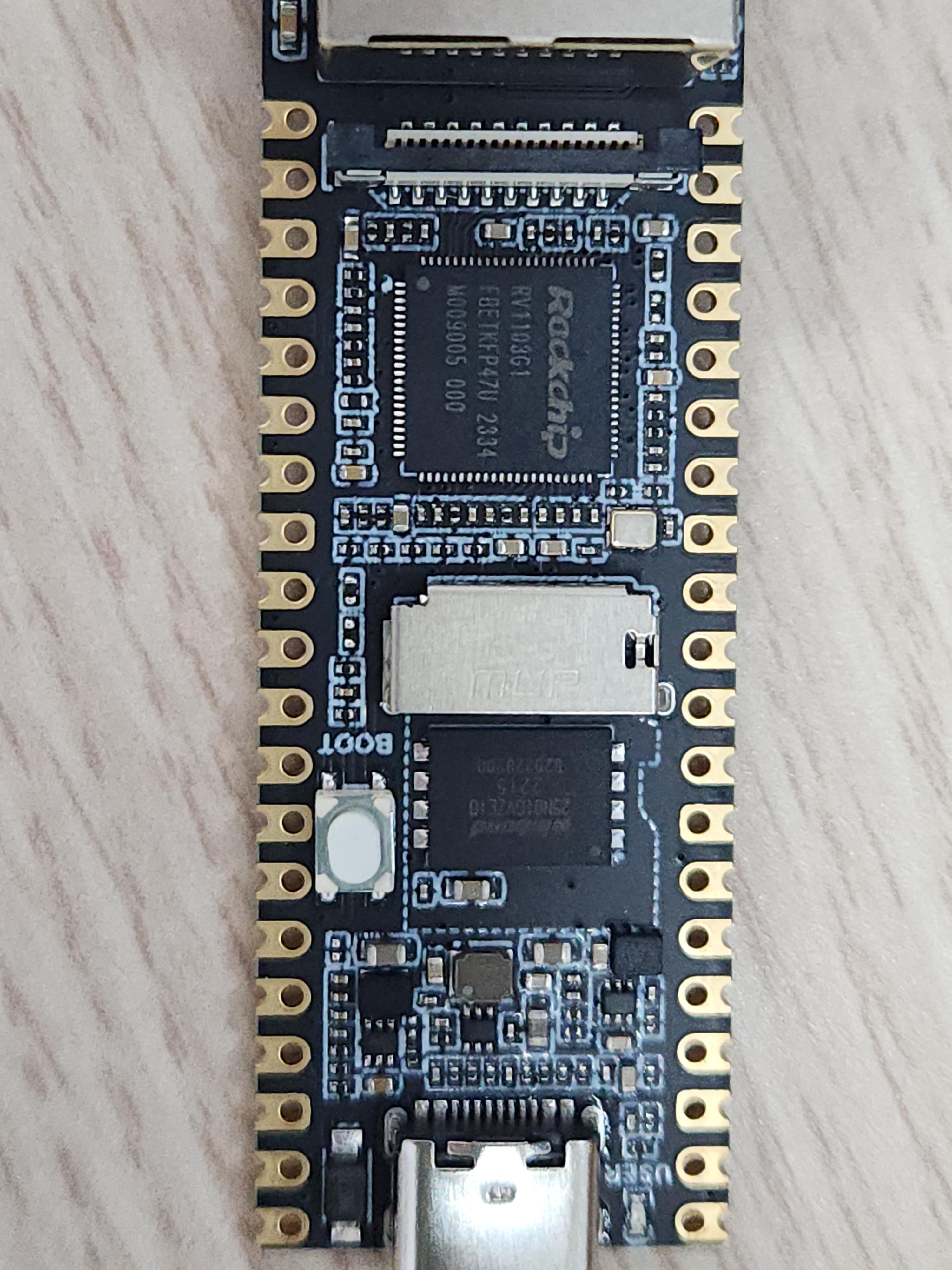
머.. 실행해보니 막상 별건 없는 느낌인데
| $ ./upgrade_tool uf ../Luckfox_Pico_Plus_Flash_250607/update.img Using /home/minimonk/다운로드/my/luckfox/upgrade_tool_v2.17_for_linux/config.ini Loading firmware... Support Type:1106 FW Ver:0.0.00 FW Time:2025-06-26 11:28:18 Loader ver:1.01 Loader Time:2025-06-26 11:26:19 Start to upgrade firmware... Download Boot Start Download Boot Success Wait For Maskrom Start Wait For Maskrom Success Test Device Start Test Device Success Check Chip Start Check Chip Success Get FlashInfo Start Get FlashInfo Success Prepare IDB Start Prepare IDB Success Download IDB Start Download IDB Success Download Firmware Start Download Image... (100%) Download Firmware Success Upgrade firmware ok. |
업데이트 관련해서는 별다른 메시지는 없는것 같다.
카메라 달지 않고 업데이트 이후 부팅
| RKUART DDR 306b9977f5 wesley.yao 23/12/21-09:28:37,fwver: v1.15 S5P1 4x fc27 F DDRConf1 DDR2, BW=16 Col=10 Bk=4 CS0 Row=13 CS=1 Size=64MB 528MHz DDR bin out Boot1 Release Time: Feb 6 2024 17:30:35, version: 1.09 NO FTL rom_version: 0x30303256 Boot from dev = 129 hamming_distance:1103 1106 2 chip_id:5256110300,0 ChipType = 27 0xff3e0040: 0x49 sfc nor id: ff ef aa sfc_nand id: ef aa 21 sfc_nand_density 40000 sfc_nand_density 3fc00 UsbBoot ...9656 0xff3e0040: 0x49 powerOn 14807 SoftReset, 56049DDR 306b9977f5 wesley.yao 23/12/21-09:28:37,fwver: v1.15 S5P1 4x fc27 F DDRConf1 DDR2, BW=16 Col=10 Bk=4 CS0 Row=13 CS=1 Size=64MB 528MHz DDR bin out U-Boot SPL board init U-Boot SPL 2017.09 (Jun 26 2025 - 11:26:17) Trying to boot from MMC2 MMC: no card present mmc_init: -123, time 1 MMC: no card present mmc_init: -123, time 2 spl: mmc init failed with error: -123 Trying to boot from MTD1 ENVF: Primary 0x00000000 - 0x00040000 No misc partition Trying fit image at 0x400 sector ## Verified-boot: 0 ## Checking uboot 0x00200000 (lzma @0x00400000) ... sha256(4d47532412...) + shaK ## Checking fdt 0x00261170 ... sha256(9f596c5683...) + OK Total: 134.120/215.341 ms Jumping to U-Boot(0x00200000) U-Boot 2017.09 (Jun 26 2025 - 11:26:17 +0800) Model: Rockchip RV1106 EVB Board MPIDR: 0xf00 PreSerial: 2, raw, 0xff4c0000 DRAM: 64 MiB Sysmem: init Relocation Offset: 03d80000 Relocation fdt: 02df9f58 - 02dfede8 CR: M/C/I Using default environment Bootdev(atags): mtd 1 ENVF: Primary 0x00000000 - 0x00040000 PartType: ENV DM: v2 No misc partition boot mode: normal RESC: 'boot', blk@0x00002002 resource: sha256+ FIT: no signed, no conf required DTB: rk-kernel.dtb HASH(c): OK Model: Luckfox Pico Plus ## retrieving sd_update.txt ... MMC: no card present mmc_init: -123, time 2 CLK: (uboot. arm: enter 816000 KHz, init 816000 KHz, kernel 0N/A) apll 816000 KHz dpll 528000 KHz gpll 1188000 KHz cpll 1000000 KHz aclk_peri_root 400000 KHz hclK_peri_root 200000 KHz pclk_peri_root 100000 KHz aclk_bus_root 300000 KHz pclk_top_root 100000 KHz pclk_pmu_root 100000 KHz hclk_pmu_root 200000 KHz Net: eth0: ethernet@ffa80000 Hit key to stop autoboot('CTRL+C'): 0 ## Booting FIT Image at 0x28f8b00 with size 0x00300400 Fdt Ramdisk skip relocation No misc partition ## Loading kernel from FIT Image at 028f8b00 ... Using 'conf' configuration ## Verified-boot: 0 Trying 'kernel' kernel subimage Description: unavailable Type: Kernel Image Compression: uncompressed Data Start: 0x02902100 Data Size: 3108184 Bytes = 3 MiB Architecture: ARM OS: Linux Load Address: 0x00008000 Entry Point: 0x00008000 Hash algo: sha256 Hash value: 0392dc0511d1bf4d71172f243b3539e9a64ec2e4bc38da8376d2c12f033f7 Verifying Hash Integrity ... sha256+ OK ## Loading fdt from FIT Image at 028f8b00 ... Using 'conf' configuration Trying 'fdt' fdt subimage Description: unavailable Type: Flat Device Tree Compression: uncompressed Data Start: 0x028f9300 Data Size: 36148 Bytes = 35.3 KiB Architecture: ARM Load Address: 0x00c00000 Hash algo: sha256 Hash value: b1e59866e424e3ea19754e15354aa22223981fe5eba6357dbc80cb718ac6d Verifying Hash Integrity ... sha256+ OK Loading fdt from 0x028f8b00 to 0x00c00000 Booting using the fdt blob at 0x00c00000 Loading Kernel Image from 0x02902100 to 0x00008000 ... OK kernel loaded at 0x00008000, end = 0x002fed58 Using Device Tree in place at 00c00000, end 00c0bd33 Adding bank: 0x00000000 - 0x04000000 (size: 0x04000000) Total: 590.720/811.159 ms Starting kernel ... [ 0.000000] Booting Linux on physical CPU 0x0 [ 0.000000] Linux version 5.10.160 (hxj@luckfox-System-Product-Name) (arm-ro5 [ 0.000000] CPU: ARMv7 Processor [410fc075] revision 5 (ARMv7), cr=50c53c7d [ 0.000000] CPU: div instructions available: patching division code [ 0.000000] CPU: PIPT / VIPT nonaliasing data cache, VIPT aliasing instructie [ 0.000000] OF: fdt: Machine model: Luckfox Pico Plus [ 0.000000] Memory policy: Data cache writeback [ 0.000000] cma: Reserved 24576 KiB at 0x02800000 [ 0.000000] Zone ranges: [ 0.000000] Normal [mem 0x0000000000000000-0x0000000003ffffff] [ 0.000000] Movable zone start for each node [ 0.000000] Early memory node ranges [ 0.000000] node 0: [mem 0x0000000000000000-0x0000000003ffffff] [ 0.000000] Initmem setup node 0 [mem 0x0000000000000000-0x0000000003ffffff] [ 0.000000] CPU: All CPU(s) started in SVC mode. [ 0.000000] Built 1 zonelists, mobility grouping on. Total pages: 16256 [ 0.000000] Kernel command line: user_debug=31 storagemedia=mtd androidboot.5 [ 0.000000] Dentry cache hash table entries: 8192 (order: 3, 32768 bytes, li) [ 0.000000] Inode-cache hash table entries: 4096 (order: 2, 16384 bytes, lin) [ 0.000000] mem auto-init: stack:off, heap alloc:off, heap free:off [ 0.000000] Memory: 33452K/65536K available (3879K kernel code, 390K rwdata,) [ 0.000000] SLUB: HWalign=64, Order=0-3, MinObjects=0, CPUs=1, Nodes=1 [ 0.000000] NR_IRQS: 16, nr_irqs: 16, preallocated irqs: 16 [ 0.000000] arch_timer: cp15 timer(s) running at 24.00MHz (phys). [ 0.000000] clocksource: arch_sys_counter: mask: 0xffffffffffffff max_cycless [ 0.000007] sched_clock: 56 bits at 24MHz, resolution 41ns, wraps every 4398s [ 0.000020] Switching to timer-based delay loop, resolution 41ns [ 0.000520] Console: colour dummy device 80x30 [ 0.000568] Calibrating delay loop (skipped), value calculated using timer f) [ 0.000586] pid_max: default: 4096 minimum: 301 [ 0.000765] Mount-cache hash table entries: 1024 (order: 0, 4096 bytes, line) [ 0.000779] Mountpoint-cache hash table entries: 1024 (order: 0, 4096 bytes,) [ 0.001433] CPU: Testing write buffer coherency: ok [ 0.002114] Setting up static identity map for 0x81c0 - 0x81f8 [ 0.002601] devtmpfs: initialized [ 0.009583] VFP support v0.3: implementor 41 architecture 2 part 30 variant 5 [ 0.009829] clocksource: jiffies: mask: 0xffffffff max_cycles: 0xffffffff, ms [ 0.009861] futex hash table entries: 16 (order: -5, 192 bytes, linear) [ 0.009957] pinctrl core: initialized pinctrl subsystem [ 0.011206] NET: Registered protocol family 16 [ 0.011684] DMA: failed to allocate 0 KiB pool for atomic coherent allocation [ 0.012282] Registered FIQ tty driver [ 0.012625] thermal_sys: Registered thermal governor 'step_wise' [ 0.012631] thermal_sys: Registered thermal governor 'user_space' [ 0.012875] cpuidle: using governor menu [ 0.026579] rockchip-gpio ff380000.gpio: probed /pinctrl/gpio@ff380000 [ 0.027400] rockchip-gpio ff530000.gpio: probed /pinctrl/gpio@ff530000 [ 0.028191] rockchip-gpio ff550000.gpio: probed /pinctrl/gpio@ff550000 [ 0.028882] rockchip-gpio ff560000.gpio: probed /pinctrl/gpio@ff560000 [ 0.028985] rockchip-pinctrl pinctrl: probed pinctrl [ 0.039316] fiq_debugger fiq_debugger.0: IRQ uart_irq not found [ 0.039342] fiq_debugger fiq_debugger.0: IRQ wakeup not found [ 0.039626] printk: console [ttyFIQ0] enabled [ 0.039826] Registered fiq debugger ttyFIQ0 [ 0.041979] SCSI subsystem initialized [ 0.042213] usbcore: registered new interface driver usbfs [ 0.042275] usbcore: registered new interface driver hub [ 0.042331] usbcore: registered new device driver usb [ 0.042582] mc: Linux media interface: v0.10 [ 0.042624] videodev: Linux video capture interface: v2.00 [ 0.043859] Advanced Linux Sound Architecture Driver Initialized. [ 0.044701] rockchip-cpuinfo cpuinfo: SoC : 11031000 [ 0.044728] rockchip-cpuinfo cpuinfo: Serial : 3c6d8f8ee95e4dd0 [ 0.045128] rockchip,rknpor-powergood ff000000.syscon:rknpor-powergood: prob! [ 0.045996] clocksource: Switched to clocksource arch_sys_counter [ 0.052725] NET: Registered protocol family 2 [ 0.052978] IP idents hash table entries: 2048 (order: 2, 16384 bytes, linea) [ 0.053402] tcp_listen_portaddr_hash hash table entries: 512 (order: 0, 4096) [ 0.053438] TCP established hash table entries: 1024 (order: 0, 4096 bytes, ) [ 0.053457] TCP bind hash table entries: 1024 (order: 0, 4096 bytes, linear) [ 0.053474] TCP: Hash tables configured (established 1024 bind 1024) [ 0.053589] UDP hash table entries: 256 (order: 0, 4096 bytes, linear) [ 0.053614] UDP-Lite hash table entries: 256 (order: 0, 4096 bytes, linear) [ 0.053767] NET: Registered protocol family 1 [ 0.054443] RPC: Registered named UNIX socket transport module. [ 0.054466] RPC: Registered udp transport module. [ 0.054476] RPC: Registered tcp transport module. [ 0.054482] RPC: Registered tcp NFSv4.1 backchannel transport module. [ 0.055561] rockchip-thermal ff3c8000.tsadc: tsadc is probed successfully! [ 0.056753] Initialise system trusted keyrings [ 0.057084] workingset: timestamp_bits=30 max_order=14 bucket_order=0 [ 0.060817] squashfs: version 4.0 (2009/01/31) Phillip Lougher [ 0.061647] NFS: Registering the id_resolver key type [ 0.061718] Key type id_resolver registered [ 0.061728] Key type id_legacy registered [ 0.061777] jffs2: version 2.2. (NAND) © 2001-2006 Red Hat, Inc. [ 0.062293] Key type asymmetric registered [ 0.062317] Asymmetric key parser 'x509' registered [ 0.062343] io scheduler mq-deadline registered [ 0.062762] rockchip-usb2phy ff3e0000.usb2-phy: IRQ index 0 not found [ 0.067706] dma-pl330 ff420000.dma-controller: Loaded driver for PL330 DMAC-0 [ 0.067745] dma-pl330 ff420000.dma-controller: DBUFF-128x8bytes Num_Ch6 [ 0.068595] rockchip-pvtm ff240000.pvtm: pvtm@0 probed [ 0.068786] rockchip-pvtm ff390000.pvtm: pvtm@0 probed [ 0.069143] rockchip-system-monitor rockchip-system-monitor: system monitor e [ 0.069703] Serial: 8250/16550 driver, 6 ports, IRQ sharing disabled [ 0.075497] random: crng init done [ 0.084473] brd: module loaded [ 0.090458] loop: module loaded [ 0.092715] spi-nand spi2.0: Winbond SPI NAND was found. [ 0.092744] spi-nand spi2.0: 128 MiB, block size: 128 KiB, page size: 2048, 4 [ 0.093978] 7 cmdlinepart partitions found on MTD device spi-nand0 [ 0.093998] Creating 7 MTD partitions on "spi-nand0": [ 0.094014] 0x000000000000-0x000000040000 : "env" [ 0.095926] 0x000000040000-0x000000080000 : "idblock" [ 0.097819] 0x000000080000-0x000000100000 : "uboot" [ 0.099742] 0x000000100000-0x000000500000 : "boot" [ 0.101617] 0x000000500000-0x000002300000 : "oem" [ 0.103556] 0x000002300000-0x000002900000 : "userdata" [ 0.105521] 0x000002900000-0x000007e00000 : "rootfs" [ 0.109003] rk_gmac-dwmac ffa80000.ethernet: IRQ eth_lpi not found [ 0.109201] rk_gmac-dwmac ffa80000.ethernet: PTP uses main clock [ 0.109254] rk_gmac-dwmac ffa80000.ethernet: no regulator found [ 0.109267] rk_gmac-dwmac ffa80000.ethernet: clock input or output? (input). [ 0.109278] rk_gmac-dwmac ffa80000.ethernet: Can not read property: tx_delay. [ 0.109288] rk_gmac-dwmac ffa80000.ethernet: set tx_delay to 0xffffffff [ 0.109297] rk_gmac-dwmac ffa80000.ethernet: Can not read property: rx_delay. [ 0.109307] rk_gmac-dwmac ffa80000.ethernet: set rx_delay to 0xffffffff [ 0.109392] rk_gmac-dwmac ffa80000.ethernet: integrated PHY? (yes). [ 0.109409] rk_gmac-dwmac ffa80000.ethernet: cannot get clock mac_clk_rx [ 0.109422] rk_gmac-dwmac ffa80000.ethernet: cannot get clock mac_clk_tx [ 0.109456] rk_gmac-dwmac ffa80000.ethernet: cannot get clock clk_mac_speed [ 0.109464] rk_gmac-dwmac ffa80000.ethernet: clock input from PHY [ 0.109705] rk_gmac-dwmac ffa80000.ethernet: init for RMII [ 0.109953] rk_gmac-dwmac ffa80000.ethernet: User ID: 0x30, Synopsys ID: 0x51 [ 0.109974] rk_gmac-dwmac ffa80000.ethernet: DWMAC4/5 [ 0.109990] rk_gmac-dwmac ffa80000.ethernet: DMA HW capability register suppd [ 0.110000] rk_gmac-dwmac ffa80000.ethernet: RX Checksum Offload Engine suppd [ 0.110009] rk_gmac-dwmac ffa80000.ethernet: TX Checksum insertion supported [ 0.110016] rk_gmac-dwmac ffa80000.ethernet: Wake-Up On Lan supported [ 0.110024] rk_gmac-dwmac ffa80000.ethernet: TSO supported [ 0.110032] rk_gmac-dwmac ffa80000.ethernet: Enable RX Mitigation via HW Watr [ 0.110042] rk_gmac-dwmac ffa80000.ethernet: TSO feature enabled [ 0.110053] rk_gmac-dwmac ffa80000.ethernet: Using 40 bits DMA width [ 0.117676] ehci_hcd: USB 2.0 'Enhanced' Host Controller (EHCI) Driver [ 0.118038] usbcore: registered new interface driver usb-storage [ 0.118189] usbcore: registered new interface driver usb_ch343 [ 0.118201] ch343: USB serial driver for ch342/ch343/ch344/ch347/ch9101/ch91. [ 0.118208] ch343: V1.5 On 2022.12 [ 0.118387] gadgetfs: USB Gadget filesystem, version 24 Aug 2004 [ 0.118436] Mass Storage Function, version: 2009/09/11 [ 0.118450] LUN: removable file: (no medium) [ 0.118486] no file given for LUN0 [ 0.118525] udc ffb00000.usb: failed to start g_mass_storage: -22 [ 0.119100] i2c /dev entries driver [ 0.120736] i2c i2c-4: 1 i2c clients have been registered at 0x30 [ 0.121116] i2c i2c-4: 2 i2c clients have been registered at 0x30 [ 0.122128] usbcore: registered new interface driver uvcvideo [ 0.122145] USB Video Class driver (1.1.1) [ 0.122932] cpu cpu0: leakage=15 [ 0.123705] cpu cpu0: avs=0 [ 0.123873] cpu cpu0: opp calibration done [ 0.124052] cpu cpu0: l=10000 h=2147483647 hyst=5000 l_limit=0 h_limit=0 h_t0 [ 0.124509] Synopsys Designware Multimedia Card Interface Driver [ 0.125385] dtbocfg: 0.1.0 [ 0.125442] dtbocfg: OK [ 0.127023] dwmmc_rockchip ffaa0000.mmc: No normal pinctrl state [ 0.127056] dwmmc_rockchip ffaa0000.mmc: No idle pinctrl state [ 0.127302] dwmmc_rockchip ffaa0000.mmc: IDMAC supports 32-bit address mode. [ 0.127356] dwmmc_rockchip ffaa0000.mmc: Using internal DMA controller. [ 0.127374] dwmmc_rockchip ffaa0000.mmc: Version ID is 270a [ 0.127423] dwmmc_rockchip ffaa0000.mmc: DW MMC controller at irq 50,32 bit o [ 0.127550] mmc_host mmc1: card is non-removable. [ 0.128732] usbcore: registered new interface driver snd-usb-audio [ 0.129332] rv1106-acodec ff480000.acodec: current soc_id: rv1103 [ 0.129432] rv1106-acodec ff480000.acodec: Use pa_ctl_gpio and pa_ctl_delay_0 [ 0.131231] NET: Registered protocol family 17 [ 0.131347] Key type dns_resolver registered [ 0.132394] Loading compiled-in X.509 certificates [ 0.149060] mmc_host mmc1: Bus speed (slot 0) = 400000Hz (slot req 400000Hz,) [ 0.160704] input: adc-keys as /devices/platform/adc-keys/input/input0 [ 0.188173] mmc_host mmc1: Bus speed (slot 0) = 300000Hz (slot req 300000Hz,) [ 0.239332] ubi0: attaching mtd6 [ 0.248728] mmc_host mmc1: Bus speed (slot 0) = 200000Hz (slot req 200000Hz,) [ 0.295952] mmc_host mmc1: Bus speed (slot 0) = 187500Hz (slot req 100000Hz,) [ 0.376680] ubi0: scanning is finished [ 0.402041] ubi0: volume 0 ("rootfs") re-sized from 393 to 656 LEBs [ 0.402694] ubi0: attached mtd6 (name "rootfs", size 85 MiB) [ 0.402716] ubi0: PEB size: 131072 bytes (128 KiB), LEB size: 126976 bytes [ 0.402726] ubi0: min./max. I/O unit sizes: 2048/2048, sub-page size 2048 [ 0.402736] ubi0: VID header offset: 2048 (aligned 2048), data offset: 4096 [ 0.402745] ubi0: good PEBs: 680, bad PEBs: 0, corrupted PEBs: 0 [ 0.402754] ubi0: user volume: 1, internal volumes: 1, max. volumes count: 18 [ 0.402765] ubi0: max/mean erase counter: 1/0, WL threshold: 4096, image seq3 [ 0.402775] ubi0: available PEBs: 0, total reserved PEBs: 680, PEBs reserved0 [ 0.403967] ALSA device list: [ 0.403990] #0: rv-acodec [ 0.404649] ubi0: background thread "ubi_bgt0d" started, PID 55 [ 0.404891] UBIFS (ubi0:0): Mounting in unauthenticated mode [ 0.448841] UBIFS (ubi0:0): UBIFS: mounted UBI device 0, volume 0, name "rooe [ 0.448873] UBIFS (ubi0:0): LEB size: 126976 bytes (124 KiB), min./max. I/O s [ 0.448888] UBIFS (ubi0:0): FS size: 81899520 bytes (78 MiB, 645 LEBs), jour) [ 0.448898] UBIFS (ubi0:0): reserved for root: 0 bytes (0 KiB) [ 0.448910] UBIFS (ubi0:0): media format: w4/r0 (latest is w5/r0), UUID C568l [ 0.454026] VFS: Mounted root (ubifs filesystem) readonly on device 0:14. [ 0.456236] devtmpfs: mounted [ 0.456458] Freeing unused kernel memory: 200K [ 0.456469] Kernel memory protection not selected by kernel config. [ 0.456499] Run /sbin/init as init process [ 0.479462] process '/bin/busybox' started with executable stack [ 0.607684] UBIFS (ubi0:0): start fixing up free space [ 6.267389] UBIFS (ubi0:0): free space fixup complete [ 6.276168] UBIFS (ubi0:0): background thread "ubifs_bgt0_0" started, PID 58 Saving 256 bits of creditable seed for next boot Starting syslogd: OK Starting klogd: OK Running sysctl: OK Populating /dev using udev: [ 6.498043] udevd[88]: starting version 3.2.7 [ 6.514080] udevd[88]: specified group 'input' unknown [ 6.515135] udevd[88]: specified group 'kvm' unknown [ 6.538487] udevd[89]: starting eudev-3.2.7 [ 6.930451] udevd[102]: failed to execute '/lib/udev/mtd_probe' 'mtd_probe /y [ 6.934561] udevd[103]: failed to execute '/lib/udev/mtd_probe' 'mtd_probe /y [ 6.944669] udevd[104]: failed to execute '/lib/udev/mtd_probe' 'mtd_probe /y [ 6.955273] udevd[105]: failed to execute '/lib/udev/mtd_probe' 'mtd_probe /y [ 6.960659] udevd[106]: failed to execute '/lib/udev/mtd_probe' 'mtd_probe /y [ 6.969659] udevd[107]: failed to execute '/lib/udev/mtd_probe' 'mtd_probe /y [ 6.979129] udevd[108]: failed to execute '/lib/udev/mtd_probe' 'mtd_probe /y done /etc/init.d/S20linkmount info: mount point path [IGNORE] not found, skip... ***********/dev/ubi4_0 not exist*********** ***********/dev/ubi4 not exist*********** [ 7.406750] ubi4: attaching mtd4 [ 7.456924] ubi4: scanning is finished [ 7.482199] ubi4: volume 0 ("oem") re-sized from 155 to 216 LEBs [ 7.487133] ubi4: attached mtd4 (name "oem", size 30 MiB) UBI device number 4, total 240 LEBs (30474240 bytes, 29.1 MiB), available 0 LEB) [ 7.487157] ubi4: PEB size: 131072 bytes (128 KiB), LEB size: 126976 bytes [ 7.487167] ubi4: min./max. I/O unit sizes: 2048/2048, sub-page size 2048 try to make volume: /dev/ubi4_0 ... [ 7.487177] ubi4: VID header offset: 2048 (aligned 2048), data offset: 4096 [ 7.487186] ubi4: good PEBs: 240, bad PEBs: 0, corrupted PEBs: 0 ubimkvol: error!: bad volume size: "0" [ 7.487196] ubi4: user volume: 1, internal volumes: 1, max. volumes count: 18 [ 7.487206] ubi4: max/mean erase counter: 1/0, WL threshold: 4096, image seq3 [ 7.487215] ubi4: available PEBs: 0, total reserved PEBs: 240, PEBs reserved0 [ 7.488560] ubi4: background thread "ubi_bgt4d" started, PID 128 [ 7.543260] UBIFS (ubi4:0): Mounting in unauthenticated mode [ 7.544115] UBIFS (ubi4:0): background thread "ubifs_bgt4_0" started, PID 133 [ 7.566468] UBIFS (ubi4:0): start fixing up free space [ 9.904302] UBIFS (ubi4:0): free space fixup complete [ 9.921198] UBIFS (ubi4:0): UBIFS: mounted UBI device 4, volume 0, name "oem" [ 9.921237] UBIFS (ubi4:0): LEB size: 126976 bytes (124 KiB), min./max. I/O s [ 9.921252] UBIFS (ubi4:0): FS size: 26157056 bytes (24 MiB, 206 LEBs), jour) [ 9.921261] UBIFS (ubi4:0): reserved for root: 0 bytes (0 KiB) [ 9.921274] UBIFS (ubi4:0): media format: w4/r0 (latest is w5/r0), UUID 4666l ***********/dev/ubi5_0 not exist*********** [ 9.959310] ubi5: attaching mtd5 ***********/dev/ubi5 not exist*********** [ 9.967838] ubi5: scanning is finished [ 9.992894] ubi5: volume 0 ("userdata") re-sized from 13 to 24 LEBs [ 9.997890] ubi5: attached mtd5 (name "userdata", size 6 MiB) UBI device number 5, total 48 LEBs (6094848 bytes, 5.8 MiB), available 0 LEBs () [ 9.997918] ubi5: PEB size: 131072 bytes (128 KiB), LEB size: 126976 bytes [ 9.997929] ubi5: min./max. I/O unit sizes: 2048/2048, sub-page size 2048 try to make volume: /dev/ubi5_0 ... [ 9.997938] ubi5: VID header offset: 2048 (aligned 2048), data offset: 4096 ubimkvol: error!: bad volume size: "0" [ 9.997946] ubi5: good PEBs: 48, bad PEBs: 0, corrupted PEBs: 0 [ 9.997956] ubi5: user volume: 1, internal volumes: 1, max. volumes count: 18 [ 9.997966] ubi5: max/mean erase counter: 1/0, WL threshold: 4096, image seq2 [ 9.997976] ubi5: available PEBs: 0, total reserved PEBs: 48, PEBs reserved 0 [ 10.000248] ubi5: background thread "ubi_bgt5d" started, PID 142 [ 10.039661] UBIFS (ubi5:0): Mounting in unauthenticated mode [ 10.040418] UBIFS (ubi5:0): background thread "ubifs_bgt5_0" started, PID 147 [ 10.062991] UBIFS (ubi5:0): start fixing up free space [ 10.086564] UBIFS (ubi5:0): free space fixup complete [ 10.105122] UBIFS (ubi5:0): UBIFS: mounted UBI device 5, volume 0, name "use" [ 10.105151] UBIFS (ubi5:0): LEB size: 126976 bytes (124 KiB), min./max. I/O s [ 10.105165] UBIFS (ubi5:0): FS size: 1777664 bytes (1 MiB, 14 LEBs), journal) [ 10.105173] UBIFS (ubi5:0): reserved for root: 0 bytes (0 KiB) Initializing random number generator... [ 10.105186] UBIFS (ubi5:0): media fol done. Starting network: /dev/ubi5_0 on /userdata type ubifs (rw,relatime,assert=read-) [ 10.261858] rk_dvbm ffa70000.rkdvbm: probe start [ 10.261908] rk_dvbm ffa70000.rkdvbm: dvbm ctx 6f55e22e [ 10.262480] rk_dvbm ffa70000.rkdvbm: probe success [ 10.286794] sc3336 4-0030: driver version: 00.01.01 [ 10.286887] sc3336 4-0030: Failed to get reset-gpios [ 10.286948] sc3336 4-0030: could not get default pinstate OK [ 10.286960] sc3336 4-0030: could not get sleep pinstate Starting ntpd: [ 10.286988] sc3336 4-0030: supply avdd not found, using dummyr [ 10.287259] sc3336 4-0030: supply dovdd not found, using dummy regulator [ 10.287350] sc3336 4-0030: supply dvdd not found, using dummy regulator [ 10.305436] sc3336 4-0030: Unexpected sensor id(000000), ret(-5) [ 10.378077] rkcifhw ffa10000.rkcif: no iommu attached, using non-iommu buffes [ 10.378115] rkcifhw ffa10000.rkcif: No reserved memory region assign to CIF [ 10.378540] rkcif rkcif-mipi-lvds: rkcif driver version: v00.02.00 [ 10.378665] rkcif rkcif-mipi-lvds: attach to cif hw node [ 10.378681] rkcif rkcif-mipi-lvds: failed to get dphy hw node [ 10.378691] rkcif rkcif-mipi-lvds: rkcif wait line 0 [ 10.378702] rkcif rkcif-mipi-lvds: rkcif fastboot reserve bufs num 3 [ 10.378718] : terminal subdev does not exist [ 10.378729] : terminal subdev does not exist [ 10.378737] : terminal subdev does not exist [ 10.378746] : terminal subdev does not exist [ 10.378759] : get_remote_sensor: video pad[0] is null [ 10.378769] : rkcif_update_sensor_info: stream[0] get remote sensor_sd faile! [ 10.378781] : rkcif_scale_set_fmt: req(80, 60) src out(0, 0) [ 10.378789] : get_remote_sensor: video pad[0] is null [ 10.378796] : rkcif_update_sensor_info: stream[0] get remote sensor_sd faile! [ 10.378806] : rkcif_scale_set_fmt: req(80, 60) src out(0, 0) [ 10.378814] : get_remote_sensor: video pad[0] is null [ 10.378822] : rkcif_update_sensor_info: stream[0] get remote sensor_sd faile! [ 10.378830] : rkcif_scale_set_fmt: req(80, 60) src out(0, 0) [ 10.378839] : get_remote_sensor: video pad[0] is null [ 10.378845] : rkcif_update_sensor_info: stream[0] get remote sensor_sd faile! [ 10.378855] : rkcif_scale_set_fmt: req(80, 60) src out(0, 0) [ 10.393905] rkcif rkcif-mipi-lvds: No memory-region-thunderboot specified [ 10.395203] rockchip-mipi-csi2-hw ffa20000.mipi-csi2-hw: enter mipi csi2 hw ! [ 10.395431] rockchip-mipi-csi2-hw ffa20000.mipi-csi2-hw: probe success, v4l2! [ 10.395592] rockchip-mipi-csi2-hw ffa30000.mipi-csi2-hw: enter mipi csi2 hw ! [ 10.395731] rockchip-mipi-csi2-hw ffa30000.mipi-csi2-hw: probe success, v4l2! [ 10.396315] rockchip-mipi-csi2 mipi0-csi2: attach to csi2 hw node [ 10.396392] rkcif rkcif-mipi-lvds: Entity type for entity rockchip-mipi-csi2! [ 10.396415] rockchip-mipi-csi2: Async registered subdev [ 10.396425] rockchip-mipi-csi2: probe success, v4l2_dev:rkcif-mipi-lvds! [ 10.461868] rkisp_hw ffa00000.rkisp: is_thunderboot: 0 [ 10.461903] rkisp_hw ffa00000.rkisp: Missing rockchip,grf property [ 10.461953] rkisp_hw ffa00000.rkisp: max input:0x0@0fps [ 10.462134] rkisp_hw ffa00000.rkisp: get sram size:253952 [ 10.462152] rkisp_hw ffa00000.rkisp: no iommu attached, using non-iommu buffs [ 10.462163] rkisp_hw ffa00000.rkisp: No reserved memory region. default cma ! [ 10.462612] rkisp rkisp-vir0: rkisp driver version: v02.05.00 [ 10.462765] rkisp rkisp-vir0: No memory-region-thunderboot specified [ 10.464190] rkisp rkisp-vir0: Entity type for entity rkisp-isp-subdev was no! [ 10.497905] rockchip-csi2-dphy-hw ff3e8000.csi2-dphy-hw: csi2 dphy hw probe ! 0 [ 10.515610] rockchip-csi2-dphy csi2-dphy0: csi2 dphy0 probe successfully! 0 [ 10.835646] rkcif rkcif-mipi-lvds: clear unready subdev num: 3 [ 10.837405] rkcif-mipi-lvds: rkcif_update_sensor_info: stream[0] get remote ! [ 10.837434] rkcif-mipi-lvds: Async subdev notifier completed [ 10.837460] rkcif-mipi-lvds: rkcif_update_sensor_info: stream[0] get remote ! [ 10.837469] rkcif-mipi-lvds: There is not terminal subdev, not synchronized P [ 10.837510] rkcif-mipi-lvds: rkcif_update_sensor_info: stream[0] get remote ! [ 10.837519] rkcif-mipi-lvds: There is not terminal subdev, not synchronized P [ 10.838328] rkisp rkisp-vir0: clear unready subdev num: 1 [ 10.838814] rkisp-vir0: Async subdev notifier completed [ 10.879695] rga: rga2, irq = 36, match scheduler [ 10.880987] rga: rga2 hardware loaded successfully, hw_version:3.3.87975. [ 10.881014] rga: rga2 probe successfully [ 10.881323] rga_iommu: IOMMU binding successfully, default mapping core[0x4] [ 10.883248] rga: Module initialized. v1.3.1 OK [ 11.000806] mpp_vcodec: loading out-of-tree module taints kernel. [ 11.016911] mpp_vcodec: init new [ 11.017101] mpp_service mpp-srv: 424abb9b author: Yandong Lin 2024-04-29 [mph [ 11.017118] mpp_service mpp-srv: probe start [ 11.019595] mpp_rkvenc_540c ffa50000.rkvenc: probing start [ 11.019887] mpp_rkvenc_540c ffa50000.rkvenc: probing finish [ 11.020382] mpp_vepu_pp ffa60000.rkvenc-pp: probe device [ 11.020515] mpp_vepu_pp ffa60000.rkvenc-pp: shared_rst_a_pp is not found! [ 11.020528] vepu_pp_init:526: No aclk reset resource define [ 11.020537] mpp_vepu_pp ffa60000.rkvenc-pp: shared_rst_h_pp is not found! Input (null) Format:SRGGB8_1X8 Size:800x600@4fps Offset(0,0) [ 11.020546] vepu_pp_init:529: No hclk reset resource define [ 11.022279] mpp_vepu_pp ffa60000.rkvenc-pp: probing finish ssh-keygen: generating new host keys: RSA [ 11.022596] mpp_service mpp-srv: ps [ 11.055309] RKNPU ff660000.npu: RKNPU: rknpu iommu device-tree entry not foue [ 11.055904] RKNPU ff660000.npu: RKNPU: Initialized RKNPU driver: v0.9.2 for 5 [ 11.056082] RKNPU ff660000.npu: dev_pm_opp_set_regulators: no regulator (rkn9 [ 11.135270] rockit_load start [ 11.169165] rockit_load end [ 11.191990] rve: rve_irq, irq = 52, match scheduler [ 11.196718] rve: Driver loaded successfully rve[2] ver:[2021]58.1a [ 11.196746] rve: probe successfully [ 11.198192] rve: Module initialized. v1.0.6 / ln: /oem/usr/www/userdata: No such file or directory ln: /oem/usr/www/usb0: No such file or directory ln: /oem/usr/www/sdcard: No such file or directory cat: can't open '/sys/bus/sdio/devices/*/uevent': No such file or directory cat: can't open '/sys/bus/sdio/devices/*/uevent': No such file or directory cat: can't open '/sys/bus/sdio/devices/*/uevent': No such file or directory Error: not found rkipc.ini !!! /oem/usr/bin/RkLunch.sh: exit: line 107: Illegal number: -1 cat: can't open '/sys/bus/sdio/devices/*/uevent': No such file or directory cat: can't open '/sys/bus/sdio/devices/*/uevent': No such file or directory cat: can't open '/sys/bus/usb/devices/*/uevent': No such file or directory cat: can't open '/sys/bus/usb/devices/*/uevent': No such file or directory [ 11.450841] rk_gmac-dwmac ffa80000.ethernet eth0: PHY [stmmac-0:02] driver [) [ 11.451244] dwmac4: Master AXI performs any burst length [ 11.451273] rk_gmac-dwmac ffa80000.ethernet eth0: No Safety Features supportd cat: can't open '/sys/bus/usb/devices/*/uevent': No such file or directory [ 11.451297] rk_gmac-dwmac ffa80000.ethernet eth0: PTP not supported by HW [ 11.451632] rk_gmac-dwmac ffa80000.ethernet eth0: configuring for phy/rmii le [ 11.516818] udevd[306]: failed to execute '/lib/udev/v4l_id' 'v4l_id /dev/viy cat: can't open '/sys/bus/sdio/devices/*/uevent': No such file or directory [ 11.520880] udevd[307]: failed to execute '/lib/udev/v4l_id' 'v4l_id /dev/viy [ 11.522176] udevd[308]: failed to execute '/lib/udev/v4l_id' 'v4l_id /dev/viy [ 11.523245] udevd[309]: failed to execute '/lib/udev/v4l_id' 'v4l_id /dev/viy [ 11.524496] udevd[310]: failed to execute '/lib/udev/v4l_id' 'v4l_id /dev/viy [ 11.549618] udevd[315]: failed to execute '/lib/udev/v4l_id' 'v4l_id /dev/viy [ 11.554886] udevd[316]: failed to execute '/lib/udev/v4l_id' 'v4l_id /dev/viy [ 11.631542] udevd[321]: failed to execute '/lib/udev/v4l_id' 'v4l_id /dev/viy [ 11.632930] udevd[322]: failed to execute '/lib/udev/v4l_id' 'v4l_id /dev/viy [ 11.637540] udevd[324]: failed to execute '/lib/udev/v4l_id' 'v4l_id /dev/viy wlan0 not found. Stop run rkwifi_server. [ 13.526773] rk_gmac-dwmac ffa80000.ethernet eth0: Link is Up - 100Mbps/Full x ECDSA ED25519 Starting sshd: OK Starting telnetd: OK /etc/init.d/S50usbdevice: line 144: can't open : no such file Debug: configfs_init [ 15.742929] file system registered mkdir: can't create directory '/sys/kernel/config/usb_gadget/rockchip/functionsy [ 15.761416] using random self ethernet address [ 15.761444] using random host ethernet address mkdir: can't create directory '/sys/kernel/config/usb_gadget/rockchip/functionsy [ 15.775455] Mass Storage Function, version: 2009/09/11 [ 15.775489] LUN: removable file: (no medium) [ 15.862578] read descriptors [ 15.862779] read strings [ 16.858708] usb0: HOST MAC 46:4c:89:6a:73:1a [ 16.858736] usb0: MAC 26:3b:89:4b:d2:1c [ 16.977179] dwc3 ffb00000.usb: device reset [ 17.095582] dwc3 ffb00000.usb: device reset [ 17.222181] android_work: sent uevent USB_STATE=CONNECTED [ 17.227248] android_work: sent uevent USB_STATE=CONFIGURED /usr/bin/luckfox-config: line 234: warning: command substitution: ignored null t Only Luckfox Pico Ultra /Luckfox Pico Ultra W support RGB Complete configuration loading /root/main.py and /root/boot.py not exist ,pass... OK hwclock: can't open '/dev/misc/rtc': No such file or directory RTC does not require time calibration current_ip = 172.32.0.70 TARGET_IP = 172.32.0.93 luckfox : set usb0 ip 172.32.0.93 usb0 config success Welcome to luckfox pico luckfox login: [ 164.326325] rk_gmac-dwmac ffa80000.ethernet eth0: Link is Down |
카메라 달고
| DDR 306b9977f5 wesley.yao 23/12/21-09:28:37,fwver: v1.15 S5P1 4x fc27 rgef0 rgef1 DDRConf1 DDR2, BW=16 Col=10 Bk=4 CS0 Row=13 CS=1 Size=64MB 528MHz DDR bin out U-Boot SPL board init U-Boot SPL 2017.09 (Jun 26 2025 - 11:26:17) Trying to boot from MMC2 MMC: no card present mmc_init: -123, time 2 MMC: no card present mmc_init: -123, time 2 spl: mmc init failed with error: -123 Trying to boot from MTD1 ENVF: Primary 0x00000000 - 0x00040000 No misc partition Trying fit image at 0x400 sector ## Verified-boot: 0 ## Checking uboot 0x00200000 (lzma @0x00400000) ... sha256(4d47532412...) + sha256(60a6b1a2c6...) + OK ## Checking fdt 0x00261170 ... sha256(9f596c5683...) + OK Total: 133.963/216.804 ms Jumping to U-Boot(0x00200000) U-Boot 2017.09 (Jun 26 2025 - 11:26:17 +0800) Model: Rockchip RV1106 EVB Board MPIDR: 0xf00 PreSerial: 2, raw, 0xff4c0000 DRAM: 64 MiB Sysmem: init Relocation Offset: 03d80000 Relocation fdt: 02df9f58 - 02dfede8 CR: M/C/I Using default environment Bootdev(atags): mtd 1 ENVF: Primary 0x00000000 - 0x00040000 PartType: ENV DM: v2 No misc partition boot mode: None RESC: 'boot', blk@0x00002002 resource: sha256+ FIT: no signed, no conf required DTB: rk-kernel.dtb HASH(c): OK Model: Luckfox Pico Plus ## retrieving sd_update.txt ... MMC: no card present mmc_init: -123, time 2 CLK: (uboot. arm: enter 816000 KHz, init 816000 KHz, kernel 0N/A) apll 816000 KHz dpll 528000 KHz gpll 1188000 KHz cpll 1000000 KHz aclk_peri_root 400000 KHz hclK_peri_root 200000 KHz pclk_peri_root 100000 KHz aclk_bus_root 300000 KHz pclk_top_root 100000 KHz pclk_pmu_root 100000 KHz hclk_pmu_root 200000 KHz Net: eth0: ethernet@ffa80000 Hit key to stop autoboot('CTRL+C'): 0 ## Booting FIT Image at 0x28f8b00 with size 0x00300400 Fdt Ramdisk skip relocation No misc partition ## Loading kernel from FIT Image at 028f8b00 ... Using 'conf' configuration ## Verified-boot: 0 Trying 'kernel' kernel subimage Description: unavailable Type: Kernel Image Compression: uncompressed Data Start: 0x02902100 Data Size: 3108184 Bytes = 3 MiB Architecture: ARM OS: Linux Load Address: 0x00008000 Entry Point: 0x00008000 Hash algo: sha256 Hash value: 0392dc0511d1bf4d71172f243b3539e9a64ec2e4bc38da8376d2c12f033f3687 Verifying Hash Integrity ... sha256+ OK ## Loading fdt from FIT Image at 028f8b00 ... Using 'conf' configuration Trying 'fdt' fdt subimage Description: unavailable Type: Flat Device Tree Compression: uncompressed Data Start: 0x028f9300 Data Size: 36148 Bytes = 35.3 KiB Architecture: ARM Load Address: 0x00c00000 Hash algo: sha256 Hash value: b1e59866e424e3ea19754e15354aa22223981fe5eba6357dbc80cb718ac6adbd Verifying Hash Integrity ... sha256+ OK Loading fdt from 0x028f8b00 to 0x00c00000 Booting using the fdt blob at 0x00c00000 Loading Kernel Image from 0x02902100 to 0x00008000 ... OK kernel loaded at 0x00008000, end = 0x002fed58 Using Device Tree in place at 00c00000, end 00c0bd33 Adding bank: 0x00000000 - 0x04000000 (size: 0x04000000) Total: 593.829/815.731 ms Starting kernel ... [ 0.000000] Booting Linux on physical CPU 0x0 [ 0.000000] Linux version 5.10.160 (hxj@luckfox-System-Product-Name) (arm-rockchip830-linux-uclibcgnueabihf-gcc (crosstool-NG 1.24.0) 8.3.0, GNU ld (crosstoo5 [ 0.000000] CPU: ARMv7 Processor [410fc075] revision 5 (ARMv7), cr=50c53c7d [ 0.000000] CPU: div instructions available: patching division code [ 0.000000] CPU: PIPT / VIPT nonaliasing data cache, VIPT aliasing instruction cache [ 0.000000] OF: fdt: Machine model: Luckfox Pico Plus [ 0.000000] Memory policy: Data cache writeback [ 0.000000] cma: Reserved 24576 KiB at 0x02800000 [ 0.000000] Zone ranges: [ 0.000000] Normal [mem 0x0000000000000000-0x0000000003ffffff] [ 0.000000] Movable zone start for each node [ 0.000000] Early memory node ranges [ 0.000000] node 0: [mem 0x0000000000000000-0x0000000003ffffff] [ 0.000000] Initmem setup node 0 [mem 0x0000000000000000-0x0000000003ffffff] [ 0.000000] CPU: All CPU(s) started in SVC mode. [ 0.000000] Built 1 zonelists, mobility grouping on. Total pages: 16256 [ 0.000000] Kernel command line: user_debug=31 storagemedia=mtd androidboot.storagemedia=mtd androidboot.mode=normal rootwait earlycon=uart8250,mmio32,0xff45 [ 0.000000] Dentry cache hash table entries: 8192 (order: 3, 32768 bytes, linear) [ 0.000000] Inode-cache hash table entries: 4096 (order: 2, 16384 bytes, linear) [ 0.000000] mem auto-init: stack:off, heap alloc:off, heap free:off [ 0.000000] Memory: 33452K/65536K available (3879K kernel code, 390K rwdata, 1884K rodata, 200K init, 139K bss, 7508K reserved, 24576K cma-reserved) [ 0.000000] SLUB: HWalign=64, Order=0-3, MinObjects=0, CPUs=1, Nodes=1 [ 0.000000] NR_IRQS: 16, nr_irqs: 16, preallocated irqs: 16 [ 0.000000] arch_timer: cp15 timer(s) running at 24.00MHz (phys). [ 0.000000] clocksource: arch_sys_counter: mask: 0xffffffffffffff max_cycles: 0x588fe9dc0, max_idle_ns: 440795202592 ns [ 0.000006] sched_clock: 56 bits at 24MHz, resolution 41ns, wraps every 4398046511097ns [ 0.000019] Switching to timer-based delay loop, resolution 41ns [ 0.000517] Console: colour dummy device 80x30 [ 0.000568] Calibrating delay loop (skipped), value calculated using timer frequency.. 48.00 BogoMIPS (lpj=240000) [ 0.000586] pid_max: default: 4096 minimum: 301 [ 0.000762] Mount-cache hash table entries: 1024 (order: 0, 4096 bytes, linear) [ 0.000775] Mountpoint-cache hash table entries: 1024 (order: 0, 4096 bytes, linear) [ 0.001422] CPU: Testing write buffer coherency: ok [ 0.002110] Setting up static identity map for 0x81c0 - 0x81f8 [ 0.002609] devtmpfs: initialized [ 0.009608] VFP support v0.3: implementor 41 architecture 2 part 30 variant 7 rev 5 [ 0.009860] clocksource: jiffies: mask: 0xffffffff max_cycles: 0xffffffff, max_idle_ns: 19112604462750000 ns [ 0.009888] futex hash table entries: 16 (order: -5, 192 bytes, linear) [ 0.009982] pinctrl core: initialized pinctrl subsystem [ 0.011220] NET: Registered protocol family 16 [ 0.011699] DMA: failed to allocate 0 KiB pool for atomic coherent allocation [ 0.012300] Registered FIQ tty driver [ 0.012644] thermal_sys: Registered thermal governor 'step_wise' [ 0.012651] thermal_sys: Registered thermal governor 'user_space' [ 0.012902] cpuidle: using governor menu [ 0.026588] rockchip-gpio ff380000.gpio: probed /pinctrl/gpio@ff380000 [ 0.027413] rockchip-gpio ff530000.gpio: probed /pinctrl/gpio@ff530000 [ 0.028202] rockchip-gpio ff550000.gpio: probed /pinctrl/gpio@ff550000 [ 0.028889] rockchip-gpio ff560000.gpio: probed /pinctrl/gpio@ff560000 [ 0.028991] rockchip-pinctrl pinctrl: probed pinctrl [ 0.039296] fiq_debugger fiq_debugger.0: IRQ uart_irq not found [ 0.039320] fiq_debugger fiq_debugger.0: IRQ wakeup not found [ 0.039589] printk: console [ttyFIQ0] enabled [ 0.039790] Registered fiq debugger ttyFIQ0 [ 0.041950] SCSI subsystem initialized [ 0.042177] usbcore: registered new interface driver usbfs [ 0.042240] usbcore: registered new interface driver hub [ 0.042291] usbcore: registered new device driver usb [ 0.042542] mc: Linux media interface: v0.10 [ 0.042583] videodev: Linux video capture interface: v2.00 [ 0.043815] Advanced Linux Sound Architecture Driver Initialized. [ 0.044649] rockchip-cpuinfo cpuinfo: SoC : 11031000 [ 0.044673] rockchip-cpuinfo cpuinfo: Serial : 3c6d8f8ee95e4dd0 [ 0.045079] rockchip,rknpor-powergood ff000000.syscon:rknpor-powergood: probe success! [ 0.045940] clocksource: Switched to clocksource arch_sys_counter [ 0.052700] NET: Registered protocol family 2 [ 0.052955] IP idents hash table entries: 2048 (order: 2, 16384 bytes, linear) [ 0.053382] tcp_listen_portaddr_hash hash table entries: 512 (order: 0, 4096 bytes, linear) [ 0.053419] TCP established hash table entries: 1024 (order: 0, 4096 bytes, linear) [ 0.053437] TCP bind hash table entries: 1024 (order: 0, 4096 bytes, linear) [ 0.053455] TCP: Hash tables configured (established 1024 bind 1024) [ 0.053568] UDP hash table entries: 256 (order: 0, 4096 bytes, linear) [ 0.053593] UDP-Lite hash table entries: 256 (order: 0, 4096 bytes, linear) [ 0.053748] NET: Registered protocol family 1 [ 0.054410] RPC: Registered named UNIX socket transport module. [ 0.054433] RPC: Registered udp transport module. [ 0.054440] RPC: Registered tcp transport module. [ 0.054446] RPC: Registered tcp NFSv4.1 backchannel transport module. [ 0.055530] rockchip-thermal ff3c8000.tsadc: tsadc is probed successfully! [ 0.056716] Initialise system trusted keyrings [ 0.057048] workingset: timestamp_bits=30 max_order=14 bucket_order=0 [ 0.060773] squashfs: version 4.0 (2009/01/31) Phillip Lougher [ 0.061613] NFS: Registering the id_resolver key type [ 0.061732] Key type id_resolver registered [ 0.061743] Key type id_legacy registered [ 0.061791] jffs2: version 2.2. (NAND) © 2001-2006 Red Hat, Inc. [ 0.062303] Key type asymmetric registered [ 0.062327] Asymmetric key parser 'x509' registered [ 0.062352] io scheduler mq-deadline registered [ 0.062768] rockchip-usb2phy ff3e0000.usb2-phy: IRQ index 0 not found [ 0.067717] dma-pl330 ff420000.dma-controller: Loaded driver for PL330 DMAC-241330 Seeding 256 bits and crediting [ 0.067754] dma-pl330 ff420000.dma-controller: DBUFF-128x8bytes Num_Chans-8 Num_Peri-32 Num_Events-16 Saving 256 bits of creditable seed for next boot [ 0.068604] rockchip-pvtm ff240000.pvtm: pvtm@0 probed Starting syslogd: OK [ 0.068782] rockchip-pvtm ff390000.pvtm: pvtm@0 probed Starting klogd: [ 0.069130] rockchip-system-monitor rockchip-system-monitor: system monitor probe OK [ 0.069686] Serial: 8250/16550 driver, 6 ports, IRQ sharing disabled [ 0.075490] random: crng init done [ 0.084526] brd: module loaded [ 0.090482] loop: module loaded [ 0.092740] spi-nand spi2.0: Winbond SPI NAND was found. Running sysctl: [ 0.092769] spi-nand spi2.0: 128 MiB, block size: 128 KiB, page size: 2048, OOB size: 64 [ 0.094000] 7 cmdlinepart partitions found on MTD device spi-nand0 [ 0.094019] Creating 7 MTD partitions on "spi-nand0": [ 0.094034] 0x000000000000-0x000000040000 : "env" [ 0.095937] 0x000000040000-0x000000080000 : "idblock" [ 0.097817] 0x000000080000-0x000000100000 : "uboot" [ 0.099725] 0x000000100000-0x000000500000 : "boot" [ 0.101586] 0x000000500000-0x000002300000 : "oem" [ 0.103538] 0x000002300000-0x000002900000 : "userdata" OK [ 0.105484] 0x000002900000-0x000007e00000 : "rootfs" Populating /dev using udev: [ 0.109004] rk_gmac-dwmac ffa80000.ethernet: IRQ eth_lpi not found [ 0.109203] rk_gmac-dwmac ffa80000.ethernet: PTP uses main clock [ 0.109257] rk_gmac-dwmac ffa80000.ethernet: no regulator found [ 0.109270] rk_gmac-dwmac ffa80000.ethernet: clock input or output? (input). [ 0.109281] rk_gmac-dwmac ffa80000.ethernet: Can not read property: tx_delay. [ 0.109290] rk_gmac-dwmac ffa80000.ethernet: set tx_delay to 0xffffffff [ 0.109299] rk_gmac-dwmac ffa80000.ethernet: Can not read property: rx_delay. [ 0.109309] rk_gmac-dwmac ffa80000.ethernet: set rx_delay to 0xffffffff [ 0.109393] rk_gmac-dwmac ffa80000.ethernet: integrated PHY? (yes). [ 0.109409] rk_gmac-dwmac ffa80000.ethernet: cannot get clock mac_clk_rx [ 0.109421] rk_gmac-dwmac ffa80000.ethernet: cannot get clock mac_clk_tx [ 0.109456] rk_gmac-dwmac ffa80000.ethernet: cannot get clock clk_mac_speed [ 0.109465] rk_gmac-dwmac ffa80000.ethernet: clock input from PHY [ 0.109706] rk_gmac-dwmac ffa80000.ethernet: init for RMII [ 0.109952] rk_gmac-dwmac ffa80000.ethernet: User ID: 0x30, Synopsys ID: 0x51 [ 0.109974] rk_gmac-dwmac ffa80000.ethernet: DWMAC4/5 [ 0.109990] rk_gmac-dwmac ffa80000.ethernet: DMA HW capability register supported [ 0.110001] rk_gmac-dwmac ffa80000.ethernet: RX Checksum Offload Engine supported [ 0.110009] rk_gmac-dwmac ffa80000.ethernet: TX Checksum insertion supported [ 0.110016] rk_gmac-dwmac ffa80000.ethernet: Wake-Up On Lan supported [ 0.110024] rk_gmac-dwmac ffa80000.ethernet: TSO supported [ 0.110033] rk_gmac-dwmac ffa80000.ethernet: Enable RX Mitigation via HW Watchdog Timer [ 0.110042] rk_gmac-dwmac ffa80000.ethernet: TSO feature enabled [ 0.110054] rk_gmac-dwmac ffa80000.ethernet: Using 40 bits DMA width [ 0.117707] ehci_hcd: USB 2.0 'Enhanced' Host Controller (EHCI) Driver [ 0.118072] usbcore: registered new interface driver usb-storage [ 0.118231] usbcore: registered new interface driver usb_ch343 [ 0.118243] ch343: USB serial driver for ch342/ch343/ch344/ch347/ch9101/ch9102/ch9103/ch9104, etc. [ 0.118249] ch343: V1.5 On 2022.12 [ 0.118426] gadgetfs: USB Gadget filesystem, version 24 Aug 2004 [ 0.118472] Mass Storage Function, version: 2009/09/11 [ 0.118486] LUN: removable file: (no medium) [ 0.118524] no file given for LUN0 [ 0.118558] udc ffb00000.usb: failed to start g_mass_storage: -22 [ 0.119151] i2c /dev entries driver [ 0.120751] i2c i2c-4: 1 i2c clients have been registered at 0x30 [ 0.121132] i2c i2c-4: 2 i2c clients have been registered at 0x30 [ 0.122143] usbcore: registered new interface driver uvcvideo [ 0.122160] USB Video Class driver (1.1.1) [ 0.122943] cpu cpu0: leakage=15 [ 0.123711] cpu cpu0: avs=0 [ 0.123882] cpu cpu0: opp calibration done [ 0.124064] cpu cpu0: l=10000 h=2147483647 hyst=5000 l_limit=0 h_limit=0 h_table=0 [ 0.124524] Synopsys Designware Multimedia Card Interface Driver [ 0.125422] dtbocfg: 0.1.0 [ 0.125481] dtbocfg: OK [ 0.127049] dwmmc_rockchip ffaa0000.mmc: No normal pinctrl state [ 0.127083] dwmmc_rockchip ffaa0000.mmc: No idle pinctrl state [ 0.127332] dwmmc_rockchip ffaa0000.mmc: IDMAC supports 32-bit address mode. [ 0.127384] dwmmc_rockchip ffaa0000.mmc: Using internal DMA controller. [ 0.127402] dwmmc_rockchip ffaa0000.mmc: Version ID is 270a [ 0.127447] dwmmc_rockchip ffaa0000.mmc: DW MMC controller at irq 50,32 bit host data width,256 deep fifo [ 0.127571] mmc_host mmc1: card is non-removable. [ 0.128756] usbcore: registered new interface driver snd-usb-audio [ 0.129369] rv1106-acodec ff480000.acodec: current soc_id: rv1103 [ 0.129470] rv1106-acodec ff480000.acodec: Use pa_ctl_gpio and pa_ctl_delay_ms: 0 [ 0.131285] NET: Registered protocol family 17 [ 0.131401] Key type dns_resolver registered [ 0.132447] Loading compiled-in X.509 certificates [ 0.149047] mmc_host mmc1: Bus speed (slot 0) = 400000Hz (slot req 400000Hz, actual 400000HZ div = 0) [ 0.160683] input: adc-keys as /devices/platform/adc-keys/input/input0 [ 0.188190] mmc_host mmc1: Bus speed (slot 0) = 300000Hz (slot req 300000Hz, actual 300000HZ div = 0) [ 0.239257] ubi0: attaching mtd6 [ 0.248602] mmc_host mmc1: Bus speed (slot 0) = 200000Hz (slot req 200000Hz, actual 200000HZ div = 0) [ 0.296033] mmc_host mmc1: Bus speed (slot 0) = 187500Hz (slot req 100000Hz, actual 93750HZ div = 1) [ 0.412063] ubi0: scanning is finished [ 0.416880] ubi0: attached mtd6 (name "rootfs", size 85 MiB) [ 0.416907] ubi0: PEB size: 131072 bytes (128 KiB), LEB size: 126976 bytes [ 0.416916] ubi0: min./max. I/O unit sizes: 2048/2048, sub-page size 2048 [ 0.416925] ubi0: VID header offset: 2048 (aligned 2048), data offset: 4096 [ 0.416934] ubi0: good PEBs: 680, bad PEBs: 0, corrupted PEBs: 0 [ 0.416943] ubi0: user volume: 1, internal volumes: 1, max. volumes count: 128 [ 0.416953] ubi0: max/mean erase counter: 2/0, WL threshold: 4096, image sequence number: 390075883 [ 0.416963] ubi0: available PEBs: 0, total reserved PEBs: 680, PEBs reserved for bad PEB handling: 20 [ 0.418189] ALSA device list: [ 0.418209] #0: rv-acodec [ 0.418996] ubi0: background thread "ubi_bgt0d" started, PID 55 [ 0.419102] UBIFS (ubi0:0): Mounting in unauthenticated mode [ 0.435641] UBIFS (ubi0:0): recovery needed [ 0.464321] UBIFS (ubi0:0): recovery deferred [ 0.464457] UBIFS (ubi0:0): UBIFS: mounted UBI device 0, volume 0, name "rootfs", R/O mode [ 0.464473] UBIFS (ubi0:0): LEB size: 126976 bytes (124 KiB), min./max. I/O unit sizes: 2048 bytes/2048 bytes [ 0.464487] UBIFS (ubi0:0): FS size: 81899520 bytes (78 MiB, 645 LEBs), journal size 9023488 bytes (8 MiB, 72 LEBs) [ 0.464496] UBIFS (ubi0:0): reserved for root: 0 bytes (0 KiB) [ 0.464508] UBIFS (ubi0:0): media format: w4/r0 (latest is w5/r0), UUID C56877BC-9B0F-4083-82F3-9ED0A04F937F, small LPT model [ 0.464937] VFS: Mounted root (ubifs filesystem) readonly on device 0:14. [ 0.465744] devtmpfs: mounted [ 0.466012] Freeing unused kernel memory: 200K [ 0.466023] Kernel memory protection not selected by kernel config. [ 0.466053] Run /sbin/init as init process [ 0.473350] process '/bin/busybox' started with executable stack [ 0.532097] UBIFS (ubi0:0): completing deferred recovery [ 0.567564] UBIFS (ubi0:0): background thread "ubifs_bgt0_0" started, PID 58 [ 0.573267] UBIFS (ubi0:0): deferred recovery completed [ 0.800126] udevd[88]: starting version 3.2.7 [ 0.816457] udevd[88]: specified group 'input' unknown [ 0.817463] udevd[88]: specified group 'kvm' unknown [ 0.840905] udevd[89]: starting eudev-3.2.7 [ 1.250973] udevd[103]: failed to execute '/lib/udev/mtd_probe' 'mtd_probe /dev/mtd0ro': No such file or directory [ 1.255209] udevd[105]: failed to execute '/lib/udev/mtd_probe' 'mtd_probe /dev/mtd2ro': No such file or directory [ 1.255847] udevd[104]: failed to execute '/lib/udev/mtd_probe' 'mtd_probe /dev/mtd1ro': No such file or directory [ 1.259272] udevd[106]: failed to execute '/lib/udev/mtd_probe' 'mtd_probe /dev/mtd3ro': No such file or directory [ 1.260577] udevd[107]: failed to execute '/lib/udev/mtd_probe' 'mtd_probe /dev/mtd4ro': No such file or directory [ 1.289622] udevd[109]: failed to execute '/lib/udev/mtd_probe' 'mtd_probe /dev/mtd6ro': No such file or directory [ 1.294649] udevd[108]: failed to execute '/lib/udev/mtd_probe' 'mtd_probe /dev/mtd5ro': No such file or directory done /etc/init.d/S20linkmount info: mount point path [IGNORE] not found, skip... ***********/dev/ubi4_0 not exist*********** ***********/dev/ubi4 not exist*********** [ 1.724522] ubi4: attaching mtd4 [ 1.784798] ubi4: scanning is finished [ 1.793420] ubi4: attached mtd4 (name "oem", size 30 MiB) [ 1.793451] ubi4: PEB size: 131072 bytes (128 KiB), LEB size: 126976 bytes UBI device number 4, total 240 LEBs (30474240 bytes, 29.1 MiB), available 0 LEBs (0 bytes), LEB size 126976 bytes (124.0 KiB) [ 1.793461] ubi4: min./max. I/O unit sizes: 2048/2048, sub-page size 2048 try to make volume: /dev/ubi4_0 ... [ 1.793471] ubi4: VID header offset: 2048 (aligned 2048), data offset: 4096 ubimkvol: error!: bad volume size: "0" [ 1.793479] ubi4: good PEBs: 240, bad PEBs: 0, corrupted PEBs: 0 [ 1.793489] ubi4: user volume: 1, internal volumes: 1, max. volumes count: 128 [ 1.793500] ubi4: max/mean erase counter: 2/0, WL threshold: 4096, image sequence number: 856855343 [ 1.793509] ubi4: available PEBs: 0, total reserved PEBs: 240, PEBs reserved for bad PEB handling: 20 [ 1.794785] ubi4: background thread "ubi_bgt4d" started, PID 129 [ 1.822237] UBIFS (ubi4:0): Mounting in unauthenticated mode [ 1.822515] UBIFS (ubi4:0): background thread "ubifs_bgt4_0" started, PID 134 [ 1.839833] UBIFS (ubi4:0): recovery needed [ 1.889204] UBIFS (ubi4:0): recovery completed [ 1.889326] UBIFS (ubi4:0): UBIFS: mounted UBI device 4, volume 0, name "oem" [ 1.889342] UBIFS (ubi4:0): LEB size: 126976 bytes (124 KiB), min./max. I/O unit sizes: 2048 bytes/2048 bytes [ 1.889355] UBIFS (ubi4:0): FS size: 26157056 bytes (24 MiB, 206 LEBs), journal size 4190208 bytes (3 MiB, 33 LEBs) [ 1.889364] UBIFS (ubi4:0): reserved for root: 0 bytes (0 KiB) ***********/dev/ubi5_0 not exist*********** [ 1.889377] UBIFS (ubi4:0): media format: w4/r0 (latest is w5/r0), UUID 46669579-30C0-42F7-B140-BC1C222FA599, small LPT model ***********/dev/ubi5 not exist*********** [ 1.929043] ubi5: attaching mtd5 [ 1.941611] ubi5: scanning is finished UBI device number 5, total 48 LEBs (6094848 bytes, 5.8 MiB), available 0 LEBs (0 bytes), LEB size 126976 bytes (124.0 KiB) [ 1.950211] ubi5: attached mtd5 (name "userdata", size 6 MiB) try to make volume: /dev/ubi5_0 ... [ 1.950239] ubi5: PEB size: 131072 bytes (128 KiB), LEB size: 126976 bytes ubimkvol: error!: bad volume size: "0" [ 1.950248] ubi5: min./max. I/O unit sizes: 2048/2048, sub-page size 2048 [ 1.950258] ubi5: VID header offset: 2048 (aligned 2048), data offset: 4096 [ 1.950267] ubi5: good PEBs: 48, bad PEBs: 0, corrupted PEBs: 0 [ 1.950276] ubi5: user volume: 1, internal volumes: 1, max. volumes count: 128 [ 1.950286] ubi5: max/mean erase counter: 2/1, WL threshold: 4096, image sequence number: 1133520942 [ 1.950297] ubi5: available PEBs: 0, total reserved PEBs: 48, PEBs reserved for bad PEB handling: 20 [ 1.952447] ubi5: background thread "ubi_bgt5d" started, PID 143 [ 1.973134] UBIFS (ubi5:0): Mounting in unauthenticated mode [ 1.973404] UBIFS (ubi5:0): background thread "ubifs_bgt5_0" started, PID 148 [ 1.990342] UBIFS (ubi5:0): recovery needed Initializing random number generator... [ 2.039237] UBIFS (ubi5:0): recovery completed [ 2.039368] UBIFS (ubi5:0): UBIFS: mounted UBI device 5, volume 0, name "userdata" [ 2.039383] UBIFS (ubi5:0): LEB size: 126976 bytes (124 KiB), min./max. I/O unit sizes: 2048 bytes/2048 bytes done. [ 2.039396] UBIFS (ubi5:0): FS size: 1777664 bytes (1 MiB, 14 LEBs), journal size 1142785 bytes (1 MiB, 9 LEBs) [ 2.039406] UBIFS (ubi5:0): reserved for root: 0 bytes (0 KiB) [ 2.039418] UBIFS (ubi5:0): media format: w4/r0 (latest is w5/r0), UUID CC149189-A83A-40F1-8FC2-61374A6C968F, small LPT model /dev/ubi5_0 on /userdata type ubifs (rw,relatime,assert=read-only,ubi=5,vol=0) Starting network: [ 2.177175] rk_dvbm ffa70000.rkdvbm: probe start [ 2.177224] rk_dvbm ffa70000.rkdvbm: dvbm ctx f401c79f [ 2.177803] rk_dvbm ffa70000.rkdvbm: probe success [ 2.202066] sc3336 4-0030: driver version: 00.01.01 [ 2.202159] sc3336 4-0030: Failed to get reset-gpios [ 2.202216] sc3336 4-0030: could not get default pinstate OK [ 2.202226] sc3336 4-0030: could not get sleep pinstate Starting ntpd: [ 2.202253] sc3336 4-0030: supply avdd not found, using dummy regulator [ 2.202505] sc3336 4-0030: supply dovdd not found, using dummy regulator [ 2.202593] sc3336 4-0030: supply dvdd not found, using dummy regulator [ 2.220847] sc3336 4-0030: Detected OV00cc41 sensor [ 2.293353] rkcifhw ffa10000.rkcif: no iommu attached, using non-iommu buffers [ 2.293394] rkcifhw ffa10000.rkcif: No reserved memory region assign to CIF [ 2.293828] rkcif rkcif-mipi-lvds: rkcif driver version: v00.02.00 [ 2.293954] rkcif rkcif-mipi-lvds: attach to cif hw node [ 2.293969] rkcif rkcif-mipi-lvds: failed to get dphy hw node [ 2.293981] rkcif rkcif-mipi-lvds: rkcif wait line 0 [ 2.293993] rkcif rkcif-mipi-lvds: rkcif fastboot reserve bufs num 3 [ 2.294009] : terminal subdev does not exist [ 2.294021] : terminal subdev does not exist [ 2.294028] : terminal subdev does not exist [ 2.294036] : terminal subdev does not exist [ 2.294047] : get_remote_sensor: video pad[0] is null [ 2.294058] : rkcif_update_sensor_info: stream[0] get remote sensor_sd failed! [ 2.294070] : rkcif_scale_set_fmt: req(80, 60) src out(0, 0) [ 2.294078] : get_remote_sensor: video pad[0] is null [ 2.294086] : rkcif_update_sensor_info: stream[0] get remote sensor_sd failed! [ 2.294094] : rkcif_scale_set_fmt: req(80, 60) src out(0, 0) [ 2.294102] : get_remote_sensor: video pad[0] is null [ 2.294109] : rkcif_update_sensor_info: stream[0] get remote sensor_sd failed! [ 2.294117] : rkcif_scale_set_fmt: req(80, 60) src out(0, 0) [ 2.294126] : get_remote_sensor: video pad[0] is null [ 2.294132] : rkcif_update_sensor_info: stream[0] get remote sensor_sd failed! [ 2.294141] : rkcif_scale_set_fmt: req(80, 60) src out(0, 0) [ 2.309171] rkcif rkcif-mipi-lvds: No memory-region-thunderboot specified [ 2.310491] rockchip-mipi-csi2-hw ffa20000.mipi-csi2-hw: enter mipi csi2 hw probe! [ 2.310691] rockchip-mipi-csi2-hw ffa20000.mipi-csi2-hw: probe success, v4l2_dev:mipi-csi2-hw! [ 2.310878] rockchip-mipi-csi2-hw ffa30000.mipi-csi2-hw: enter mipi csi2 hw probe! [ 2.311043] rockchip-mipi-csi2-hw ffa30000.mipi-csi2-hw: probe success, v4l2_dev:mipi-csi2-hw! [ 2.311529] rockchip-mipi-csi2 mipi0-csi2: attach to csi2 hw node [ 2.311600] rkcif rkcif-mipi-lvds: Entity type for entity rockchip-mipi-csi2 was not initialized! [ 2.311621] rockchip-mipi-csi2: Async registered subdev [ 2.311636] rockchip-mipi-csi2: probe success, v4l2_dev:rkcif-mipi-lvds! [ 2.376171] rkisp_hw ffa00000.rkisp: is_thunderboot: 0 [ 2.376204] rkisp_hw ffa00000.rkisp: Missing rockchip,grf property [ 2.376254] rkisp_hw ffa00000.rkisp: max input:0x0@0fps [ 2.376434] rkisp_hw ffa00000.rkisp: get sram size:253952 [ 2.376449] rkisp_hw ffa00000.rkisp: no iommu attached, using non-iommu buffers [ 2.376461] rkisp_hw ffa00000.rkisp: No reserved memory region. default cma area! [ 2.376889] rkisp rkisp-vir0: rkisp driver version: v02.05.00 [ 2.377046] rkisp rkisp-vir0: No memory-region-thunderboot specified [ 2.378396] rkisp rkisp-vir0: Entity type for entity rkisp-isp-subdev was not initialized! [ 2.409710] rockchip-csi2-dphy-hw ff3e8000.csi2-dphy-hw: csi2 dphy hw probe successfully! [ 2.427277] rockchip-csi2-dphy csi2-dphy0: dphy0 matches m00_b_sc3336 4-0030:bus type 5 [ 2.427309] rockchip-csi2-dphy csi2-dphy0: csi2 dphy0 probe successfully! 0 [ 2.729629] rkcif rkcif-mipi-lvds: clear unready subdev num: 2 [ 2.731510] rkcif-mipi-lvds: Async subdev notifier completed [ 2.732925] rkisp-vir0: Async subdev notifier completed [ 2.733794] rkisp rkisp-vir0: clear unready subdev num: 0 [ 2.772340] rga: rga2, irq = 36, match scheduler [ 2.773451] rga: rga2 hardware loaded successfully, hw_version:3.3.87975. [ 2.773480] rga: rga2 probe successfully [ 2.773798] rga_iommu: IOMMU binding successfully, default mapping core[0x4] [ 2.775303] rga: Module initialized. v1.3.1 OK [ 2.899225] mpp_vcodec: loading out-of-tree module taints kernel. [ 2.918474] mpp_vcodec: init new [ 2.918675] mpp_service mpp-srv: 424abb9b author: Yandong Lin 2024-04-29 [mpp_enc]: fix wrap enc sw timeout when resolution switch [ 2.918690] mpp_service mpp-srv: probe start [ 2.920674] mpp_rkvenc_540c ffa50000.rkvenc: probing start [ 2.920967] mpp_rkvenc_540c ffa50000.rkvenc: probing finish [ 2.921468] mpp_vepu_pp ffa60000.rkvenc-pp: probe device [ 2.921582] mpp_vepu_pp ffa60000.rkvenc-pp: shared_rst_a_pp is not found! [ 2.921594] vepu_pp_init:526: No aclk reset resource define [ 2.921604] mpp_vepu_pp ffa60000.rkvenc-pp: shared_rst_h_pp is not found! Input rkcif-mipi-lvds Format:SBGGR10_1X10 Size:2304x1296@30fps Offset(0,0) [ 2.921611] vepu_pp_init:529: No hclk reset resource define [ 2.923359] mpp_vepu_pp ffa60000.rkvenc-pp: probing finish [ 2.923681] mpp_service mpp-srv: probe success [ 2.954319] RKNPU ff660000.npu: RKNPU: rknpu iommu device-tree entry not found!, using non-iommu mode [ 2.954918] RKNPU ff660000.npu: RKNPU: Initialized RKNPU driver: v0.9.2 for 20230825 [ 2.955035] RKNPU ff660000.npu: dev_pm_opp_set_regulators: no regulator (rknpu) found: -19 Starting sshd: [ 3.043190] rockit_load start [ 3.064704] rockit_load end [ 3.085357] rve: rve_irq, irq = 52, match scheduler [ 3.085926] rve: Driver loaded successfully rve[2] ver:[2021]58.1a [ 3.086005] rve: probe successfully [ 3.088428] rve: Module initialized. v1.0.6 / ln: /oem/usr/www/userdata: No such file or directory ln: /oem/usr/www/usb0: No such file or directory ln: /oem/usr/www/sdcard: No such file or directory cat: can't open '/sys/bus/sdio/devices/*/uevent': No such file or directory cat: can't open '/sys/bus/sdio/devices/*/uevent': No such file or directory sc3336 9940 1 cat: can't open '/sys/bus/sdio/devices/*/uevent': No such file or directory cat: can't open '/sys/bus/sdio/devices/*/uevent': No such file or directory cat: can't open '/sys/bus/sdio/devices/*/uevent': No such file or directory cat: can't open '/sys/bus/usb/devices/*/uevent': No such file or directory cat: can't open '/sys/bus/usb/devices/*/uevent': No such file or directory cat: can't open '/sys/bus/usb/devices/*/uevent': No such file or directory cat: can't open '/sys/bus/sdio/devices/*/uevent': No such file or directory [ 3.431562] rk_gmac-dwmac ffa80000.ethernet eth0: PHY [stmmac-0:02] driver [RK630 PHY] (irq=POLL) [ 3.431966] dwmac4: Master AXI performs any burst length [ 3.431997] rk_gmac-dwmac ffa80000.ethernet eth0: No Safety Features support found [ 3.432019] rk_gmac-dwmac ffa80000.ethernet eth0: PTP not supported by HW [ 3.432347] rk_gmac-dwmac ffa80000.ethernet eth0: configuring for phy/rmii link mode OK wlan0 not found. Stop run rkwifi_server. Starting telnetd: OK /etc/init.d/S50usbdevice: line 144: can't open : no such file Debug: configfs_init [ 3.929663] file system registered mkdir: can't create directory '/sys/kernel/config/usb_gadget/rockchip/functions/mtp.gs0': No such file or directory [ 3.971746] using random self ethernet address [ 3.971783] using random host ethernet address mkdir: can't create directory '/sys/kernel/config/usb_gadget/rockchip/functions/acm.gs6': No such file or directory [ 3.998965] Mass Storage Function, version: 2009/09/11 [ 3.998999] LUN: removable file: (no medium) [ 4.139705] read descriptors [ 4.139916] read strings [common.c][rkipc_version_dump]:rkipc version: unknown rkipc version for missing VCS info [common.c][rkipc_version_dump]:rkipc info: unknown rkipc build info [common.c][rkipc_version_dump]:rkipc type: COMPILE_FOR_RV1103_IPC [rkipc.c][main]:rkipc_ini_path_ is (null), rkipc_iq_file_path_ is /oem/usr/share/iqfiles, rkipc_log_level is 2 [param.c][rk_param_init]:g_ini_path_ is /userdata/rkipc.ini [network.c][rk_net_proc]:Creat rk_net_proc thread! [isp.c][rk_isp_init]:g_iq_file_dir_ is /oem/usr/share/iqfiles [isp.c][rk_isp_init]:cam_id is 0, hdr_mode is close, scenario is normal [ 4.226884] stream_cif_mipi_id0: s_power 1, entity use_count 1 [network.c][ntp_client_thread]:refresh_time_s is 60, ntp_server is 119.28.183.184 [ 4.227768] stream_cif_mipi_id0: s_power 0, entity use_count 0 rkaiq log level ff1 XCORE:K:rk_aiq_init_lib, ISP HW ver: 32 XCORE:K: ************************** VERSION INFOS ************************** version release date: 2024-2-18 AIQ: AIQ v5.0x5.0 git logs: 25bd14e RV1106: smart_door: release rga/isp/mpp for V1.3.0 99d080a RV1106/RV1103: Battery/Doorbell: release kmpp/rockit-ko for V1.3.2 6458e2a RV1106/RV1103: Battery/Doorbell: release kmpp/rockit-ko for V1.3.1 e8dab39 RV1106: CVR: release rga/isp/mpp for V1.1.0 a021b32 RV1106/RV1103: Battery/Doorbell: release kmpp/rockit-ko for V1.3.0 ************************ VERSION INFOS END ************************ [isp.c][sample_common_isp_init]:ID: 0, sensor_name is m00_b_sc3336 4-0030, iqfiles is /oem/usr/share/iqfiles XCORE:K:rk_aiq_uapi_sysctl_preInit_devBufCnt: dev_ent:rkraw_rx, buf_cnt:2 [isp.c][sample_common_isp_init]:main_scene is normal, sub_scene is day [isp.c][sample_common_isp_init]:00:00:04.227150: rk_aiq_uapi2_sysctl_preInit_scene begin XCORE:K:rk_aiq_uapi_sysctl_preInit_scene: main_scene: normal, sub_scene: day [isp.c][sample_common_isp_init]:00:00:04.227444: rk_aiq_uapi2_sysctl_preInit_scene over XCORE:E:invalid main scene len! [ 4.476021] stream_cif_mipi_id0: s_power 1, entity use_count 1 [ 4.478694] stream_cif_mipi_id0: open video, entity use_countt 2 IPCSERVER:K:cid[0] Process path:/tmp/UNIX.domain0, sockfd:14 [ 4.478940] stream_cif_mipi_id1: open video, entity use_countt 1 XCORE:K:cid[0] rk_aiq_uapi_sysctl_init success. iq:/oem/usr/share/iqfiles/sc3336_CMK-OT2119-PC1_30IRC-F16.json [isp.c][sample_common_isp_init]:00:00:04.477478: rk_aiq_uapi2_sysctl_init over [ 4.512880] rkisp rkisp-vir0: first params buf queue XCORE:K:cid[0] rk_aiq_uapi_sysctl_prepare success. mode:0 [isp.c][sample_common_isp_run]:00:00:04.507136: rk_aiq_uapi2_sysctl_prepare succeed CAMHW:K:cid[0] start success. isGroup:0, isOnline:1, isMultiIsp:0, init_ens:0x1bfc0ffc4739 XCORE:K:cid[0] rk_aiq_uapi_sysctl_start success. [isp.c][sample_common_isp_run]:00:00:04.509710: rk_aiq_uapi2_sysctl_start succeed failed to open /sys/class/pwm/pwmchip3/export [isp.c][rk_isp_set_light_strength]:pwm3 init failed -2 [isp.c][rk_isp_set_blc_strength]:blc mode is not enabled [isp.c][rk_isp_set_hlc_level]:hlc mode is not enabled [isp.c][rk_isp_set_white_blance_red]:white blance is auto, not support set gain [isp.c][rk_isp_set_white_blance_green]:white blance is auto, not support set gain [isp.c][rk_isp_set_white_blance_blue]:white blance is auto, not support set gain [ 4.658110] vsys dev open 27 ALDCH:E:uapi want to disalbe ldch, but ldch has been disalbed! [ 4.674773] stream_cif_mipi_id0: open video, entity use_countt 3 ALDCH:E:uapi want to disalbe ldch, but ldch has been disalbed! [ 4.674880] stream_cif_mipi_id0: close video, entity use_count 2 rockit log path (null), log_size = 0, can use export rt_log_path=, export rt_log_size= change [ 4.682117] stream_cif_mipi_id0: open video, entity use_countt 3 log_file = (nil) [ 4.683782] stream_cif_mipi_id0: close video, entity use_count 2 RTVersion 00:00:04-637 {dump :064} --------------------------------------------------------- [ 4.699112] stream_cif_mipi_id0: open video, entity use_countt 3 RTVersion 00:00:04-638 {dump :065} rockit version: git-4720dc10a Tue Apr 30 15:47:55 2024 +0800 [ 4.699305] stream_cif_mipi_id0: close video, entity use_count 2 RTVersion 00:00:04-639 {dump :066} rockit building: built- 2024-04-30 15:53:43 [ 4.705241] stream_cif_mipi_id0: open video, entity use_countt 3 RTVersion 00:00:04-639 {dump :067} --------------------------------------------------------- [ 4.705333] stream_cif_mipi_id0: close video, entity use_count 2 rockit default level 4, can use export rt_log_level=x, x=0,1,2,3,4,5,6 change [ 4.710484] rkisp-vir0: rockit wrap buf:0x2d12000 (null) 00:00:04-639 {read_log_level :098} text is all=4 [ 4.710507] rkisp queue buf done (null) 00:00:04-640 {read_log_level :100} module is all, log_level is 4 [ 4.711239] rkisp-vir0: wrap_line mode can not set the mirror (null) 00:00:04-644 {monitor_log_level :149} #Start monitor_log_level thread, arg:(nil) [ 4.711482] rkisp_hw ffa00000.rkisp: set isp clk = 198000000Hz [video.c][rk_video_init]:enable_jpeg is 1, enable_venc_0 is 1, enable_venc_1 is 1, enable_rtsp is 1, enable_rtmp is 0 [ 4.713347] rkcif-mipi-lvds: stream[0] start streaming RKViDev 00:00:04-660 {vi_set_dev_attr :612} VI_DEV_ATTR_S all parameter reserved [ 4.713501] rockchip-mipi-csi2 mipi0-csi2: stream on, src_sd: a2acbb11, sd_name:rockchip-csi2-dphy0 RTIsp3x 00:00:04-668 {ispInitDevice :591} sensor name = m00_b_sc3336 4-0030 [ 4.713516] rockchip-mipi-csi2 mipi0-csi2: stream ON RTDeviceSensorV4 00:00:04-676 {ispOpenDevice :502} v4l2_open(/dev/video0), handler=46 [ 4.713576] rockchip-csi2-dphy0: dphy0, data_rate_mbps 510 RTDeviceSensorV4 00:00:04-676 {ispOpenDevice :502} v4l2_open(/dev/v4l-subdev2), handler=48 [ 4.713614] rockchip-csi2-dphy csi2-dphy0: csi2_dphy_s_stream stream on:1, dphy0, ret 0 RTDeviceSensorV4 00:00:04-677 {close :112} do RTDeviceSensorV4L2 close [ 4.738775] rkisp-vir0: wrap_line mode can not set the mirror RTDeviceSensorV4 00:00:04-678 {close :112} do RTDeviceSensorV4L2 close [ 4.745841] mpp_vcodec: 45: num_chan = 0 [INFO rtsp_demo.c:280:rtsp_new_demo] rtsp server demo starting on port 554 [ 4.746211] mpp_vcodec: 387: attr->max_width = 2304, attr->max_height = 1296 [DEBUG rtsp_demo.c:480:rtsp_new_session] add session path: /live/0 [ 4.756595] mpp_vcodec: 103: create channel 0 handle 0fc824ac online 1 rtsp streamq_alloc size is 1753484 [ 4.781637] 836: MPP_ENC_SET_CFG in rtsp streamq_alloc size is 59884 [ 4.781694] 532: MPP_ENC_SET_RC_CFG bps 11197440 [10497600 : 11897280] fps [30:30] gop 60 [DEBUG rtsp_demo.c:480:rtsp_new_session] add session path: /live/1 [ 4.781718] h265e_proc_prep_cfg:422: MPP_ENC_SET_PREP_CFG w:h [2304:1296] stride [2304:1296] rtsp streamq_alloc size is 1753484 [ 4.781729] 270: send header for set cfg change input/format rtsp streamq_alloc size is 59884 [ 4.783732] 836: MPP_ENC_SET_CFG in RKViChn 00:00:04-686 {prepareRuntime :354} --------------------------------------------------------- [ 4.783757] 532: MPP_ENC_SET_RC_CFG bps 2048000 [1920000 : 2176000] fps [30:30] gop 50 RKViChn 00:00:04-686 {prepareRuntime :356} vi version: 1.22, name:vvi [ 4.783770] 270: send header for set cfg change rc_mode/fps/gop RKViChn 00:00:04-686 {prepareRuntime :357} rockit-ko version: vmpi:28ee389dbc33 [ 4.784004] 836: MPP_ENC_SET_CFG in RKViChn 00:00:04-686 {prepareRuntime :358} rockit-ko building: -2024-05-24-18:15:06 [ 4.784020] 532: MPP_ENC_SET_RC_CFG bps 2048000 [1920000 : 2176000] fps [25:25] gop 50 RKViChn 00:00:04-686 {prepareRuntime :359} --------------------------------------------------------- [ 4.784032] 270: send header for set cfg change rc_mode/fps/gop cmpi 00:00:04-690 {prepareRuntime :378} mb pool create success, MBCnt= 2 [ 4.784216] 836: MPP_ENC_SET_CFG in [video.c][rkipc_pipe_0_init]:set vi channel wrap line: 324, wrapBuffSize = 1119744 [ 4.784236] 532: MPP_ENC_SET_RC_CFG bps 2048000 [1920000 : 2176000] fps [25:25] gop 50 cmpi 00:00:04-691 {updateWrapLine :1968} tmp wrap_line: 324, cur wrap_line: 324, cur_w: 2304, cur_h: 1296, max_res_width: 2304 [ 4.784247] 270: send header for set cfg change rc_mode/fps/gop RTIsp3x 00:00:04-692 {ispInitDevice :591} sensor name = m00_b_sc3336 4-0030 [ 4.784765] 836: MPP_ENC_SET_CFG in cmpi 00:00:04-694 {createRuntime :634} >>>>>>>>> Sensor link info dump: <<<<<<<<< [ 4.784793] 532: MPP_ENC_SET_RC_CFG bps 2048000 [1920000 : 2176000] fps [25:25] gop 50 cmpi 00:00:04-695 {createRuntime :636} vicap media name : /dev/media0 [ 4.784810] 270: send header for set cfg change rc_mode/fps/gop cmpi 00:00:04-695 {createRuntime :637} vicap model name : rkcif-mipi-lvds [ 4.788285] 836: MPP_ENC_SET_CFG in cmpi 00:00:04-695 {createRuntime :638} camera id : 0 [ 4.788326] 532: MPP_ENC_SET_RC_CFG bps 2048000 [1920000 : 2176000] fps [25:25] gop 50 cmpi 00:00:04-695 {createRuntime :639} sensor name : m00_b_sc3336 4-0030 [ 4.788354] 270: send header for set cfg change rc_mode/fps/gop cmpi 00:00:04-695 {createRuntime :641} stream_cif_mipi_id0 video name: /dev/video0 [ 4.789179] 836: MPP_ENC_SET_CFG in cmpi 00:00:04-695 {createRuntime :642} stream_cif_mipi_id1 video name: /dev/video1 [ 4.789201] 532: MPP_ENC_SET_RC_CFG bps 2048000 [1920000 : 2176000] fps [25:25] gop 50 cmpi 00:00:04-695 {createRuntime :643} stream_cif_mipi_id2 video name: /dev/video2 [ 4.789214] 270: send header for set cfg change rc_mode/fps/gop cmpi 00:00:04-695 {createRuntime :644} stream_cif_mipi_id3 video name: /dev/video3 [ 4.789475] 1155: mode cbr bps [1920000:2048000:2176000] fps fix [25/1] -> fix [25/1] gop i [50] v [0] cmpi 00:00:04-695 {createRuntime :646} sensor raw width : 2304 [ 4.793218] stream_cif_mipi_id0: open video, entity use_countt 3 cmpi 00:00:04-695 {createRuntime :647} sensor raw height : 1296 [ 4.793346] stream_cif_mipi_id0: close video, entity use_count 2 cmpi 00:00:04-695 {createRuntime :648} --------------------------------------------------------- [ 4.807355] stream_cif_mipi_id0: open video, entity use_countt 3 cmpi 00:00:04-695 {createRuntime :654} isp media name : /dev/media1 [ 4.807476] stream_cif_mipi_id0: close video, entity use_count 2 cmpi 00:00:04-695 {createRuntime :655} isp model name : rkisp0 [ 4.809995] rkisp queue buf done cmpi 00:00:04-695 {createRuntime :656} isp driver name : rkisp-vir0 [ 4.810240] rkisp-vir0: wrap_line mode can not set the mirror cmpi 00:00:04-695 {createRuntime :657} isp dev name : /dev/v4l-subdev3 [ 4.811230] rkisp-vir0: wrap_line mode can not set the mirror cmpi 00:00:04-695 {createRuntime :659} isp rawrd0_m_path : /dev/video17 [ 4.811924] mpp_vcodec: 45: num_chan = 1 cmpi 00:00:04-695 {createRuntime :660} isp rawrd1_l_path : [ 4.812113] mpp_vcodec: 387: attr->max_width = 704, attr->max_height = 576 cmpi 00:00:04-695 {createRuntime :661} isp rawrd2_s_path : /dev/video18 [ 4.813852] mpp_vcodec: 103: create channel 1 handle f1cc4be3 online 0 cmpi 00:00:04-695 {createRuntime :664} mainpath video name : /dev/video11 [ 4.814695] 836: MPP_ENC_SET_CFG in cmpi 00:00:04-696 {createRuntime :665} selfpath video name : /dev/video12 [ 4.814731] 532: MPP_ENC_SET_RC_CFG bps 1520640 [1425600 : 1615680] fps [30:30] gop 60 cmpi 00:00:04-696 {createRuntime :666} bypasspath video name : /dev/video13 [ 4.814753] h265e_proc_prep_cfg:422: MPP_ENC_SET_PREP_CFG w:h [704:576] stride [704:576] cmpi 00:00:04-696 {createRuntime :667} sensor link type : 2 [ 4.814774] 270: send header for set cfg change input/format cmpi 00:00:04-696 {createRuntime :668} sensor is united : 0 [ 4.815178] 836: MPP_ENC_SET_CFG in cmpi 00:00:04-696 {createRuntime :672} --------------------------------------------------------- [ 4.815201] 532: MPP_ENC_SET_RC_CFG bps 512000 [480000 : 544000] fps [30:30] gop 50 cmpi 00:00:04-696 {createRuntime :708} [WRAP MODE]:set wrap buffer cnt = 2, wrap buff size = 1119744 [ 4.815215] 270: send header for set cfg change rc_mode/fps/gop RTIsp3x 00:00:04-699 {ispInitDevice :591} sensor name = m00_b_sc3336 4-0030 [ 4.815396] 836: MPP_ENC_SET_CFG in RTDeviceV4L2 00:00:04-701 {open :137} cameraIndex:0, entityName:rkisp_mainpath [ 4.815419] 532: MPP_ENC_SET_RC_CFG bps 512000 [480000 : 544000] fps [30:30] gop 50 RTDeviceV4L2 00:00:04-701 {open :143} open video name(/dev/video11) [ 4.815435] 270: send header for set cfg change rc_mode/fps/gop RKViChn 00:00:04-701 {setFrameRate :1469} [vi] dev(0) ch(0) illegal param s32SrcFrameRate(0) s32DstFrameRate(0) [ 4.815589] 836: MPP_ENC_SET_CFG in RTDeviceV4L2 00:00:04-702 {ispCameraInfo :567} current device:/dev/video11 isn't compatible(cap:0x84201000) device,memoryType:4, retry:0 [ 4.815605] 532: MPP_ENC_SET_RC_CFG bps 512000 [480000 : 544000] fps [30:30] gop 50 RTDeviceV4L2 00:00:04-702 {ispInitFormat :767} ioctl VIDIOC_S_FMT OK [ 4.815617] 270: send header for set cfg change rc_mode/fps/gop cmpi 00:00:04-704 {start :1093} =========== vi Start startRuntime =========== [ 4.815725] 836: MPP_ENC_SET_CFG in RTDeviceV4L2 00:00:04-705 {ispStreamOn :458} do ispStreamOn start [ 4.815738] 532: MPP_ENC_SET_RC_CFG bps 512000 [480000 : 544000] fps [30:30] gop 50 CAMHW:K:camId:0, notify_isp_stream_status on [ 4.815748] 270: send header for set cfg change rc_mode/fps/gop RTDeviceV4L2 00:00:04-724 {ispStreamOn :511} do ispStreamOn done [ 4.815921] 836: MPP_ENC_SET_CFG in [video.c][rk_video_set_frame_rate]:num is 25, den is 1 [ 4.816098] 532: MPP_ENC_SET_RC_CFG bps 512000 [480000 : 544000] fps [30:30] gop 50 [video.c][rk_video_set_frame_rate]:old VI framerate is [-1:-1] [ 4.816114] 270: send header for set cfg change rc_mode/fps/gop [video.c][rk_video_set_frame_rate]:new VI framerate is [25:25] [ 4.819363] 836: MPP_ENC_SET_CFG in MpiAdapterEncode 00:00:04-739 {ma_encode_create :1743} ringbuf buf_size 1495040 [ 4.819399] 532: MPP_ENC_SET_RC_CFG bps 512000 [480000 : 544000] fps [30:30] gop 50 MpiAdapterEncode 00:00:04-760 {ma_encode_create :1782} mem_fd = 54 [ 4.819420] 270: send header for set cfg change rc_mode/fps/gop RKViChn 00:00:04-785 {prepareRuntime :354} --------------------------------------------------------- [ 4.821509] mpp_vcodec: 45: num_chan = 2 RKViChn 00:00:04-785 {prepareRuntime :356} vi version: 1.22, name:vvi [ 4.823223] mpp_vcodec: 103: create channel 4 handle 4f812336 online 1 RKViChn 00:00:04-785 {prepareRuntime :357} rockit-ko version: vmpi:28ee389dbc33 [ 4.823982] 836: MPP_ENC_SET_CFG in RKViChn 00:00:04-785 {prepareRuntime :358} rockit-ko building: -2024-05-24-18:15:06 [ 4.824049] 532: MPP_ENC_SET_RC_CFG bps 11197440 [10497600 : 11897280] fps [30:30] gop 60 RKViChn 00:00:04-785 {prepareRuntime :359} --------------------------------------------------------- [ 4.824379] 836: MPP_ENC_SET_CFG in cmpi 00:00:04-785 {prepareRuntime :378} mb pool create success, MBCnt= 4 [ 4.824404] 532: MPP_ENC_SET_RC_CFG bps 11197440 [10497600 : 11897280] fps [30:30] gop 0 RTIsp3x 00:00:04-787 {ispInitDevice :591} sensor name = m00_b_sc3336 4-0030 [ 4.824560] 836: MPP_ENC_SET_CFG in cmpi 00:00:04-788 {createRuntime :634} >>>>>>>>> Sensor link info dump: <<<<<<<<< [ 4.824578] 532: MPP_ENC_SET_RC_CFG bps 11197440 [10497600 : 11897280] fps [30:30] gop 0 cmpi 00:00:04-788 {createRuntime :636} vicap media name : /dev/media0 [ 4.832688] stream_cif_mipi_id0: open video, entity use_countt 3 cmpi 00:00:04-788 {createRuntime :637} vicap model name : rkcif-mipi-lvds [ 4.832858] stream_cif_mipi_id0: close video, entity use_count 2 cmpi 00:00:04-788 {createRuntime :638} camera id : 0 [ 4.857265] stream_cif_mipi_id0: open video, entity use_countt 3 cmpi 00:00:04-788 {createRuntime :639} sensor name : m00_b_sc3336 4-0030 [ 4.857488] stream_cif_mipi_id0: close video, entity use_count 2 cmpi 00:00:04-788 {createRuntime :641} stream_cif_mipi_id0 video name: /dev/video0 [ 4.867636] 1155: mode cbr bps [480000:512000:544000] fps fix [30/1] -> fix [30/1] gop i [50] v [0] cmpi 00:00:04-788 {createRuntime :642} stream_cif_mipi_id1 video name: /dev/video1 [ 4.877511] rkisp queue buf done cmpi 00:00:04-788 {createRuntime :643} stream_cif_mipi_id2 video name: /dev/video2 [ 4.877688] rkisp-vir0: wrap_line mode can not set the mirror cmpi 00:00:04-788 {createRuntime :644} stream_cif_mipi_id3 video name: /dev/video3 [ 4.882209] vepu_pp_create_chn 0 cmpi 00:00:04-788 {createRuntime :646} sensor raw width : 2304 [ 5.140990] usb0: HOST MAC 02:a1:d6:cb:89:b1 cmpi 00:00:04-788 {createRuntime :647} sensor raw height : 1296 [ 5.141018] usb0: MAC 2e:22:e7:b1:0f:44 cmpi 00:00:04-789 {createRuntime :648} --------------------------------------------------------- [ 5.270403] dwc3 ffb00000.usb: device reset cmpi 00:00:04-789 {createRuntime :654} isp media name : /dev/media1 [ 5.387869] dwc3 ffb00000.usb: device reset cmpi 00:00:04-789 {createRuntime :655} isp model name : rkisp0 [ 5.516631] android_work: sent uevent USB_STATE=CONNECTED cmpi 00:00:04-789 {createRuntime :656} isp driver name : rkisp-vir0 [ 5.516752] android_work: sent uevent USB_STATE=CONFIGURED cmpi 00:00:04-789 {createRuntime :657} isp dev name : /dev/v4l-subdev3 cmpi 00:00:04-789 {createRuntime :659} isp rawrd0_m_path : /dev/video17 cmpi 00:00:04-789 {createRuntime :660} isp rawrd1_l_path : cmpi 00:00:04-789 {createRuntime :661} isp rawrd2_s_path : /dev/video18 cmpi 00:00:04-789 {createRuntime :664} mainpath video name : /dev/video11 cmpi 00:00:04-789 {createRuntime :665} selfpath video name : /dev/video12 cmpi 00:00:04-789 {createRuntime :666} bypasspath video name : /dev/video13 cmpi 00:00:04-789 {createRuntime :667} sensor link type : 2 cmpi 00:00:04-789 {createRuntime :668} sensor is united : 0 cmpi 00:00:04-789 {createRuntime :672} --------------------------------------------------------- cmpi 00:00:04-789 {createRuntime :711} [non-WRAP MODE]: buff size = 608256 RTIsp3x 00:00:04-801 {ispInitDevice :591} sensor name = m00_b_sc3336 4-0030 RTDeviceV4L2 00:00:04-802 {open :137} cameraIndex:0, entityName:rkisp_selfpath RTDeviceV4L2 00:00:04-803 {open :143} open video name(/dev/video12) RKViChn 00:00:04-803 {setFrameRate :1469} [vi] dev(0) ch(1) illegal param s32SrcFrameRate(0) s32DstFrameRate(0) RTDeviceV4L2 00:00:04-803 {ispCameraInfo :567} current device:/dev/video12 isn't compatible(cap:0x84201000) device,memoryType:4, retry:0 RTDeviceV4L2 00:00:04-803 {ispInitFormat :767} ioctl VIDIOC_S_FMT OK cmpi 00:00:04-804 {start :1093} =========== vi Start startRuntime =========== RTDeviceV4L2 00:00:04-804 {ispStreamOn :458} do ispStreamOn start RTDeviceV4L2 00:00:04-804 {ispStreamOn :511} do ispStreamOn done [video.c][rk_video_set_frame_rate]:num is 30, den is 1 [video.c][rk_video_set_frame_rate]:old VI framerate is [-1:-1] [video.c][rk_video_set_frame_rate]:new VI framerate is [25:30] RKViChn 00:00:04-805 {setFrameRate :1469} [vi] dev(0) ch(1) illegal param s32SrcFrameRate(25) s32DstFrameRate(30) MpiAdapterEncode 00:00:04-805 {ma_encode_create :1743} ringbuf buf_size 204800 MpiAdapterEncode 00:00:04-808 {ma_encode_create :1782} mem_fd = 59 MpiAdapterEncode 00:00:04-815 {ma_encode_create :1743} ringbuf buf_size 1048576 MpiAdapterEncode 00:00:04-817 {ma_encode_create :1782} mem_fd = 61 RKViChn 00:00:04-824 {prepareRuntime :354} --------------------------------------------------------- RKViChn 00:00:04-824 {prepareRuntime :356} vi version: 1.22, name:vvi RKViChn 00:00:04-824 {prepareRuntime :357} rockit-ko version: vmpi:28ee389dbc33 RKViChn 00:00:04-824 {prepareRuntime :358} rockit-ko building: -2024-05-24-18:15:06 RKViChn 00:00:04-824 {prepareRuntime :359} --------------------------------------------------------- cmpi 00:00:04-825 {prepareRuntime :378} mb pool create success, MBCnt= 2 RTIsp3x 00:00:04-826 {ispInitDevice :591} sensor name = m00_b_sc3336 4-0030 MpiAdapterEncode 00:00:04-831 {ma_encode_get_pack:2079} map ptr: 0xa3e30000, fd 65 [DEBUG utils.c:186:rtsp_codec_data_parse_from_user_h265] vps 23 [DEBUG utils.c:194:rtsp_codec_data_parse_from_user_h265] sps 43 [DEBUG utils.c:202:rtsp_codec_data_parse_from_user_h265] pps 9 cmpi 00:00:04-839 {createRuntime :634} >>>>>>>>> Sensor link info dump: <<<<<<<<< cmpi 00:00:04-839 {createRuntime :636} vicap media name : /dev/media0 cmpi 00:00:04-839 {createRuntime :637} vicap model name : rkcif-mipi-lvds cmpi 00:00:04-839 {createRuntime :638} camera id : 0 cmpi 00:00:04-839 {createRuntime :639} sensor name : m00_b_sc3336 4-0030 cmpi 00:00:04-839 {createRuntime :641} stream_cif_mipi_id0 video name: /dev/video0 cmpi 00:00:04-839 {createRuntime :642} stream_cif_mipi_id1 video name: /dev/video1 cmpi 00:00:04-839 {createRuntime :643} stream_cif_mipi_id2 video name: /dev/video2 cmpi 00:00:04-839 {createRuntime :644} stream_cif_mipi_id3 video name: /dev/video3 cmpi 00:00:04-839 {createRuntime :646} sensor raw width : 2304 cmpi 00:00:04-841 {createRuntime :647} sensor raw height : 1296 cmpi 00:00:04-842 {createRuntime :648} --------------------------------------------------------- cmpi 00:00:04-842 {createRuntime :654} isp media name : /dev/media1 cmpi 00:00:04-842 {createRuntime :655} isp model name : rkisp0 cmpi 00:00:04-842 {createRuntime :656} isp driver name : rkisp-vir0 cmpi 00:00:04-842 {createRuntime :657} isp dev name : /dev/v4l-subdev3 cmpi 00:00:04-842 {createRuntime :659} isp rawrd0_m_path : /dev/video17 cmpi 00:00:04-842 {createRuntime :660} isp rawrd1_l_path : cmpi 00:00:04-842 {createRuntime :661} isp rawrd2_s_path : /dev/video18 cmpi 00:00:04-843 {createRuntime :664} mainpath video name : /dev/video11 cmpi 00:00:04-843 {createRuntime :665} selfpath video name : /dev/video12 cmpi 00:00:04-843 {createRuntime :666} bypasspath video name : /dev/video13 cmpi 00:00:04-843 {createRuntime :667} sensor link type : 2 cmpi 00:00:04-843 {createRuntime :668} sensor is united : 0 cmpi 00:00:04-843 {createRuntime :672} --------------------------------------------------------- cmpi 00:00:04-843 {createRuntime :711} [non-WRAP MODE]: buff size = 290304 RTIsp3x 00:00:04-850 {ispInitDevice :591} sensor name = m00_b_sc3336 4-0030 RTDeviceV4L2 00:00:04-859 {open :137} cameraIndex:0, entityName:rkisp_bypasspath RTDeviceV4L2 00:00:04-859 {open :143} open video name(/dev/video13) RKViChn 00:00:04-859 {setFrameRate :1469} [vi] dev(0) ch(2) illegal param s32SrcFrameRate(0) s32DstFrameRate(0) MpiAdapterEncode 00:00:04-864 {ma_encode_get_pack:2079} map ptr: 0xa3c30000, fd 67 MpiAdapterEncode 00:00:04-865 {ma_encode_get_pack:2079} map ptr: 0xa3bcc000, fd 69 [DEBUG utils.c:186:rtsp_codec_data_parse_from_user_h265] vps 23 [DEBUG utils.c:194:rtsp_codec_data_parse_from_user_h265] sps 43 [DEBUG utils.c:202:rtsp_codec_data_parse_from_user_h265] pps 9 RTDeviceV4L2 00:00:04-871 {ispCameraInfo :567} current device:/dev/video13 isn't compatible(cap:0x84201000) device,memoryType:4, retry:0 RTDeviceV4L2 00:00:04-871 {ispInitFormat :767} ioctl VIDIOC_S_FMT OK cmpi 00:00:04-871 {start :1093} =========== vi Start startRuntime =========== RTDeviceV4L2 00:00:04-871 {ispStreamOn :458} do ispStreamOn start RTDeviceV4L2 00:00:04-871 {ispStreamOn :511} do ispStreamOn done [#Start osd_time_server thread, arg:(nil) server.c][rkipc_server_thread]:#Start rkipc_server_thread thread, arg:(nil) [storage.c][rkipc_storage_set_dev_attr]:mount path is /userdata, dev_path is /dev/ubi5_0 [storage.c][rkipc_storage_para_init]:DevAttr set: AutoDel--1, FreeSizeDel--500~1000, Path--/userdata/video0, Limit--300 [storage.c][rkipc_storage_para_init]:DevAttr set: AutoDel--1, FreeSizeDel--500~1000, Path--/userdata/video1, Limit--300 [storage.c][rkipc_storage_para_init]:DevAttr set: AutoDel--1, FreeSizeDel--500~1000, Path--/userdata/video2, Limit--300 [osd.c][osd_time_server]:osd_time_id is 1 [osd.c][osd_time_server]:osd_data.text.font_color is fff799 [osd.c][osd_time_server]:osd_data.text.format is 24hour CHR-YYYY-MM-DD [storage.c][rkipc_storage_auto_delete_init]:mountpath:/userdata,devpath:,devtype:,devattr: [storage.c][rkipc_storage_file_scan_thread]:/userdata, /dev/ubi5_0, ubifs, rw,relatime,assert=read-only,ubi=5,vol=0 [storage.c][rkipc_storage_file_scan_thread]:[00:00:04.930737] i is 0, before rkipc_storage_read_file_list [storage.c][rkipc_storage_file_scan_thread]:[00:00:04.931030] i is 0, after rkipc_storage_read_file_list [storage.c][rkipc_storage_file_scan_thread]:[00:00:04.931247] i is 1, before rkipc_storage_read_file_list [storage.c][rkipc_storage_file_scan_thread]:[00:00:04.931483] i is 1, after rkipc_storage_read_file_list [storage.c][rkipc_storage_file_scan_thread]:[00:00:04.931609] i is 2, before rkipc_storage_read_file_list [storage.c][rkipc_storage_file_scan_thread]:[00:00:04.931744] i is 2, after rkipc_storage_read_file_list [storage.c][rkipc_storage_file_scan_thread]:total_size = 916, free_size = 868 [storage.c][rkipc_storage_file_monitor_thread]:pHandle->dev_sta.mount_status is 4 cmpi 00:00:04-965 {mb_create_pool :231} allocated buffer(this=0x1e0210, data=0xa2bbb000, size=40960, id=225) cmpi 00:00:04-966 {mb_create_pool :231} allocated buffer(this=0x1eb5c8, data=0xa2bb1000, size=40960, id=226) cmpi 00:00:04-973 {attachToChn :594} The channel attr attach mapid: 0x0. cmpi 00:00:04-974 {attachToChn :594} The channel attr attach mapid: 0x0. cmpi 00:00:04-974 {attachToChn :594} The channel attr attach mapid: 0x0. [network.c][rk_network_get_cable_state]:read Cable state [network.c][rk_network_get_cable_state]: [usb0] link down [network.c][rk_network_get_cable_state]:read Cable state [network.c][rk_network_get_cable_state]: [usb0] link down [network.c][rk_network_get_cable_state]:read Cable state [network.c][rk_network_get_cable_state]: [usb0] link up route: SIOCDELRT: No such process udhcpc: started, v1.36.1 udhcpc: broadcasting discover /usr/bin/luckfox-config: line 234: warning: command substitution: ignored null byte in input Only Luckfox Pico Ultra /Luckfox Pico Ultra W support RGB udhcpc: broadcasting discover udhcpc: broadcasting discover udhcpc: no lease, forking to background udhcpc: started, v1.36.1 udhcpc: broadcasting discover udhcpc: broadcasting discover Complete configuration loading /root/main.py and /root/boot.py not exist ,pass... OK hwclock: can't open '/dev/misc/rtc': No such file or directory RTC does not require time calibration udhcpc: broadcasting discover current_ip = TARGET_IP = 172.32.0.93 luckfox : set usb0 ip 172.32.0.93 usb0 config success Welcome to luckfox pico luckfox login: udhcpc: no lease, forking to background |
카메라 앞을 알짱대면 이렇게 뜬다.
| [video.c][rkipc_ivs_get_results]:MD: md_area is 184320, md_area_threshold is 55987 [video.c][rkipc_ivs_get_results]:MD: md_area is 184320, md_area_threshold is 55987 |
+
이미지 교체하고 나서 카메라 다니까 문제없이 작동한다.
이전 내역대로 신버전 vlc를 통해서 접속해야 하고 150ms 이하로 떨어지니 한번의 화면만 보이고 그 이후로 갱신되지 않는다.
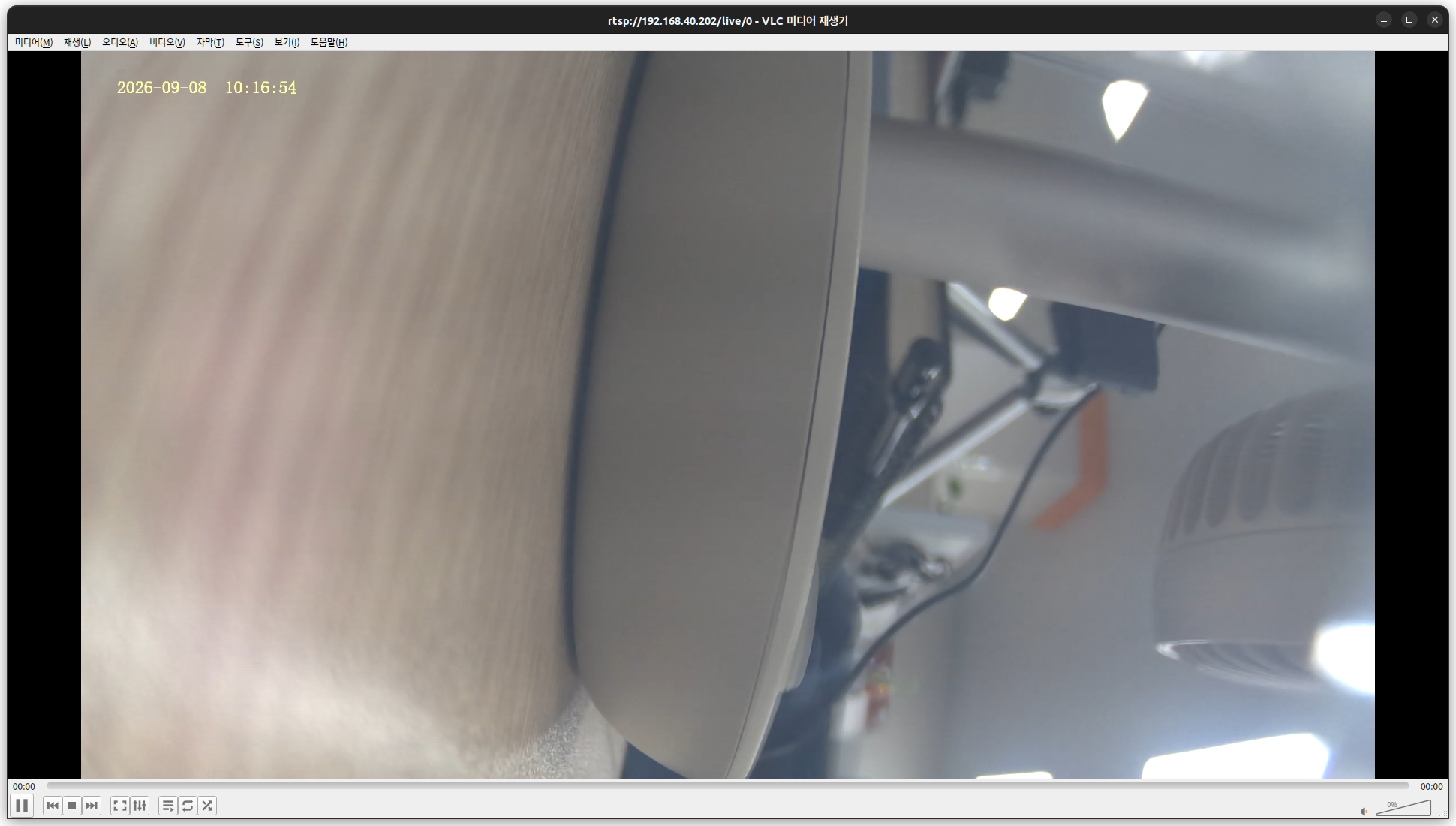
크.. free 2.4M
여기서 먼가 웹 서비스 하는게 있을것 같은데 공식위키에서 좀 더 뒤져봐야 할 듯.
| [root@luckfox bin]# free -h total used free shared buff/cache available Mem: 32.9M 20.4M 2.4M 252.0K 10.1M 9.4M Swap: 0 0 0 [root@luckfox bin]# pwd /oem/usr/bin [root@luckfox bin]# ls -al total 6104 drwxrwxr-x 2 1005 1005 8096 Jun 26 2025 . drwxrwxr-x 7 1005 1005 480 Jun 12 2025 .. -rwxr-xr-x 1 1005 1005 551 May 20 2025 RkLunch-stop.sh -rwxr-xr-x 1 1005 1005 2789 May 20 2025 RkLunch.sh -rwxr-xr-x 1 1005 1005 38656 Jun 26 2025 dumpsys -rwxrwxr-x 1 1005 1005 534592 Jun 26 2025 fastboot_server -rwxrwxr-x 1 1005 1005 470356 Jun 26 2025 j2s4b_dev -rwxrwxr-x 1 1005 1005 26112 Jun 26 2025 luckfox_adc_test -rwxrwxr-x 1 1005 1005 26580 Jun 26 2025 luckfox_gpio_test -rwxrwxr-x 1 1005 1005 26124 Jun 26 2025 luckfox_i2c_test -rwxrwxr-x 1 1005 1005 26192 Jun 26 2025 luckfox_pwm_test -rwxrwxr-x 1 1005 1005 26208 Jun 26 2025 luckfox_spi_test -rwxrwxr-x 1 1005 1005 26152 Jun 26 2025 luckfox_uart_test -rwxr-xr-x 1 1005 1005 54936 Jun 26 2025 modetest -rwxrwxr-x 1 1005 1005 92904 Jun 26 2025 mpi_enc_test -rwxrwxr-x 1 1005 1005 9668 Jun 26 2025 mpp_info_test -rwxrwxr-x 1 1005 1005 26364 Jun 26 2025 rgaImDemo -rwxrwxr-x 1 1005 1005 21964 Jun 26 2025 rk_adc_test -rwxrwxr-x 1 1005 1005 21976 Jun 26 2025 rk_event_test -rwxrwxr-x 1 1005 1005 21968 Jun 26 2025 rk_gpio_test -rwxrwxr-x 1 1005 1005 21964 Jun 26 2025 rk_led_test -rwxr-xr-x 1 1005 1005 18020 Jun 26 2025 rk_mpi_adec_test -rwxr-xr-x 1 1005 1005 18024 Jun 26 2025 rk_mpi_aenc_test -rwxr-xr-x 1 1005 1005 17952 Jun 26 2025 rk_mpi_af_test -rwxr-xr-x 1 1005 1005 46920 Jun 26 2025 rk_mpi_ai_test -rwxr-xr-x 1 1005 1005 13792 Jun 26 2025 rk_mpi_amix_test -rwxr-xr-x 1 1005 1005 26304 Jun 26 2025 rk_mpi_ao_test -rwxr-xr-x 1 1005 1005 13796 Jun 26 2025 rk_mpi_avio_test -rwxr-xr-x 1 1005 1005 75700 Jun 26 2025 rk_mpi_avs_test -rwxr-xr-x 1 1005 1005 42740 Jun 26 2025 rk_mpi_dup_venc_test -rwxr-xr-x 1 1005 1005 13896 Jun 26 2025 rk_mpi_mb_test -rwxr-xr-x 1 1005 1005 13896 Jun 26 2025 rk_mpi_mmz_test -rwxr-xr-x 1 1005 1005 67628 Jun 26 2025 rk_mpi_rgn_test -rwxr-xr-x 1 1005 1005 17920 Jun 26 2025 rk_mpi_sys_test -rwxr-xr-x 1 1005 1005 22124 Jun 26 2025 rk_mpi_tde_test -rwxr-xr-x 1 1005 1005 55156 Jun 26 2025 rk_mpi_venc_test -rwxr-xr-x 1 1005 1005 30424 Jun 26 2025 rk_mpi_vi_dup_test -rwxr-xr-x 1 1005 1005 63352 Jun 26 2025 rk_mpi_vi_test -rwxr-xr-x 1 1005 1005 55108 Jun 26 2025 rk_mpi_vpss_test -rwxrwxr-x 1 1005 1005 21972 Jun 26 2025 rk_pwm_test -rwxr-xr-x 1 1005 1005 21812 Jun 26 2025 rk_rve_sample_test -rwxrwxr-x 1 1005 1005 21964 Jun 26 2025 rk_system_test -rwxrwxr-x 1 1005 1005 21964 Jun 26 2025 rk_time_test -rwxrwxr-x 1 1005 1005 21984 Jun 26 2025 rk_watchdog_test -rwxrwxr-x 1 1005 1005 18032 Jun 26 2025 rkaiq_3A_server -rwxrwxr-x 1 1005 1005 302132 Jun 26 2025 rkaiq_tool_server -rwxr-xr-x 1 1005 1005 457488 Jun 26 2025 rkipc -rwxrwxr-x 1 1005 1005 204140 Jun 26 2025 rkisp_demo -rwxrwxr-x 1 1005 1005 9596 Jun 26 2025 sample_ai -rwxrwxr-x 1 1005 1005 13872 Jun 26 2025 sample_ai_aenc -rwxrwxr-x 1 1005 1005 22072 Jun 26 2025 sample_ai_aenc_adec_ao_stresstest -rwxrwxr-x 1 1005 1005 22096 Jun 26 2025 sample_avs -rwxrwxr-x 1 1005 1005 38808 Jun 26 2025 sample_avs_stresstest -rwxrwxr-x 1 1005 1005 125408 Jun 26 2025 sample_demo_aiisp -rwxrwxr-x 1 1005 1005 137740 Jun 26 2025 sample_demo_aiisp_stresstest -rwxrwxr-x 1 1005 1005 121252 Jun 26 2025 sample_demo_dual_aiisp -rwxrwxr-x 1 1005 1005 133580 Jun 26 2025 sample_demo_dual_aiisp_stresstest -rwxrwxr-x 1 1005 1005 100400 Jun 26 2025 sample_demo_dual_camera -rwxrwxr-x 1 1005 1005 104520 Jun 26 2025 sample_demo_dual_camera_wrap -rwxrwxr-x 1 1005 1005 100364 Jun 26 2025 sample_demo_multi_camera_eptz -rwxrwxr-x 1 1005 1005 117144 Jun 26 2025 sample_demo_vi_avs_venc -rwxrwxr-x 1 1005 1005 121264 Jun 26 2025 sample_demo_vi_avs_venc_stresstest -rwxrwxr-x 1 1005 1005 125364 Jun 26 2025 sample_demo_vi_venc -rwxrwxr-x 1 1005 1005 137720 Jun 26 2025 sample_demo_vi_venc_stresstest -rwxrwxr-x 1 1005 1005 30504 Jun 26 2025 sample_isp_stresstest -rwxrwxr-x 1 1005 1005 34612 Jun 26 2025 sample_mulit_isp_stresstest -rwxrwxr-x 1 1005 1005 22268 Jun 26 2025 sample_multi_vi -rwxrwxr-x 1 1005 1005 30580 Jun 26 2025 sample_multi_vi_avs -rwxrwxr-x 1 1005 1005 121300 Jun 26 2025 sample_multi_vi_avs_osd_venc -rwxrwxr-x 1 1005 1005 112980 Jun 26 2025 sample_rgn_stresstest -rwxrwxr-x 1 1005 1005 108840 Jun 26 2025 sample_rv1103_dual_memory_opt -rwxrwxr-x 1 1005 1005 108624 Jun 26 2025 sample_venc_stresstest -rwxrwxr-x 1 1005 1005 22260 Jun 26 2025 sample_vi -rwxrwxr-x 1 1005 1005 113032 Jun 26 2025 sample_vi_vpss_osd_venc -rwxrwxr-x 1 1005 1005 34680 Jun 26 2025 sample_vpss_stresstest -rwxrwxr-x 1 1005 1005 9612 Jun 26 2025 simple_adec_bind_ao -rwxrwxr-x 1 1005 1005 13820 Jun 26 2025 simple_adec_bind_ao_external_decoder -rwxrwxr-x 1 1005 1005 9584 Jun 26 2025 simple_ai_bind_aenc -rwxrwxr-x 1 1005 1005 13720 Jun 26 2025 simple_ai_bind_aenc_external_encoder -rwxrwxr-x 1 1005 1005 13720 Jun 26 2025 simple_ai_get_frame -rwxrwxr-x 1 1005 1005 9600 Jun 26 2025 simple_ao_send_frame -rw-rw-r-- 1 1005 1005 9683 Jun 26 2025 simple_cmd.txt -rwxrwxr-x 1 1005 1005 9580 Jun 26 2025 simple_vi_bind_ivs -rwxrwxr-x 1 1005 1005 9672 Jun 26 2025 simple_vi_bind_venc -rwxrwxr-x 1 1005 1005 13752 Jun 26 2025 simple_vi_bind_venc_change_resolution_rv1106 -rwxrwxr-x 1 1005 1005 13780 Jun 26 2025 simple_vi_bind_venc_chn_sharebuf_rv1106 -rwxrwxr-x 1 1005 1005 17984 Jun 26 2025 simple_vi_bind_venc_combo_rv1106 -rwxrwxr-x 1 1005 1005 9680 Jun 26 2025 simple_vi_bind_venc_jpeg -rwxrwxr-x 1 1005 1005 13788 Jun 26 2025 simple_vi_bind_venc_osd -rwxrwxr-x 1 1005 1005 83732 Jun 26 2025 simple_vi_bind_venc_rtsp -rwxrwxr-x 1 1005 1005 83752 Jun 26 2025 simple_vi_bind_venc_rtsp_dev_chn_sharebuf_rv1106 -rwxrwxr-x 1 1005 1005 83744 Jun 26 2025 simple_vi_bind_venc_rtsp_eptz -rwxrwxr-x 1 1005 1005 83756 Jun 26 2025 simple_vi_bind_venc_rtsp_three_camera_rv1106 -rwxrwxr-x 1 1005 1005 84052 Jun 26 2025 simple_vi_bind_venc_svc_rtsp -rwxrwxr-x 1 1005 1005 13780 Jun 26 2025 simple_vi_bind_venc_wrap_rv1106 -rwxrwxr-x 1 1005 1005 13796 Jun 26 2025 simple_vi_bind_vpss_bind_venc -rwxrwxr-x 1 1005 1005 9636 Jun 26 2025 simple_vi_get_frame -rwxrwxr-x 1 1005 1005 13884 Jun 26 2025 simple_vi_get_frame_rkaiq -rwxrwxr-x 1 1005 1005 9628 Jun 26 2025 simple_vi_get_frame_send_vo_rv1106 -rwxrwxr-x 1 1005 1005 13880 Jun 26 2025 simple_vi_get_frame_tde -rwxrwxr-x 1 1005 1005 13696 Jun 26 2025 vpu_api_test [root@luckfox bin]# grep -rni http . ./j2s4b_dev:24024:not enough space for format expansion (Please submit full bug report at https://gcc.gnu.org/bugs/): ./rk_mpi_vi_test:9609:http:// ./rk_mpi_vi_test:9610:https:// ./rk_mpi_vi_dup_test:5474:http:// ./rk_mpi_vi_dup_test:5475:https:// ./rk_mpi_rgn_test:10174:http:// ./rk_mpi_rgn_test:10175:https:// ./rk_mpi_avs_test:11469:http:// ./rk_mpi_avs_test:11470:https:// ./rk_mpi_vpss_test:8634:http:// ./rk_mpi_vpss_test:8635:https:// |
+
[링크 : https://wiki.luckfox.com/Luckfox-Pico-Pi/MPI/]
[링크 : https://wiki.luckfox.com/Luckfox-Pico-Plus-Mini/CSI-Camera/]
'embeded > luckfox' 카테고리의 다른 글
| luckfox pico mini - ubuntu 이미지, 윈도우에서 굽기 (0) | 2026.09.08 |
|---|---|
| luckfox pico plus (0) | 2026.09.07 |
| luckfox pico ultra - rknn 예제 (0) | 2026.04.27 |
| luckfox pico ultra 카메라 모션 디텍트 끄기 (0) | 2026.04.27 |
| luckfox pico ultra - rv1106 riscv (0) | 2026.04.24 |