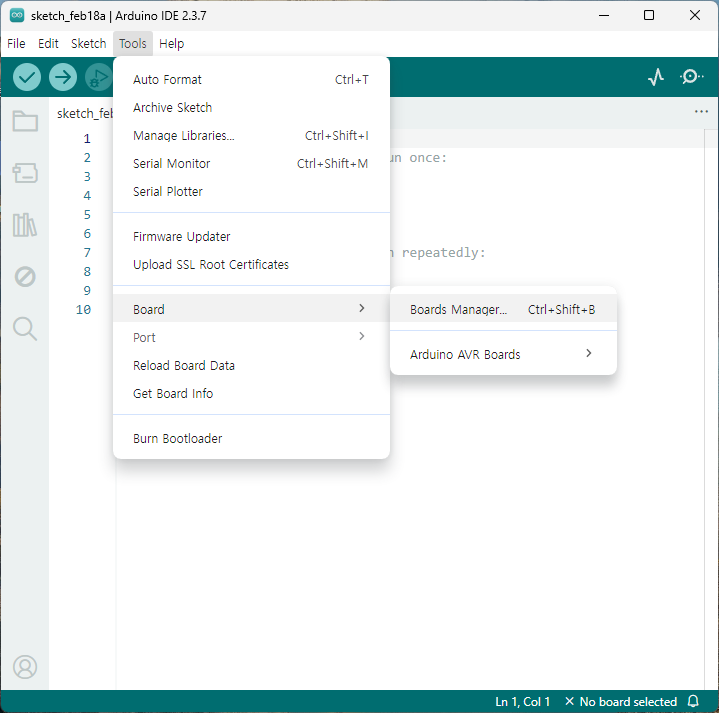
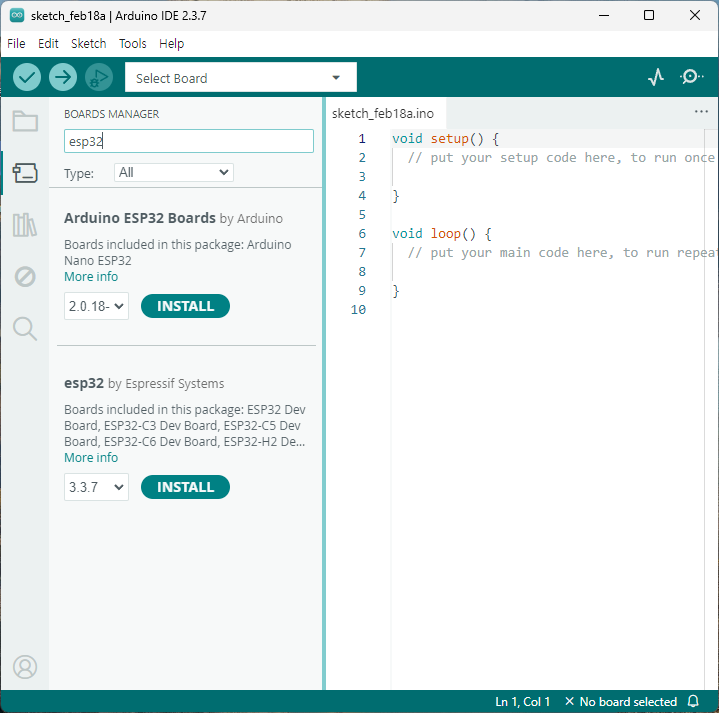
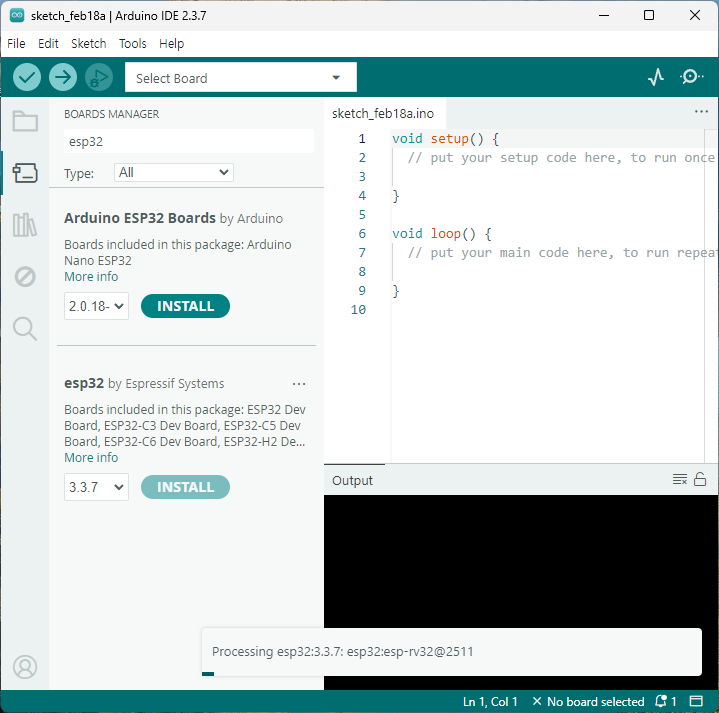
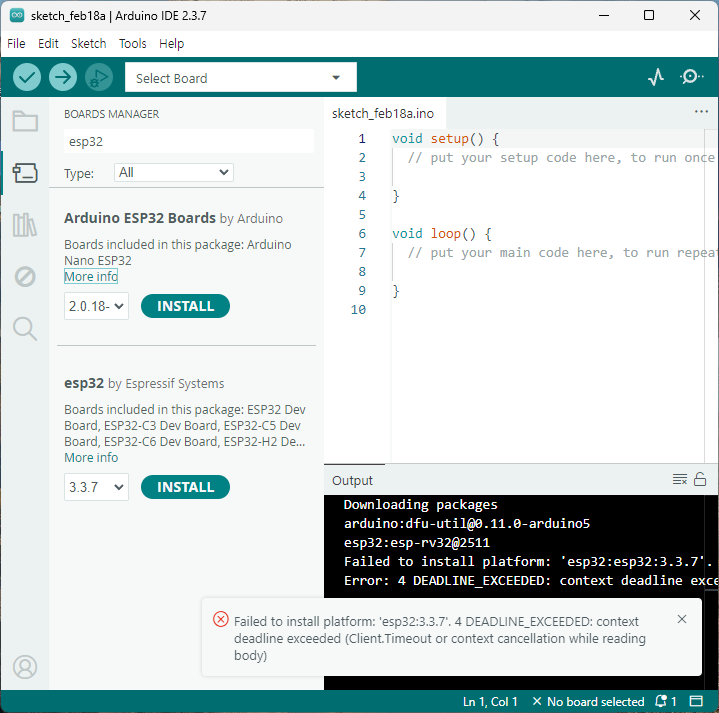
$ sudo dmesg [108206.360152] usb 1-2: new full-speed USB device number 12 using xhci_hcd [108206.487718] usb 1-2: New USB device found, idVendor=303a, idProduct=1001, bcdDevice= 1.01 [108206.487738] usb 1-2: New USB device strings: Mfr=1, Product=2, SerialNumber=3 [108206.487745] usb 1-2: Product: USB JTAG/serial debug unit [108206.487750] usb 1-2: Manufacturer: Espressif [108206.487756] usb 1-2: SerialNumber: 98:A3:16:E3:50:EC [108206.492137] cdc_acm 1-2:1.0: ttyACM0: USB ACM device
$ lsusb Bus 001 Device 021: ID 303a:1001 Espressif USB JTAG/serial debug unit
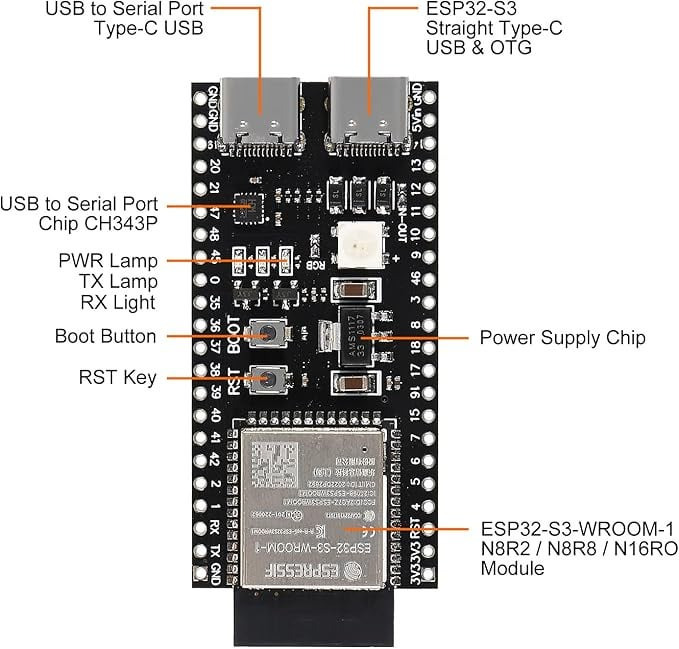
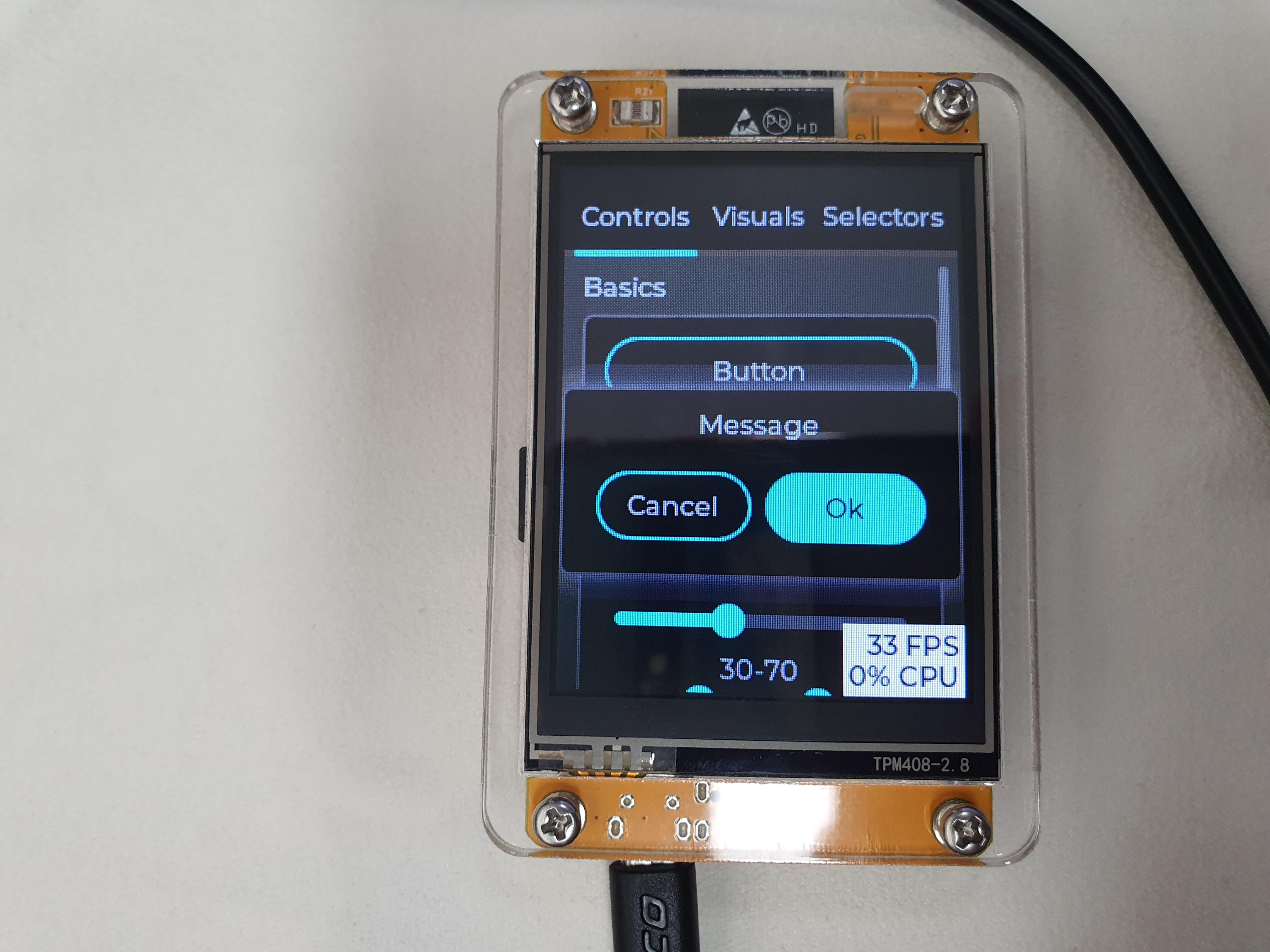
사진 기준 왼쪽 USB-C (TTL to UART)
$ sudo dmesg [108220.479842] usb 1-2: USB disconnect, device number 12 [108221.700959] usb 1-2: new full-speed USB device number 13 using xhci_hcd [108221.829581] usb 1-2: New USB device found, idVendor=1a86, idProduct=55d3, bcdDevice= 4.45 [108221.829604] usb 1-2: New USB device strings: Mfr=0, Product=2, SerialNumber=3 [108221.829614] usb 1-2: Product: USB Single Serial [108221.829621] usb 1-2: SerialNumber: 5A46054847 [108221.834111] cdc_acm 1-2:1.0: ttyACM0: USB ACM device
$ lsusb Bus 001 Device 020: ID 1a86:55d3 QinHeng Electronics USB Single Serial
Namespace and version are optional in the EXAMPLE argument.
Options: -C, --project-dir PATH Project directory. --profile, --service-profile TEXT Specifies the profile to use for this command. By default profile named "default" will be used. Alias "--service-profile" is deprecated and will be removed. The default value can be set with the IDF_COMPONENT_PROFILE environment variable. -p, --path TEXT Set the path for the new project. The project will be created directly in the given folder if it does not contain anything --help Show this message and exit.
C:\Espressif\frameworks\esp-idf-v5.3.1>idf.py help Executing action: help Usage: idf.py [OPTIONS] COMMAND1 [ARGS]... [COMMAND2 [ARGS]...]...
ESP-IDF CLI build management tool. For commands that are not known to idf.py an attempt to execute it as a build system target will be made. Selected target: None
Options: --version Show IDF version and exit. --list-targets Print list of supported targets and exit. -C, --project-dir PATH Project directory. -B, --build-dir PATH Build directory. -w, --cmake-warn-uninitialized / -n, --no-warnings Enable CMake uninitialized variable warnings for CMake files inside the project directory. (--no-warnings is now the default, and doesn't need to be specified.) The default value can be set with the IDF_CMAKE_WARN_UNINITIALIZED environment variable. -v, --verbose Verbose build output. --preview Enable IDF features that are still in preview. --ccache / --no-ccache Use ccache in build. Disabled by default. The default value can be set with the IDF_CCACHE_ENABLE environment variable. -G, --generator [Ninja] CMake generator. --no-hints Disable hints on how to resolve errors and logging. -D, --define-cache-entry TEXT Create a cmake cache entry. This option can be used at most once either globally, or for one subcommand. -p, --port PATH Serial port. The default value can be set with the ESPPORT environment variable. This option can be used at most once either globally, or for one subcommand. -b, --baud INTEGER Baud rate for flashing. It can imply monitor baud rate as well if it hasn't been defined locally. The default value can be set with the ESPBAUD environment variable. This option can be used at most once either globally, or for one subcommand. --help Show this message and exit.
Commands: add-dependency Add dependency to the manifest file. all Aliases: build. Build the project. app Build only the app. app-flash Flash the app only. bootloader Build only bootloader. bootloader-flash Flash bootloader only. build-system-targets Print list of build system targets. clang-check run clang-tidy check under current folder, write the output into "warnings.txt" clang-html-report generate html report to "html_report" folder by reading "warnings.txt" (may take a few minutes). This feature requires extra dependency "codereport". Please install this by running "pip install codereport" clean Delete build output files from the build directory. confserver Run JSON configuration server. coredump-debug Create core dump ELF file and run GDB debug session with this file. coredump-info Print crashed task’s registers, callstack, list of available tasks in the system, memory regions and contents of memory stored in core dump (TCBs and stacks) create-component Create a new component. create-manifest Create manifest for specified component. create-project Create a new project. create-project-from-example Create a project from an example in the ESP Component Registry. docs Open web browser with documentation for ESP-IDF efuse-common-table Generate C-source for IDF's eFuse fields. efuse-custom-table Generate C-source for user's eFuse fields. encrypted-app-flash Flash the encrypted app only. encrypted-flash Flash the encrypted project. erase-flash Erase entire flash chip. erase-otadata Erase otadata partition. flash Flash the project. fullclean Delete the entire build directory contents. gdb Run the GDB. gdbgui GDB UI in default browser. gdbtui GDB TUI mode. menuconfig Run "menuconfig" project configuration tool. merge-bin monitor Display serial output. openocd Run openocd from current path partition-table Build only partition table. partition-table-flash Flash partition table only. post-debug Utility target to read the output of async debug action and stop them. python-clean Delete generated Python byte code from the IDF directory qemu Run QEMU. read-otadata Read otadata partition. reconfigure Re-run CMake. save-defconfig Generate a sdkconfig.defaults with options different from the default ones set-target Set the chip target to build. show-efuse-table Print eFuse table. size Print basic size information about the app. size-components Print per-component size information. size-files Print per-source-file size information. uf2 Generate the UF2 binary with all the binaries included uf2-app Generate an UF2 binary for the application only update-dependencies Update dependencies of the project
C:\src\tt>dir C 드라이브의 볼륨에는 이름이 없습니다. 볼륨 일련 번호: 6A30-5BAD
C:\src\tt 디렉터리
2026-02-08 오후 03:04 <DIR> . 2026-02-08 오후 03:04 <DIR> .. 2026-02-08 오후 03:04 <DIR> main 0개 파일 0 바이트 3개 디렉터리 379,272,712,192 바이트 남음
C:\src\tt>cd main
C:\src\tt\main>dir C 드라이브의 볼륨에는 이름이 없습니다. 볼륨 일련 번호: 6A30-5BAD
C:\src\tt\main 디렉터리
2026-02-08 오후 03:04 <DIR> . 2026-02-08 오후 03:04 <DIR> .. 2026-02-08 오후 03:06 652 idf_component.yml 1개 파일 652 바이트 2개 디렉터리 379,272,712,192 바이트 남음
C:\src\tt\main>type idf_component.yml ## IDF Component Manager Manifest File dependencies: espressif/esp_lcd_gc9a01: "^2.0.0" lvgl/lvgl: "^9.*" espressif/esp_lvgl_port: "^2.3.0" ## Required IDF version idf: version: ">=4.1.0" # # Put list of dependencies here # # For components maintained by Espressif: # component: "~1.0.0" # # For 3rd party components: # username/component: ">=1.0.0,<2.0.0" # username2/component2: # version: "~1.0.0" # # For transient dependencies `public` flag can be set. # # `public` flag doesn't have an effect dependencies of the `main` component. # # All dependencies of `main` are public by default. # public: true
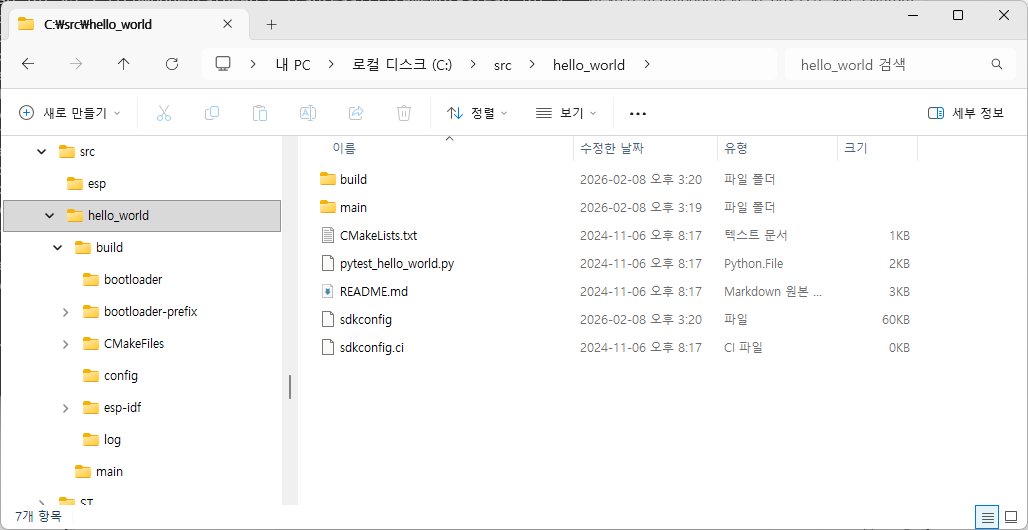
C:\src\hello_world>idf.py set-target esp32 Adding "set-target"'s dependency "fullclean" to list of commands with default set of options. Executing action: fullclean Build directory 'C:\src\hello_world\build' not found. Nothing to clean. Executing action: set-target Set Target to: esp32, new sdkconfig will be created. Running cmake in directory C:\src\hello_world\build Executing "cmake -G Ninja -DPYTHON_DEPS_CHECKED=1 -DPYTHON=C:\Espressif\python_env\idf5.3_py3.11_env\Scripts\python.exe -DESP_PLATFORM=1 -DIDF_TARGET=esp32 -DCCACHE_ENABLE=1 C:\src\hello_world"... -- Found Git: C:/Espressif/tools/idf-git/2.44.0/cmd/git.exe (found version "2.44.0.windows.1") -- ccache will be used for faster recompilation -- The C compiler identification is GNU 13.2.0 -- The CXX compiler identification is GNU 13.2.0 -- The ASM compiler identification is GNU -- Found assembler: C:/Espressif/tools/xtensa-esp-elf/esp-13.2.0_20240530/xtensa-esp-elf/bin/xtensa-esp32-elf-gcc.exe -- Detecting C compiler ABI info -- Detecting C compiler ABI info - done -- Check for working C compiler: C:/Espressif/tools/xtensa-esp-elf/esp-13.2.0_20240530/xtensa-esp-elf/bin/xtensa-esp32-elf-gcc.exe - skipped -- Detecting C compile features -- Detecting C compile features - done -- Detecting CXX compiler ABI info -- Detecting CXX compiler ABI info - done -- Check for working CXX compiler: C:/Espressif/tools/xtensa-esp-elf/esp-13.2.0_20240530/xtensa-esp-elf/bin/xtensa-esp32-elf-g++.exe - skipped -- Detecting CXX compile features -- Detecting CXX compile features - done -- git rev-parse returned 'fatal: not a git repository (or any of the parent directories): .git' -- Could not use 'git describe' to determine PROJECT_VER. -- Building ESP-IDF components for target esp32 -- Project sdkconfig file C:/src/hello_world/sdkconfig -- Compiler supported targets: xtensa-esp-elf -- Found Python3: C:/Espressif/python_env/idf5.3_py3.11_env/Scripts/python.exe (found version "3.11.2") found components: Interpreter -- Performing Test CMAKE_HAVE_LIBC_PTHREAD -- Performing Test CMAKE_HAVE_LIBC_PTHREAD - Success -- Found Threads: TRUE -- Performing Test C_COMPILER_SUPPORTS_WFORMAT_SIGNEDNESS -- Performing Test C_COMPILER_SUPPORTS_WFORMAT_SIGNEDNESS - Success -- App "hello_world" version: 1 -- Adding linker script C:/src/hello_world/build/esp-idf/esp_system/ld/memory.ld -- Adding linker script C:/src/hello_world/build/esp-idf/esp_system/ld/sections.ld.in -- Adding linker script C:/Espressif/frameworks/esp-idf-v5.3.1/components/esp_rom/esp32/ld/esp32.rom.ld -- Adding linker script C:/Espressif/frameworks/esp-idf-v5.3.1/components/esp_rom/esp32/ld/esp32.rohttp://m.api.ld -- Adding linker script C:/Espressif/frameworks/esp-idf-v5.3.1/components/esp_rom/esp32/ld/esp32.rohttp://m.libgcc.ld -- Adding linker script C:/Espressif/frameworks/esp-idf-v5.3.1/components/esp_rom/esp32/ld/esp32.rohttp://m.newlib-data.ld -- Adding linker script C:/Espressif/frameworks/esp-idf-v5.3.1/components/esp_rom/esp32/ld/esp32.rohttp://m.syscalls.ld -- Adding linker script C:/Espressif/frameworks/esp-idf-v5.3.1/components/esp_rom/esp32/ld/esp32.rohttp://m.newlib-funcs.ld -- Adding linker script C:/Espressif/frameworks/esp-idf-v5.3.1/components/soc/esp32/ld/esp32.peripherals.ld -- Components: app_trace app_update bootloader bootloader_support bt cmock console cxx driver efuse esp-tls esp_adc esp_app_format esp_bootloader_format esp_coex esp_common esp_driver_ana_cmpr esp_driver_cam esp_driver_dac esp_driver_gpio esp_driver_gptimer esp_driver_i2c esp_driver_i2s esp_driver_isp esp_driver_jpeg esp_driver_ledc esp_driver_mcpwm esp_driver_parlio esp_driver_pcnt esp_driver_ppa esp_driver_rmt esp_driver_sdio esp_driver_sdm esp_driver_sdmmc esp_driver_sdspi esp_driver_spi esp_driver_touch_sens esp_driver_tsens esp_driver_uart esp_driver_usb_serial_jtag esp_eth esp_event esp_gdbstub esp_hid esp_http_client esp_http_server esp_https_ota esp_https_server esp_hw_support esp_lcd esp_local_ctrl esp_mm esp_netif esp_netif_stack esp_partition esp_phy esp_pm esp_psram esp_ringbuf esp_rom esp_system esp_timer esp_vfs_console esp_wifi espcoredump esptool_py fatfs freertos hal heap http_parser idf_test ieee802154 json log lwip main mbedtls mqtt newlib nvs_flash nvs_sec_provider openthread partition_table perfmon protobuf-c protocomm pthread sdmmc soc spi_flash spiffs tcp_transport ulp unity usb vfs wear_levelling wifi_provisioning wpa_supplicant xtensa -- Component paths: C:/Espressif/frameworks/esp-idf-v5.3.1/components/app_trace C:/Espressif/frameworks/esp-idf-v5.3.1/components/app_update C:/Espressif/frameworks/esp-idf-v5.3.1/components/bootloader C:/Espressif/frameworks/esp-idf-v5.3.1/components/bootloader_support C:/Espressif/frameworks/esp-idf-v5.3.1/components/bt C:/Espressif/frameworks/esp-idf-v5.3.1/components/cmock C:/Espressif/frameworks/esp-idf-v5.3.1/components/console C:/Espressif/frameworks/esp-idf-v5.3.1/components/cxx C:/Espressif/frameworks/esp-idf-v5.3.1/components/driver C:/Espressif/frameworks/esp-idf-v5.3.1/components/efuse C:/Espressif/frameworks/esp-idf-v5.3.1/components/esp-tls C:/Espressif/frameworks/esp-idf-v5.3.1/components/esp_adc C:/Espressif/frameworks/esp-idf-v5.3.1/components/esp_app_format C:/Espressif/frameworks/esp-idf-v5.3.1/components/esp_bootloader_format C:/Espressif/frameworks/esp-idf-v5.3.1/components/esp_coex C:/Espressif/frameworks/esp-idf-v5.3.1/components/esp_common C:/Espressif/frameworks/esp-idf-v5.3.1/components/esp_driver_ana_cmpr C:/Espressif/frameworks/esp-idf-v5.3.1/components/esp_driver_cam C:/Espressif/frameworks/esp-idf-v5.3.1/components/esp_driver_dac C:/Espressif/frameworks/esp-idf-v5.3.1/components/esp_driver_gpio C:/Espressif/frameworks/esp-idf-v5.3.1/components/esp_driver_gptimer C:/Espressif/frameworks/esp-idf-v5.3.1/components/esp_driver_i2c C:/Espressif/frameworks/esp-idf-v5.3.1/components/esp_driver_i2s C:/Espressif/frameworks/esp-idf-v5.3.1/components/esp_driver_isp C:/Espressif/frameworks/esp-idf-v5.3.1/components/esp_driver_jpeg C:/Espressif/frameworks/esp-idf-v5.3.1/components/esp_driver_ledc C:/Espressif/frameworks/esp-idf-v5.3.1/components/esp_driver_mcpwm C:/Espressif/frameworks/esp-idf-v5.3.1/components/esp_driver_parlio C:/Espressif/frameworks/esp-idf-v5.3.1/components/esp_driver_pcnt C:/Espressif/frameworks/esp-idf-v5.3.1/components/esp_driver_ppa C:/Espressif/frameworks/esp-idf-v5.3.1/components/esp_driver_rmt C:/Espressif/frameworks/esp-idf-v5.3.1/components/esp_driver_sdio C:/Espressif/frameworks/esp-idf-v5.3.1/components/esp_driver_sdm C:/Espressif/frameworks/esp-idf-v5.3.1/components/esp_driver_sdmmc C:/Espressif/frameworks/esp-idf-v5.3.1/components/esp_driver_sdspi C:/Espressif/frameworks/esp-idf-v5.3.1/components/esp_driver_spi C:/Espressif/frameworks/esp-idf-v5.3.1/components/esp_driver_touch_sens C:/Espressif/frameworks/esp-idf-v5.3.1/components/esp_driver_tsens C:/Espressif/frameworks/esp-idf-v5.3.1/components/esp_driver_uart C:/Espressif/frameworks/esp-idf-v5.3.1/components/esp_driver_usb_serial_jtag C:/Espressif/frameworks/esp-idf-v5.3.1/components/esp_eth C:/Espressif/frameworks/esp-idf-v5.3.1/components/esp_event C:/Espressif/frameworks/esp-idf-v5.3.1/components/esp_gdbstub C:/Espressif/frameworks/esp-idf-v5.3.1/components/esp_hid C:/Espressif/frameworks/esp-idf-v5.3.1/components/esp_http_client C:/Espressif/frameworks/esp-idf-v5.3.1/components/esp_http_server C:/Espressif/frameworks/esp-idf-v5.3.1/components/esp_https_ota C:/Espressif/frameworks/esp-idf-v5.3.1/components/esp_https_server C:/Espressif/frameworks/esp-idf-v5.3.1/components/esp_hw_support C:/Espressif/frameworks/esp-idf-v5.3.1/components/esp_lcd C:/Espressif/frameworks/esp-idf-v5.3.1/components/esp_local_ctrl C:/Espressif/frameworks/esp-idf-v5.3.1/components/esp_mm C:/Espressif/frameworks/esp-idf-v5.3.1/components/esp_netif C:/Espressif/frameworks/esp-idf-v5.3.1/components/esp_netif_stack C:/Espressif/frameworks/esp-idf-v5.3.1/components/esp_partition C:/Espressif/frameworks/esp-idf-v5.3.1/components/esp_phy C:/Espressif/frameworks/esp-idf-v5.3.1/components/esp_pm C:/Espressif/frameworks/esp-idf-v5.3.1/components/esp_psram C:/Espressif/frameworks/esp-idf-v5.3.1/components/esp_ringbuf C:/Espressif/frameworks/esp-idf-v5.3.1/components/esp_rom C:/Espressif/frameworks/esp-idf-v5.3.1/components/esp_system C:/Espressif/frameworks/esp-idf-v5.3.1/components/esp_timer C:/Espressif/frameworks/esp-idf-v5.3.1/components/esp_vfs_console C:/Espressif/frameworks/esp-idf-v5.3.1/components/esp_wifi C:/Espressif/frameworks/esp-idf-v5.3.1/components/espcoredump C:/Espressif/frameworks/esp-idf-v5.3.1/components/esptool_py C:/Espressif/frameworks/esp-idf-v5.3.1/components/fatfs C:/Espressif/frameworks/esp-idf-v5.3.1/components/freertos C:/Espressif/frameworks/esp-idf-v5.3.1/components/hal C:/Espressif/frameworks/esp-idf-v5.3.1/components/heap C:/Espressif/frameworks/esp-idf-v5.3.1/components/http_parser C:/Espressif/frameworks/esp-idf-v5.3.1/components/idf_test C:/Espressif/frameworks/esp-idf-v5.3.1/components/ieee802154 C:/Espressif/frameworks/esp-idf-v5.3.1/components/json C:/Espressif/frameworks/esp-idf-v5.3.1/components/log C:/Espressif/frameworks/esp-idf-v5.3.1/components/lwip C:/src/hello_world/main C:/Espressif/frameworks/esp-idf-v5.3.1/components/mbedtls C:/Espressif/frameworks/esp-idf-v5.3.1/components/mqtt C:/Espressif/frameworks/esp-idf-v5.3.1/components/newlib C:/Espressif/frameworks/esp-idf-v5.3.1/components/nvs_flash C:/Espressif/frameworks/esp-idf-v5.3.1/components/nvs_sec_provider C:/Espressif/frameworks/esp-idf-v5.3.1/components/openthread C:/Espressif/frameworks/esp-idf-v5.3.1/components/partition_table C:/Espressif/frameworks/esp-idf-v5.3.1/components/perfmon C:/Espressif/frameworks/esp-idf-v5.3.1/components/protobuf-c C:/Espressif/frameworks/esp-idf-v5.3.1/components/protocomm C:/Espressif/frameworks/esp-idf-v5.3.1/components/pthread C:/Espressif/frameworks/esp-idf-v5.3.1/components/sdmmc C:/Espressif/frameworks/esp-idf-v5.3.1/components/soc C:/Espressif/frameworks/esp-idf-v5.3.1/components/spi_flash C:/Espressif/frameworks/esp-idf-v5.3.1/components/spiffs C:/Espressif/frameworks/esp-idf-v5.3.1/components/tcp_transport C:/Espressif/frameworks/esp-idf-v5.3.1/components/ulp C:/Espressif/frameworks/esp-idf-v5.3.1/components/unity C:/Espressif/frameworks/esp-idf-v5.3.1/components/usb C:/Espressif/frameworks/esp-idf-v5.3.1/components/vfs C:/Espressif/frameworks/esp-idf-v5.3.1/components/wear_levelling C:/Espressif/frameworks/esp-idf-v5.3.1/components/wifi_provisioning C:/Espressif/frameworks/esp-idf-v5.3.1/components/wpa_supplicant C:/Espressif/frameworks/esp-idf-v5.3.1/components/xtensa -- Configuring done -- Generating done -- Build files have been written to: C:/src/hello_world/build
C:\src\hello_world>idf.py build Executing action: all (aliases: build) Running ninja in directory C:\src\hello_world\build Executing "ninja all"... [4/966] Generating ../../partition_table/partition-table.bin Partition table binary generated. Contents: ******************************************************************************* # ESP-IDF Partition Table # Name, Type, SubType, Offset, Size, Flags nvs,data,nvs,0x9000,24K, phy_init,data,phy,0xf000,4K, factory,app,factory,0x10000,1M, ******************************************************************************* [452/966] Performing configure step for 'bootloader' -- Found Git: C:/Espressif/tools/idf-git/2.44.0/cmd/git.exe (found version "2.44.0.windows.1") -- The C compiler identification is GNU 13.2.0 -- The CXX compiler identification is GNU 13.2.0 -- The ASM compiler identification is GNU -- Found assembler: C:/Espressif/tools/xtensa-esp-elf/esp-13.2.0_20240530/xtensa-esp-elf/bin/xtensa-esp32-elf-gcc.exe -- Detecting C compiler ABI info -- Detecting C compiler ABI info - done -- Check for working C compiler: C:/Espressif/tools/xtensa-esp-elf/esp-13.2.0_20240530/xtensa-esp-elf/bin/xtensa-esp32-elf-gcc.exe - skipped -- Detecting C compile features -- Detecting C compile features - done -- Detecting CXX compiler ABI info -- Detecting CXX compiler ABI info - done -- Check for working CXX compiler: C:/Espressif/tools/xtensa-esp-elf/esp-13.2.0_20240530/xtensa-esp-elf/bin/xtensa-esp32-elf-g++.exe - skipped -- Detecting CXX compile features -- Detecting CXX compile features - done -- Building ESP-IDF components for target esp32 -- Project sdkconfig file C:/src/hello_world/sdkconfig -- Compiler supported targets: xtensa-esp-elf -- Adding linker script C:/Espressif/frameworks/esp-idf-v5.3.1/components/soc/esp32/ld/esp32.peripherals.ld -- Bootloader project name: "bootloader" version: 1 -- Adding linker script C:/Espressif/frameworks/esp-idf-v5.3.1/components/esp_rom/esp32/ld/esp32.rom.ld -- Adding linker script C:/Espressif/frameworks/esp-idf-v5.3.1/components/esp_rom/esp32/ld/esp32.rohttp://m.api.ld -- Adding linker script C:/Espressif/frameworks/esp-idf-v5.3.1/components/esp_rom/esp32/ld/esp32.rohttp://m.libgcc.ld -- Adding linker script C:/Espressif/frameworks/esp-idf-v5.3.1/components/esp_rom/esp32/ld/esp32.rohttp://m.newlib-funcs.ld -- Adding linker script C:/Espressif/frameworks/esp-idf-v5.3.1/components/bootloader/subproject/main/ld/esp32/bootloader.ld -- Adding linker script C:/Espressif/frameworks/esp-idf-v5.3.1/components/bootloader/subproject/main/ld/esp32/bootloader.rom.ld -- Components: bootloader bootloader_support efuse esp_app_format esp_bootloader_format esp_common esp_hw_support esp_rom esp_system esptool_py freertos hal log main micro-ecc newlib partition_table soc spi_flash xtensa -- Component paths: C:/Espressif/frameworks/esp-idf-v5.3.1/components/bootloader C:/Espressif/frameworks/esp-idf-v5.3.1/components/bootloader_support C:/Espressif/frameworks/esp-idf-v5.3.1/components/efuse C:/Espressif/frameworks/esp-idf-v5.3.1/components/esp_app_format C:/Espressif/frameworks/esp-idf-v5.3.1/components/esp_bootloader_format C:/Espressif/frameworks/esp-idf-v5.3.1/components/esp_common C:/Espressif/frameworks/esp-idf-v5.3.1/components/esp_hw_support C:/Espressif/frameworks/esp-idf-v5.3.1/components/esp_rom C:/Espressif/frameworks/esp-idf-v5.3.1/components/esp_system C:/Espressif/frameworks/esp-idf-v5.3.1/components/esptool_py C:/Espressif/frameworks/esp-idf-v5.3.1/components/freertos C:/Espressif/frameworks/esp-idf-v5.3.1/components/hal C:/Espressif/frameworks/esp-idf-v5.3.1/components/log C:/Espressif/frameworks/esp-idf-v5.3.1/components/bootloader/subproject/main C:/Espressif/frameworks/esp-idf-v5.3.1/components/bootloader/subproject/components/micro-ecc C:/Espressif/frameworks/esp-idf-v5.3.1/components/newlib C:/Espressif/frameworks/esp-idf-v5.3.1/components/partition_table C:/Espressif/frameworks/esp-idf-v5.3.1/components/soc C:/Espressif/frameworks/esp-idf-v5.3.1/components/spi_flash C:/Espressif/frameworks/esp-idf-v5.3.1/components/xtensa -- Configuring done -- Generating done -- Build files have been written to: C:/src/hello_world/build/bootloader [107/108] Generating binary image from built executable esptool.py v4.8.1 Creating esp32 image... Merged 2 ELF sections Successfully created esp32 image. Generated C:/src/hello_world/build/bootloader/bootloader.bin [108/108] cmd.exe /C "cd /D C:\src\hello_world\build\bootl...0x1000 C:/src/hello_world/build/bootloader/bootloader.bin" Bootloader binary size 0x6880 bytes. 0x780 bytes (7%) free. [965/966] Generating binary image from built executable esptool.py v4.8.1 Creating esp32 image... Merged 2 ELF sections Successfully created esp32 image. Generated C:/src/hello_world/build/hello_world.bin [966/966] cmd.exe /C "cd /D C:\src\hello_world\build\esp-i...tition-table.bin C:/src/hello_world/build/hello_world.bin" hello_world.bin binary size 0x2b9c0 bytes. Smallest app partition is 0x100000 bytes. 0xd4640 bytes (83%) free.
Project build complete. To flash, run: idf.py flash or idf.py -p PORT flash or python -m esptool --chip esp32 -b 460800 --before default_reset --after hard_reset write_flash --flash_mode dio --flash_size 2MB --flash_freq 40m 0x1000 build\bootloader\bootloader.bin 0x8000 build\partition_table\partition-table.bin 0x10000 build\hello_world.bin or from the "C:\src\hello_world\build" directory python -m esptool --chip esp32 -b 460800 --before default_reset --after hard_reset write_flash "@flash_args"
C:\src\hello_world>idf.py add-dependency "espressif/esp_lvgl_port^2.3.0" Executing action: add-dependency Created "C:\src\hello_world\main\idf_component.yml" Successfully added dependency "espressif/esp_lvgl_port^2.3.0" to component "main"
C:\src\hello_world>type main\idf_component.yml ## IDF Component Manager Manifest File dependencies: espressif/esp_lvgl_port: "^2.3.0" ## Required IDF version idf: version: ">=4.1.0" # # Put list of dependencies here # # For components maintained by Espressif: # component: "~1.0.0" # # For 3rd party components: # username/component: ">=1.0.0,<2.0.0" # username2/component2: # version: "~1.0.0" # # For transient dependencies `public` flag can be set. # # `public` flag doesn't have an effect dependencies of the `main` component. # # All dependencies of `main` are public by default. # public: true
C:\src\hello_world>type main\idf_component.yml ## IDF Component Manager Manifest File dependencies: lvgl/lvgl: "^8.*" espressif/esp_lvgl_port: "^2.3.0" ## Required IDF version idf: version: ">=4.1.0" # # Put list of dependencies here # # For components maintained by Espressif: # component: "~1.0.0" # # For 3rd party components: # username/component: ">=1.0.0,<2.0.0" # username2/component2: # version: "~1.0.0" # # For transient dependencies `public` flag can be set. # # `public` flag doesn't have an effect dependencies of the `main` component. # # All dependencies of `main` are public by default. # public: true
C:\src\hello_world>type main\idf_component.yml ## IDF Component Manager Manifest File dependencies: espressif/esp_lcd_gc9a01: "^2.0.0" lvgl/lvgl: "^8.*" espressif/esp_lvgl_port: "^2.3.0" ## Required IDF version idf: version: ">=4.1.0" # # Put list of dependencies here # # For components maintained by Espressif: # component: "~1.0.0" # # For 3rd party components: # username/component: ">=1.0.0,<2.0.0" # username2/component2: # version: "~1.0.0" # # For transient dependencies `public` flag can be set. # # `public` flag doesn't have an effect dependencies of the `main` component. # # All dependencies of `main` are public by default. # public: true
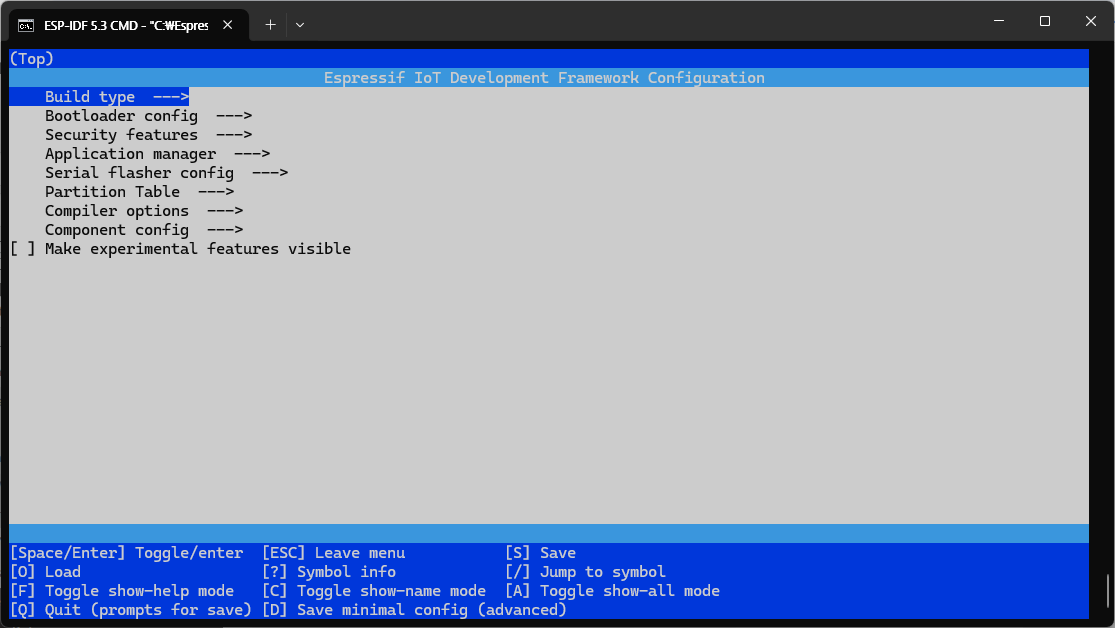
C:\src\hello_world>idf.py menuconfig Executing action: menuconfig Running ninja in directory C:\src\hello_world\build Executing "ninja menuconfig"... [0/1] cmd.exe /C "cd /D C:\src\hello_world\build && C:\Esp...ERSION=5.3.1 --output config C:/src/hello_world/sdkconfig"C:/Espressif/frameworks/esp-idf-v5.3.1/Kconfig:15: warning: IDF_ENV_FPGA has 'option env="IDF_ENV_FPGA"', but the environment variable IDF_ENV_FPGA is not set Loaded configuration 'C:/src/hello_world/sdkconfig' No changes to save (for 'C:/src/hello_world/sdkconfig')
+
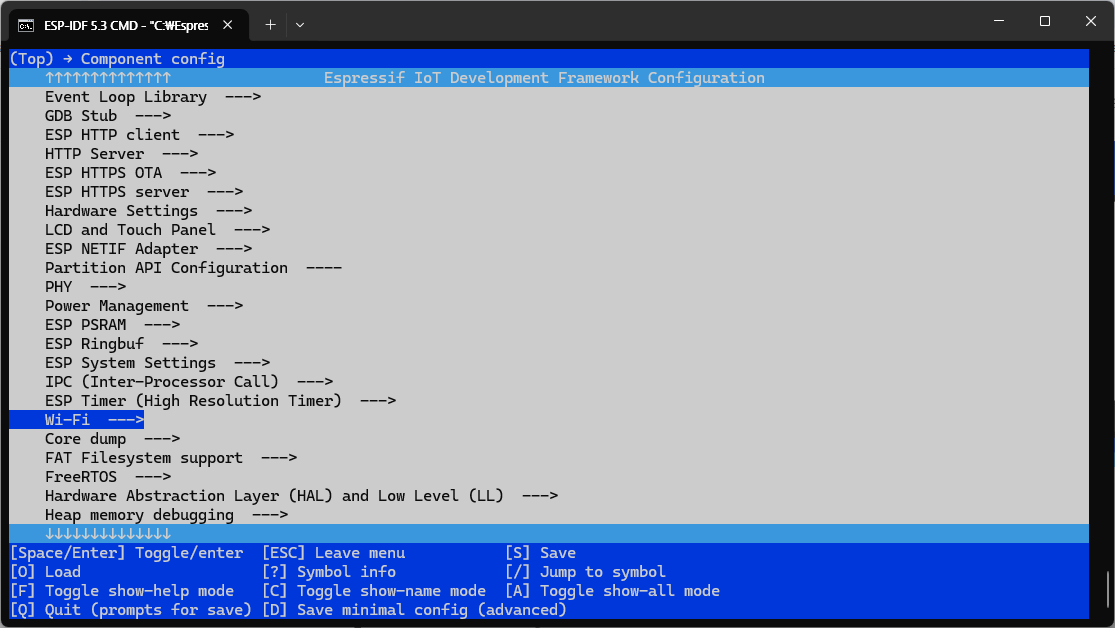
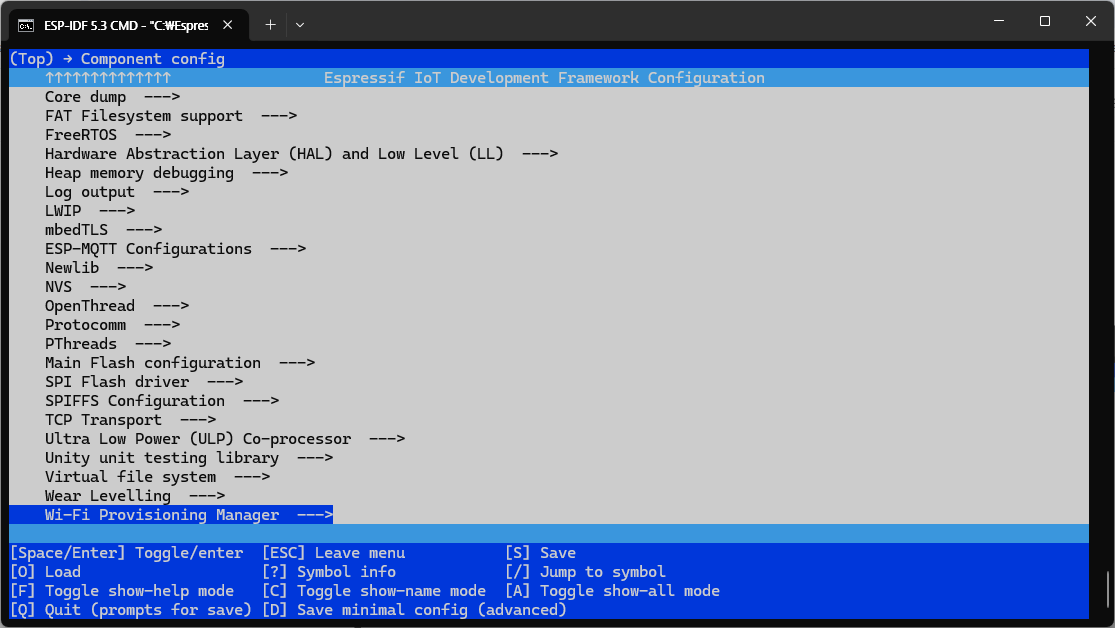
component config 를 따라가보면 먼가 많긴한데 아쉽게도(?) npm 이나 pip 처럼 먼가 외부 라이브러리 가져오는건 아니고
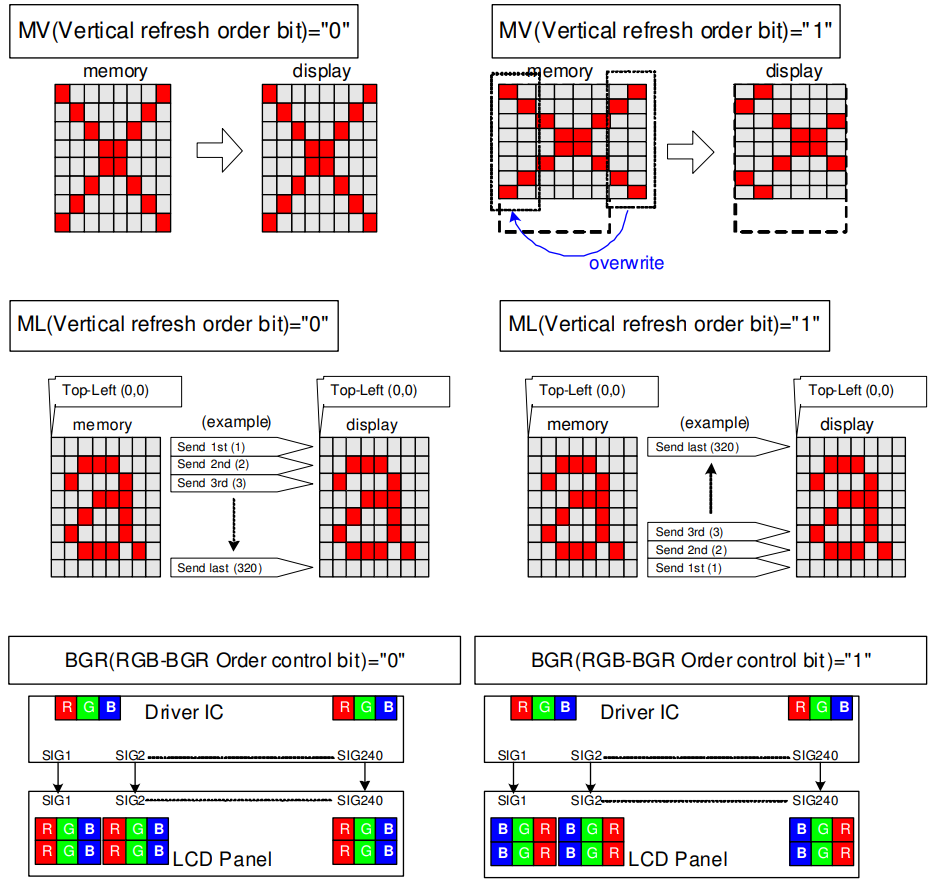
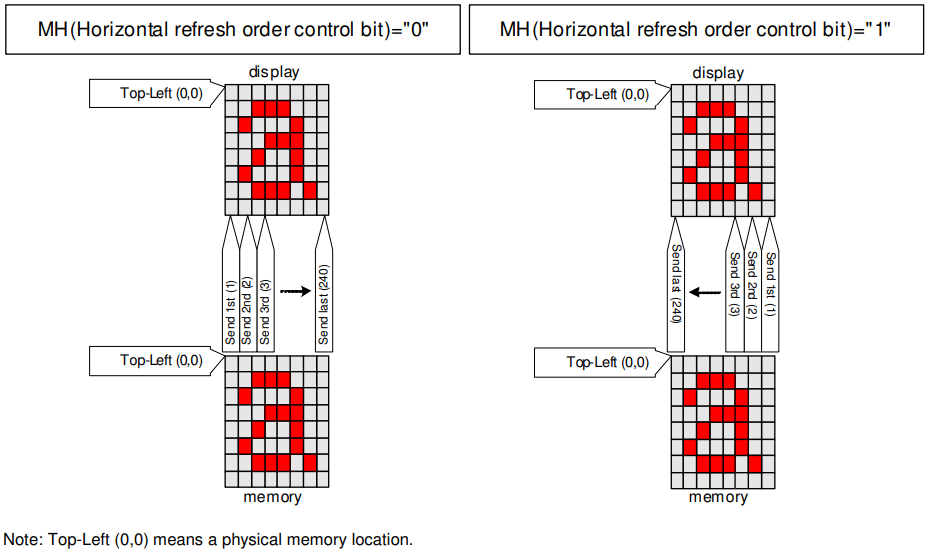
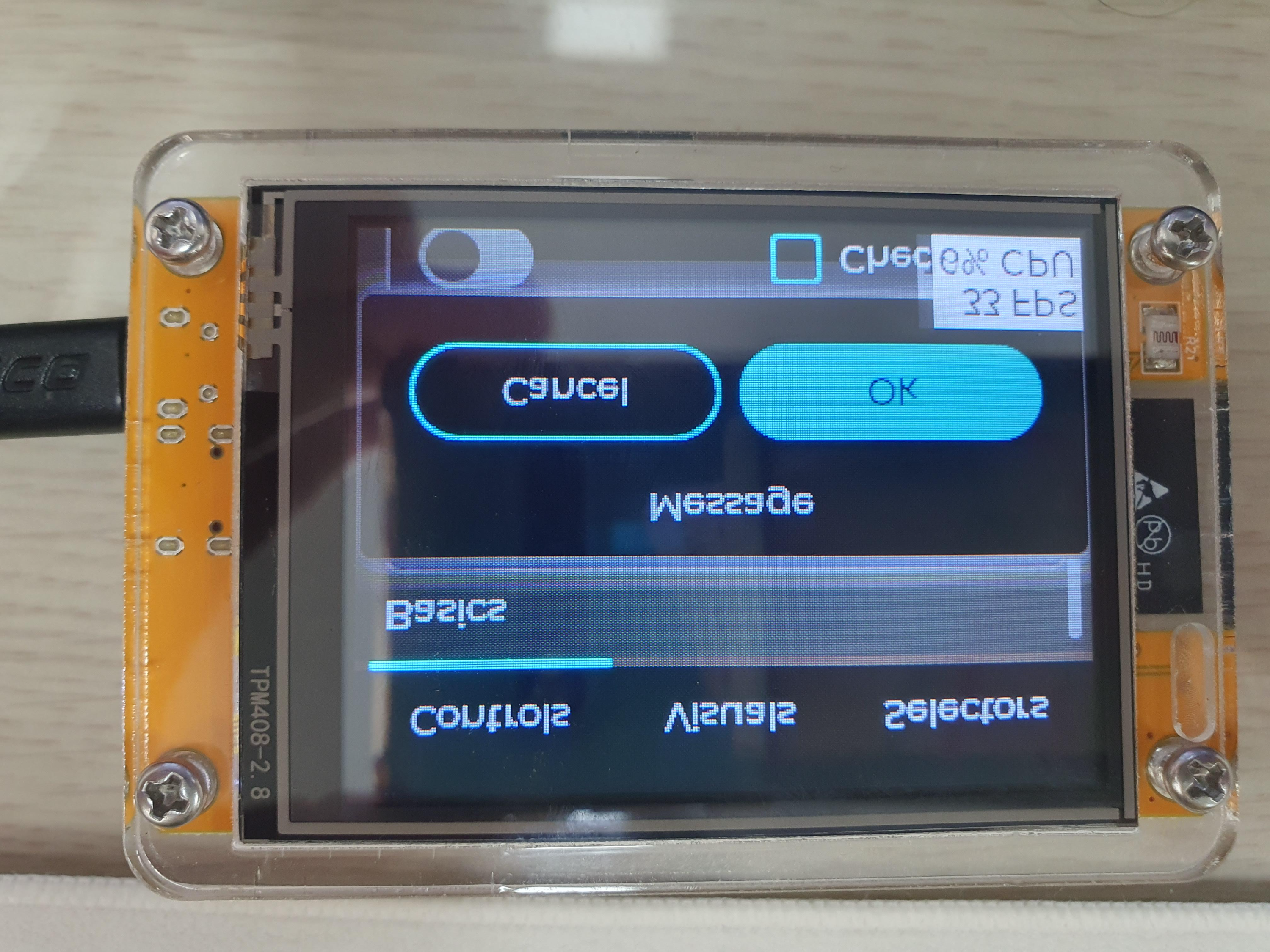
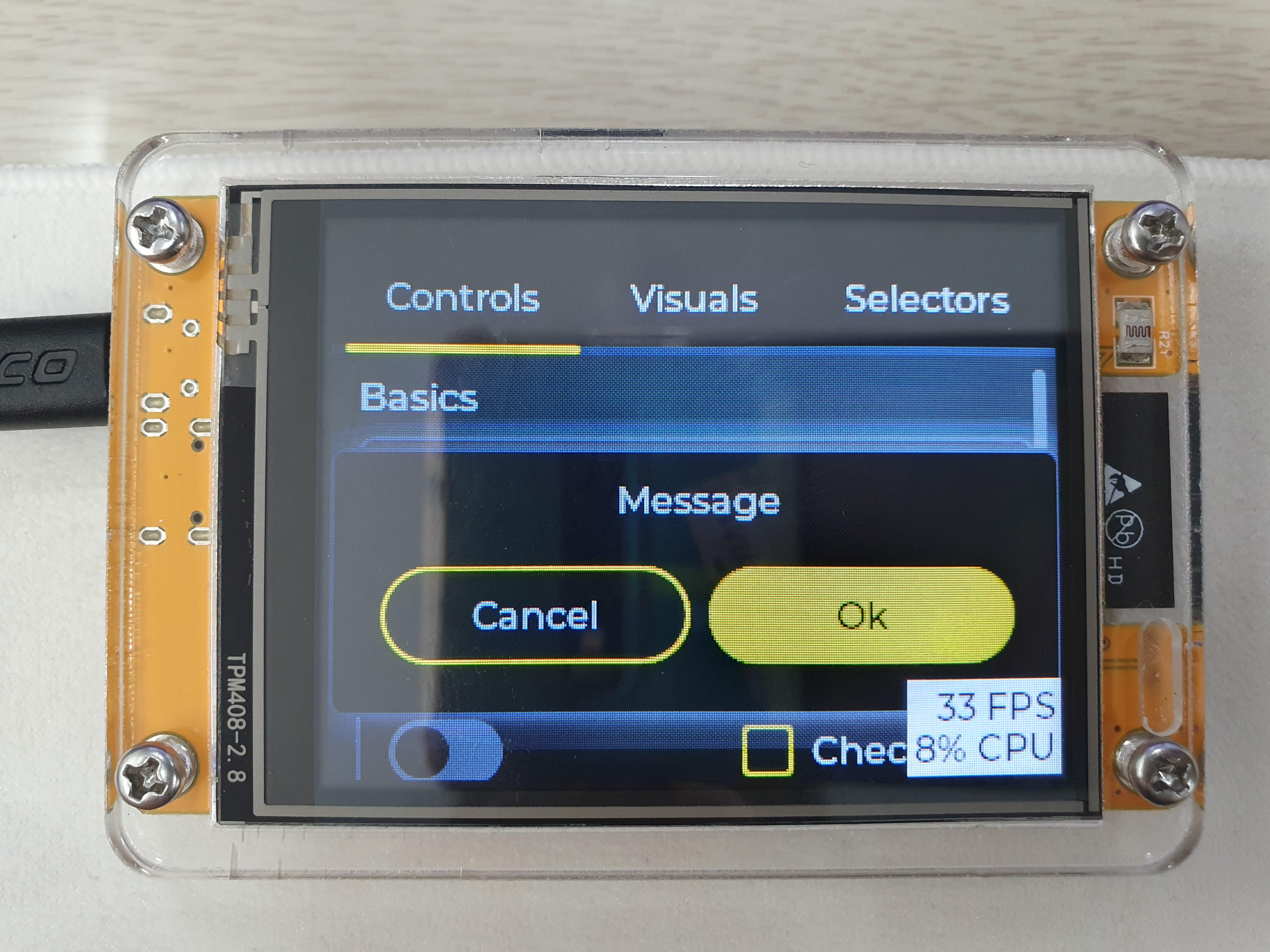
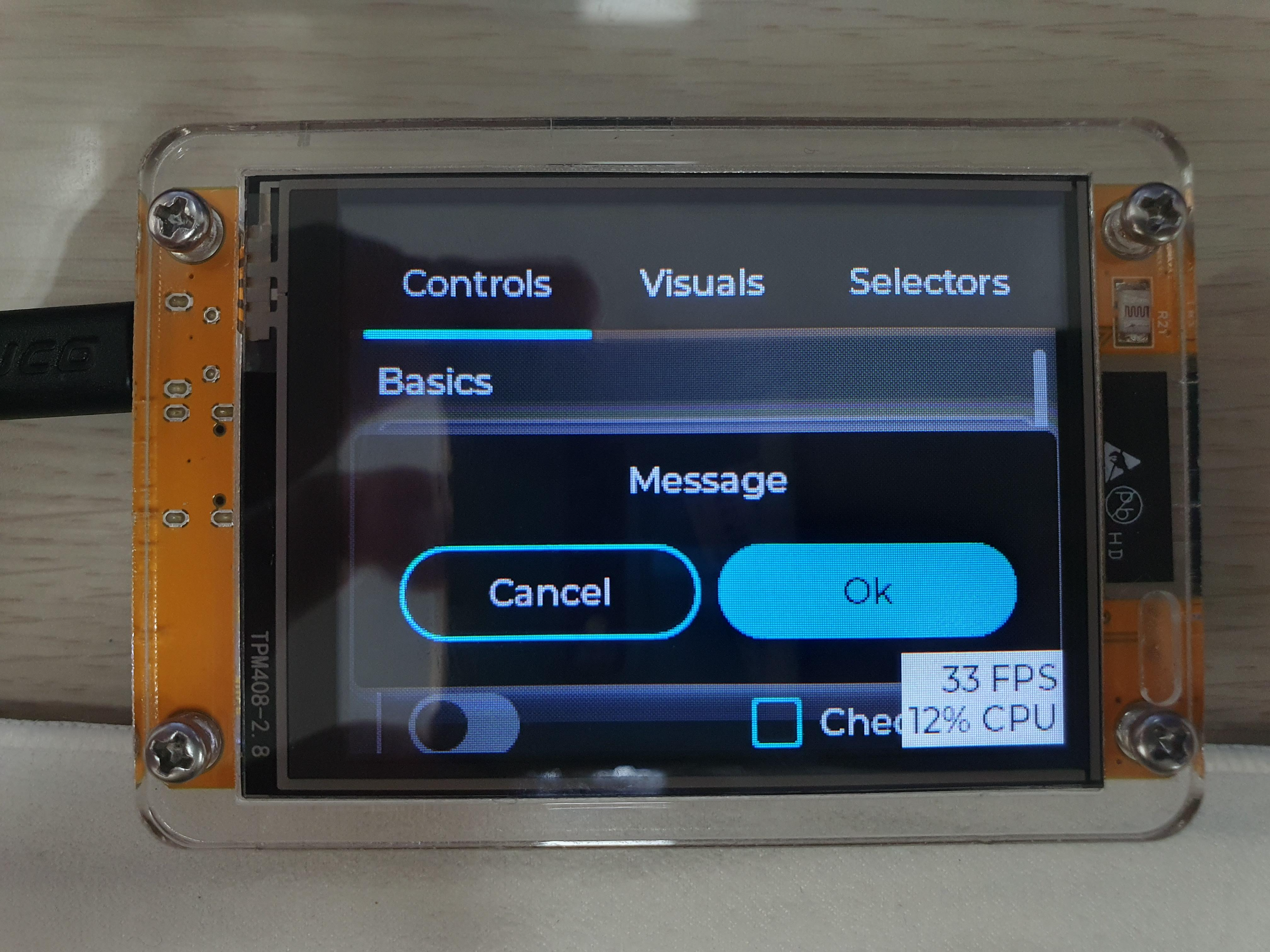
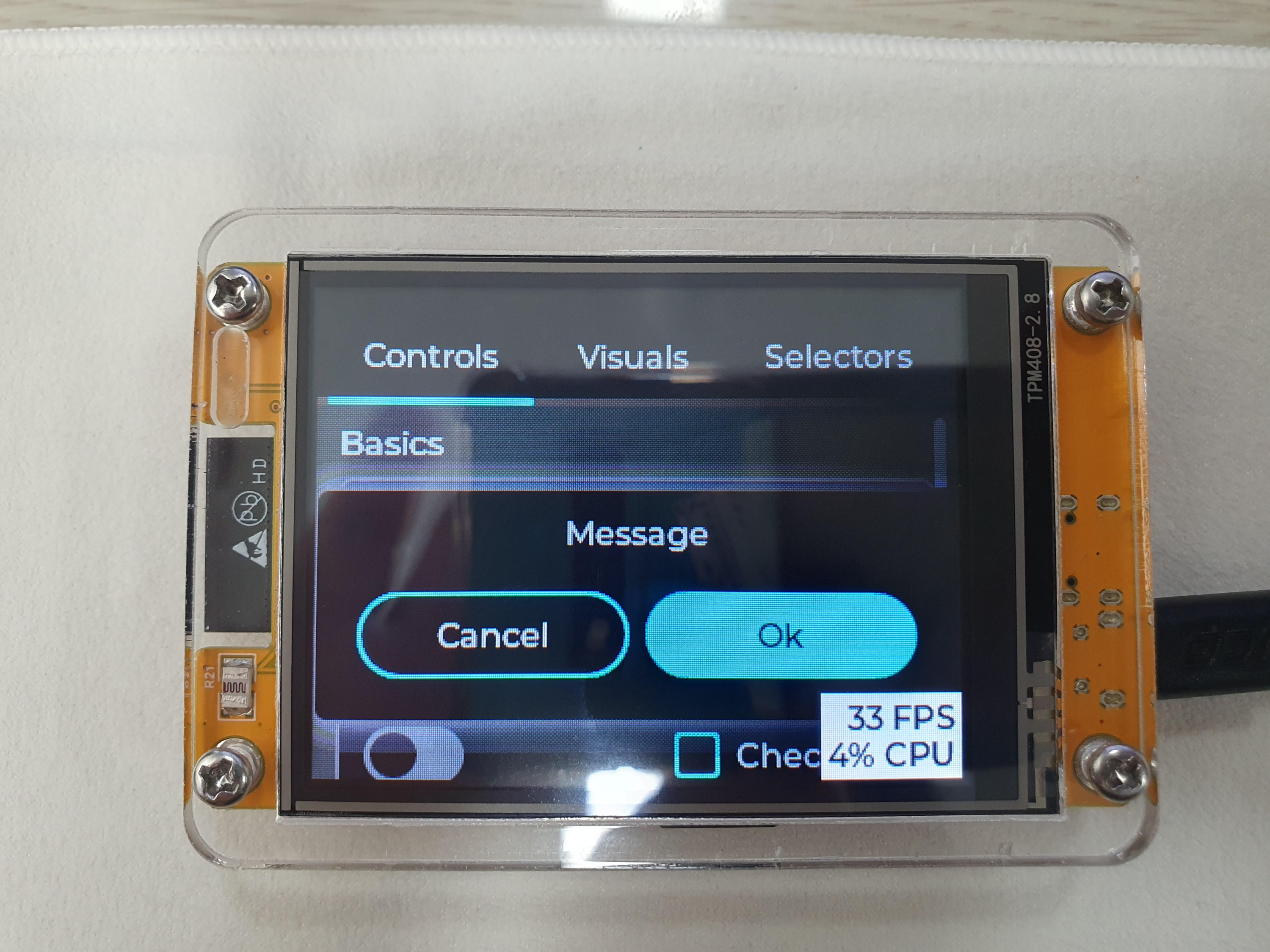
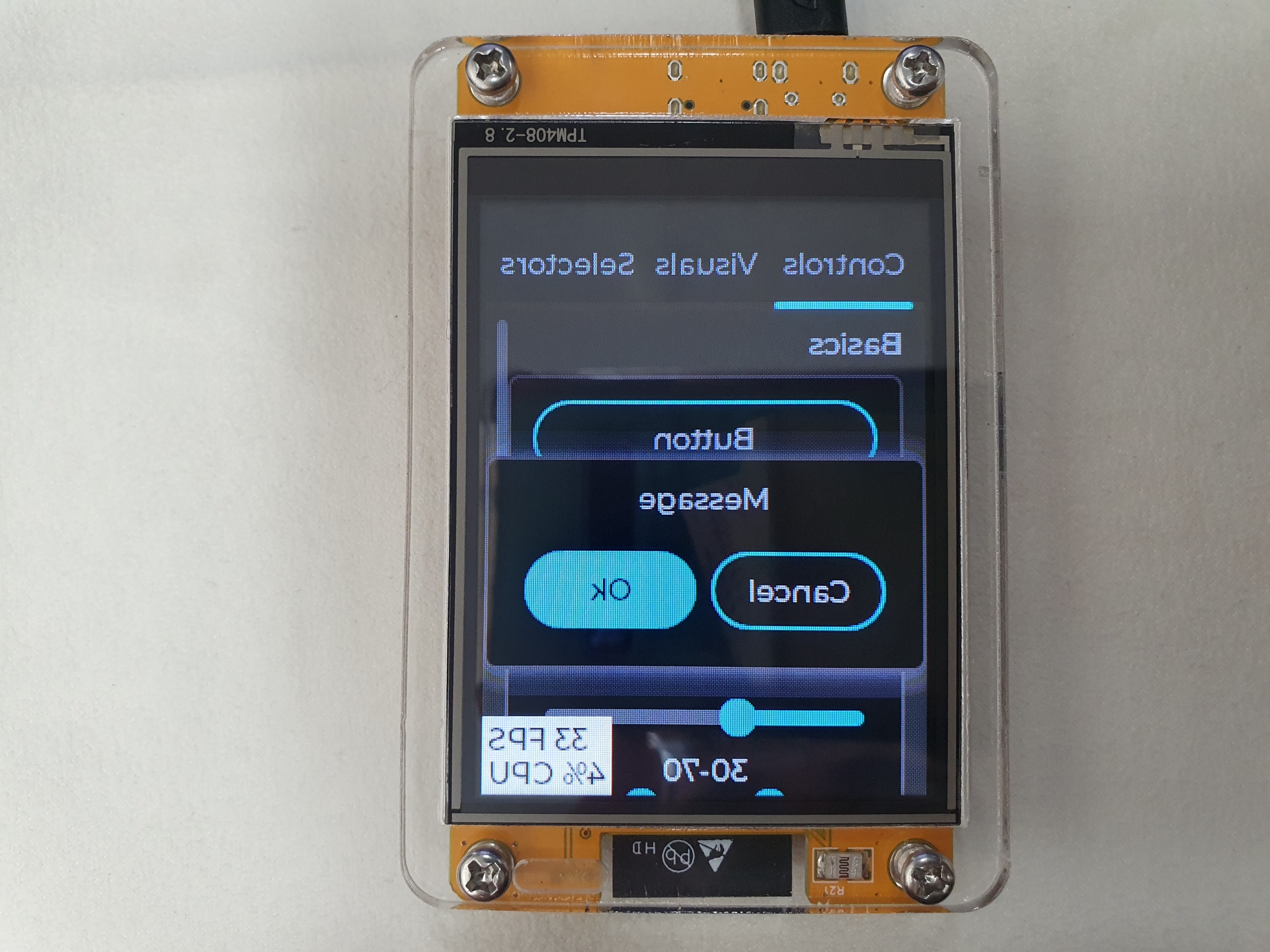
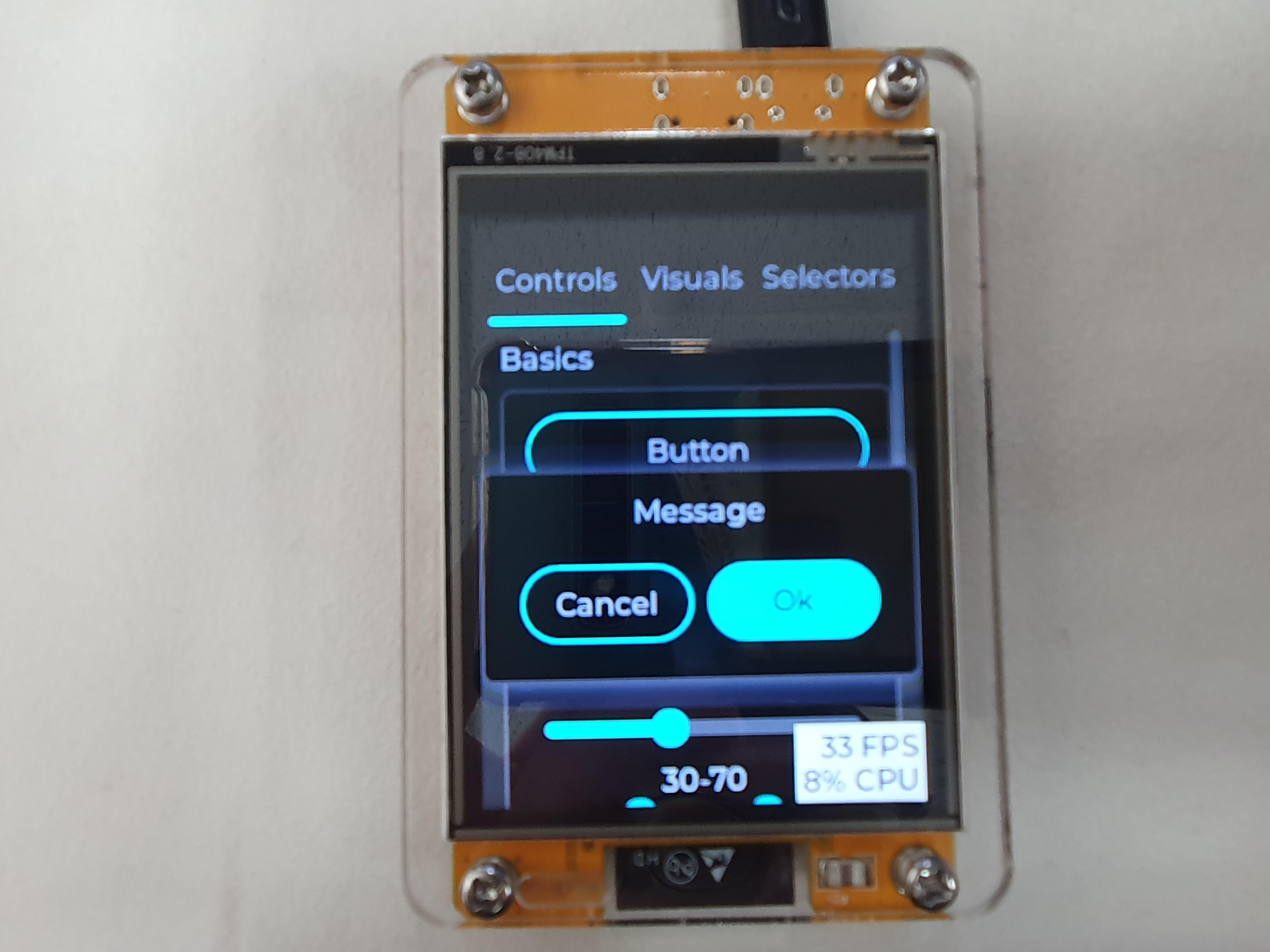
Portrait 되니 좌우가 바뀌어서 이를 위해 MX(Column Address Order) 뒤집음
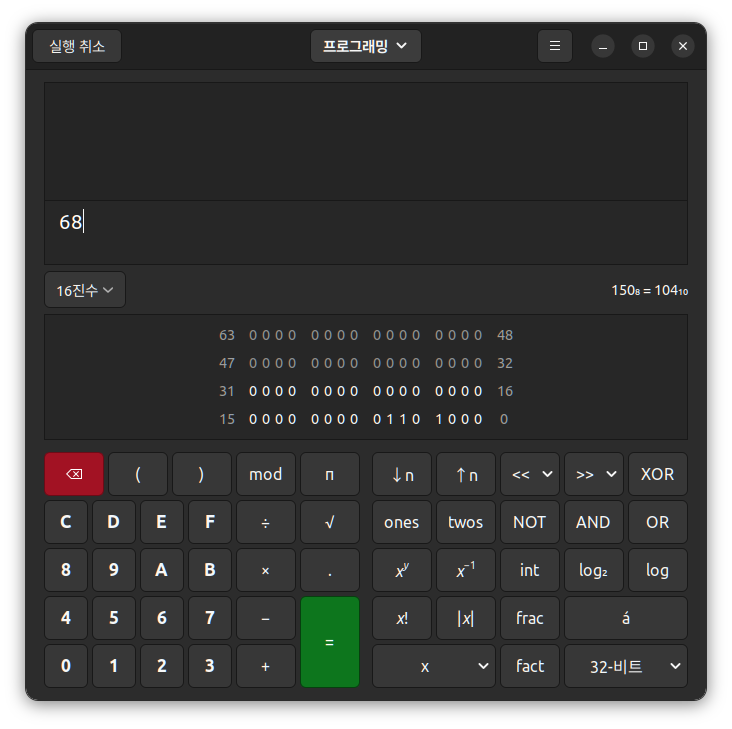
MAC - 0xA8 (portait invert + bgr)- 1010 1000 (2)
landscape 처럼 방향 뒤집으려면 MX/MY를 뒤집음
아래는 부팅 로그(참조용)
rst:0x1 (POWERON_RESET),boot:0x13 (SPI_FAST_FLASH_BOOT) configsip: 0, SPIWP:0xee clk_drv:0x00,q_drv:0x00,d_drv:0x00,cs0_drv:0x00,hd_drv:0x00,wp_drv:0x00 mode:DIO, clock div:2 load:0x3fff0030,len:6992 load:0x40078000,len:14292 ho 0 tail 12 room 4 load:0x40080400,len:3688 entry 0x40080678 I (29) boot: ESP-IDF v4.3 2nd stage bootloader I (29) boot: compile time 14:34:09 I (29) boot: chip revision: 3 I (32) boot_comm: chip revision: 3, min. bootloader chip revision: 0 I (39) boot.esp32: SPI Speed : 40MHz I (43) boot.esp32: SPI Mode : DIO I (48) boot.esp32: SPI Flash Size : 2MB I (53) boot: Enabling RNG early entropy source... I (58) boot: Partition Table: I (62) boot: ## Label Usage Type ST Offset Length I (69) boot: 0 nvs WiFi data 01 02 00009000 00006000 I (76) boot: 1 phy_init RF data 01 01 0000f000 00001000 I (84) boot: 2 factory factory app 00 00 00010000 00100000 I (91) boot: End of partition table I (95) boot_comm: chip revision: 3, min. application chip revision: 0 I (103) esp_image: segment 0: paddr=00010020 vaddr=3f400020 size=0e41ch ( 58396) map I (133) esp_image: segment 1: paddr=0001e444 vaddr=3ffb0000 size=01bd4h ( 7124) load I (136) esp_image: segment 2: paddr=00020020 vaddr=400d0020 size=47344h (291652) map I (249) esp_image: segment 3: paddr=0006736c vaddr=3ffb1bd4 size=00ec8h ( 3784) load I (251) esp_image: segment 4: paddr=0006823c vaddr=40080000 size=0c740h ( 51008) load I (277) esp_image: segment 5: paddr=00074984 vaddr=50000000 size=00010h ( 16) load I (284) boot: Loaded app from partition at offset 0x10000 I (284) boot: Disabling RNG early entropy source... I (297) cpu_start: Pro cpu up. I (297) cpu_start: Starting app cpu, entry point is 0x40081160 I (0) cpu_start: App cpu up. I (313) cpu_start: Pro cpu start user code I (313) cpu_start: cpu freq: 160000000 I (313) cpu_start: Application information: I (318) cpu_start: Project name: lvgl-demo I (323) cpu_start: App version: 1 I (327) cpu_start: ELF file SHA256: af171cc858421945... I (333) cpu_start: ESP-IDF: v4.3 I (338) heap_init: Initializing. RAM available for dynamic allocation: I (345) heap_init: At 3FFAE6E0 len 00001920 (6 KiB): DRAM I (351) heap_init: At 3FFCFB50 len 000104B0 (65 KiB): DRAM I (357) heap_init: At 3FFE0440 len 00003AE0 (14 KiB): D/IRAM I (364) heap_init: At 3FFE4350 len 0001BCB0 (111 KiB): D/IRAM I (370) heap_init: At 4008C740 len 000138C0 (78 KiB): IRAM I (377) spi_flash: detected chip: generic I (381) spi_flash: flash io: dio W (385) spi_flash: Detected size(4096k) larger than the size in the binary image header(2048k). Using the size in the binary image header. I (399) cpu_start: Starting scheduler on PRO CPU. I (0) cpu_start: Starting scheduler on APP CPU.
# # LVGL TFT Display controller # CONFIG_LVGL_PREDEFINED_DISPLAY_NONE=y # CONFIG_LVGL_PREDEFINED_DISPLAY_WROVER4 is not set # CONFIG_LVGL_PREDEFINED_DISPLAY_M5STACK is not set # CONFIG_LVGL_PREDEFINED_DISPLAY_M5STICK is not set # CONFIG_LVGL_PREDEFINED_DISPLAY_M5STICKC is not set # CONFIG_LVGL_PREDEFINED_DISPLAY_ERTFT0356 is not set # CONFIG_LVGL_PREDEFINED_DISPLAY_ADA_FEATHERWING is not set # CONFIG_LVGL_PREDEFINED_DISPLAY_RPI_MPI3501 is not set # CONFIG_LVGL_PREDEFINED_DISPLAY_WEMOS_LOLIN is not set # CONFIG_LVGL_PREDEFINED_DISPLAY_ATAG is not set # CONFIG_LVGL_PREDEFINED_DISPLAY_RPI_RA8875 is not set # CONFIG_LVGL_PREDEFINED_DISPLAY_TTGO is not set CONFIG_LVGL_TFT_DISPLAY_CONTROLLER_ILI9341=y CONFIG_LVGL_TFT_DISPLAY_PROTOCOL_SPI=y CONFIG_LVGL_PREDEFINED_PINS_NONE=y # CONFIG_LVGL_PREDEFINED_PINS_38V4 is not set # CONFIG_LVGL_PREDEFINED_PINS_30 is not set # CONFIG_LVGL_PREDEFINED_PINS_38V1 is not set # CONFIG_LVGL_PREDEFINED_PINS_TKOALA is not set CONFIG_LVGL_TFT_DISPLAY_USER_CONTROLLER_ILI9341=y # CONFIG_LVGL_TFT_DISPLAY_USER_CONTROLLER_ILI9481 is not set # CONFIG_LVGL_TFT_DISPLAY_USER_CONTROLLER_ILI9486 is not set # CONFIG_LVGL_TFT_DISPLAY_USER_CONTROLLER_ILI9488 is not set # CONFIG_LVGL_TFT_DISPLAY_USER_CONTROLLER_ST7789 is not set # CONFIG_LVGL_TFT_DISPLAY_USER_CONTROLLER_ST7735S is not set # CONFIG_LVGL_TFT_DISPLAY_USER_CONTROLLER_HX8357 is not set # CONFIG_LVGL_TFT_DISPLAY_USER_CONTROLLER_SH1107 is not set # CONFIG_LVGL_TFT_DISPLAY_USER_CONTROLLER_SSD1306 is not set # CONFIG_LVGL_TFT_DISPLAY_USER_CONTROLLER_FT81X is not set # CONFIG_LVGL_TFT_DISPLAY_USER_CONTROLLER_IL3820 is not set # CONFIG_LVGL_TFT_DISPLAY_USER_CONTROLLER_RA8875 is not set CONFIG_LVGL_TFT_DISPLAY_SPI_HSPI=y # CONFIG_LVGL_TFT_DISPLAY_SPI_VSPI is not set CONFIG_LVGL_DISPLAY_ORIENTATION_PORTRAIT=y # CONFIG_LVGL_DISPLAY_ORIENTATION_PORTRAIT_INVERTED is not set # CONFIG_LVGL_DISPLAY_ORIENTATION_LANDSCAPE is not set # CONFIG_LVGL_DISPLAY_ORIENTATION_LANDSCAPE_INVERTED is not set CONFIG_LVGL_DISPLAY_ORIENTATION=0 CONFIG_LVGL_DISPLAY_WIDTH=320 CONFIG_LVGL_DISPLAY_HEIGHT=240 CONFIG_LVGL_TFT_USE_CUSTOM_SPI_CLK_DIVIDER=y # CONFIG_LVGL_TFT_SPI_CLK_DIVIDER_1 is not set CONFIG_LVGL_TFT_SPI_CLK_DIVIDER_2=y # CONFIG_LVGL_TFT_SPI_CLK_DIVIDER_3 is not set # CONFIG_LVGL_TFT_SPI_CLK_DIVIDER_4 is not set # CONFIG_LVGL_TFT_SPI_CLK_DIVIDER_5 is not set # CONFIG_LVGL_TFT_SPI_CLK_DIVIDER_6 is not set # CONFIG_LVGL_TFT_SPI_CLK_DIVIDER_7 is not set # CONFIG_LVGL_TFT_SPI_CLK_DIVIDER_8 is not set # CONFIG_LVGL_TFT_SPI_CLK_DIVIDER_9 is not set # CONFIG_LVGL_TFT_SPI_CLK_DIVIDER_10 is not set # CONFIG_LVGL_TFT_SPI_CLK_DIVIDER_12 is not set # CONFIG_LVGL_TFT_SPI_CLK_DIVIDER_16 is not set # CONFIG_LVGL_TFT_SPI_CLK_DIVIDER_20 is not set # CONFIG_LVGL_TFT_SPI_CLK_DIVIDER_24 is not set # CONFIG_LVGL_TFT_SPI_CLK_DIVIDER_32 is not set # CONFIG_LVGL_TFT_SPI_CLK_DIVIDER_40 is not set # CONFIG_LVGL_TFT_SPI_CLK_DIVIDER_48 is not set # CONFIG_LVGL_TFT_SPI_CLK_DIVIDER_80 is not set CONFIG_LVGL_TFT_CUSTOM_SPI_CLK_DIVIDER=2 # CONFIG_LVGL_INVERT_DISPLAY is not set # CONFIG_LVGL_INVERT_COLORS is not set CONFIG_LVGL_AXP192_PIN_SDA=21 CONFIG_LVGL_AXP192_PIN_SCL=22