$# 인자의 갯수
$@ 현재 타겟의 이름 (나열)
$* 현재 타겟의 이름 (하나로)
$^ 현재 타겟의 종속 항목 리스트
'프로그램 사용 > make, configure' 카테고리의 다른 글
| make 조건식 (0) | 2023.08.16 |
|---|---|
| cmake ninja, cmake 옵션주기 (0) | 2022.12.07 |
| cmake 옵션 확인 (0) | 2021.01.20 |
| cmake 빌드 에러시 (0) | 2021.01.19 |
| make order (0) | 2016.06.16 |
$# 인자의 갯수
$@ 현재 타겟의 이름 (나열)
$* 현재 타겟의 이름 (하나로)
$^ 현재 타겟의 종속 항목 리스트
| make 조건식 (0) | 2023.08.16 |
|---|---|
| cmake ninja, cmake 옵션주기 (0) | 2022.12.07 |
| cmake 옵션 확인 (0) | 2021.01.20 |
| cmake 빌드 에러시 (0) | 2021.01.19 |
| make order (0) | 2016.06.16 |
지시자. 그러니까 아래서 make foo로 시작하는 부분에 대해서는
조건식이 없는걸로 봐서는 그 이전에 미리 조건식에 의해서 분기를 처리하고
그 아래에서는 조건식 없이 해야 하는건가?
| libs_for_gcc = -lgnu normal_libs = ifeq ($(CC),gcc) libs=$(libs_for_gcc) else libs=$(normal_libs) endif foo: $(objects) $(CC) -o foo $(objects) $(libs) |
[링크 : https://www.gnu.org/software/make/manual/html_node/Conditional-Example.html]
[링크 : https://www.gnu.org/software/make/manual/html_node/Conditionals.html]
| makefile 매크로(?) (0) | 2023.08.28 |
|---|---|
| cmake ninja, cmake 옵션주기 (0) | 2022.12.07 |
| cmake 옵션 확인 (0) | 2021.01.20 |
| cmake 빌드 에러시 (0) | 2021.01.19 |
| make order (0) | 2016.06.16 |
문득 cpu 사양 다시 볼까? 싶어서 보니
어? NEON이 아니라 NEON MPE?
| NEON™ media-processing engine Single and double precision Vector Floating Point Unit (VFPU) |
[링크 : https://docs.xilinx.com/v/u/en-US/ds190-Zynq-7000-Overview]
그래서 cortex-A9 NEON MPE 명령을 뒤져보는데
VADD나 VSUB VMUL VDIV에 대해서 찾아보니 NEON으로는 float까지만 되도, double은 VFP를 통해서 가능할 것 같은데
| D Double precision floating-point values F Single precision floating-point values H Half precision floating-point values I Integer values P Polynomials with single-bit coefficients X Operation is independent of data representation. Name Advanced SIMD VFP Description VADD I, F F, D Add VDIV - F, D Divide VMUL I, F, P F, D Multiply VSUB I, F F, D Subtract |
타입을 바꾸어 봐도 안되서 골머리를 싸매다가(float는 된다매!!! double은 vfp로 된다매!!!)
| main.c:187:2: missed: couldn't vectorize loop main.c:177:6: missed: not vectorized: unsupported data-type double main.c:187:2: missed: couldn't vectorize loop main.c:177:6: missed: not vectorized: unsupported data-type float |
금단의 플래그를 설정하니 잘 된다. -_-
| main.c:194:2: optimized: loop vectorized using 16 byte vectors main.c:188:2: optimized: loop vectorized using 16 byte vectors |
IEEE를 무시하고 안전하지 않은 연산도 적용되고 하다보니 영 쓰기가 불안한데...
| In addition GCC offers the -ffast-math flag which is a shortcut for several options, presenting the least conforming but fastest math mode. It enables -fno-trapping-math, -funsafe-math-optimizations, -ffinite-math-only, -fno-errno-math, -fno-signaling-nans, -fno-rounding-math, -fcx-limited-range and -fno-signed-zeros. Each of these flags violates IEEE in a different way. -ffast-math also may disable some features of the hardware IEEE implementation such as the support for denormals or flush-to-zero behavior. An example for such a case is x86_64 with it's use of SSE and SSE2 units for floating point math. |
[링크 : https://gcc.gnu.org/wiki/FloatingPointMath]
아무튼 어제 어디서 보다 찾았던 associative 옵션을 못찾아서 헤매다가 다시 생각나서 보는데
associative하지 않다.. 이게 무슨 의미지?
| Goldberg 논문에 나온 것 처럼 floating-point의 계산은 associative하지 않다. 그러므로 ffast-math 연산 방식에서는 실제 값에 오류를 포함할 수 밖에 없다. 이러한 점 때문에 ffast-math 방식은 IEEE에서 정의한 방식을 따르지 못한다. 위와 같은 특징 때문에, 정확한 값을 계산해야하는 것이라면 ffast-math를 사용하면 안된다. 하지만 대충 어림잡아서 맞는 값을 원하는 것이라면? |
[링크 : https://www.cv-learn.com/20210107-gcc-ffast-math/]
float 형의 오차로 인해서 계산때 마다 동일 결과가 나오지 않는다는 의미군..
| 결합의((a × b) × c = a × (b × c)의 예에서처럼 계산식이 부분의 순서와 상관없이 동일한 결과가 나오는) |
[링크 : https://en.dict.naver.com/#/entry/enko/43a6bbaaacf546199c5d4c57b6b88ebb]
그래서 한번 -ffast-math 대신 적용해보려는데 다른 상위 옵션에 의해서 무시 당했다고 나온다.
누가 상위 옵션이려나?
| -o -W -Wall -fopt-info-vec -march=armv7-a -mfpu=neon -O3 -fassociative-math cc1: warning: ‘-fassociative-math’ disabled; other options take precedence |
-ffast-math 보단 순한 맛이긴 한데 적용이 안되면 의미 없지 머..
| -fassociative-math Allow re-association of operands in series of floating-point operations. This violates the ISO C and C++ language standard by possibly changing computation result. NOTE: re-ordering may change the sign of zero as well as ignore NaNs and inhibit or create underflow or overflow (and thus cannot be used on code that relies on rounding behavior like (x + 2**52) - 2**52. May also reorder floating-point comparisons and thus may not be used when ordered comparisons are required. This option requires that both -fno-signed-zeros and -fno-trapping-math be in effect. Moreover, it doesn’t make much sense with -frounding-math. For Fortran the option is automatically enabled when both -fno-signed-zeros and -fno-trapping-math are in effect. The default is -fno-associative-math. |
[링크 : https://gcc.gnu.org/onlinedocs/gcc/Optimize-Options.html]
| gcc __cplusplus 선언 (0) | 2026.02.18 |
|---|---|
| gcc __attribute__((weak)) 테스트 (0) | 2026.01.29 |
| gcc tree vectorize (0) | 2023.01.26 |
| gcc fstack-protector-strong (0) | 2022.12.06 |
| gcc vectorization 실패 (0) | 2022.06.02 |
엑셀은 간단했는데 ㅠㅠ
| 중복 제거할 영역 선택 상단 메뉴에서 'Data > More Filters > Standard Filter...' 선택 필드 이름을 '-none-'으로 변경, 하단 'Options > No duplications' 체크 중복 제거 확인 |
| libreoffice에서 italic으로 자동 변환 막기 (0) | 2024.02.13 |
|---|---|
| libreoffice hwp 확장 (0) | 2023.10.11 |
| libreoffice OpenCL 적용하기 (0) | 2023.08.04 |
| 리브레 오피스 Calc 중복제거 (0) | 2020.11.05 |
| 리브레 오피스 내보내기 - PDF (0) | 2020.09.22 |
libreoffice 에서 그래프 그리는데 버벅대서 찾아보다 보니 openCL 로 가속이 가능하다고 한다.
[링크 : https://hamonikr.org/board_bFBk25/54522]
근데 정작 그래프 그리는데에는 도움이 안된다.
그냥 셀들 계산이 많을때는 도움이 될 듯.
-----
설정 뒤져보니 OpenCL 선택사항이라는게 있는데
OpenCL 사용 가능한 상황이라면, 아래에서 "OpenCL 사용 허용" 에 체크하고 적용 혹은 확인 누르면

libreoffice 다시 시작 하냐고 물어보는데 다시시작하고

설정을 보면 OpenCL을 사용할 수 있습니다로 바뀐다.

물론 그전에 OpenCL 이 사용가능한지 확인하고 설치해야 한다.
clinfo 실행해서 Number of platforms 가 0이 뜨면 OpenCL 사용 불가능한 상태
| $ sudo apt install clinfo $ clinfo Number of platforms 0 |
[링크 : https://ask.libreoffice.org/t/unable-to-activate-opencl/45714/3]
intel 10세대 노트북에 내장형 밖에 없어서 intel opencl을 설치해준다.
| $ sudo add-apt-repository ppa:intel-opencl/intel-opencl $ sudo apt-get update $ sudo apt install intel-opencl-icd |
[링크 : https://marcokhan.tistory.com/250]
clinfo 실행하면 Number of platforms에 1이 딱!
| $ clinfo Number of platforms 1 Platform Name Intel(R) OpenCL HD Graphics Platform Vendor Intel(R) Corporation Platform Version OpenCL 3.0 Platform Profile FULL_PROFILE Platform Extensions cl_khr_byte_addressable_store cl_khr_fp16 cl_khr_global_int32_base_atomics cl_khr_global_int32_extended_atomics cl_khr_icd cl_khr_local_int32_base_atomics cl_khr_local_int32_extended_atomics cl_intel_command_queue_families cl_intel_subgroups cl_intel_required_subgroup_size cl_intel_subgroups_short cl_khr_spir cl_intel_accelerator cl_intel_driver_diagnostics cl_khr_priority_hints cl_khr_throttle_hints cl_khr_create_command_queue cl_intel_subgroups_char cl_intel_subgroups_long cl_khr_il_program cl_intel_mem_force_host_memory cl_khr_subgroup_extended_types cl_khr_subgroup_non_uniform_vote cl_khr_subgroup_ballot cl_khr_subgroup_non_uniform_arithmetic cl_khr_subgroup_shuffle cl_khr_subgroup_shuffle_relative cl_khr_subgroup_clustered_reduce cl_intel_device_attribute_query cl_khr_suggested_local_work_size cl_khr_fp64 cl_khr_subgroups cl_intel_spirv_device_side_avc_motion_estimation cl_intel_spirv_media_block_io cl_intel_spirv_subgroups cl_khr_spirv_no_integer_wrap_decoration cl_intel_unified_shared_memory cl_khr_mipmap_image cl_khr_mipmap_image_writes cl_intel_planar_yuv cl_intel_packed_yuv cl_intel_motion_estimation cl_intel_device_side_avc_motion_estimation cl_intel_advanced_motion_estimation cl_khr_int64_base_atomics cl_khr_int64_extended_atomics cl_khr_image2d_from_buffer cl_khr_depth_images cl_khr_3d_image_writes cl_intel_media_block_io cl_intel_va_api_media_sharing cl_intel_sharing_format_query cl_khr_pci_bus_info Platform Extensions with Version cl_khr_byte_addressable_store 0x400000 (1.0.0) cl_khr_fp16 0x400000 (1.0.0) cl_khr_global_int32_base_atomics 0x400000 (1.0.0) cl_khr_global_int32_extended_atomics 0x400000 (1.0.0) cl_khr_icd 0x400000 (1.0.0) cl_khr_local_int32_base_atomics 0x400000 (1.0.0) cl_khr_local_int32_extended_atomics 0x400000 (1.0.0) cl_intel_command_queue_families 0x400000 (1.0.0) cl_intel_subgroups 0x400000 (1.0.0) cl_intel_required_subgroup_size 0x400000 (1.0.0) cl_intel_subgroups_short 0x400000 (1.0.0) cl_khr_spir 0x400000 (1.0.0) cl_intel_accelerator 0x400000 (1.0.0) cl_intel_driver_diagnostics 0x400000 (1.0.0) cl_khr_priority_hints 0x400000 (1.0.0) cl_khr_throttle_hints 0x400000 (1.0.0) cl_khr_create_command_queue 0x400000 (1.0.0) cl_intel_subgroups_char 0x400000 (1.0.0) cl_intel_subgroups_long 0x400000 (1.0.0) cl_khr_il_program 0x400000 (1.0.0) cl_intel_mem_force_host_memory 0x400000 (1.0.0) cl_khr_subgroup_extended_types 0x400000 (1.0.0) cl_khr_subgroup_non_uniform_vote 0x400000 (1.0.0) cl_khr_subgroup_ballot 0x400000 (1.0.0) cl_khr_subgroup_non_uniform_arithmetic 0x400000 (1.0.0) cl_khr_subgroup_shuffle 0x400000 (1.0.0) cl_khr_subgroup_shuffle_relative 0x400000 (1.0.0) cl_khr_subgroup_clustered_reduce 0x400000 (1.0.0) cl_intel_device_attribute_query 0x400000 (1.0.0) cl_khr_suggested_local_work_size 0x400000 (1.0.0) cl_khr_fp64 0x400000 (1.0.0) cl_khr_subgroups 0x400000 (1.0.0) cl_intel_spirv_device_side_avc_motion_estimation 0x400000 (1.0.0) cl_intel_spirv_media_block_io 0x400000 (1.0.0) cl_intel_spirv_subgroups 0x400000 (1.0.0) cl_khr_spirv_no_integer_wrap_decoration 0x400000 (1.0.0) cl_intel_unified_shared_memory 0x400000 (1.0.0) cl_khr_mipmap_image 0x400000 (1.0.0) cl_khr_mipmap_image_writes 0x400000 (1.0.0) cl_intel_planar_yuv 0x400000 (1.0.0) cl_intel_packed_yuv 0x400000 (1.0.0) cl_intel_motion_estimation 0x400000 (1.0.0) cl_intel_device_side_avc_motion_estimation 0x400000 (1.0.0) cl_intel_advanced_motion_estimation 0x400000 (1.0.0) cl_khr_int64_base_atomics 0x400000 (1.0.0) cl_khr_int64_extended_atomics 0x400000 (1.0.0) cl_khr_image2d_from_buffer 0x400000 (1.0.0) cl_khr_depth_images 0x400000 (1.0.0) cl_khr_3d_image_writes 0x400000 (1.0.0) cl_intel_media_block_io 0x400000 (1.0.0) cl_intel_va_api_media_sharing 0x400000 (1.0.0) cl_intel_sharing_format_query 0x400000 (1.0.0) cl_khr_pci_bus_info 0x400000 (1.0.0) Platform Numeric Version 0xc00000 (3.0.0) Platform Extensions function suffix INTEL Platform Host timer resolution 1ns Platform Name Intel(R) OpenCL HD Graphics Number of devices 1 Device Name Intel(R) UHD Graphics [0x9b41] Device Vendor Intel(R) Corporation Device Vendor ID 0x8086 Device Version OpenCL 3.0 NEO Device Numeric Version 0xc00000 (3.0.0) Driver Version 1.0.0 Device OpenCL C Version OpenCL C 1.2 Device OpenCL C all versions OpenCL C 0x400000 (1.0.0) OpenCL C 0x401000 (1.1.0) OpenCL C 0x402000 (1.2.0) OpenCL C 0xc00000 (3.0.0) Device OpenCL C features __opencl_c_int64 0xc00000 (3.0.0) __opencl_c_3d_image_writes 0xc00000 (3.0.0) __opencl_c_images 0xc00000 (3.0.0) __opencl_c_read_write_images 0xc00000 (3.0.0) __opencl_c_atomic_order_acq_rel 0xc00000 (3.0.0) __opencl_c_atomic_order_seq_cst 0xc00000 (3.0.0) __opencl_c_atomic_scope_all_devices 0xc00000 (3.0.0) __opencl_c_atomic_scope_device 0xc00000 (3.0.0) __opencl_c_generic_address_space 0xc00000 (3.0.0) __opencl_c_program_scope_global_variables 0xc00000 (3.0.0) __opencl_c_work_group_collective_functions 0xc00000 (3.0.0) __opencl_c_subgroups 0xc00000 (3.0.0) __opencl_c_pipes 0xc00000 (3.0.0) __opencl_c_fp64 0xc00000 (3.0.0) Latest comfornace test passed v2021-06-16-00 Device Type GPU Device Profile FULL_PROFILE Device Available Yes Compiler Available Yes Linker Available Yes Max compute units 24 Max clock frequency 1150MHz Device Partition (core) Max number of sub-devices 0 Supported partition types None Supported affinity domains (n/a) Max work item dimensions 3 Max work item sizes 256x256x256 Max work group size 256 Preferred work group size multiple (device) 32 Preferred work group size multiple (kernel) 32 Max sub-groups per work group 32 Sub-group sizes (Intel) 8, 16, 32 Preferred / native vector sizes char 16 / 16 short 8 / 8 int 4 / 4 long 1 / 1 half 8 / 8 (cl_khr_fp16) float 1 / 1 double 1 / 1 (cl_khr_fp64) Half-precision Floating-point support (cl_khr_fp16) Denormals Yes Infinity and NANs Yes Round to nearest Yes Round to zero Yes Round to infinity Yes IEEE754-2008 fused multiply-add Yes Support is emulated in software No Single-precision Floating-point support (core) Denormals Yes Infinity and NANs Yes Round to nearest Yes Round to zero Yes Round to infinity Yes IEEE754-2008 fused multiply-add Yes Support is emulated in software No Correctly-rounded divide and sqrt operations Yes Double-precision Floating-point support (cl_khr_fp64) Denormals Yes Infinity and NANs Yes Round to nearest Yes Round to zero Yes Round to infinity Yes IEEE754-2008 fused multiply-add Yes Support is emulated in software No Address bits 64, Little-Endian Global memory size 13228806144 (12.32GiB) Error Correction support No Max memory allocation 4294959104 (4GiB) Unified memory for Host and Device Yes Shared Virtual Memory (SVM) capabilities (core) Coarse-grained buffer sharing Yes Fine-grained buffer sharing No Fine-grained system sharing No Atomics No Minimum alignment for any data type 128 bytes Alignment of base address 1024 bits (128 bytes) Preferred alignment for atomics SVM 64 bytes Global 64 bytes Local 64 bytes Atomic memory capabilities relaxed, acquire/release, sequentially-consistent, work-group scope, device scope, all-devices scope Atomic fence capabilities relaxed, acquire/release, sequentially-consistent, work-item scope, work-group scope, device scope, all-devices scope Max size for global variable 65536 (64KiB) Preferred total size of global vars 4294959104 (4GiB) Global Memory cache type Read/Write Global Memory cache size 524288 (512KiB) Global Memory cache line size 64 bytes Image support Yes Max number of samplers per kernel 16 Max size for 1D images from buffer 268434944 pixels Max 1D or 2D image array size 2048 images Base address alignment for 2D image buffers 4 bytes Pitch alignment for 2D image buffers 4 pixels Max 2D image size 16384x16384 pixels Max planar YUV image size 16384x16352 pixels Max 3D image size 16384x16384x2048 pixels Max number of read image args 128 Max number of write image args 128 Max number of read/write image args 128 Pipe support Yes Max number of pipe args 16 Max active pipe reservations 1 Max pipe packet size 1024 Local memory type Local Local memory size 65536 (64KiB) Max number of constant args 8 Max constant buffer size 4294959104 (4GiB) Generic address space support Yes Max size of kernel argument 2048 (2KiB) Queue properties (on host) Out-of-order execution Yes Profiling Yes Device enqueue capabilities (n/a) Queue properties (on device) Out-of-order execution No Profiling No Preferred size 0 Max size 0 Max queues on device 0 Max events on device 0 Prefer user sync for interop Yes Profiling timer resolution 83ns Execution capabilities Run OpenCL kernels Yes Run native kernels No Non-uniform work-groups Yes Work-group collective functions Yes Sub-group independent forward progress Yes IL version SPIR-V_1.2 ILs with version SPIR-V 0x402000 (1.2.0) SPIR versions 1.2 printf() buffer size 4194304 (4MiB) Built-in kernels block_motion_estimate_intel;block_advanced_motion_estimate_check_intel;block_advanced_motion_estimate_bidirectional_check_intel; Built-in kernels with version block_motion_estimate_intel 0x400000 (1.0.0) block_advanced_motion_estimate_check_intel 0x400000 (1.0.0) block_advanced_motion_estimate_bidirectional_check_intel 0x400000 (1.0.0) Motion Estimation accelerator version (Intel) 2 Device-side AVC Motion Estimation version 1 Supports texture sampler use Yes Supports preemption No Device Extensions cl_khr_byte_addressable_store cl_khr_fp16 cl_khr_global_int32_base_atomics cl_khr_global_int32_extended_atomics cl_khr_icd cl_khr_local_int32_base_atomics cl_khr_local_int32_extended_atomics cl_intel_command_queue_families cl_intel_subgroups cl_intel_required_subgroup_size cl_intel_subgroups_short cl_khr_spir cl_intel_accelerator cl_intel_driver_diagnostics cl_khr_priority_hints cl_khr_throttle_hints cl_khr_create_command_queue cl_intel_subgroups_char cl_intel_subgroups_long cl_khr_il_program cl_intel_mem_force_host_memory cl_khr_subgroup_extended_types cl_khr_subgroup_non_uniform_vote cl_khr_subgroup_ballot cl_khr_subgroup_non_uniform_arithmetic cl_khr_subgroup_shuffle cl_khr_subgroup_shuffle_relative cl_khr_subgroup_clustered_reduce cl_intel_device_attribute_query cl_khr_suggested_local_work_size cl_khr_fp64 cl_khr_subgroups cl_intel_spirv_device_side_avc_motion_estimation cl_intel_spirv_media_block_io cl_intel_spirv_subgroups cl_khr_spirv_no_integer_wrap_decoration cl_intel_unified_shared_memory cl_khr_mipmap_image cl_khr_mipmap_image_writes cl_intel_planar_yuv cl_intel_packed_yuv cl_intel_motion_estimation cl_intel_device_side_avc_motion_estimation cl_intel_advanced_motion_estimation cl_khr_int64_base_atomics cl_khr_int64_extended_atomics cl_khr_image2d_from_buffer cl_khr_depth_images cl_khr_3d_image_writes cl_intel_media_block_io cl_intel_va_api_media_sharing cl_intel_sharing_format_query cl_khr_pci_bus_info Device Extensions with Version cl_khr_byte_addressable_store 0x400000 (1.0.0) cl_khr_fp16 0x400000 (1.0.0) cl_khr_global_int32_base_atomics 0x400000 (1.0.0) cl_khr_global_int32_extended_atomics 0x400000 (1.0.0) cl_khr_icd 0x400000 (1.0.0) cl_khr_local_int32_base_atomics 0x400000 (1.0.0) cl_khr_local_int32_extended_atomics 0x400000 (1.0.0) cl_intel_command_queue_families 0x400000 (1.0.0) cl_intel_subgroups 0x400000 (1.0.0) cl_intel_required_subgroup_size 0x400000 (1.0.0) cl_intel_subgroups_short 0x400000 (1.0.0) cl_khr_spir 0x400000 (1.0.0) cl_intel_accelerator 0x400000 (1.0.0) cl_intel_driver_diagnostics 0x400000 (1.0.0) cl_khr_priority_hints 0x400000 (1.0.0) cl_khr_throttle_hints 0x400000 (1.0.0) cl_khr_create_command_queue 0x400000 (1.0.0) cl_intel_subgroups_char 0x400000 (1.0.0) cl_intel_subgroups_long 0x400000 (1.0.0) cl_khr_il_program 0x400000 (1.0.0) cl_intel_mem_force_host_memory 0x400000 (1.0.0) cl_khr_subgroup_extended_types 0x400000 (1.0.0) cl_khr_subgroup_non_uniform_vote 0x400000 (1.0.0) cl_khr_subgroup_ballot 0x400000 (1.0.0) cl_khr_subgroup_non_uniform_arithmetic 0x400000 (1.0.0) cl_khr_subgroup_shuffle 0x400000 (1.0.0) cl_khr_subgroup_shuffle_relative 0x400000 (1.0.0) cl_khr_subgroup_clustered_reduce 0x400000 (1.0.0) cl_intel_device_attribute_query 0x400000 (1.0.0) cl_khr_suggested_local_work_size 0x400000 (1.0.0) cl_khr_fp64 0x400000 (1.0.0) cl_khr_subgroups 0x400000 (1.0.0) cl_intel_spirv_device_side_avc_motion_estimation 0x400000 (1.0.0) cl_intel_spirv_media_block_io 0x400000 (1.0.0) cl_intel_spirv_subgroups 0x400000 (1.0.0) cl_khr_spirv_no_integer_wrap_decoration 0x400000 (1.0.0) cl_intel_unified_shared_memory 0x400000 (1.0.0) cl_khr_mipmap_image 0x400000 (1.0.0) cl_khr_mipmap_image_writes 0x400000 (1.0.0) cl_intel_planar_yuv 0x400000 (1.0.0) cl_intel_packed_yuv 0x400000 (1.0.0) cl_intel_motion_estimation 0x400000 (1.0.0) cl_intel_device_side_avc_motion_estimation 0x400000 (1.0.0) cl_intel_advanced_motion_estimation 0x400000 (1.0.0) cl_khr_int64_base_atomics 0x400000 (1.0.0) cl_khr_int64_extended_atomics 0x400000 (1.0.0) cl_khr_image2d_from_buffer 0x400000 (1.0.0) cl_khr_depth_images 0x400000 (1.0.0) cl_khr_3d_image_writes 0x400000 (1.0.0) cl_intel_media_block_io 0x400000 (1.0.0) cl_intel_va_api_media_sharing 0x400000 (1.0.0) cl_intel_sharing_format_query 0x400000 (1.0.0) cl_khr_pci_bus_info 0x400000 (1.0.0) NULL platform behavior clGetPlatformInfo(NULL, CL_PLATFORM_NAME, ...) Intel(R) OpenCL HD Graphics clGetDeviceIDs(NULL, CL_DEVICE_TYPE_ALL, ...) Success [INTEL] clCreateContext(NULL, ...) [default] Success [INTEL] clCreateContextFromType(NULL, CL_DEVICE_TYPE_DEFAULT) Success (1) Platform Name Intel(R) OpenCL HD Graphics Device Name Intel(R) UHD Graphics [0x9b41] clCreateContextFromType(NULL, CL_DEVICE_TYPE_CPU) No devices found in platform clCreateContextFromType(NULL, CL_DEVICE_TYPE_GPU) Success (1) Platform Name Intel(R) OpenCL HD Graphics Device Name Intel(R) UHD Graphics [0x9b41] clCreateContextFromType(NULL, CL_DEVICE_TYPE_ACCELERATOR) No devices found in platform clCreateContextFromType(NULL, CL_DEVICE_TYPE_CUSTOM) No devices found in platform clCreateContextFromType(NULL, CL_DEVICE_TYPE_ALL) Success (1) Platform Name Intel(R) OpenCL HD Graphics Device Name Intel(R) UHD Graphics [0x9b41] ICD loader properties ICD loader Name OpenCL ICD Loader ICD loader Vendor OCL Icd free software ICD loader Version 2.2.14 ICD loader Profile OpenCL 3.0 |
| libreoffice hwp 확장 (0) | 2023.10.11 |
|---|---|
| libreoffice calc 중복제거 (0) | 2023.08.05 |
| 리브레 오피스 Calc 중복제거 (0) | 2020.11.05 |
| 리브레 오피스 내보내기 - PDF (0) | 2020.09.22 |
| libreoffice calc , 엑셀 F4 처럼 쓰기 (0) | 2019.12.21 |
iperf/iperf2/ipef3 간에는 서로 호환성이 없는 듯. 기본 포트도 다르게 잡힌다.
크로스 컴파일
| /configure --build=i686-linux --host=arm-linux CC={크로스 컴파일러GCC 경로} CXX={크로스 컴파일러G++ 경로} |
[링크 : http://forum.falinux.com/zbxe/index.php?document_srl=869098&mid=lecture_tip]
대역폭 설정은 초당 얼마나 많은 데이터를 보내냐를 테스트 하는데 쓰이는데
| $ iperf3 --help Usage: iperf3 [-s|-c host] [options] iperf3 [-h|--help] [-v|--version] Server or Client: -p, --port # server port to listen on/connect to -f, --format [kmgtKMGT] format to report: Kbits, Mbits, Gbits, Tbits -i, --interval # seconds between periodic throughput reports -F, --file name xmit/recv the specified file -A, --affinity n/n,m set CPU affinity -B, --bind <host> bind to the interface associated with the address <host> -V, --verbose more detailed output -J, --json output in JSON format --logfile f send output to a log file --forceflush force flushing output at every interval --timestamps <format> emit a timestamp at the start of each output line (using optional format string as per strftime(3)) -d, --debug emit debugging output -v, --version show version information and quit -h, --help show this message and quit Server specific: -s, --server run in server mode -D, --daemon run the server as a daemon -I, --pidfile file write PID file -1, --one-off handle one client connection then exit --server-bitrate-limit #[KMG][/#] server's total bit rate limit (default 0 = no limit) (optional slash and number of secs interval for averaging total data rate. Default is 5 seconds) --rsa-private-key-path path to the RSA private key used to decrypt authentication credentials --authorized-users-path path to the configuration file containing user credentials Client specific: -c, --client <host> run in client mode, connecting to <host> --sctp use SCTP rather than TCP -X, --xbind <name> bind SCTP association to links --nstreams # number of SCTP streams -u, --udp use UDP rather than TCP --connect-timeout # timeout for control connection setup (ms) -b, --bitrate #[KMG][/#] target bitrate in bits/sec (0 for unlimited) (default 1 Mbit/sec for UDP, unlimited for TCP) (optional slash and packet count for burst mode) --pacing-timer #[KMG] set the timing for pacing, in microseconds (default 1000) --fq-rate #[KMG] enable fair-queuing based socket pacing in bits/sec (Linux only) -t, --time # time in seconds to transmit for (default 10 secs) -n, --bytes #[KMG] number of bytes to transmit (instead of -t) -k, --blockcount #[KMG] number of blocks (packets) to transmit (instead of -t or -n) -l, --length #[KMG] length of buffer to read or write (default 128 KB for TCP, dynamic or 1460 for UDP) --cport <port> bind to a specific client port (TCP and UDP, default: ephemeral port) -P, --parallel # number of parallel client streams to run -R, --reverse run in reverse mode (server sends, client receives) --bidir run in bidirectional mode. Client and server send and receive data. -w, --window #[KMG] set window size / socket buffer size -C, --congestion <algo> set TCP congestion control algorithm (Linux and FreeBSD only) -M, --set-mss # set TCP/SCTP maximum segment size (MTU - 40 bytes) -N, --no-delay set TCP/SCTP no delay, disabling Nagle's Algorithm -4, --version4 only use IPv4 -6, --version6 only use IPv6 -S, --tos N set the IP type of service, 0-255. The usual prefixes for octal and hex can be used, i.e. 52, 064 and 0x34 all specify the same value. --dscp N or --dscp val set the IP dscp value, either 0-63 or symbolic. Numeric values can be specified in decimal, octal and hex (see --tos above). -L, --flowlabel N set the IPv6 flow label (only supported on Linux) -Z, --zerocopy use a 'zero copy' method of sending data -O, --omit N omit the first n seconds -T, --title str prefix every output line with this string --extra-data str data string to include in client and server JSON --get-server-output get results from server --udp-counters-64bit use 64-bit counters in UDP test packets --repeating-payload use repeating pattern in payload, instead of randomized payload (like in iperf2) --username username for authentication --rsa-public-key-path path to the RSA public key used to encrypt authentication credentials [KMG] indicates options that support a K/M/G suffix for kilo-, mega-, or giga- iperf3 homepage at: https://software.es.net/iperf/ Report bugs to: https://github.com/esnet/iperf |
| iperf3 jumbo packet? (0) | 2025.02.15 |
|---|---|
| iperf 파일로 바로바로 떨궈서 tail로 보기 (0) | 2025.02.10 |
| iperf udp 테스트 (0) | 2022.03.14 |
| iperf로 100M 랜 / IEEE1394 대역폭 측정 (2) | 2011.12.07 |
| iperf - 대역폭 측정 (0) | 2009.10.22 |
gcc 에서 빌드시에 아래의 플래그를 설정하고
-fprofile-arcs -ftest-coverage
빌드시에 생성되는 *.gnco 파일을 바이너리와 동일 경로에 두고 프로그램을 실행하면 *.gcda 파일이 생성된다.
그리고 gcovr을 아래 옵션을 주고 실행하면 html로 결과가 나온다.
소스 디렉토리 내에 bin/ 이 하위 디렉토리로 있어서
bin 에서 covr을 실행하였기에 상위 디렉토리(소스 디렉토리)를 지정해야 해서 "-r .." 을 사용해야 한다.
| $ gcovr -r.. --html-details -o gcov.html |
다만 크로스컴파일 환경에서 실행경로가 다르면 이래저래 번거로우니
profile-dir 플래그로 실행환경에 맞추어서 넣어주어야 편리할 듯 하다.
| gcov uses two files for profiling. The names of these files are derived from the original object file by substituting the file suffix with either .gcno, or .gcda. The files contain coverage and profile data stored in a platform-independent format. The .gcno files are placed in the same directory as the object file. By default, the .gcda files are also stored in the same directory as the object file, but the GCC -fprofile-dir option may be used to store the .gcda files in a separate directory. |
[링크 : https://gcc.gnu.org/onlinedocs/gcc/Gcov-Data-Files.html]
+
gcovr로 html 리포트를 생성하면 아래와 같이 나오는데
파일을 클릭하면 파일내에 branch 와 coverage가 나온다.

단일 파일 내에서는 Exec가 실행횟수 x는 실행이 한번도 되지 않은 영역이고

1/2 라고 나와서 눌러보면 머라고 나오는데 좀 이해가 안되네

| gcovr - gocv 를 html로 (0) | 2023.07.10 |
|---|---|
| gprof gui (0) | 2023.07.10 |
| gcc -p -pg (0) | 2016.02.25 |
| gprof flat view 이해하기 (0) | 2010.01.24 |
| gcov, gprof (0) | 2010.01.23 |
target remote를 이용하여 접속을 할때 사용하는 명령인데
target remote 이후에 포트를 적어주면 된다.
| (gdb) help target Connect to a target machine or process. The first argument is the type or protocol of the target machine. Remaining arguments are interpreted by the target protocol. For more information on the arguments for a particular protocol, type `help target ' followed by the protocol name. List of target subcommands: target core -- Use a core file as a target. target ctf -- (Use a CTF directory as a target. target exec -- Use an executable file as a target. target extended-remote -- Use a remote computer via a serial line, using a gdb-specific protocol. target native -- Native process (started by the "run" command). target record-btrace -- Collect control-flow trace and provide the execution history. target record-core -- Log program while executing and replay execution from log. target record-full -- Log program while executing and replay execution from log. target remote -- Use a remote computer via a serial line, using a gdb-specific protocol. target tfile -- Use a trace file as a target. Type "help target" followed by target subcommand name for full documentation. Type "apropos word" to search for commands related to "word". Type "apropos -v word" for full documentation of commands related to "word". Command name abbreviations are allowed if unambiguous. (gdb) help target remote Use a remote computer via a serial line, using a gdb-specific protocol. Specify the serial device it is connected to (e.g. /dev/ttyS0, /dev/ttya, COM1, etc.). (gdb) help monitor Send a command to the remote monitor (remote targets only). |
monitor는 remote로 붙었을때만 보내는 명령인데 reset은 검색되진 않는다.
(gdb) file C:/temp/Blinky.elf
Reading symbols from C:/temp/Blinky.elf...done.
(gdb) target remote localhost:2331
Remote debugging using localhost:2331
0x00000000 in ?? ()
(gdb) monitor reset
Resetting target
(gdb) load
| gdb 사용법 (0) | 2026.01.16 |
|---|---|
| gdb attach (0) | 2025.11.11 |
| gdb conditional break (0) | 2023.07.19 |
| gdb 디버깅 타겟을 인자와 함께 실행하기 (0) | 2022.10.17 |
| gdb break (0) | 2021.04.09 |
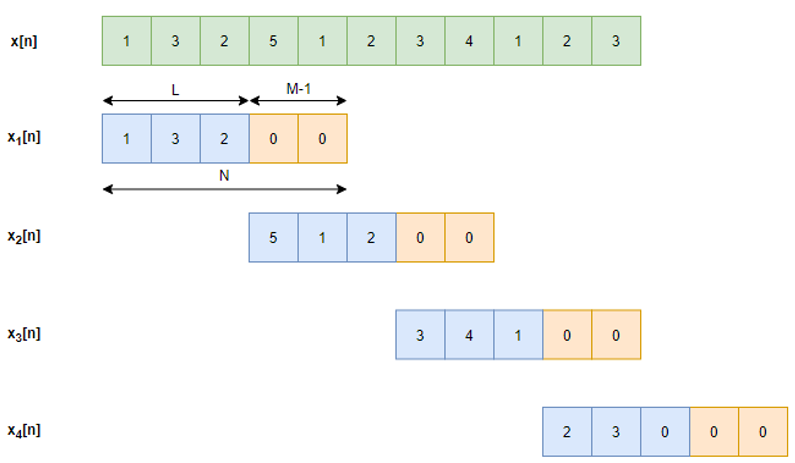
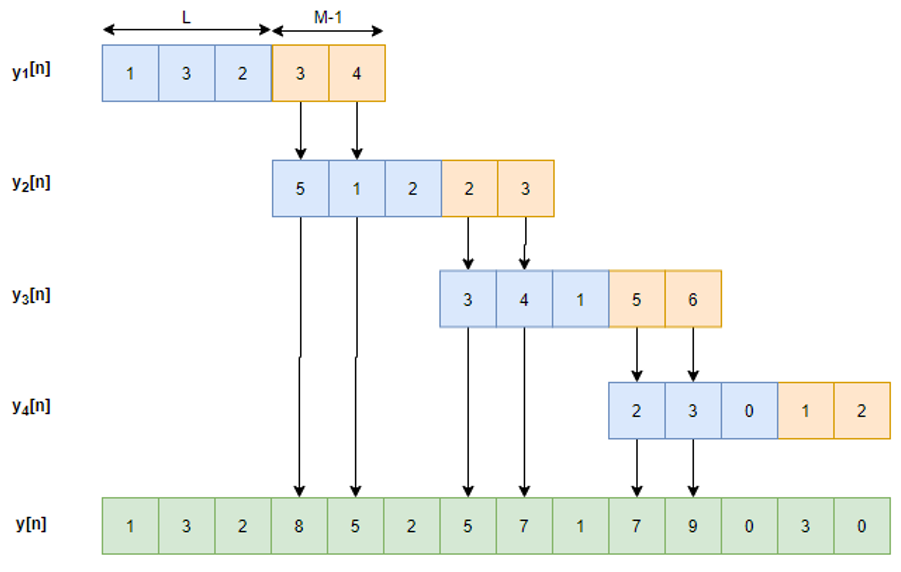
Fundamentals of Real-Time Spectrum Analysis
[링크 : https://download.tek.com/document/37W_17249_5_HR_Letter.pdf]
Understanding FFT Overlap Processing Fundamentals
[링크 : https://download.tek.com/document/37W_18839_1.pdf]
FFT 오버랩 프로세싱의 이해
[링크 : https://download.tek.com/document/37K_18839_0.pdf]
| fft 결과에 N(입력 샘플 갯수)로 나누는 이유 (0) | 2023.09.21 |
|---|---|
| FFT RBW (0) | 2023.09.19 |
| sfft (0) | 2023.07.12 |
| fft window type과 진폭 보정계수 (0) | 2023.07.04 |
| fft window 함수 (0) | 2023.07.03 |
| Set a breakpoint The first step in setting a conditional breakpoint is to set a breakpoint as you normally would. I.e. (gdb) break <file_name> : <line_number> (gdb) break <function_name> This will set a breakpoint and output the breakpoint number Check breakpoints If you forget which breakpoints you can add a condition to, you can list the breakpoints using: (gdb) info breakpoints Set a condition for a breakpoint Set an existing breakpoint to only break if a certain condition is true: (gdb) condition <breakpoint_number> condition The condition is written in syntax similar to c using operators such as == != and <. |
break 줄여서 br
| $ gdb factorial Reading symbols from factorial...done. (gdb) br 28 Breakpoint 1 at 0x11bf: file factorial.c, line 28. (gdb) condition 1 i > 5 |
아래 소스에서 28라인 i++ 에 break를 걸고, 해당 라인에서 i > 5 인 조건에서 잡히게 한다.
반복문의 경우 확실히 디버깅 할 때 편할 듯.
| //This program calculates and prints out the factorials of 5 and 17 #include <stdio.h> #include <stdlib.h> int factorial(int n); int main(void) { int n = 5; int f = factorial(n); printf("The factorial of %d is %d.\n", n, f); n = 17; f = factorial(n); printf("The factorial of %d is %d.\n", n, f); return 0; } //A factorial is calculated by n! = n * (n - 1) * (n - 2) * ... * 1 //E.g. 5! = 5 * 4 * 3 * 2 * 1 = 120 int factorial(int n) { int f = 1; int i = 1; while (i <= n) { f = f * i; i++; // 28 line } return f; } |
[링크 : https://www.cse.unsw.edu.au/~learn/debugging/modules/gdb_conditional_breakpoints/]
| gdb attach (0) | 2025.11.11 |
|---|---|
| gdbserver taget (0) | 2023.07.19 |
| gdb 디버깅 타겟을 인자와 함께 실행하기 (0) | 2022.10.17 |
| gdb break (0) | 2021.04.09 |
| gdb/insight target window (0) | 2010.05.19 |