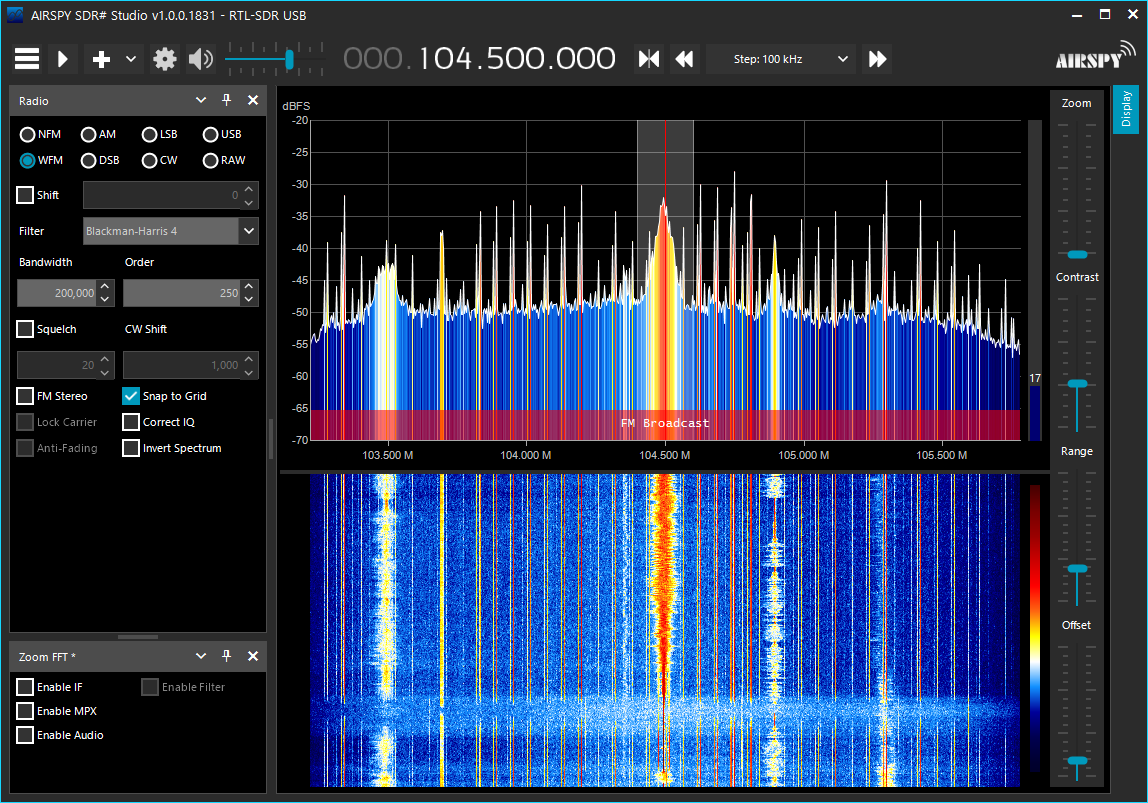
윈도우용 라벨링 프로그램 찾다가 발견
'프로그램 사용 > yolo_tensorflow' 카테고리의 다른 글
| tensorflow keras dataset (0) | 2024.01.02 |
|---|---|
| tensorflow lite / mnist 학습 (0) | 2024.01.02 |
| tflite bazel rpi3b+ (0) | 2022.01.27 |
| bazel cross compile (0) | 2022.01.27 |
| bazel clean (0) | 2021.10.19 |
윈도우용 라벨링 프로그램 찾다가 발견
| tensorflow keras dataset (0) | 2024.01.02 |
|---|---|
| tensorflow lite / mnist 학습 (0) | 2024.01.02 |
| tflite bazel rpi3b+ (0) | 2022.01.27 |
| bazel cross compile (0) | 2022.01.27 |
| bazel clean (0) | 2021.10.19 |
해당 명령을 입력한 콘솔로 출력된다. (시리얼, ssh 에서 각각 해 봄)
| export WAYLAND_DEBUG=1 |
[링크 : https://wiki.st.com/stm32mpu/wiki/How_to_debug_Weston]
| libwayland (0) | 2022.06.27 |
|---|---|
| weston desktop-shell output destory (0) | 2022.06.08 |
| weston drm atomic (0) | 2022.03.17 |
| wayvnc 실행 실패 (0) | 2022.02.17 |
| wayland-scanner (0) | 2022.02.16 |
테스트 중 아래와 같은 에러가 보여서 atomic이 먼가 찾아보는데..
| [11:49:06.216] atomic: couldn't commit new state: Invalid argument [11:49:06.217] repaint-flush failed: Invalid argument |
말그대로.. 데이터의 atomic이 깨졌다는 건가..
| At the other end there's struct drm_plane, representing a scanout engine that reads pixel data from memory represented by a struct drm_framebuffer and provides it to the display hardware. |
[링크 : https://lwn.net/Articles/653071/]
backend-drm/kms.c 에서 해당 에러를 출력한다.
| weston desktop-shell output destory (0) | 2022.06.08 |
|---|---|
| weston debug message (0) | 2022.03.18 |
| wayvnc 실행 실패 (0) | 2022.02.17 |
| wayland-scanner (0) | 2022.02.16 |
| wayland wl_fixed_t 변수 (0) | 2022.02.07 |
weston 소스를 보는데 희한한(?) 문자열 선언이 보여서 확인
| static const char * const connector_type_names[] = { [DRM_MODE_CONNECTOR_Unknown] = "Unknown", [DRM_MODE_CONNECTOR_VGA] = "VGA", [DRM_MODE_CONNECTOR_DVII] = "DVI-I", [DRM_MODE_CONNECTOR_DVID] = "DVI-D", [DRM_MODE_CONNECTOR_DVIA] = "DVI-A", [DRM_MODE_CONNECTOR_Composite] = "Composite", [DRM_MODE_CONNECTOR_SVIDEO] = "SVIDEO", [DRM_MODE_CONNECTOR_LVDS] = "LVDS", [DRM_MODE_CONNECTOR_Component] = "Component", [DRM_MODE_CONNECTOR_9PinDIN] = "DIN", [DRM_MODE_CONNECTOR_DisplayPort] = "DP", [DRM_MODE_CONNECTOR_HDMIA] = "HDMI-A", [DRM_MODE_CONNECTOR_HDMIB] = "HDMI-B", [DRM_MODE_CONNECTOR_TV] = "TV", [DRM_MODE_CONNECTOR_eDP] = "eDP", [DRM_MODE_CONNECTOR_VIRTUAL] = "Virtual", [DRM_MODE_CONNECTOR_DSI] = "DSI", [DRM_MODE_CONNECTOR_DPI] = "DPI", }; |
느낌은 알겠는데.. 도대체 어디서 정의된 문법이냐...
| $ cat str.c #include <stdio.h> static const char * const connector_type_names[] = { [0] = "Unknown", [1] = "VGA", [2] = "DVI-I", [3] = "DVI-D", [4] = "DVI-A", [5] = "Composite", [6] = "SVIDEO", [7] = "LVDS", [8] = "Component", [9] = "DIN", [10] = "DP", [11] = "HDMI-A", [12] = "HDMI-B", [13] = "TV", [14] = "eDP", [15] = "Virtual", [16] = "DSI", [17] = "DPI", }; void main() { for(int i = 0; i < 10; i++) printf("%s\n",connector_type_names[i]); } $ gcc str.c $ ./a.out Unknown VGA DVI-I DVI-D DVI-A Composite SVIDEO LVDS Component DIN |
| $ cat str.c #include <stdio.h> static const char * const connector_type_names[] = { [2] = "Unknown", [1] = "VGA", [0] = "DVI-I", [3] = "DVI-D", [4] = "DVI-A", [5] = "Composite", [6] = "SVIDEO", [7] = "LVDS", [8] = "Component", [9] = "DIN", [10] = "DP", [11] = "HDMI-A", [12] = "HDMI-B", [13] = "TV", [14] = "eDP", [15] = "Virtual", [16] = "DSI", [17] = "DPI", }; void main() { for(int i = 0; i < 10; i++) printf("%s\n",connector_type_names[i]); } $ gcc str.c $ ./a.out DVI-I VGA Unknown DVI-D DVI-A Composite SVIDEO LVDS Component DIN |
+
ISO C99, GNU C90 에서 지원하는 듯.
| In ISO C99 you can give the elements in any order, specifying the array indices or structure field names they apply to, and GNU C allows this as an extension in C90 mode as well. This extension is not implemented in GNU C++. To specify an array index, write ‘[index] =’ before the element value. For example, int a[6] = { [4] = 29, [2] = 15 }; |
[링크 : https://gcc.gnu.org/onlinedocs/gcc/Designated-Inits.html]
| $ gcc -std=c89 str.c str.c: In function ‘main’: str.c:26:2: error: ‘for’ loop initial declarations are only allowed in C99 or C11 mode for(int i = 0; i < 10; i++) ^~~ str.c:26:2: note: use option -std=c99, -std=gnu99, -std=c11 or -std=gnu11 to compile your code $ gcc -std=c90 str.c str.c: In function ‘main’: str.c:26:2: error: ‘for’ loop initial declarations are only allowed in C99 or C11 mode for(int i = 0; i < 10; i++) ^~~ str.c:26:2: note: use option -std=c99, -std=gnu99, -std=c11 or -std=gnu11 to compile your code $ gcc -std=c99 str.c |
| gcc fstack-protector-strong (0) | 2022.12.06 |
|---|---|
| gcc vectorization 실패 (0) | 2022.06.02 |
| static link (0) | 2022.02.07 |
| 구조체 타입과 변수명은 구분된다? (0) | 2021.11.18 |
| gcc unsigned to signed upcast 테스트 (0) | 2021.07.08 |
흐음.. 로컬로 쐈는데 이정도면.. 성능 엄청 안 좋은건가?
아무튼 893번을 보내고 또 10번을 더 보내서 총 903번의 전송이 발생하는 것으로 보인다.
| $ iperf -u -p 16000 -c localhost ------------------------------------------------------------ Client connecting to localhost, UDP port 16000 Sending 1470 byte datagrams, IPG target: 11215.21 us (kalman adjust) UDP buffer size: 208 KByte (default) ------------------------------------------------------------ [ 3] local 127.0.0.1 port 49969 connected with 127.0.0.1 port 16000 [ ID] Interval Transfer Bandwidth [ 3] 0.0-10.0 sec 1.25 MBytes 1.05 Mbits/sec [ 3] Sent 893 datagrams [ 3] WARNING: did not receive ack of last datagram after 10 tries. |
[링크 : https://idchowto.com/iperf-를-이용한-네트워크-성능-측정/]
[링크 : https://chanind.github.io/2020/05/15/network-bandwidth-stress-testing-iperf.html]
+
i5-2520m 이고 로컬로 했는데 저조하네..
서버
| $ iperf -u -p 16000 -s localhost iperf: ignoring extra argument -- localhost ------------------------------------------------------------ Server listening on UDP port 16000 Receiving 1470 byte datagrams UDP buffer size: 208 KByte (default) ------------------------------------------------------------ [ 3] local 127.0.0.1 port 16000 connected with 127.0.0.1 port 59209 [ ID] Interval Transfer Bandwidth Jitter Lost/Total Datagrams [ 3] 0.0-10.0 sec 1.25 MBytes 1.05 Mbits/sec 0.003 ms 0/ 893 (0%) |
클라이언트
| $ iperf -u -p 16000 -c localhost ------------------------------------------------------------ Client connecting to localhost, UDP port 16000 Sending 1470 byte datagrams, IPG target: 11215.21 us (kalman adjust) UDP buffer size: 208 KByte (default) ------------------------------------------------------------ [ 3] local 127.0.0.1 port 59209 connected with 127.0.0.1 port 16000 [ ID] Interval Transfer Bandwidth [ 3] 0.0-10.0 sec 1.25 MBytes 1.05 Mbits/sec [ 3] Sent 893 datagrams [ 3] Server Report: [ 3] 0.0-10.0 sec 1.25 MBytes 1.05 Mbits/sec 0.000 ms 0/ 893 (0%) |
+
i7-10510U 라고 해도 별다를 건 없어 보이네?
서버
| $ iperf -u -p 16000 -s localhost iperf: ignoring extra argument -- localhost ------------------------------------------------------------ Server listening on UDP port 16000 Receiving 1470 byte datagrams UDP buffer size: 208 KByte (default) ------------------------------------------------------------ [ 3] local 127.0.0.1 port 16000 connected with 127.0.0.1 port 44436 [ ID] Interval Transfer Bandwidth Jitter Lost/Total Datagrams [ 3] 0.0-10.0 sec 1.25 MBytes 1.05 Mbits/sec 0.011 ms 0/ 893 (0%) |
클라이언트
| $ iperf -u -p 16000 -c localhost ------------------------------------------------------------ Client connecting to localhost, UDP port 16000 Sending 1470 byte datagrams, IPG target: 11215.21 us (kalman adjust) UDP buffer size: 208 KByte (default) ------------------------------------------------------------ [ 3] local 127.0.0.1 port 44436 connected with 127.0.0.1 port 16000 [ ID] Interval Transfer Bandwidth [ 3] 0.0-10.0 sec 1.25 MBytes 1.05 Mbits/sec [ 3] Sent 893 datagrams [ 3] Server Report: [ 3] 0.0-10.0 sec 1.25 MBytes 1.05 Mbits/sec 0.000 ms 0/ 893 (0%) |
+
-b 옵션을 통해 대역폭을 늘리니 cpu 사용율이 폭증한다.
| iperf3 jumbo packet? (0) | 2025.02.15 |
|---|---|
| iperf 파일로 바로바로 떨궈서 tail로 보기 (0) | 2025.02.10 |
| iperf3 (0) | 2023.07.28 |
| iperf로 100M 랜 / IEEE1394 대역폭 측정 (2) | 2011.12.07 |
| iperf - 대역폭 측정 (0) | 2009.10.22 |
/sys/devices 하위의 장치가 /sys/class/input 에 심볼릭 링크로 걸리는데
uinput을 통한 가상 장치는 /sys/devices/virtual/input에 잡힌다.
| $ ls /sys/class/input/ $ ls /sys/devices/virtual/input/ |
[링크 : https://stackoverflow.com/questions/15623442/]
가상으로 잡힌 장치를 보는데 이게 키보드냐.. 마우스냐.
abs, rel도 값을 보는법을 찾아야 할 듯..
(abs 모드로 초기화 하면 capabilities/abs가 3으로 capabilities/rel 이 0으로 뜬다.)
| # cat /sys/class/input/input33/uevent PRODUCT=3/1234/5678/0 NAME="melih-hid" PROP=0 EV=7 KEY=30000 7ffffffff ffffffffffffffff ffffffffffffffff fffffffffffffffe REL=3 MODALIAS=input:b0003v1234p5678e0000-e0,1,2,k71,72,73,74,75,76,77,78,79,7A,7B,7C,7D,7E,7F,80,81,82,83,84,85,86,87,88,89,8A,8B,8C,8D,8E,8F,90,91,92,93,94,95,96,97,98,99,9A,9B,9C,9D,9E,9F,A0,A1,A2,A3,A4,A5,A6,A7,A8,A9,AA,AB,AC,AD,AE,AF,B0,B1,B2,B3,B4,B5,B6,B7,B8,B9,BA,BB,BC,BD,BE,BF,C0,C1,C2,C3,C4,C5,C6,C7,C8,C9,CA,CB,CC,CD,CE,CF,D0,D1,D2,D3,D4,D5,D6,D7,D8,D9,DA,DB,DC,DD,DE,DF,E0,E1,E2,110,111,r0,1,amlsfw /sys/class/input/input33/capabilities# cat abs 0 /sys/class/input/input33/capabilities# cat rel 3 /sys/class/input/input33/capabilities# cat key 30000 7ffffffff ffffffffffffffff ffffffffffffffff fffffffffffffffe |
| uinput 터치 스크린 예제 (0) | 2022.08.05 |
|---|---|
| evbug - 키보드/마우스 입력 디버깅 하기 (0) | 2022.08.05 |
| uinput absolute mouse (0) | 2022.02.23 |
| xmodmap (0) | 2022.02.21 |
| uinput (0) | 2022.02.21 |
client -> server 프로토콜
| #define rfbKeyEvent 4 #define rfbPointerEvent 5 |
키보드 이벤트 관련 구조체
| /*----------------------------------------------------------------------------- * KeyEvent - key press or release * * Keys are specified using the "keysym" values defined by the X Window System. * For most ordinary keys, the keysym is the same as the corresponding ASCII * value. Other common keys are: * * BackSpace 0xff08 * Tab 0xff09 * Return or Enter 0xff0d * Escape 0xff1b * Insert 0xff63 * Delete 0xffff * Home 0xff50 * End 0xff57 * Page Up 0xff55 * Page Down 0xff56 * Left 0xff51 * Up 0xff52 * Right 0xff53 * Down 0xff54 * F1 0xffbe * F2 0xffbf * ... ... * F12 0xffc9 * Shift 0xffe1 * Control 0xffe3 * Meta 0xffe7 * Alt 0xffe9 */ typedef struct { uint8_t type; /* always rfbKeyEvent */ uint8_t down; /* true if down (press), false if up */ uint16_t pad; uint32_t key; /* key is specified as an X keysym */ } rfbKeyEventMsg; #define sz_rfbKeyEventMsg 8 typedef struct { uint8_t type; /* always rfbQemuEvent */ uint8_t subtype; /* always 0 */ uint16_t down; uint32_t keysym; /* keysym is specified as an X keysym, may be 0 */ uint32_t keycode; /* keycode is specified as XT key code */ } rfbQemuExtendedKeyEventMsg; #define sz_rfbQemuExtendedKeyEventMsg 12 |
내용이 부실한데 드래그를 구현하려면 down 이벤트를 보고 해당 버튼의 마스크가 사라질때 까지 보고 있어야 할 듯?
uinput에서 그럼 드래그 어떻게 구현해야 하냐... ㅠㅠ
| /*----------------------------------------------------------------------------- * PointerEvent - mouse/pen move and/or button press. */ typedef struct { uint8_t type; /* always rfbPointerEvent */ uint8_t buttonMask; /* bits 0-7 are buttons 1-8, 0=up, 1=down */ uint16_t x; uint16_t y; } rfbPointerEventMsg; #define rfbButton1Mask 1 #define rfbButton2Mask 2 #define rfbButton3Mask 4 #define rfbButton4Mask 8 #define rfbButton5Mask 16 /* RealVNC 335 method */ #define rfbWheelUpMask rfbButton4Mask #define rfbWheelDownMask rfbButton5Mask #define sz_rfbPointerEventMsg 6 |
[링크 : https://github.com/LibVNC/libvncserver/blob/master/rfb/rfbproto.h]
키보드의 경우 키 다운, 업 이벤트가 오는 것 같고, 반복키 처리를 좀 찾아봐야 할 듯.
마우스는 buttonmask에
| static void doptr(int buttonMask, int x, int y, rfbClientPtr cl) { } static void dokey(rfbBool down, rfbKeySym key, rfbClientPtr cl) { } |
[링크 : http:// https://github.com/LibVNC/libvncserver/blob/master/examples/example.c]
키보드 입력관련 선언문
| #define XK_VoidSymbol 0xFFFFFF /* void symbol */ #define XK_BackSpace 0xFF08 /* back space, back char */ #define XK_Tab 0xFF09 #define XK_Linefeed 0xFF0A /* Linefeed, LF */ #define XK_Clear 0xFF0B #define XK_Return 0xFF0D /* Return, enter */ #define XK_Pause 0xFF13 /* Pause, hold */ #define XK_Scroll_Lock 0xFF14 #define XK_Sys_Req 0xFF15 #define XK_Escape 0xFF1B #define XK_Delete 0xFFFF /* Delete, rubout */ #define XK_A 0x041 #define XK_B 0x042 #define XK_C 0x043 #define XK_a 0x061 #define XK_b 0x062 #define XK_c 0x063 |
[링크 : https://github.com/LibVNC/libvncserver/blob/master/rfb/keysym.h]
[링크 : https://github.com/LibVNC/libvncserver]
+
relative / absolute mode 관련 참고할 코드
doptr() 에서 현재 좌표 넘어온 것과 이전 마지막 좌표 계산해서 넣는것 외에는
libvncserver 자체에서 상대좌표 모드로 작동하진 않도록 구성되어 있는 것으로 보인다.
[링크 : https://github.com/hanzelpeter/dispmanx_vnc/blob/master/main.c]
| libvncserver 접속 끊어짐 문제 (0) | 2022.08.16 |
|---|---|
| libvncserver websocket example (0) | 2022.08.12 |
| libvncserver 사용예 (0) | 2022.02.15 |
| rfb(remote framebuffer) protocol (0) | 2022.01.26 |
| gconf-editor / ubuntu 14.04 LTS vino + VNC 접속불가 (0) | 2015.03.22 |
[링크 : https://www.kernel.org/doc/Documentation/input/event-codes.txt]
+
2022.02.25
| // uinput.h #define UI_SET_EVBIT _IOW(UINPUT_IOCTL_BASE, 100, int) #define UI_SET_KEYBIT _IOW(UINPUT_IOCTL_BASE, 101, int) #define UI_SET_RELBIT _IOW(UINPUT_IOCTL_BASE, 102, int) #define UI_SET_ABSBIT _IOW(UINPUT_IOCTL_BASE, 103, int) #define UI_DEV_CREATE _IO(UINPUT_IOCTL_BASE, 1) #define UI_DEV_DESTROY _IO(UINPUT_IOCTL_BASE, 2) #define UI_DEV_SETUP _IOW(UINPUT_IOCTL_BASE, 3, struct uinput_setup) // input-event-codes.h #define EV_KEY 0x01 #define EV_REL 0x02 #define EV_ABS 0x03 #define REL_X 0x00 #define REL_Y 0x01 #define ABS_X 0x00 #define ABS_Y 0x01 |
[링크 : https://github.com/torvalds/linux/blob/master/include/uapi/linux/uinput.h]
[링크 : https://github.com/nmelihsensoy/virtual-hid-tcp/blob/master/server/src/server.c]
| uinput 터치 스크린 예제 (0) | 2022.08.05 |
|---|---|
| evbug - 키보드/마우스 입력 디버깅 하기 (0) | 2022.08.05 |
| uinput 장치 확인 (0) | 2022.03.04 |
| xmodmap (0) | 2022.02.21 |
| uinput (0) | 2022.02.21 |
키코드 확인하는 명령어
여전..히 키코드와 키입력은 헷갈리네
| $ xmodmap -pke keycode 8 = Mode_switch NoSymbol Mode_switch keycode 9 = Escape NoSymbol Escape keycode 10 = 1 exclam 1 exclam keycode 11 = 2 at 2 at keycode 12 = 3 numbersign 3 numbersign keycode 13 = 4 dollar 4 dollar keycode 14 = 5 percent 5 percent keycode 15 = 6 asciicircum 6 asciicircum keycode 16 = 7 ampersand 7 ampersand keycode 17 = 8 asterisk 8 asterisk keycode 18 = 9 parenleft 9 parenleft keycode 19 = 0 parenright 0 parenright keycode 20 = minus underscore minus underscore keycode 21 = equal plus equal plus keycode 22 = BackSpace BackSpace BackSpace BackSpace keycode 23 = Tab ISO_Left_Tab Tab ISO_Left_Tab keycode 24 = q Q q Q keycode 25 = w W w W keycode 26 = e E e E keycode 27 = r R r R keycode 28 = t T t T keycode 29 = y Y y Y keycode 30 = u U u U keycode 31 = i I i I keycode 32 = o O o O keycode 33 = p P p P |
| uinput 터치 스크린 예제 (0) | 2022.08.05 |
|---|---|
| evbug - 키보드/마우스 입력 디버깅 하기 (0) | 2022.08.05 |
| uinput 장치 확인 (0) | 2022.03.04 |
| uinput absolute mouse (0) | 2022.02.23 |
| uinput (0) | 2022.02.21 |
잘 되려나..
라즈베리에서 해당 디바이스가 root:root 라서 server를 root 권한으로 돌려야 한다.
| $ ls -al /dev/uinput crw------- 1 root root 10, 223 Jan 27 11:33 /dev/uinput |
[링크 : https://01.org/linuxgraphics/gfx-docs/drm/input/uinput.html]
[링크 : https://github.com/nmelihsensoy/virtual-hid-tcp]
/usr/include/linux/input-event-codes.h 에서 KEY_로 시작하는 선언들 발견
+
2022.02.23
[링크 : https://www.freedesktop.org/software/libevdev/doc/latest/]
| uinput 터치 스크린 예제 (0) | 2022.08.05 |
|---|---|
| evbug - 키보드/마우스 입력 디버깅 하기 (0) | 2022.08.05 |
| uinput 장치 확인 (0) | 2022.03.04 |
| uinput absolute mouse (0) | 2022.02.23 |
| xmodmap (0) | 2022.02.21 |