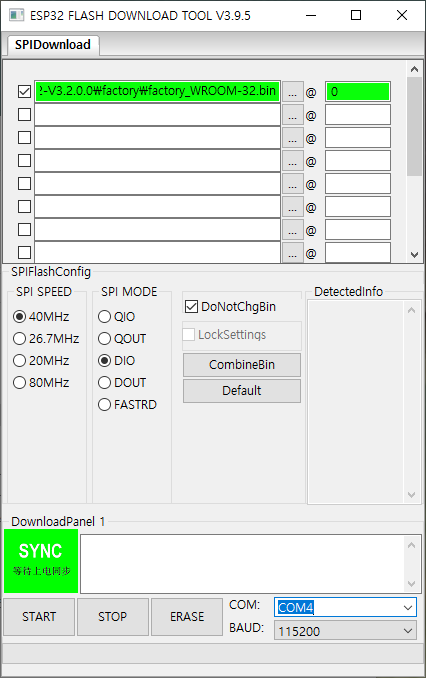
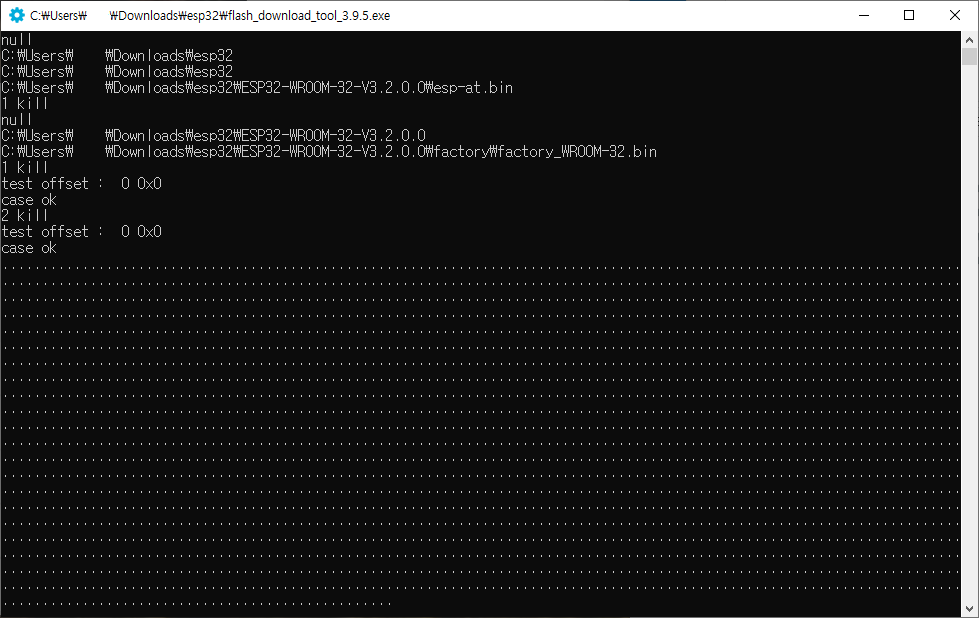
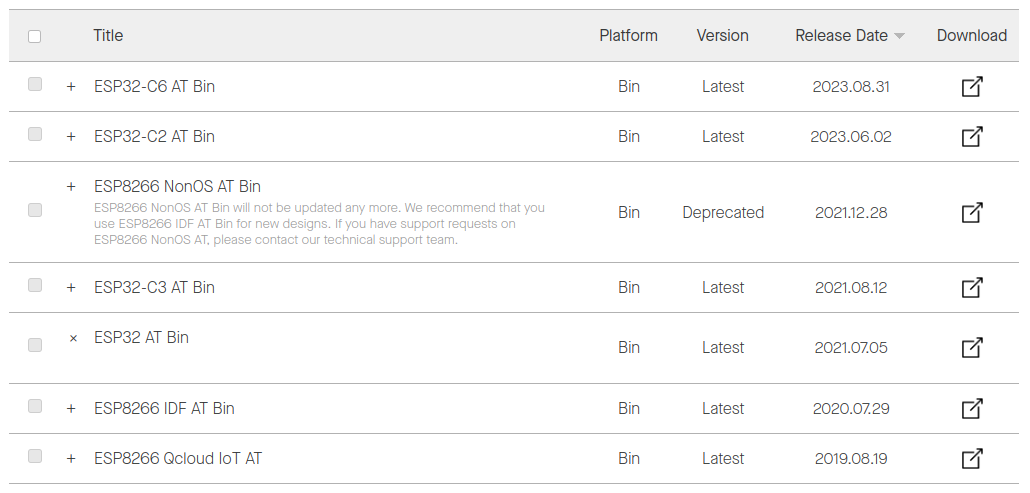
git을 clone 하고
[링크 : https://github.com/espressif/esp-at]
python 패키지로 cmake를 따로 깔아야 하는군..
$ pip3 install cmake
Collecting cmake
Downloading cmake-3.28.1-py2.py3-none-manylinux2014_x86_64.manylinux_2_17_x86_64.whl.metadata (6.3 kB)
Downloading cmake-3.28.1-py2.py3-none-manylinux2014_x86_64.manylinux_2_17_x86_64.whl (26.3 MB)
━━━━━━━━━━━━━━━━━━━━━━━━━━━━━━━━━━━━━━━━ 26.3/26.3 MB 2.4 MB/s eta 0:00:00
Installing collected packages: cmake
Successfully installed cmake-3.28.1 |
펌웨어 디렉토리 와서 아까 개발환경 export.sh 하고 나온걸 쳐보니 안된다.
~/src/esp/esp-at$ idf.py build
Executing action: all (aliases: build)
Running cmake in directory /home/minimonk/src/esp/esp-at/build
Executing "cmake -G Ninja -DPYTHON_DEPS_CHECKED=1 -DPYTHON=/home/minimonk/.espressif/python_env/idf5.3_py3.10_env/bin/python -DESP_PLATFORM=1 -DCCACHE_ENABLE=0 /home/minimonk/src/esp/esp-at"...
CMake Error at CMakeLists.txt:9 (string):
string no output variable specified
CMake Error at CMakeLists.txt:10 (string):
string sub-command STRIP requires two arguments.
CMake Error at CMakeLists.txt:14 (string):
string begin index: 9 is out of range 0 - 0
CMake Error at CMakeLists.txt:15 (string):
string sub-command STRIP requires two arguments.
CMake Error at CMakeLists.txt:16 (string):
string no output variable specified
silence:0 sdkconfig:/home/minimonk/src/esp/esp-at/module_config/module__default/sdkconfig.defaults
esp-at branch: master
esp-at docs version: latest
CMake Error at CMakeLists.txt:93 (include):
include could not find requested file:
/home/minimonk/src/esp/esp-at/esp-idf/tools/cmake/project.cmake
-- The C compiler identification is GNU 11.4.0
-- The CXX compiler identification is GNU 11.4.0
-- Detecting C compiler ABI info
-- Detecting C compiler ABI info - done
-- Check for working C compiler: /usr/bin/cc - skipped
-- Detecting C compile features
-- Detecting C compile features - done
-- Detecting CXX compiler ABI info
-- Detecting CXX compiler ABI info - done
-- Check for working CXX compiler: /usr/bin/c++ - skipped
-- Detecting CXX compile features
-- Detecting CXX compile features - done
CMake Error at CMakeLists.txt:131 (add_dependencies):
Cannot add target-level dependencies to non-existent target "flash".
The add_dependencies works for top-level logical targets created by the
add_executable, add_library, or add_custom_target commands. If you want to
add file-level dependencies see the DEPENDS option of the add_custom_target
and add_custom_command commands.
-- Configuring incomplete, errors occurred!
cmake failed with exit code 1, output of the command is in the /home/minimonk/src/esp/esp-at/build/log/idf_py_stderr_output_9922 and /home/minimonk/src/esp/esp-at/build/log/idf_py_stdout_output_9922 |
걍 build.py를 실행하니 잘 되긴 개뿔 -_-
(silence mode를 no로 해서 용량이 초과되니, 다시 빌드중)
$ ./build.py
Platform name:
1. PLATFORM_ESP32
2. PLATFORM_ESP32C3
3. PLATFORM_ESP32C2
4. PLATFORM_ESP32C6
choose(range[1,4]):1
Module name:
1. WROOM-32
2. WROVER-32
3. PICO-D4
4. SOLO-1
5. MINI-1 (description: ESP32-U4WDH chip inside)
6. ESP32-SDIO
7. ESP32-D2WD (description: 2MB flash, No OTA)
choose(range[1,7]):1
Enable silence mode to remove some logs and reduce the firmware size?
0. No
1. Yes
choose(range[0,1]):0
Platform name:ESP32 Module name:WROOM-32 Silence:0
Cloning into submodule:"esp-idf" from "https://github.com/espressif/esp-idf.git" (This may take some time)..
'esp-idf'에 복제합니다...
remote: Enumerating objects: 544288, done.
remote: Counting objects: 100% (90760/90760), done.
remote: Compressing objects: 100% (4388/4388), done.
remote: Total 544288 (delta 86693), reused 87944 (delta 86224), pack-reused 453528
오브젝트를 받는 중: 100% (544288/544288), 239.44 MiB | 9.68 MiB/s, 완료.
델타를 알아내는 중: 100% (410637/410637), 완료.
파일을 갱신합니다: 100% (10137/10137), 완료.
Synchronizing submodule:"esp-idf" from "https://github.com/espressif/esp-idf.git" (This may take time)..
old commit: 9fe3bf2a3cdfae3f2a7bbc846561be6b3e540337
checkout commit: 8fbf4ba6058bcf736317d8a7aa75d0578563c38b
https://github.com/espressif/esp-idf URL에서
* branch release/v5.0 -> FETCH_HEAD
이미 업데이트 상태입니다.
'components/bootloader/subproject/components/micro-ecc/micro-ecc' 경로에 대해 'components/bootloader/subproject/components/micro-ecc/micro-ecc' (https://github.com/kmackay/micro-ecc.git) 하위 모듈 등록
'components/bt/controller/lib_esp32' 경로에 대해 'components/bt/controller/lib_esp32' (https://github.com/espressif/esp32-bt-lib.git) 하위 모듈 등록
'components/bt/controller/lib_esp32c2/esp32c2-bt-lib' 경로에 대해 'components/bt/controller/lib_esp32c2/esp32c2-bt-lib' (https://github.com/espressif/esp32c2-bt-lib.git) 하위 모듈 등록
'components/bt/controller/lib_esp32c3_family' 경로에 대해 'components/bt/controller/lib_esp32c3_family' (https://github.com/espressif/esp32c3-bt-lib.git) 하위 모듈 등록
'components/bt/controller/lib_esp32h2/esp32h2-bt-lib' 경로에 대해 'components/bt/controller/lib_esp32h2/esp32h2-bt-lib' (https://github.com/espressif/esp32h2-bt-lib.git) 하위 모듈 등록
'components/bt/host/nimble/nimble' 경로에 대해 'components/bt/host/nimble/nimble' (https://github.com/espressif/esp-nimble.git) 하위 모듈 등록
'components/cmock/CMock' 경로에 대해 'components/cmock/CMock' (https://github.com/ThrowTheSwitch/CMock.git) 하위 모듈 등록
'components/esp_phy/lib' 경로에 대해 'components/esp_phy/lib' (https://github.com/espressif/esp-phy-lib.git) 하위 모듈 등록
'components/esp_wifi/lib' 경로에 대해 'components/esp_wifi/lib' (https://github.com/espressif/esp32-wifi-lib.git) 하위 모듈 등록
'components/heap/tlsf' 경로에 대해 'components/heap/tlsf' (https://github.com/espressif/tlsf.git) 하위 모듈 등록
'components/ieee802154/lib' 경로에 대해 'components/ieee802154/lib' (https://github.com/espressif/esp-ieee802154-lib.git) 하위 모듈 등록
'components/json/cJSON' 경로에 대해 'components/json/cJSON' (https://github.com/DaveGamble/cJSON.git) 하위 모듈 등록
'components/lwip/lwip' 경로에 대해 'components/lwip/lwip' (https://github.com/espressif/esp-lwip.git) 하위 모듈 등록
'components/mbedtls/mbedtls' 경로에 대해 'components/mbedtls/mbedtls' (https://github.com/espressif/mbedtls.git) 하위 모듈 등록
'components/mqtt/esp-mqtt' 경로에 대해 'components/mqtt/esp-mqtt' (https://github.com/espressif/esp-mqtt.git) 하위 모듈 등록
'components/openthread/lib' 경로에 대해 'components/openthread/lib' (https://github.com/espressif/esp-thread-lib.git) 하위 모듈 등록
'components/openthread/openthread' 경로에 대해 'components/openthread/openthread' (https://github.com/espressif/openthread.git) 하위 모듈 등록
'components/protobuf-c/protobuf-c' 경로에 대해 'components/protobuf-c/protobuf-c' (https://github.com/protobuf-c/protobuf-c.git) 하위 모듈 등록
'components/spiffs/spiffs' 경로에 대해 'components/spiffs/spiffs' (https://github.com/pellepl/spiffs.git) 하위 모듈 등록
'components/unity/unity' 경로에 대해 'components/unity/unity' (https://github.com/ThrowTheSwitch/Unity.git) 하위 모듈 등록
'/home/minimonk/src/esp/esp-at/esp-idf/components/bootloader/subproject/components/micro-ecc/micro-ecc'에 복제합니다...
'/home/minimonk/src/esp/esp-at/esp-idf/components/bt/controller/lib_esp32'에 복제합니다...
'/home/minimonk/src/esp/esp-at/esp-idf/components/bt/controller/lib_esp32c2/esp32c2-bt-lib'에 복제합니다...
'/home/minimonk/src/esp/esp-at/esp-idf/components/bt/controller/lib_esp32c3_family'에 복제합니다...
'/home/minimonk/src/esp/esp-at/esp-idf/components/bt/controller/lib_esp32h2/esp32h2-bt-lib'에 복제합니다...
'/home/minimonk/src/esp/esp-at/esp-idf/components/bt/host/nimble/nimble'에 복제합니다...
'/home/minimonk/src/esp/esp-at/esp-idf/components/cmock/CMock'에 복제합니다...
'/home/minimonk/src/esp/esp-at/esp-idf/components/esp_phy/lib'에 복제합니다...
'/home/minimonk/src/esp/esp-at/esp-idf/components/esp_wifi/lib'에 복제합니다...
'/home/minimonk/src/esp/esp-at/esp-idf/components/heap/tlsf'에 복제합니다...
'/home/minimonk/src/esp/esp-at/esp-idf/components/ieee802154/lib'에 복제합니다...
'/home/minimonk/src/esp/esp-at/esp-idf/components/json/cJSON'에 복제합니다...
'/home/minimonk/src/esp/esp-at/esp-idf/components/lwip/lwip'에 복제합니다...
'/home/minimonk/src/esp/esp-at/esp-idf/components/mbedtls/mbedtls'에 복제합니다...
'/home/minimonk/src/esp/esp-at/esp-idf/components/mqtt/esp-mqtt'에 복제합니다...
'/home/minimonk/src/esp/esp-at/esp-idf/components/openthread/lib'에 복제합니다...
'/home/minimonk/src/esp/esp-at/esp-idf/components/openthread/openthread'에 복제합니다...
'/home/minimonk/src/esp/esp-at/esp-idf/components/protobuf-c/protobuf-c'에 복제합니다...
'/home/minimonk/src/esp/esp-at/esp-idf/components/spiffs/spiffs'에 복제합니다...
'/home/minimonk/src/esp/esp-at/esp-idf/components/unity/unity'에 복제합니다...
Submodule path 'components/bootloader/subproject/components/micro-ecc/micro-ecc': checked out 'd037ec89546fad14b5c4d5456c2e23a71e554966'
Submodule path 'components/bt/controller/lib_esp32': checked out '29e3ff2f39f16ff71e24bdd25ea87a0306e5b24b'
Submodule path 'components/bt/controller/lib_esp32c2/esp32c2-bt-lib': checked out 'd17188c9f61400792a8248bf53378ee92e6f21a4'
Submodule path 'components/bt/controller/lib_esp32c3_family': checked out 'b438f60a295183e7c67eb42ae05f4580f4b1ced0'
Submodule path 'components/bt/controller/lib_esp32h2/esp32h2-bt-lib': checked out 'f502278684195b9c20626ec8bb25430030d2ff23'
Submodule path 'components/bt/host/nimble/nimble': checked out '55c809a7525102508c97efc5fe50560e381fdc69'
Submodule path 'components/cmock/CMock': checked out 'eeecc49ce8af123cf8ad40efdb9673e37b56230f'
'components/cmock/CMock/vendor/c_exception' 경로에 대해 'vendor/c_exception' (https://github.com/throwtheswitch/cexception.git) 하위 모듈 등록
'components/cmock/CMock/vendor/unity' 경로에 대해 'vendor/unity' (https://github.com/throwtheswitch/unity.git) 하위 모듈 등록
'/home/minimonk/src/esp/esp-at/esp-idf/components/cmock/CMock/vendor/c_exception'에 복제합니다...
'/home/minimonk/src/esp/esp-at/esp-idf/components/cmock/CMock/vendor/unity'에 복제합니다...
Submodule path 'components/cmock/CMock/vendor/c_exception': checked out '71b47be7c950f1bf5f7e5303779fa99a16224bb6'
Submodule path 'components/cmock/CMock/vendor/unity': checked out 'cf949f45ca6d172a177b00da21310607b97bc7a7'
Submodule path 'components/esp_phy/lib': checked out '086ac00e9894431f5cdbad6d8a8727c4acbd3f91'
Submodule path 'components/esp_wifi/lib': checked out 'c8c75f7b7bc54a16f196f9396c3d231d30750ab1'
Submodule path 'components/heap/tlsf': checked out '8c9cd0517adf99e363812e9a295dfe3898fdd345'
Submodule path 'components/ieee802154/lib': checked out '2b52a261fef2ad7b630e11866dca567d17170401'
Submodule path 'components/json/cJSON': checked out 'cb8693b058ba302f4829ec6d03f609ac6f848546'
Submodule path 'components/lwip/lwip': checked out '8dad8d3ee66840deee4acfc1601de4e396c594be'
Submodule path 'components/mbedtls/mbedtls': checked out '727a037da6f9a62a9d3d5def5bd21a2bc9c621c6'
Submodule path 'components/mqtt/esp-mqtt': checked out 'ae53d799da294f03ef65c33e88fa33648e638134'
Submodule path 'components/openthread/lib': checked out '698e8386c31f2c34e167b65f72a6b2553e838dd9'
Submodule path 'components/openthread/openthread': checked out 'e64ba13faa865aa7febd5cb7dc7eb52ff19a2c5c'
Submodule path 'components/protobuf-c/protobuf-c': checked out 'abc67a11c6db271bedbb9f58be85d6f4e2ea8389'
Submodule path 'components/spiffs/spiffs': checked out '0dbb3f71c5f6fae3747a9d935372773762baf852'
Submodule path 'components/unity/unity': checked out '7d2bf62b7e6afaf38153041a9d53c21aeeca9a25'
submodules check completed for updates.
mbedtls_dynamic_buffer.patch has been applied
patches check completed for updates.
Incorrect usage, please refer to https://docs.espressif.com/projects/esp-at/en/latest/esp32/Compile_and_Develop/How_to_clone_project_and_compile_it.html for more details. |
install 먼저해주고 build 해야 한단다 -_ㅠ
$ ./build.py install
Ready to install ESP-IDF prerequisites..
[sudo] minimonk 암호:
패키지 목록을 읽는 중입니다... 완료
의존성 트리를 만드는 중입니다... 완료
상태 정보를 읽는 중입니다... 완료
패키지 bison는 이미 최신 버전입니다 (2:3.8.2+dfsg-1build1).
패키지 flex는 이미 최신 버전입니다 (2.6.4-8build2).
패키지 libffi-dev는 이미 최신 버전입니다 (3.4.2-4).
패키지 wget는 이미 최신 버전입니다 (1.21.2-2ubuntu1).
패키지 ccache는 이미 최신 버전입니다 (4.5.1-1).
패키지 dfu-util는 이미 최신 버전입니다 (0.9-1).
패키지 gperf는 이미 최신 버전입니다 (3.1-1build1).
패키지 ninja-build는 이미 최신 버전입니다 (1.10.1-1).
패키지 cmake는 이미 최신 버전입니다 (3.22.1-1ubuntu1.22.04.1).
패키지 git는 이미 최신 버전입니다 (1:2.34.1-1ubuntu1.10).
패키지 libssl-dev는 이미 최신 버전입니다 (3.0.2-0ubuntu1.12).
패키지 libusb-1.0-0는 이미 최신 버전입니다 (2:1.0.25-1ubuntu2).
패키지 python3는 이미 최신 버전입니다 (3.10.6-1~22.04).
패키지 python3-setuptools는 이미 최신 버전입니다 (59.6.0-1.2ubuntu0.22.04.1).
python3-setuptools 패키지는 수동설치로 지정합니다.
패키지 python3-pip는 이미 최신 버전입니다 (22.0.2+dfsg-1ubuntu0.4).
패키지 python3-venv는 이미 최신 버전입니다 (3.10.6-1~22.04).
0개 업그레이드, 0개 새로 설치, 0개 제거 및 3개 업그레이드 안 함.
Ready to install ESP-AT prerequisites..
Requirement already satisfied: setuptools>=21 in /home/minimonk/.espressif/python_env/idf5.3_py3.10_env/lib/python3.10/site-packages (from -r requirements.txt (line 4)) (69.0.2)
Collecting cryptography<35,>=2.1.4 (from -r requirements.txt (line 9))
Downloading cryptography-3.4.8-cp36-abi3-manylinux_2_24_x86_64.whl (3.0 MB)
━━━━━━━━━━━━━━━━━━━━━━━━━━━━━━━━━━━━━━━━ 3.0/3.0 MB 6.9 MB/s eta 0:00:00
Collecting pycryptodome==3.15.0 (from -r requirements.txt (line 10))
Downloading pycryptodome-3.15.0-cp35-abi3-manylinux2010_x86_64.whl (2.3 MB)
━━━━━━━━━━━━━━━━━━━━━━━━━━━━━━━━━━━━━━━━ 2.3/2.3 MB 6.6 MB/s eta 0:00:00
Requirement already satisfied: idf-component-manager==1.4.1 in /home/minimonk/.espressif/python_env/idf5.3_py3.10_env/lib/python3.10/site-packages (from -r requirements.txt (line 11)) (1.4.1)
Requirement already satisfied: pyyaml in /home/minimonk/.espressif/python_env/idf5.3_py3.10_env/lib/python3.10/site-packages (from -r requirements.txt (line 14)) (6.0.1)
Requirement already satisfied: xlrd in /home/minimonk/.espressif/python_env/idf5.3_py3.10_env/lib/python3.10/site-packages (from -r requirements.txt (line 15)) (2.0.1)
Collecting configparser (from -r requirements.txt (line 16))
Downloading configparser-6.0.0-py3-none-any.whl.metadata (11 kB)
Requirement already satisfied: cachecontrol[filecache] in /home/minimonk/.espressif/python_env/idf5.3_py3.10_env/lib/python3.10/site-packages (from idf-component-manager==1.4.1->-r requirements.txt (line 11)) (0.13.1)
Requirement already satisfied: click in /home/minimonk/.espressif/python_env/idf5.3_py3.10_env/lib/python3.10/site-packages (from idf-component-manager==1.4.1->-r requirements.txt (line 11)) (8.1.7)
Requirement already satisfied: colorama in /home/minimonk/.espressif/python_env/idf5.3_py3.10_env/lib/python3.10/site-packages (from idf-component-manager==1.4.1->-r requirements.txt (line 11)) (0.4.6)
Requirement already satisfied: packaging in /home/minimonk/.espressif/python_env/idf5.3_py3.10_env/lib/python3.10/site-packages (from idf-component-manager==1.4.1->-r requirements.txt (line 11)) (23.2)
Requirement already satisfied: pyparsing in /home/minimonk/.espressif/python_env/idf5.3_py3.10_env/lib/python3.10/site-packages (from idf-component-manager==1.4.1->-r requirements.txt (line 11)) (3.1.1)
Requirement already satisfied: requests in /home/minimonk/.espressif/python_env/idf5.3_py3.10_env/lib/python3.10/site-packages (from idf-component-manager==1.4.1->-r requirements.txt (line 11)) (2.31.0)
Requirement already satisfied: requests-file in /home/minimonk/.espressif/python_env/idf5.3_py3.10_env/lib/python3.10/site-packages (from idf-component-manager==1.4.1->-r requirements.txt (line 11)) (1.5.1)
Requirement already satisfied: requests-toolbelt in /home/minimonk/.espressif/python_env/idf5.3_py3.10_env/lib/python3.10/site-packages (from idf-component-manager==1.4.1->-r requirements.txt (line 11)) (1.0.0)
Requirement already satisfied: schema in /home/minimonk/.espressif/python_env/idf5.3_py3.10_env/lib/python3.10/site-packages (from idf-component-manager==1.4.1->-r requirements.txt (line 11)) (0.7.5)
Requirement already satisfied: six in /home/minimonk/.espressif/python_env/idf5.3_py3.10_env/lib/python3.10/site-packages (from idf-component-manager==1.4.1->-r requirements.txt (line 11)) (1.16.0)
Requirement already satisfied: tqdm in /home/minimonk/.espressif/python_env/idf5.3_py3.10_env/lib/python3.10/site-packages (from idf-component-manager==1.4.1->-r requirements.txt (line 11)) (4.66.1)
Requirement already satisfied: urllib3<2 in /home/minimonk/.espressif/python_env/idf5.3_py3.10_env/lib/python3.10/site-packages (from idf-component-manager==1.4.1->-r requirements.txt (line 11)) (1.26.18)
Requirement already satisfied: cffi>=1.12 in /home/minimonk/.espressif/python_env/idf5.3_py3.10_env/lib/python3.10/site-packages (from cryptography<35,>=2.1.4->-r requirements.txt (line 9)) (1.16.0)
Requirement already satisfied: pycparser in /home/minimonk/.espressif/python_env/idf5.3_py3.10_env/lib/python3.10/site-packages (from cffi>=1.12->cryptography<35,>=2.1.4->-r requirements.txt (line 9)) (2.21)
Requirement already satisfied: msgpack>=0.5.2 in /home/minimonk/.espressif/python_env/idf5.3_py3.10_env/lib/python3.10/site-packages (from cachecontrol[filecache]->idf-component-manager==1.4.1->-r requirements.txt (line 11)) (1.0.7)
Requirement already satisfied: filelock>=3.8.0 in /home/minimonk/.espressif/python_env/idf5.3_py3.10_env/lib/python3.10/site-packages (from cachecontrol[filecache]->idf-component-manager==1.4.1->-r requirements.txt (line 11)) (3.13.1)
Requirement already satisfied: charset-normalizer<4,>=2 in /home/minimonk/.espressif/python_env/idf5.3_py3.10_env/lib/python3.10/site-packages (from requests->idf-component-manager==1.4.1->-r requirements.txt (line 11)) (3.3.2)
Requirement already satisfied: idna<4,>=2.5 in /home/minimonk/.espressif/python_env/idf5.3_py3.10_env/lib/python3.10/site-packages (from requests->idf-component-manager==1.4.1->-r requirements.txt (line 11)) (3.6)
Requirement already satisfied: certifi>=2017.4.17 in /home/minimonk/.espressif/python_env/idf5.3_py3.10_env/lib/python3.10/site-packages (from requests->idf-component-manager==1.4.1->-r requirements.txt (line 11)) (2023.11.17)
Requirement already satisfied: contextlib2>=0.5.5 in /home/minimonk/.espressif/python_env/idf5.3_py3.10_env/lib/python3.10/site-packages (from schema->idf-component-manager==1.4.1->-r requirements.txt (line 11)) (21.6.0)
Downloading configparser-6.0.0-py3-none-any.whl (19 kB)
Installing collected packages: pycryptodome, configparser, cryptography
Attempting uninstall: cryptography
Found existing installation: cryptography 41.0.7
Uninstalling cryptography-41.0.7:
Successfully uninstalled cryptography-41.0.7
Successfully installed configparser-6.0.0 cryptography-3.4.8 pycryptodome-3.15.0
Platform name:ESP32 Module name:WROOM-32 Silence:0
submodules check completed for updates.
mbedtls_dynamic_buffer.patch does not need to be applied.
patches check completed for updates.
Ready to set up ESP-IDF tools..
Python 3.10.12
pip 23.3.2 from /home/minimonk/.espressif/python_env/idf5.3_py3.10_env/lib/python3.10/site-packages/pip (python 3.10)
Upgrading pip and setuptools...
Requirement already satisfied: pip in /home/minimonk/.espressif/python_env/idf5.3_py3.10_env/lib/python3.10/site-packages (23.3.2)
Requirement already satisfied: setuptools in /home/minimonk/.espressif/python_env/idf5.3_py3.10_env/lib/python3.10/site-packages (69.0.2)
Downloading https://dl.espressif.com/dl/esp-idf/espidf.constraints.v5.0.txt
Destination: /home/minimonk/.espressif/espidf.constraints.v5.0.txt.tmp
Done
Installing Python packages
Constraint file: /home/minimonk/.espressif/espidf.constraints.v5.0.txt
Requirement files:
- /home/minimonk/src/esp/esp-at/esp-idf/tools/requirements/requirements.core.txt
Looking in indexes: https://pypi.org/simple, https://dl.espressif.com/pypi
Ignoring importlib_metadata: markers 'python_version < "3.8"' don't match your environment
Ignoring windows-curses: markers 'sys_platform == "win32"' don't match your environment
Requirement already satisfied: setuptools in /home/minimonk/.espressif/python_env/idf5.3_py3.10_env/lib/python3.10/site-packages (from -r /home/minimonk/src/esp/esp-at/esp-idf/tools/requirements/requirements.core.txt (line 3)) (69.0.2)
Requirement already satisfied: packaging in /home/minimonk/.espressif/python_env/idf5.3_py3.10_env/lib/python3.10/site-packages (from -r /home/minimonk/src/esp/esp-at/esp-idf/tools/requirements/requirements.core.txt (line 4)) (23.2)
Collecting click (from -r /home/minimonk/src/esp/esp-at/esp-idf/tools/requirements/requirements.core.txt (line 7))
Downloading https://dl.espressif.com/pypi/click/click-8.0.4-py3-none-any.whl (97 kB)
━━━━━━━━━━━━━━━━━━━━━━━━━━━━━━━━━━━━━━━━ 97.5/97.5 kB 5.0 MB/s eta 0:00:00
Requirement already satisfied: pyserial in /home/minimonk/.espressif/python_env/idf5.3_py3.10_env/lib/python3.10/site-packages (from -r /home/minimonk/src/esp/esp-at/esp-idf/tools/requirements/requirements.core.txt (line 8)) (3.5)
Collecting future (from -r /home/minimonk/src/esp/esp-at/esp-idf/tools/requirements/requirements.core.txt (line 9))
Downloading https://dl.espressif.com/pypi/future/future-0.18.2-py3-none-any.whl (491 kB)
━━━━━━━━━━━━━━━━━━━━━━━━━━━━━━━━━━━━━━━━ 491.1/491.1 kB 21.8 MB/s eta 0:00:00
Requirement already satisfied: cryptography in /home/minimonk/.espressif/python_env/idf5.3_py3.10_env/lib/python3.10/site-packages (from -r /home/minimonk/src/esp/esp-at/esp-idf/tools/requirements/requirements.core.txt (line 10)) (3.4.8)
Collecting cryptography (from -r /home/minimonk/src/esp/esp-at/esp-idf/tools/requirements/requirements.core.txt (line 10))
Downloading https://dl.espressif.com/pypi/cryptography/cryptography-36.0.2-cp36-abi3-manylinux_2_24_x86_64.whl (3.6 MB)
━━━━━━━━━━━━━━━━━━━━━━━━━━━━━━━━━━━━━━━━ 3.6/3.6 MB 10.0 MB/s eta 0:00:00
Collecting pyparsing (from -r /home/minimonk/src/esp/esp-at/esp-idf/tools/requirements/requirements.core.txt (line 11))
Downloading https://dl.espressif.com/pypi/pyparsing/pyparsing-3.0.9-py3-none-any.whl (98 kB)
━━━━━━━━━━━━━━━━━━━━━━━━━━━━━━━━━━━━━━━━ 98.3/98.3 kB 6.8 MB/s eta 0:00:00
Collecting pyelftools (from -r /home/minimonk/src/esp/esp-at/esp-idf/tools/requirements/requirements.core.txt (line 12))
Downloading https://dl.espressif.com/pypi/pyelftools/pyelftools-0.27-py2.py3-none-any.whl (151 kB)
━━━━━━━━━━━━━━━━━━━━━━━━━━━━━━━━━━━━━━━━ 151.6/151.6 kB 1.1 MB/s eta 0:00:00
Requirement already satisfied: idf-component-manager in /home/minimonk/.espressif/python_env/idf5.3_py3.10_env/lib/python3.10/site-packages (from -r /home/minimonk/src/esp/esp-at/esp-idf/tools/requirements/requirements.core.txt (line 13)) (1.4.1)
Requirement already satisfied: esp-coredump in /home/minimonk/.espressif/python_env/idf5.3_py3.10_env/lib/python3.10/site-packages (from -r /home/minimonk/src/esp/esp-at/esp-idf/tools/requirements/requirements.core.txt (line 14)) (1.9.0)
Requirement already satisfied: esptool in /home/minimonk/.espressif/python_env/idf5.3_py3.10_env/lib/python3.10/site-packages (from -r /home/minimonk/src/esp/esp-at/esp-idf/tools/requirements/requirements.core.txt (line 15)) (4.7.0)
Requirement already satisfied: kconfiglib in /home/minimonk/.espressif/python_env/idf5.3_py3.10_env/lib/python3.10/site-packages (from -r /home/minimonk/src/esp/esp-at/esp-idf/tools/requirements/requirements.core.txt (line 18)) (14.1.0)
Requirement already satisfied: freertos_gdb in /home/minimonk/.espressif/python_env/idf5.3_py3.10_env/lib/python3.10/site-packages (from -r /home/minimonk/src/esp/esp-at/esp-idf/tools/requirements/requirements.core.txt (line 22)) (1.0.2)
Requirement already satisfied: cffi>=1.12 in /home/minimonk/.espressif/python_env/idf5.3_py3.10_env/lib/python3.10/site-packages (from cryptography->-r /home/minimonk/src/esp/esp-at/esp-idf/tools/requirements/requirements.core.txt (line 10)) (1.16.0)
Requirement already satisfied: cachecontrol[filecache] in /home/minimonk/.espressif/python_env/idf5.3_py3.10_env/lib/python3.10/site-packages (from idf-component-manager->-r /home/minimonk/src/esp/esp-at/esp-idf/tools/requirements/requirements.core.txt (line 13)) (0.13.1)
Requirement already satisfied: colorama in /home/minimonk/.espressif/python_env/idf5.3_py3.10_env/lib/python3.10/site-packages (from idf-component-manager->-r /home/minimonk/src/esp/esp-at/esp-idf/tools/requirements/requirements.core.txt (line 13)) (0.4.6)
Requirement already satisfied: pyyaml in /home/minimonk/.espressif/python_env/idf5.3_py3.10_env/lib/python3.10/site-packages (from idf-component-manager->-r /home/minimonk/src/esp/esp-at/esp-idf/tools/requirements/requirements.core.txt (line 13)) (6.0.1)
Requirement already satisfied: requests in /home/minimonk/.espressif/python_env/idf5.3_py3.10_env/lib/python3.10/site-packages (from idf-component-manager->-r /home/minimonk/src/esp/esp-at/esp-idf/tools/requirements/requirements.core.txt (line 13)) (2.31.0)
Requirement already satisfied: requests-file in /home/minimonk/.espressif/python_env/idf5.3_py3.10_env/lib/python3.10/site-packages (from idf-component-manager->-r /home/minimonk/src/esp/esp-at/esp-idf/tools/requirements/requirements.core.txt (line 13)) (1.5.1)
Requirement already satisfied: requests-toolbelt in /home/minimonk/.espressif/python_env/idf5.3_py3.10_env/lib/python3.10/site-packages (from idf-component-manager->-r /home/minimonk/src/esp/esp-at/esp-idf/tools/requirements/requirements.core.txt (line 13)) (1.0.0)
Requirement already satisfied: schema in /home/minimonk/.espressif/python_env/idf5.3_py3.10_env/lib/python3.10/site-packages (from idf-component-manager->-r /home/minimonk/src/esp/esp-at/esp-idf/tools/requirements/requirements.core.txt (line 13)) (0.7.5)
Requirement already satisfied: six in /home/minimonk/.espressif/python_env/idf5.3_py3.10_env/lib/python3.10/site-packages (from idf-component-manager->-r /home/minimonk/src/esp/esp-at/esp-idf/tools/requirements/requirements.core.txt (line 13)) (1.16.0)
Requirement already satisfied: tqdm in /home/minimonk/.espressif/python_env/idf5.3_py3.10_env/lib/python3.10/site-packages (from idf-component-manager->-r /home/minimonk/src/esp/esp-at/esp-idf/tools/requirements/requirements.core.txt (line 13)) (4.66.1)
Requirement already satisfied: urllib3<2 in /home/minimonk/.espressif/python_env/idf5.3_py3.10_env/lib/python3.10/site-packages (from idf-component-manager->-r /home/minimonk/src/esp/esp-at/esp-idf/tools/requirements/requirements.core.txt (line 13)) (1.26.18)
Requirement already satisfied: construct~=2.10 in /home/minimonk/.espressif/python_env/idf5.3_py3.10_env/lib/python3.10/site-packages (from esp-coredump->-r /home/minimonk/src/esp/esp-at/esp-idf/tools/requirements/requirements.core.txt (line 14)) (2.10.69)
Requirement already satisfied: pygdbmi>=0.9.0.2 in /home/minimonk/.espressif/python_env/idf5.3_py3.10_env/lib/python3.10/site-packages (from esp-coredump->-r /home/minimonk/src/esp/esp-at/esp-idf/tools/requirements/requirements.core.txt (line 14)) (0.9.0.2)
Requirement already satisfied: bitstring>=3.1.6 in /home/minimonk/.espressif/python_env/idf5.3_py3.10_env/lib/python3.10/site-packages (from esptool->-r /home/minimonk/src/esp/esp-at/esp-idf/tools/requirements/requirements.core.txt (line 15)) (4.1.4)
Requirement already satisfied: ecdsa>=0.16.0 in /home/minimonk/.espressif/python_env/idf5.3_py3.10_env/lib/python3.10/site-packages (from esptool->-r /home/minimonk/src/esp/esp-at/esp-idf/tools/requirements/requirements.core.txt (line 15)) (0.18.0)
Requirement already satisfied: reedsolo<1.8,>=1.5.3 in /home/minimonk/.espressif/python_env/idf5.3_py3.10_env/lib/python3.10/site-packages (from esptool->-r /home/minimonk/src/esp/esp-at/esp-idf/tools/requirements/requirements.core.txt (line 15)) (1.7.0)
Requirement already satisfied: intelhex in /home/minimonk/.espressif/python_env/idf5.3_py3.10_env/lib/python3.10/site-packages (from esptool->-r /home/minimonk/src/esp/esp-at/esp-idf/tools/requirements/requirements.core.txt (line 15)) (2.3.0)
Requirement already satisfied: bitarray<3.0.0,>=2.8.0 in /home/minimonk/.espressif/python_env/idf5.3_py3.10_env/lib/python3.10/site-packages (from bitstring>=3.1.6->esptool->-r /home/minimonk/src/esp/esp-at/esp-idf/tools/requirements/requirements.core.txt (line 15)) (2.9.0)
Requirement already satisfied: pycparser in /home/minimonk/.espressif/python_env/idf5.3_py3.10_env/lib/python3.10/site-packages (from cffi>=1.12->cryptography->-r /home/minimonk/src/esp/esp-at/esp-idf/tools/requirements/requirements.core.txt (line 10)) (2.21)
Requirement already satisfied: msgpack>=0.5.2 in /home/minimonk/.espressif/python_env/idf5.3_py3.10_env/lib/python3.10/site-packages (from cachecontrol[filecache]->idf-component-manager->-r /home/minimonk/src/esp/esp-at/esp-idf/tools/requirements/requirements.core.txt (line 13)) (1.0.7)
Requirement already satisfied: filelock>=3.8.0 in /home/minimonk/.espressif/python_env/idf5.3_py3.10_env/lib/python3.10/site-packages (from cachecontrol[filecache]->idf-component-manager->-r /home/minimonk/src/esp/esp-at/esp-idf/tools/requirements/requirements.core.txt (line 13)) (3.13.1)
Requirement already satisfied: charset-normalizer<4,>=2 in /home/minimonk/.espressif/python_env/idf5.3_py3.10_env/lib/python3.10/site-packages (from requests->idf-component-manager->-r /home/minimonk/src/esp/esp-at/esp-idf/tools/requirements/requirements.core.txt (line 13)) (3.3.2)
Requirement already satisfied: idna<4,>=2.5 in /home/minimonk/.espressif/python_env/idf5.3_py3.10_env/lib/python3.10/site-packages (from requests->idf-component-manager->-r /home/minimonk/src/esp/esp-at/esp-idf/tools/requirements/requirements.core.txt (line 13)) (3.6)
Requirement already satisfied: certifi>=2017.4.17 in /home/minimonk/.espressif/python_env/idf5.3_py3.10_env/lib/python3.10/site-packages (from requests->idf-component-manager->-r /home/minimonk/src/esp/esp-at/esp-idf/tools/requirements/requirements.core.txt (line 13)) (2023.11.17)
Requirement already satisfied: contextlib2>=0.5.5 in /home/minimonk/.espressif/python_env/idf5.3_py3.10_env/lib/python3.10/site-packages (from schema->idf-component-manager->-r /home/minimonk/src/esp/esp-at/esp-idf/tools/requirements/requirements.core.txt (line 13)) (21.6.0)
Installing collected packages: pyelftools, pyparsing, future, click, cryptography
Attempting uninstall: pyelftools
Found existing installation: pyelftools 0.30
Uninstalling pyelftools-0.30:
Successfully uninstalled pyelftools-0.30
Attempting uninstall: pyparsing
Found existing installation: pyparsing 3.1.1
Uninstalling pyparsing-3.1.1:
Successfully uninstalled pyparsing-3.1.1
Attempting uninstall: click
Found existing installation: click 8.1.7
Uninstalling click-8.1.7:
Successfully uninstalled click-8.1.7
Attempting uninstall: cryptography
Found existing installation: cryptography 3.4.8
Uninstalling cryptography-3.4.8:
Successfully uninstalled cryptography-3.4.8
Successfully installed click-8.0.4 cryptography-36.0.2 future-0.18.2 pyelftools-0.27 pyparsing-3.0.9
Current system platform: linux-amd64
Updating /home/minimonk/.espressif/idf-env.json
Selected targets are: esp32
Installing tools: xtensa-esp-elf-gdb, xtensa-esp32-elf, esp32ulp-elf, openocd-esp32, esp-rom-elfs
Installing xtensa-esp-elf-gdb@11.2_20220823
Downloading https://github.com/espressif/binutils-gdb/releases/download/esp-gdb-v11.2_20220823/xtensa-esp-elf-gdb-11.2_20220823-x86_64-linux-gnu.tar.gz
Destination: /home/minimonk/.espressif/dist/xtensa-esp-elf-gdb-11.2_20220823-x86_64-linux-gnu.tar.gz.tmp
Done
Extracting /home/minimonk/.espressif/dist/xtensa-esp-elf-gdb-11.2_20220823-x86_64-linux-gnu.tar.gz to /home/minimonk/.espressif/tools/xtensa-esp-elf-gdb/11.2_20220823
Installing xtensa-esp32-elf@esp-2022r1-11.2.0
Downloading https://github.com/espressif/crosstool-NG/releases/download/esp-2022r1/xtensa-esp32-elf-gcc11_2_0-esp-2022r1-linux-amd64.tar.xz
Destination: /home/minimonk/.espressif/dist/xtensa-esp32-elf-gcc11_2_0-esp-2022r1-linux-amd64.tar.xz.tmp
Done
Extracting /home/minimonk/.espressif/dist/xtensa-esp32-elf-gcc11_2_0-esp-2022r1-linux-amd64.tar.xz to /home/minimonk/.espressif/tools/xtensa-esp32-elf/esp-2022r1-11.2.0
Skipping esp32ulp-elf@2.35_20220830 (already installed)
Installing openocd-esp32@v0.12.0-esp32-20230419
Downloading https://github.com/espressif/openocd-esp32/releases/download/v0.12.0-esp32-20230419/openocd-esp32-linux-amd64-0.12.0-esp32-20230419.tar.gz
Destination: /home/minimonk/.espressif/dist/openocd-esp32-linux-amd64-0.12.0-esp32-20230419.tar.gz.tmp
Done
Extracting /home/minimonk/.espressif/dist/openocd-esp32-linux-amd64-0.12.0-esp32-20230419.tar.gz to /home/minimonk/.espressif/tools/openocd-esp32/v0.12.0-esp32-20230419
Installing esp-rom-elfs@20220823
Downloading https://github.com/espressif/esp-rom-elfs/releases/download/20220823/esp-rom-elfs-20220823.tar.gz
Destination: /home/minimonk/.espressif/dist/esp-rom-elfs-20220823.tar.gz.tmp
Done
Extracting /home/minimonk/.espressif/dist/esp-rom-elfs-20220823.tar.gz to /home/minimonk/.espressif/tools/esp-rom-elfs/20220823
Ready to set up environment variables..
PATH is /home/minimonk/src/esp/esp-idf/components/espcoredump:/home/minimonk/src/esp/esp-idf/components/partition_table:/home/minimonk/src/esp/esp-idf/components/app_update:/home/minimonk/.espressif/tools/xtensa-esp-elf-gdb/12.1_20231023/xtensa-esp-elf-gdb/bin:/home/minimonk/.espressif/tools/xtensa-esp-elf/esp-13.2.0_20230928/xtensa-esp-elf/bin:/home/minimonk/.espressif/tools/esp32ulp-elf/2.35_20220830/esp32ulp-elf/bin:/home/minimonk/.espressif/tools/openocd-esp32/v0.12.0-esp32-20230921/openocd-esp32/bin:/home/minimonk/.espressif/tools/xtensa-esp-elf-gdb/12.1_20231023/xtensa-esp-elf-gdb/bin:/home/minimonk/.espressif/tools/xtensa-esp-elf/esp-13.2.0_20230928/xtensa-esp-elf/bin:/home/minimonk/.espressif/tools/esp32ulp-elf/2.35_20220830/esp32ulp-elf/bin:/home/minimonk/.espressif/tools/openocd-esp32/v0.12.0-esp32-20230921/openocd-esp32/bin:/home/minimonk/.espressif/python_env/idf5.3_py3.10_env/bin:/home/minimonk/src/esp/esp-idf/tools:/home/minimonk/.local/bin:/home/minimonk/bin:/usr/local/sbin:/usr/local/bin:/usr/sbin:/usr/bin:/sbin:/bin:/usr/games:/usr/local/games:/snap/bin
IDF_PYTHON_ENV_PATH is /home/minimonk/.espressif/python_env/idf5.3_py3.10_env
sys.platform is linux
Not using an unsupported version of tool xtensa-esp-elf-gdb found in PATH: 12.1_20231023.
Not using an unsupported version of tool xtensa-esp32-elf found in PATH: esp-13.2.0_20230928-13.2.0.
Not using an unsupported version of tool openocd-esp32 found in PATH: v0.12.0-esp32-20230921.
export str is OPENOCD_SCRIPTS=/home/minimonk/.espressif/tools/openocd-esp32/v0.12.0-esp32-20230419/openocd-esp32/share/openocd/scripts
ESP_ROM_ELF_DIR=/home/minimonk/.espressif/tools/esp-rom-elfs/20220823/
ESP_IDF_VERSION=5.0
PATH=/home/minimonk/.espressif/tools/xtensa-esp-elf-gdb/11.2_20220823/xtensa-esp-elf-gdb/bin:/home/minimonk/.espressif/tools/xtensa-esp32-elf/esp-2022r1-11.2.0/xtensa-esp32-elf/bin:/home/minimonk/.espressif/tools/openocd-esp32/v0.12.0-esp32-20230419/openocd-esp32/bin:/home/minimonk/src/esp/esp-at/esp-idf/tools:$PATH
IDF_DEACTIVATE_FILE_PATH=/tmp/tmpf5mgwjzridf_10771
PATH is /home/minimonk/.espressif/tools/xtensa-esp-elf-gdb/11.2_20220823/xtensa-esp-elf-gdb/bin:/home/minimonk/.espressif/tools/xtensa-esp32-elf/esp-2022r1-11.2.0/xtensa-esp32-elf/bin:/home/minimonk/.espressif/tools/openocd-esp32/v0.12.0-esp32-20230419/openocd-esp32/bin:/home/minimonk/src/esp/esp-at/esp-idf/tools:$PATH:/home/minimonk/src/esp/esp-idf/components/espcoredump:/home/minimonk/src/esp/esp-idf/components/partition_table:/home/minimonk/src/esp/esp-idf/components/app_update:/home/minimonk/.espressif/tools/xtensa-esp-elf-gdb/12.1_20231023/xtensa-esp-elf-gdb/bin:/home/minimonk/.espressif/tools/xtensa-esp-elf/esp-13.2.0_20230928/xtensa-esp-elf/bin:/home/minimonk/.espressif/tools/esp32ulp-elf/2.35_20220830/esp32ulp-elf/bin:/home/minimonk/.espressif/tools/openocd-esp32/v0.12.0-esp32-20230921/openocd-esp32/bin:/home/minimonk/.espressif/tools/xtensa-esp-elf-gdb/12.1_20231023/xtensa-esp-elf-gdb/bin:/home/minimonk/.espressif/tools/xtensa-esp-elf/esp-13.2.0_20230928/xtensa-esp-elf/bin:/home/minimonk/.espressif/tools/esp32ulp-elf/2.35_20220830/esp32ulp-elf/bin:/home/minimonk/.espressif/tools/openocd-esp32/v0.12.0-esp32-20230921/openocd-esp32/bin:/home/minimonk/.espressif/python_env/idf5.3_py3.10_env/bin:/home/minimonk/src/esp/esp-idf/tools:/home/minimonk/.local/bin:/home/minimonk/bin:/usr/local/sbin:/usr/local/bin:/usr/sbin:/usr/bin:/sbin:/bin:/usr/games:/usr/local/games:/snap/bin
IDF_PYTHON_ENV_PATH is /home/minimonk/.espressif/python_env/idf5.3_py3.10_env
Ready to install ESP-AT python packages..
Requirement already satisfied: setuptools>=21 in /home/minimonk/.espressif/python_env/idf5.3_py3.10_env/lib/python3.10/site-packages (from -r requirements.txt (line 4)) (69.0.2)
Collecting cryptography<35,>=2.1.4 (from -r requirements.txt (line 9))
Using cached cryptography-3.4.8-cp36-abi3-manylinux_2_24_x86_64.whl (3.0 MB)
Requirement already satisfied: pycryptodome==3.15.0 in /home/minimonk/.espressif/python_env/idf5.3_py3.10_env/lib/python3.10/site-packages (from -r requirements.txt (line 10)) (3.15.0)
Requirement already satisfied: idf-component-manager==1.4.1 in /home/minimonk/.espressif/python_env/idf5.3_py3.10_env/lib/python3.10/site-packages (from -r requirements.txt (line 11)) (1.4.1)
Requirement already satisfied: pyyaml in /home/minimonk/.espressif/python_env/idf5.3_py3.10_env/lib/python3.10/site-packages (from -r requirements.txt (line 14)) (6.0.1)
Requirement already satisfied: xlrd in /home/minimonk/.espressif/python_env/idf5.3_py3.10_env/lib/python3.10/site-packages (from -r requirements.txt (line 15)) (2.0.1)
Requirement already satisfied: configparser in /home/minimonk/.espressif/python_env/idf5.3_py3.10_env/lib/python3.10/site-packages (from -r requirements.txt (line 16)) (6.0.0)
Requirement already satisfied: cachecontrol[filecache] in /home/minimonk/.espressif/python_env/idf5.3_py3.10_env/lib/python3.10/site-packages (from idf-component-manager==1.4.1->-r requirements.txt (line 11)) (0.13.1)
Requirement already satisfied: click in /home/minimonk/.espressif/python_env/idf5.3_py3.10_env/lib/python3.10/site-packages (from idf-component-manager==1.4.1->-r requirements.txt (line 11)) (8.0.4)
Requirement already satisfied: colorama in /home/minimonk/.espressif/python_env/idf5.3_py3.10_env/lib/python3.10/site-packages (from idf-component-manager==1.4.1->-r requirements.txt (line 11)) (0.4.6)
Requirement already satisfied: packaging in /home/minimonk/.espressif/python_env/idf5.3_py3.10_env/lib/python3.10/site-packages (from idf-component-manager==1.4.1->-r requirements.txt (line 11)) (23.2)
Requirement already satisfied: pyparsing in /home/minimonk/.espressif/python_env/idf5.3_py3.10_env/lib/python3.10/site-packages (from idf-component-manager==1.4.1->-r requirements.txt (line 11)) (3.0.9)
Requirement already satisfied: requests in /home/minimonk/.espressif/python_env/idf5.3_py3.10_env/lib/python3.10/site-packages (from idf-component-manager==1.4.1->-r requirements.txt (line 11)) (2.31.0)
Requirement already satisfied: requests-file in /home/minimonk/.espressif/python_env/idf5.3_py3.10_env/lib/python3.10/site-packages (from idf-component-manager==1.4.1->-r requirements.txt (line 11)) (1.5.1)
Requirement already satisfied: requests-toolbelt in /home/minimonk/.espressif/python_env/idf5.3_py3.10_env/lib/python3.10/site-packages (from idf-component-manager==1.4.1->-r requirements.txt (line 11)) (1.0.0)
Requirement already satisfied: schema in /home/minimonk/.espressif/python_env/idf5.3_py3.10_env/lib/python3.10/site-packages (from idf-component-manager==1.4.1->-r requirements.txt (line 11)) (0.7.5)
Requirement already satisfied: six in /home/minimonk/.espressif/python_env/idf5.3_py3.10_env/lib/python3.10/site-packages (from idf-component-manager==1.4.1->-r requirements.txt (line 11)) (1.16.0)
Requirement already satisfied: tqdm in /home/minimonk/.espressif/python_env/idf5.3_py3.10_env/lib/python3.10/site-packages (from idf-component-manager==1.4.1->-r requirements.txt (line 11)) (4.66.1)
Requirement already satisfied: urllib3<2 in /home/minimonk/.espressif/python_env/idf5.3_py3.10_env/lib/python3.10/site-packages (from idf-component-manager==1.4.1->-r requirements.txt (line 11)) (1.26.18)
Requirement already satisfied: cffi>=1.12 in /home/minimonk/.espressif/python_env/idf5.3_py3.10_env/lib/python3.10/site-packages (from cryptography<35,>=2.1.4->-r requirements.txt (line 9)) (1.16.0)
Requirement already satisfied: pycparser in /home/minimonk/.espressif/python_env/idf5.3_py3.10_env/lib/python3.10/site-packages (from cffi>=1.12->cryptography<35,>=2.1.4->-r requirements.txt (line 9)) (2.21)
Requirement already satisfied: msgpack>=0.5.2 in /home/minimonk/.espressif/python_env/idf5.3_py3.10_env/lib/python3.10/site-packages (from cachecontrol[filecache]->idf-component-manager==1.4.1->-r requirements.txt (line 11)) (1.0.7)
Requirement already satisfied: filelock>=3.8.0 in /home/minimonk/.espressif/python_env/idf5.3_py3.10_env/lib/python3.10/site-packages (from cachecontrol[filecache]->idf-component-manager==1.4.1->-r requirements.txt (line 11)) (3.13.1)
Requirement already satisfied: charset-normalizer<4,>=2 in /home/minimonk/.espressif/python_env/idf5.3_py3.10_env/lib/python3.10/site-packages (from requests->idf-component-manager==1.4.1->-r requirements.txt (line 11)) (3.3.2)
Requirement already satisfied: idna<4,>=2.5 in /home/minimonk/.espressif/python_env/idf5.3_py3.10_env/lib/python3.10/site-packages (from requests->idf-component-manager==1.4.1->-r requirements.txt (line 11)) (3.6)
Requirement already satisfied: certifi>=2017.4.17 in /home/minimonk/.espressif/python_env/idf5.3_py3.10_env/lib/python3.10/site-packages (from requests->idf-component-manager==1.4.1->-r requirements.txt (line 11)) (2023.11.17)
Requirement already satisfied: contextlib2>=0.5.5 in /home/minimonk/.espressif/python_env/idf5.3_py3.10_env/lib/python3.10/site-packages (from schema->idf-component-manager==1.4.1->-r requirements.txt (line 11)) (21.6.0)
Installing collected packages: cryptography
Attempting uninstall: cryptography
Found existing installation: cryptography 36.0.2
Uninstalling cryptography-36.0.2:
Successfully uninstalled cryptography-36.0.2
Successfully installed cryptography-3.4.8
All done! You can now run:
./build.py build
|
$ ./build.py build
Platform name:ESP32 Module name:WROOM-32 Silence:0
submodules check completed for updates.
mbedtls_dynamic_buffer.patch does not need to be applied.
patches check completed for updates.
Ready to set up environment variables..
PATH is /home/minimonk/src/esp/esp-idf/components/espcoredump:/home/minimonk/src/esp/esp-idf/components/partition_table:/home/minimonk/src/esp/esp-idf/components/app_update:/home/minimonk/.espressif/tools/xtensa-esp-elf-gdb/12.1_20231023/xtensa-esp-elf-gdb/bin:/home/minimonk/.espressif/tools/xtensa-esp-elf/esp-13.2.0_20230928/xtensa-esp-elf/bin:/home/minimonk/.espressif/tools/esp32ulp-elf/2.35_20220830/esp32ulp-elf/bin:/home/minimonk/.espressif/tools/openocd-esp32/v0.12.0-esp32-20230921/openocd-esp32/bin:/home/minimonk/.espressif/tools/xtensa-esp-elf-gdb/12.1_20231023/xtensa-esp-elf-gdb/bin:/home/minimonk/.espressif/tools/xtensa-esp-elf/esp-13.2.0_20230928/xtensa-esp-elf/bin:/home/minimonk/.espressif/tools/esp32ulp-elf/2.35_20220830/esp32ulp-elf/bin:/home/minimonk/.espressif/tools/openocd-esp32/v0.12.0-esp32-20230921/openocd-esp32/bin:/home/minimonk/.espressif/python_env/idf5.3_py3.10_env/bin:/home/minimonk/src/esp/esp-idf/tools:/home/minimonk/.local/bin:/home/minimonk/bin:/usr/local/sbin:/usr/local/bin:/usr/sbin:/usr/bin:/sbin:/bin:/usr/games:/usr/local/games:/snap/bin
IDF_PYTHON_ENV_PATH is /home/minimonk/.espressif/python_env/idf5.3_py3.10_env
sys.platform is linux
Not using an unsupported version of tool xtensa-esp-elf-gdb found in PATH: 12.1_20231023.
Not using an unsupported version of tool xtensa-esp32-elf found in PATH: esp-13.2.0_20230928-13.2.0.
Not using an unsupported version of tool openocd-esp32 found in PATH: v0.12.0-esp32-20230921.
export str is OPENOCD_SCRIPTS=/home/minimonk/.espressif/tools/openocd-esp32/v0.12.0-esp32-20230419/openocd-esp32/share/openocd/scripts
ESP_ROM_ELF_DIR=/home/minimonk/.espressif/tools/esp-rom-elfs/20220823/
ESP_IDF_VERSION=5.0
PATH=/home/minimonk/.espressif/tools/xtensa-esp-elf-gdb/11.2_20220823/xtensa-esp-elf-gdb/bin:/home/minimonk/.espressif/tools/xtensa-esp32-elf/esp-2022r1-11.2.0/xtensa-esp32-elf/bin:/home/minimonk/.espressif/tools/openocd-esp32/v0.12.0-esp32-20230419/openocd-esp32/bin:/home/minimonk/src/esp/esp-at/esp-idf/tools:$PATH
IDF_DEACTIVATE_FILE_PATH=/tmp/tmphrjbiveridf_10816
PATH is /home/minimonk/.espressif/tools/xtensa-esp-elf-gdb/11.2_20220823/xtensa-esp-elf-gdb/bin:/home/minimonk/.espressif/tools/xtensa-esp32-elf/esp-2022r1-11.2.0/xtensa-esp32-elf/bin:/home/minimonk/.espressif/tools/openocd-esp32/v0.12.0-esp32-20230419/openocd-esp32/bin:/home/minimonk/src/esp/esp-at/esp-idf/tools:$PATH:/home/minimonk/src/esp/esp-idf/components/espcoredump:/home/minimonk/src/esp/esp-idf/components/partition_table:/home/minimonk/src/esp/esp-idf/components/app_update:/home/minimonk/.espressif/tools/xtensa-esp-elf-gdb/12.1_20231023/xtensa-esp-elf-gdb/bin:/home/minimonk/.espressif/tools/xtensa-esp-elf/esp-13.2.0_20230928/xtensa-esp-elf/bin:/home/minimonk/.espressif/tools/esp32ulp-elf/2.35_20220830/esp32ulp-elf/bin:/home/minimonk/.espressif/tools/openocd-esp32/v0.12.0-esp32-20230921/openocd-esp32/bin:/home/minimonk/.espressif/tools/xtensa-esp-elf-gdb/12.1_20231023/xtensa-esp-elf-gdb/bin:/home/minimonk/.espressif/tools/xtensa-esp-elf/esp-13.2.0_20230928/xtensa-esp-elf/bin:/home/minimonk/.espressif/tools/esp32ulp-elf/2.35_20220830/esp32ulp-elf/bin:/home/minimonk/.espressif/tools/openocd-esp32/v0.12.0-esp32-20230921/openocd-esp32/bin:/home/minimonk/.espressif/python_env/idf5.3_py3.10_env/bin:/home/minimonk/src/esp/esp-idf/tools:/home/minimonk/.local/bin:/home/minimonk/bin:/usr/local/sbin:/usr/local/bin:/usr/sbin:/usr/bin:/sbin:/bin:/usr/games:/usr/local/games:/snap/bin
IDF_PYTHON_ENV_PATH is /home/minimonk/.espressif/python_env/idf5.3_py3.10_env
Executing action: all (aliases: build)
Running cmake in directory /home/minimonk/src/esp/esp-at/build
Executing "cmake -G Ninja -DPYTHON_DEPS_CHECKED=1 -DESP_PLATFORM=1 -DIDF_TARGET=esp32 -DCCACHE_ENABLE=0 /home/minimonk/src/esp/esp-at"...
silence:0 sdkconfig:/home/minimonk/src/esp/esp-at/module_config/module_esp32_default/sdkconfig.defaults
esp-at branch: master
esp-at docs version: latest
-- Found Git: /usr/bin/git (found version "2.34.1")
-- Component directory /home/minimonk/src/esp/esp-at/components/fs_image does not contain a CMakeLists.txt file. No component will be added
-- The C compiler identification is GNU 11.2.0
-- The CXX compiler identification is GNU 11.2.0
-- The ASM compiler identification is GNU
-- Found assembler: /home/minimonk/.espressif/tools/xtensa-esp32-elf/esp-2022r1-11.2.0/xtensa-esp32-elf/bin/xtensa-esp32-elf-gcc
-- Detecting C compiler ABI info
-- Detecting C compiler ABI info - done
-- Check for working C compiler: /home/minimonk/.espressif/tools/xtensa-esp32-elf/esp-2022r1-11.2.0/xtensa-esp32-elf/bin/xtensa-esp32-elf-gcc - skipped
-- Detecting C compile features
-- Detecting C compile features - done
-- Detecting CXX compiler ABI info
-- Detecting CXX compiler ABI info - done
-- Check for working CXX compiler: /home/minimonk/.espressif/tools/xtensa-esp32-elf/esp-2022r1-11.2.0/xtensa-esp32-elf/bin/xtensa-esp32-elf-g++ - skipped
-- Detecting CXX compile features
-- Detecting CXX compile features - done
-- Building ESP-IDF components for target esp32
Dependencies lock doesn't exist, solving dependencies.
NOTICE: Skipping optional dependency: espressif/cmake_utilities
NOTICE: Skipping optional dependency: espressif/bootloader_support_plus
...Updating lock file at /home/minimonk/src/esp/esp-at/dependencies.lock
Processing 3 dependencies:
[1/3] espressif/esp_websocket_client (1.2.1)
[2/3] espressif/mdns (1.2.2)
[3/3] idf (5.0.4)
NOTICE: Skipping optional dependency: espressif/bootloader_support_plus
NOTICE: Skipping optional dependency: espressif/cmake_utilities
-- Project sdkconfig file /home/minimonk/src/esp/esp-at/sdkconfig
Loading defaults file /home/minimonk/src/esp/esp-at/module_config/module_esp32_default/sdkconfig.defaults...
-- Looking for sys/types.h
-- Looking for sys/types.h - found
-- Looking for stdint.h
-- Looking for stdint.h - found
-- Looking for stddef.h
-- Looking for stddef.h - found
-- Check size of time_t
-- Check size of time_t - done
-- Found Python3: /home/minimonk/.espressif/python_env/idf5.3_py3.10_env/bin/python (found version "3.10.12") found components: Interpreter
-- Performing Test C_COMPILER_SUPPORTS_WFORMAT_SIGNEDNESS
-- Performing Test C_COMPILER_SUPPORTS_WFORMAT_SIGNEDNESS - Success
-- App "esp-at" version: v3.2.0.0-82-ga02beacc
-- Adding linker script /home/minimonk/src/esp/esp-at/build/esp-idf/esp_system/ld/memory.ld
-- Adding linker script /home/minimonk/src/esp/esp-at/esp-idf/components/esp_system/ld/esp32/sections.ld.in
-- Adding linker script /home/minimonk/src/esp/esp-at/esp-idf/components/esp_rom/esp32/ld/esp32.rom.ld
-- Adding linker script /home/minimonk/src/esp/esp-at/esp-idf/components/esp_rom/esp32/ld/esp32.rohttp://m.api.ld
-- Adding linker script /home/minimonk/src/esp/esp-at/esp-idf/components/esp_rom/esp32/ld/esp32.rohttp://m.libgcc.ld
-- Adding linker script /home/minimonk/src/esp/esp-at/esp-idf/components/esp_rom/esp32/ld/esp32.rohttp://m.newlib-data.ld
-- Adding linker script /home/minimonk/src/esp/esp-at/esp-idf/components/esp_rom/esp32/ld/esp32.rohttp://m.syscalls.ld
-- Adding linker script /home/minimonk/src/esp/esp-at/esp-idf/components/esp_rom/esp32/ld/esp32.rohttp://m.newlib-funcs.ld
-- Adding linker script /home/minimonk/src/esp/esp-at/esp-idf/components/soc/esp32/ld/esp32.peripherals.ld
silence:0, ld core:/home/minimonk/src/esp/esp-at/components/at/lib/libesp32_at_core.a
Parsing CSV input...
Verifying table...
-- Components: app_trace app_update at bootloader bootloader_support bt cmock console customized_partitions cxx decoder driver efuse esp-tls esp_adc esp_app_format esp_common esp_eth esp_event esp_gdbstub esp_hid esp_http_client esp_http_server esp_https_ota esp_https_server esp_hw_support esp_lcd esp_local_ctrl esp_netif esp_partition esp_phy esp_pm esp_psram esp_ringbuf esp_rom esp_system esp_timer esp_wifi espcoredump espressif__esp_websocket_client espressif__mdns esptool_py fatfs freertos hal heap http_parser idf_test ieee802154 json log lwip main mbedtls mqtt newlib nvs_flash openthread partition_table perfmon protobuf-c protocomm pthread sdmmc soc spi_flash spiffs tcp_transport ulp unity usb vfs wear_levelling wifi_provisioning wpa_supplicant xtensa
-- Component paths: /home/minimonk/src/esp/esp-at/esp-idf/components/app_trace /home/minimonk/src/esp/esp-at/esp-idf/components/app_update /home/minimonk/src/esp/esp-at/components/at /home/minimonk/src/esp/esp-at/esp-idf/components/bootloader /home/minimonk/src/esp/esp-at/esp-idf/components/bootloader_support /home/minimonk/src/esp/esp-at/esp-idf/components/bt /home/minimonk/src/esp/esp-at/esp-idf/components/cmock /home/minimonk/src/esp/esp-at/esp-idf/components/console /home/minimonk/src/esp/esp-at/components/customized_partitions /home/minimonk/src/esp/esp-at/esp-idf/components/cxx /home/minimonk/src/esp/esp-at/components/decoder /home/minimonk/src/esp/esp-at/esp-idf/components/driver /home/minimonk/src/esp/esp-at/esp-idf/components/efuse /home/minimonk/src/esp/esp-at/esp-idf/components/esp-tls /home/minimonk/src/esp/esp-at/esp-idf/components/esp_adc /home/minimonk/src/esp/esp-at/esp-idf/components/esp_app_format /home/minimonk/src/esp/esp-at/esp-idf/components/esp_common /home/minimonk/src/esp/esp-at/esp-idf/components/esp_eth /home/minimonk/src/esp/esp-at/esp-idf/components/esp_event /home/minimonk/src/esp/esp-at/esp-idf/components/esp_gdbstub /home/minimonk/src/esp/esp-at/esp-idf/components/esp_hid /home/minimonk/src/esp/esp-at/esp-idf/components/esp_http_client /home/minimonk/src/esp/esp-at/esp-idf/components/esp_http_server /home/minimonk/src/esp/esp-at/esp-idf/components/esp_https_ota /home/minimonk/src/esp/esp-at/esp-idf/components/esp_https_server /home/minimonk/src/esp/esp-at/esp-idf/components/esp_hw_support /home/minimonk/src/esp/esp-at/esp-idf/components/esp_lcd /home/minimonk/src/esp/esp-at/esp-idf/components/esp_local_ctrl /home/minimonk/src/esp/esp-at/esp-idf/components/esp_netif /home/minimonk/src/esp/esp-at/esp-idf/components/esp_partition /home/minimonk/src/esp/esp-at/esp-idf/components/esp_phy /home/minimonk/src/esp/esp-at/esp-idf/components/esp_pm /home/minimonk/src/esp/esp-at/esp-idf/components/esp_psram /home/minimonk/src/esp/esp-at/esp-idf/components/esp_ringbuf /home/minimonk/src/esp/esp-at/esp-idf/components/esp_rom /home/minimonk/src/esp/esp-at/esp-idf/components/esp_system /home/minimonk/src/esp/esp-at/esp-idf/components/esp_timer /home/minimonk/src/esp/esp-at/esp-idf/components/esp_wifi /home/minimonk/src/esp/esp-at/esp-idf/components/espcoredump /home/minimonk/src/esp/esp-at/managed_components/espressif__esp_websocket_client /home/minimonk/src/esp/esp-at/managed_components/espressif__mdns /home/minimonk/src/esp/esp-at/esp-idf/components/esptool_py /home/minimonk/src/esp/esp-at/esp-idf/components/fatfs /home/minimonk/src/esp/esp-at/esp-idf/components/freertos /home/minimonk/src/esp/esp-at/esp-idf/components/hal /home/minimonk/src/esp/esp-at/esp-idf/components/heap /home/minimonk/src/esp/esp-at/esp-idf/components/http_parser /home/minimonk/src/esp/esp-at/esp-idf/components/idf_test /home/minimonk/src/esp/esp-at/esp-idf/components/ieee802154 /home/minimonk/src/esp/esp-at/esp-idf/components/json /home/minimonk/src/esp/esp-at/esp-idf/components/log /home/minimonk/src/esp/esp-at/esp-idf/components/lwip /home/minimonk/src/esp/esp-at/main /home/minimonk/src/esp/esp-at/esp-idf/components/mbedtls /home/minimonk/src/esp/esp-at/esp-idf/components/mqtt /home/minimonk/src/esp/esp-at/esp-idf/components/newlib /home/minimonk/src/esp/esp-at/esp-idf/components/nvs_flash /home/minimonk/src/esp/esp-at/esp-idf/components/openthread /home/minimonk/src/esp/esp-at/esp-idf/components/partition_table /home/minimonk/src/esp/esp-at/esp-idf/components/perfmon /home/minimonk/src/esp/esp-at/esp-idf/components/protobuf-c /home/minimonk/src/esp/esp-at/esp-idf/components/protocomm /home/minimonk/src/esp/esp-at/esp-idf/components/pthread /home/minimonk/src/esp/esp-at/esp-idf/components/sdmmc /home/minimonk/src/esp/esp-at/esp-idf/components/soc /home/minimonk/src/esp/esp-at/esp-idf/components/spi_flash /home/minimonk/src/esp/esp-at/esp-idf/components/spiffs /home/minimonk/src/esp/esp-at/esp-idf/components/tcp_transport /home/minimonk/src/esp/esp-at/esp-idf/components/ulp /home/minimonk/src/esp/esp-at/esp-idf/components/unity /home/minimonk/src/esp/esp-at/esp-idf/components/usb /home/minimonk/src/esp/esp-at/esp-idf/components/vfs /home/minimonk/src/esp/esp-at/esp-idf/components/wear_levelling /home/minimonk/src/esp/esp-at/esp-idf/components/wifi_provisioning /home/minimonk/src/esp/esp-at/esp-idf/components/wpa_supplicant /home/minimonk/src/esp/esp-at/esp-idf/components/xtensa
-- Configuring done (7.0s)
-- Generating done (0.4s)
-- Build files have been written to: /home/minimonk/src/esp/esp-at/build
Running ninja in directory /home/minimonk/src/esp/esp-at/build
Executing "ninja all"...
[6/1180] Generating ../../partition_table/partition-table.binPartition table binary generated. Contents:
*******************************************************************************
# ESP-IDF Partition Table
# Name, Type, SubType, Offset, Size, Flags
phy_init,data,phy,0xf000,4K,
otadata,data,ota,0x10000,8K,
nvs,data,nvs,0x12000,56K,
at_customize,64,0,0x20000,896K,
ota_0,app,ota_0,0x100000,1536K,
ota_1,app,ota_1,0x280000,1536K,
*******************************************************************************
[12/1180] Running utility command for customized_bin
Creating NVS binary with version: V2 - Multipage Blob Support Enabled
Created NVS binary: ===> /home/minimonk/src/esp/esp-at/build/customized_partitions/mfg_nvs.bin
[325/1180] Performing configure step for 'bootloader'-- Found Git: /usr/bin/git (found version "2.34.1")
-- The C compiler identification is GNU 11.2.0
-- The CXX compiler identification is GNU 11.2.0
-- The ASM compiler identification is GNU
-- Found assembler: /home/minimonk/.espressif/tools/xtensa-esp32-elf/esp-2022r1-11.2.0/xtensa-esp32-elf/bin/xtensa-esp32-elf-gcc
-- Detecting C compiler ABI info
-- Detecting C compiler ABI info - done
-- Check for working C compiler: /home/minimonk/.espressif/tools/xtensa-esp32-elf/esp-2022r1-11.2.0/xtensa-esp32-elf/bin/xtensa-esp32-elf-gcc - skipped
-- Detecting C compile features
-- Detecting C compile features - done
-- Detecting CXX compiler ABI info
-- Detecting CXX compiler ABI info - done
-- Check for working CXX compiler: /home/minimonk/.espressif/tools/xtensa-esp32-elf/esp-2022r1-11.2.0/xtensa-esp32-elf/bin/xtensa-esp32-elf-g++ - skipped
-- Detecting CXX compile features
-- Detecting CXX compile features - done
-- Building ESP-IDF components for target esp32
-- Project sdkconfig file /home/minimonk/src/esp/esp-at/sdkconfig
-- Looking for sys/types.h
-- Looking for sys/types.h - found
-- Looking for stdint.h
-- Looking for stdint.h - found
-- Looking for stddef.h
-- Looking for stddef.h - found
-- Check size of time_t
-- Check size of time_t - done
-- Adding linker script /home/minimonk/src/esp/esp-at/esp-idf/components/soc/esp32/ld/esp32.peripherals.ld
-- App "bootloader" version: v5.0.4-dirty
-- Adding linker script /home/minimonk/src/esp/esp-at/esp-idf/components/esp_rom/esp32/ld/esp32.rom.ld
-- Adding linker script /home/minimonk/src/esp/esp-at/esp-idf/components/esp_rom/esp32/ld/esp32.rohttp://m.api.ld
-- Adding linker script /home/minimonk/src/esp/esp-at/esp-idf/components/esp_rom/esp32/ld/esp32.rohttp://m.libgcc.ld
-- Adding linker script /home/minimonk/src/esp/esp-at/esp-idf/components/esp_rom/esp32/ld/esp32.rohttp://m.newlib-funcs.ld
-- Adding linker script /home/minimonk/src/esp/esp-at/esp-idf/components/bootloader/subproject/main/ld/esp32/bootloader.ld
-- Adding linker script /home/minimonk/src/esp/esp-at/esp-idf/components/bootloader/subproject/main/ld/esp32/bootloader.rom.ld
-- Components: bootloader bootloader_support efuse esp_app_format esp_common esp_hw_support esp_rom esp_system esptool_py freertos hal log main micro-ecc newlib partition_table soc spi_flash xtensa
-- Component paths: /home/minimonk/src/esp/esp-at/esp-idf/components/bootloader /home/minimonk/src/esp/esp-at/esp-idf/components/bootloader_support /home/minimonk/src/esp/esp-at/esp-idf/components/efuse /home/minimonk/src/esp/esp-at/esp-idf/components/esp_app_format /home/minimonk/src/esp/esp-at/esp-idf/components/esp_common /home/minimonk/src/esp/esp-at/esp-idf/components/esp_hw_support /home/minimonk/src/esp/esp-at/esp-idf/components/esp_rom /home/minimonk/src/esp/esp-at/esp-idf/components/esp_system /home/minimonk/src/esp/esp-at/esp-idf/components/esptool_py /home/minimonk/src/esp/esp-at/esp-idf/components/freertos /home/minimonk/src/esp/esp-at/esp-idf/components/hal /home/minimonk/src/esp/esp-at/esp-idf/components/log /home/minimonk/src/esp/esp-at/esp-idf/components/bootloader/subproject/main /home/minimonk/src/esp/esp-at/esp-idf/components/bootloader/subproject/components/micro-ecc /home/minimonk/src/esp/esp-at/esp-idf/components/newlib /home/minimonk/src/esp/esp-at/esp-idf/components/partition_table /home/minimonk/src/esp/esp-at/esp-idf/components/soc /home/minimonk/src/esp/esp-at/esp-idf/components/spi_flash /home/minimonk/src/esp/esp-at/esp-idf/components/xtensa
-- Configuring done (6.9s)
-- Generating done (0.1s)
-- Build files have been written to: /home/minimonk/src/esp/esp-at/build/bootloader
[101/102] Generating binary image from built executableesptool.py v4.7.0
Creating esp32 image...
Merged 1 ELF section
Successfully created esp32 image.
Generated /home/minimonk/src/esp/esp-at/build/bootloader/bootloader.bin
[102/102] cd /home/minimonk/src/esp/esp-at/build/bootloade...me/minimonk/src/esp/esp-at/build/bootloader/bootloader.binBootloader binary size 0x68b0 bytes. 0x750 bytes (7%) free.
[1178/1180] Generating binary image from built executableesptool.py v4.7.0
Creating esp32 image...
Merged 2 ELF sections
Successfully created esp32 image.
Generated /home/minimonk/src/esp/esp-at/build/esp-at.bin
[1179/1180] cd /home/minimonk/src/esp/esp-at/build/esp-idf...n-table.bin /home/minimonk/src/esp/esp-at/build/esp-at.binFAILED: esp-idf/esptool_py/CMakeFiles/app_check_size /home/minimonk/src/esp/esp-at/build/esp-idf/esptool_py/CMakeFiles/app_check_size
cd /home/minimonk/src/esp/esp-at/build/esp-idf/esptool_py && /home/minimonk/.espressif/python_env/idf5.3_py3.10_env/bin/python /home/minimonk/src/esp/esp-at/esp-idf/components/partition_table/check_sizes.py --offset 0x8000 partition --type app /home/minimonk/src/esp/esp-at/build/partition_table/partition-table.bin /home/minimonk/src/esp/esp-at/build/esp-at.bin
Error: All app partitions are too small for binary esp-at.bin size 0x184580:
- Part 'ota_0' 0/16 @ 0x100000 size 0x180000 (overflow 0x4580)
- Part 'ota_1' 0/17 @ 0x280000 size 0x180000 (overflow 0x4580)
ninja: build stopped: subcommand failed.
ninja failed with exit code 1, output of the command is in the /home/minimonk/src/esp/esp-at/build/log/idf_py_stderr_output_11148 and /home/minimonk/src/esp/esp-at/build/log/idf_py_stdout_output_11148
A fatal error occurred: idf.py build failed |
잘 안되네.. 빡세고만..
build.py를 실행해서 설정된 모델은 아래 파일을 삭제하고 설정하면 된다.
$ vi build.py
$ find . -name module_info.json
./build/module_info.json |
silence mode 끄면 메시지가 많아져서 용량이 커지나 보다 -_-
$ ./build.py build
Platform name:
1. PLATFORM_ESP32
2. PLATFORM_ESP32C3
3. PLATFORM_ESP32C2
4. PLATFORM_ESP32C6
choose(range[1,4]):1
Module name:
1. WROOM-32
2. WROVER-32
3. PICO-D4
4. SOLO-1
5. MINI-1 (description: ESP32-U4WDH chip inside)
6. ESP32-SDIO
7. ESP32-D2WD (description: 2MB flash, No OTA)
choose(range[1,7]):1
Enable silence mode to remove some logs and reduce the firmware size?
0. No
1. Yes
choose(range[0,1]):1
Platform name:ESP32 Module name:WROOM-32 Silence:1
submodules check completed for updates.
mbedtls_dynamic_buffer.patch does not need to be applied.
patches check completed for updates.
Ready to set up environment variables..
PATH is /home/minimonk/src/esp/esp-idf/components/espcoredump:/home/minimonk/src/esp/esp-idf/components/partition_table:/home/minimonk/src/esp/esp-idf/components/app_update:/home/minimonk/.espressif/tools/xtensa-esp-elf-gdb/12.1_20231023/xtensa-esp-elf-gdb/bin:/home/minimonk/.espressif/tools/xtensa-esp-elf/esp-13.2.0_20230928/xtensa-esp-elf/bin:/home/minimonk/.espressif/tools/esp32ulp-elf/2.35_20220830/esp32ulp-elf/bin:/home/minimonk/.espressif/tools/openocd-esp32/v0.12.0-esp32-20230921/openocd-esp32/bin:/home/minimonk/.espressif/tools/xtensa-esp-elf-gdb/12.1_20231023/xtensa-esp-elf-gdb/bin:/home/minimonk/.espressif/tools/xtensa-esp-elf/esp-13.2.0_20230928/xtensa-esp-elf/bin:/home/minimonk/.espressif/tools/esp32ulp-elf/2.35_20220830/esp32ulp-elf/bin:/home/minimonk/.espressif/tools/openocd-esp32/v0.12.0-esp32-20230921/openocd-esp32/bin:/home/minimonk/.espressif/python_env/idf5.3_py3.10_env/bin:/home/minimonk/src/esp/esp-idf/tools:/home/minimonk/.local/bin:/home/minimonk/bin:/usr/local/sbin:/usr/local/bin:/usr/sbin:/usr/bin:/sbin:/bin:/usr/games:/usr/local/games:/snap/bin
IDF_PYTHON_ENV_PATH is /home/minimonk/.espressif/python_env/idf5.3_py3.10_env
sys.platform is linux
Not using an unsupported version of tool xtensa-esp-elf-gdb found in PATH: 12.1_20231023.
Not using an unsupported version of tool xtensa-esp32-elf found in PATH: esp-13.2.0_20230928-13.2.0.
Not using an unsupported version of tool openocd-esp32 found in PATH: v0.12.0-esp32-20230921.
export str is OPENOCD_SCRIPTS=/home/minimonk/.espressif/tools/openocd-esp32/v0.12.0-esp32-20230419/openocd-esp32/share/openocd/scripts
ESP_ROM_ELF_DIR=/home/minimonk/.espressif/tools/esp-rom-elfs/20220823/
ESP_IDF_VERSION=5.0
PATH=/home/minimonk/.espressif/tools/xtensa-esp-elf-gdb/11.2_20220823/xtensa-esp-elf-gdb/bin:/home/minimonk/.espressif/tools/xtensa-esp32-elf/esp-2022r1-11.2.0/xtensa-esp32-elf/bin:/home/minimonk/.espressif/tools/openocd-esp32/v0.12.0-esp32-20230419/openocd-esp32/bin:/home/minimonk/src/esp/esp-at/esp-idf/tools:$PATH
IDF_DEACTIVATE_FILE_PATH=/tmp/tmphrnvyazvidf_30112
PATH is /home/minimonk/.espressif/tools/xtensa-esp-elf-gdb/11.2_20220823/xtensa-esp-elf-gdb/bin:/home/minimonk/.espressif/tools/xtensa-esp32-elf/esp-2022r1-11.2.0/xtensa-esp32-elf/bin:/home/minimonk/.espressif/tools/openocd-esp32/v0.12.0-esp32-20230419/openocd-esp32/bin:/home/minimonk/src/esp/esp-at/esp-idf/tools:$PATH:/home/minimonk/src/esp/esp-idf/components/espcoredump:/home/minimonk/src/esp/esp-idf/components/partition_table:/home/minimonk/src/esp/esp-idf/components/app_update:/home/minimonk/.espressif/tools/xtensa-esp-elf-gdb/12.1_20231023/xtensa-esp-elf-gdb/bin:/home/minimonk/.espressif/tools/xtensa-esp-elf/esp-13.2.0_20230928/xtensa-esp-elf/bin:/home/minimonk/.espressif/tools/esp32ulp-elf/2.35_20220830/esp32ulp-elf/bin:/home/minimonk/.espressif/tools/openocd-esp32/v0.12.0-esp32-20230921/openocd-esp32/bin:/home/minimonk/.espressif/tools/xtensa-esp-elf-gdb/12.1_20231023/xtensa-esp-elf-gdb/bin:/home/minimonk/.espressif/tools/xtensa-esp-elf/esp-13.2.0_20230928/xtensa-esp-elf/bin:/home/minimonk/.espressif/tools/esp32ulp-elf/2.35_20220830/esp32ulp-elf/bin:/home/minimonk/.espressif/tools/openocd-esp32/v0.12.0-esp32-20230921/openocd-esp32/bin:/home/minimonk/.espressif/python_env/idf5.3_py3.10_env/bin:/home/minimonk/src/esp/esp-idf/tools:/home/minimonk/.local/bin:/home/minimonk/bin:/usr/local/sbin:/usr/local/bin:/usr/sbin:/usr/bin:/sbin:/bin:/usr/games:/usr/local/games:/snap/bin
IDF_PYTHON_ENV_PATH is /home/minimonk/.espressif/python_env/idf5.3_py3.10_env
Executing action: all (aliases: build)
Running ninja in directory /home/minimonk/src/esp/esp-at/build
Executing "ninja all"...
[0/1] Re-running CMake...silence:1 sdkconfig:/home/minimonk/src/esp/esp-at/module_config/module_esp32_default/sdkconfig_silence.defaults
esp-at branch: master
esp-at docs version: latest
-- Component directory /home/minimonk/src/esp/esp-at/components/fs_image does not contain a CMakeLists.txt file. No component will be added
-- Building ESP-IDF components for target esp32
NOTICE: Skipping optional dependency: espressif/cmake_utilities
NOTICE: Skipping optional dependency: espressif/bootloader_support_plus
Processing 3 dependencies:
[3/3] idf (5.0.4)NOTICE: Skipping optional dependency: espressif/bootloader_support_plus
NOTICE: Skipping optional dependency: espressif/cmake_utilities
-- Project sdkconfig file /home/minimonk/src/esp/esp-at/sdkconfig
Loading defaults file /home/minimonk/src/esp/esp-at/module_config/module_esp32_default/sdkconfig_silence.defaults...
-- App "esp-at" version: v3.2.0.0-82-ga02beacc
-- Adding linker script /home/minimonk/src/esp/esp-at/build/esp-idf/esp_system/ld/memory.ld
-- Adding linker script /home/minimonk/src/esp/esp-at/esp-idf/components/esp_system/ld/esp32/sections.ld.in
-- Adding linker script /home/minimonk/src/esp/esp-at/esp-idf/components/esp_rom/esp32/ld/esp32.rom.ld
-- Adding linker script /home/minimonk/src/esp/esp-at/esp-idf/components/esp_rom/esp32/ld/esp32.rohttp://m.api.ld
-- Adding linker script /home/minimonk/src/esp/esp-at/esp-idf/components/esp_rom/esp32/ld/esp32.rohttp://m.libgcc.ld
-- Adding linker script /home/minimonk/src/esp/esp-at/esp-idf/components/esp_rom/esp32/ld/esp32.rohttp://m.newlib-data.ld
-- Adding linker script /home/minimonk/src/esp/esp-at/esp-idf/components/esp_rom/esp32/ld/esp32.rohttp://m.syscalls.ld
-- Adding linker script /home/minimonk/src/esp/esp-at/esp-idf/components/esp_rom/esp32/ld/esp32.rohttp://m.newlib-funcs.ld
-- Adding linker script /home/minimonk/src/esp/esp-at/esp-idf/components/soc/esp32/ld/esp32.peripherals.ld
silence:1, ld core:/home/minimonk/src/esp/esp-at/components/at/lib/libesp32_at_core_silence.a
Parsing CSV input...
Verifying table...
-- Components: app_trace app_update at bootloader bootloader_support bt cmock console customized_partitions cxx decoder driver efuse esp-tls esp_adc esp_app_format esp_common esp_eth esp_event esp_gdbstub esp_hid esp_http_client esp_http_server esp_https_ota esp_https_server esp_hw_support esp_lcd esp_local_ctrl esp_netif esp_partition esp_phy esp_pm esp_psram esp_ringbuf esp_rom esp_system esp_timer esp_wifi espcoredump espressif__esp_websocket_client espressif__mdns esptool_py fatfs freertos hal heap http_parser idf_test ieee802154 json log lwip main mbedtls mqtt newlib nvs_flash openthread partition_table perfmon protobuf-c protocomm pthread sdmmc soc spi_flash spiffs tcp_transport ulp unity usb vfs wear_levelling wifi_provisioning wpa_supplicant xtensa
-- Component paths: /home/minimonk/src/esp/esp-at/esp-idf/components/app_trace /home/minimonk/src/esp/esp-at/esp-idf/components/app_update /home/minimonk/src/esp/esp-at/components/at /home/minimonk/src/esp/esp-at/esp-idf/components/bootloader /home/minimonk/src/esp/esp-at/esp-idf/components/bootloader_support /home/minimonk/src/esp/esp-at/esp-idf/components/bt /home/minimonk/src/esp/esp-at/esp-idf/components/cmock /home/minimonk/src/esp/esp-at/esp-idf/components/console /home/minimonk/src/esp/esp-at/components/customized_partitions /home/minimonk/src/esp/esp-at/esp-idf/components/cxx /home/minimonk/src/esp/esp-at/components/decoder /home/minimonk/src/esp/esp-at/esp-idf/components/driver /home/minimonk/src/esp/esp-at/esp-idf/components/efuse /home/minimonk/src/esp/esp-at/esp-idf/components/esp-tls /home/minimonk/src/esp/esp-at/esp-idf/components/esp_adc /home/minimonk/src/esp/esp-at/esp-idf/components/esp_app_format /home/minimonk/src/esp/esp-at/esp-idf/components/esp_common /home/minimonk/src/esp/esp-at/esp-idf/components/esp_eth /home/minimonk/src/esp/esp-at/esp-idf/components/esp_event /home/minimonk/src/esp/esp-at/esp-idf/components/esp_gdbstub /home/minimonk/src/esp/esp-at/esp-idf/components/esp_hid /home/minimonk/src/esp/esp-at/esp-idf/components/esp_http_client /home/minimonk/src/esp/esp-at/esp-idf/components/esp_http_server /home/minimonk/src/esp/esp-at/esp-idf/components/esp_https_ota /home/minimonk/src/esp/esp-at/esp-idf/components/esp_https_server /home/minimonk/src/esp/esp-at/esp-idf/components/esp_hw_support /home/minimonk/src/esp/esp-at/esp-idf/components/esp_lcd /home/minimonk/src/esp/esp-at/esp-idf/components/esp_local_ctrl /home/minimonk/src/esp/esp-at/esp-idf/components/esp_netif /home/minimonk/src/esp/esp-at/esp-idf/components/esp_partition /home/minimonk/src/esp/esp-at/esp-idf/components/esp_phy /home/minimonk/src/esp/esp-at/esp-idf/components/esp_pm /home/minimonk/src/esp/esp-at/esp-idf/components/esp_psram /home/minimonk/src/esp/esp-at/esp-idf/components/esp_ringbuf /home/minimonk/src/esp/esp-at/esp-idf/components/esp_rom /home/minimonk/src/esp/esp-at/esp-idf/components/esp_system /home/minimonk/src/esp/esp-at/esp-idf/components/esp_timer /home/minimonk/src/esp/esp-at/esp-idf/components/esp_wifi /home/minimonk/src/esp/esp-at/esp-idf/components/espcoredump /home/minimonk/src/esp/esp-at/managed_components/espressif__esp_websocket_client /home/minimonk/src/esp/esp-at/managed_components/espressif__mdns /home/minimonk/src/esp/esp-at/esp-idf/components/esptool_py /home/minimonk/src/esp/esp-at/esp-idf/components/fatfs /home/minimonk/src/esp/esp-at/esp-idf/components/freertos /home/minimonk/src/esp/esp-at/esp-idf/components/hal /home/minimonk/src/esp/esp-at/esp-idf/components/heap /home/minimonk/src/esp/esp-at/esp-idf/components/http_parser /home/minimonk/src/esp/esp-at/esp-idf/components/idf_test /home/minimonk/src/esp/esp-at/esp-idf/components/ieee802154 /home/minimonk/src/esp/esp-at/esp-idf/components/json /home/minimonk/src/esp/esp-at/esp-idf/components/log /home/minimonk/src/esp/esp-at/esp-idf/components/lwip /home/minimonk/src/esp/esp-at/main /home/minimonk/src/esp/esp-at/esp-idf/components/mbedtls /home/minimonk/src/esp/esp-at/esp-idf/components/mqtt /home/minimonk/src/esp/esp-at/esp-idf/components/newlib /home/minimonk/src/esp/esp-at/esp-idf/components/nvs_flash /home/minimonk/src/esp/esp-at/esp-idf/components/openthread /home/minimonk/src/esp/esp-at/esp-idf/components/partition_table /home/minimonk/src/esp/esp-at/esp-idf/components/perfmon /home/minimonk/src/esp/esp-at/esp-idf/components/protobuf-c /home/minimonk/src/esp/esp-at/esp-idf/components/protocomm /home/minimonk/src/esp/esp-at/esp-idf/components/pthread /home/minimonk/src/esp/esp-at/esp-idf/components/sdmmc /home/minimonk/src/esp/esp-at/esp-idf/components/soc /home/minimonk/src/esp/esp-at/esp-idf/components/spi_flash /home/minimonk/src/esp/esp-at/esp-idf/components/spiffs /home/minimonk/src/esp/esp-at/esp-idf/components/tcp_transport /home/minimonk/src/esp/esp-at/esp-idf/components/ulp /home/minimonk/src/esp/esp-at/esp-idf/components/unity /home/minimonk/src/esp/esp-at/esp-idf/components/usb /home/minimonk/src/esp/esp-at/esp-idf/components/vfs /home/minimonk/src/esp/esp-at/esp-idf/components/wear_levelling /home/minimonk/src/esp/esp-at/esp-idf/components/wifi_provisioning /home/minimonk/src/esp/esp-at/esp-idf/components/wpa_supplicant /home/minimonk/src/esp/esp-at/esp-idf/components/xtensa
-- Configuring done (4.9s)
-- Generating done (0.4s)
-- Build files have been written to: /home/minimonk/src/esp/esp-at/build
[8/1147] Running utility command for customized_bin
Creating NVS binary with version: V2 - Multipage Blob Support Enabled
Created NVS binary: ===> /home/minimonk/src/esp/esp-at/build/customized_partitions/mfg_nvs.bin
[0/1] Re-running CMake...-- Building ESP-IDF components for target esp32
-- Project sdkconfig file /home/minimonk/src/esp/esp-at/sdkconfig
-- Adding linker script /home/minimonk/src/esp/esp-at/esp-idf/components/soc/esp32/ld/esp32.peripherals.ld
-- App "bootloader" version: v5.0.4-dirty
-- Adding linker script /home/minimonk/src/esp/esp-at/esp-idf/components/esp_rom/esp32/ld/esp32.rom.ld
-- Adding linker script /home/minimonk/src/esp/esp-at/esp-idf/components/esp_rom/esp32/ld/esp32.rohttp://m.api.ld
-- Adding linker script /home/minimonk/src/esp/esp-at/esp-idf/components/esp_rom/esp32/ld/esp32.rohttp://m.libgcc.ld
-- Adding linker script /home/minimonk/src/esp/esp-at/esp-idf/components/esp_rom/esp32/ld/esp32.rohttp://m.newlib-funcs.ld
-- Adding linker script /home/minimonk/src/esp/esp-at/esp-idf/components/bootloader/subproject/main/ld/esp32/bootloader.ld
-- Adding linker script /home/minimonk/src/esp/esp-at/esp-idf/components/bootloader/subproject/main/ld/esp32/bootloader.rom.ld
-- Components: bootloader bootloader_support efuse esp_app_format esp_common esp_hw_support esp_rom esp_system esptool_py freertos hal log main micro-ecc newlib partition_table soc spi_flash xtensa
-- Component paths: /home/minimonk/src/esp/esp-at/esp-idf/components/bootloader /home/minimonk/src/esp/esp-at/esp-idf/components/bootloader_support /home/minimonk/src/esp/esp-at/esp-idf/components/efuse /home/minimonk/src/esp/esp-at/esp-idf/components/esp_app_format /home/minimonk/src/esp/esp-at/esp-idf/components/esp_common /home/minimonk/src/esp/esp-at/esp-idf/components/esp_hw_support /home/minimonk/src/esp/esp-at/esp-idf/components/esp_rom /home/minimonk/src/esp/esp-at/esp-idf/components/esp_system /home/minimonk/src/esp/esp-at/esp-idf/components/esptool_py /home/minimonk/src/esp/esp-at/esp-idf/components/freertos /home/minimonk/src/esp/esp-at/esp-idf/components/hal /home/minimonk/src/esp/esp-at/esp-idf/components/log /home/minimonk/src/esp/esp-at/esp-idf/components/bootloader/subproject/main /home/minimonk/src/esp/esp-at/esp-idf/components/bootloader/subproject/components/micro-ecc /home/minimonk/src/esp/esp-at/esp-idf/components/newlib /home/minimonk/src/esp/esp-at/esp-idf/components/partition_table /home/minimonk/src/esp/esp-at/esp-idf/components/soc /home/minimonk/src/esp/esp-at/esp-idf/components/spi_flash /home/minimonk/src/esp/esp-at/esp-idf/components/xtensa
-- Configuring done (5.5s)
-- Generating done (0.1s)
-- Build files have been written to: /home/minimonk/src/esp/esp-at/build/bootloader
[94/95] Generating binary image from built executableesptool.py v4.7.0
Creating esp32 image...
Merged 1 ELF section
Successfully created esp32 image.
Generated /home/minimonk/src/esp/esp-at/build/bootloader/bootloader.bin
[95/95] cd /home/minimonk/src/esp/esp-at/build/bootloader/...me/minimonk/src/esp/esp-at/build/bootloader/bootloader.binBootloader binary size 0x6360 bytes. 0xca0 bytes (11%) free.
[1145/1147] Generating binary image from built executableesptool.py v4.7.0
Creating esp32 image...
Merged 2 ELF sections
Successfully created esp32 image.
Generated /home/minimonk/src/esp/esp-at/build/esp-at.bin
[1146/1147] cd /home/minimonk/src/esp/esp-at/build/esp-idf...n-table.bin /home/minimonk/src/esp/esp-at/build/esp-at.binesp-at.bin binary size 0x1621a0 bytes. Smallest app partition is 0x180000 bytes. 0x1de60 bytes (8%) free.
[1147/1147] Running utility command for factory_bin0x1000,bootloader/bootloader.bin
0x100000,esp-at.bin
0x8000,partition_table/partition-table.bin
0x10000,ota_data_initial.bin
0x20000,at_customize.bin
0x21000,customized_partitions/mfg_nvs.bin
Create /home/minimonk/src/esp/esp-at/build/factory/factory_WROOM-32.bin for WROOM-32 finished
Project build complete. To flash, run this command:
/home/minimonk/.espressif/python_env/idf5.3_py3.10_env/bin/python esp-idf/components/esptool_py/esptool/esptool.py -p (PORT) -b 460800 --before default_reset --after hard_reset --chip esp32 write_flash --flash_mode dio --flash_size 4MB --flash_freq 40m 0x1000 build/bootloader/bootloader.bin 0x8000 build/partition_table/partition-table.bin 0x10000 build/ota_data_initial.bin 0x20000 build/at_customize.bin 0x21000 build/customized_partitions/mfg_nvs.bin 0x100000 build/esp-at.bin
or run 'idf.py -p (PORT) flash' |
보드는 안가지고 있어서 나중에 구워봐야 할 듯.
그러고 보니.. 포트 안바꾸고 했네 -_-
+
리눅스 i5-2520m 에서 빌드하는데 clean / build 하니 1분 30초대..
윈도우에서 하는게 문제인 듯? G4400T 이긴 하지만 너무 차이나네
or run 'idf.py -p (PORT) flash'
real 1m38.058s
user 4m4.487s
sys 0m46.621s |