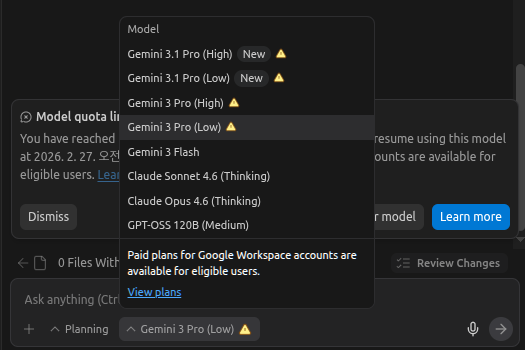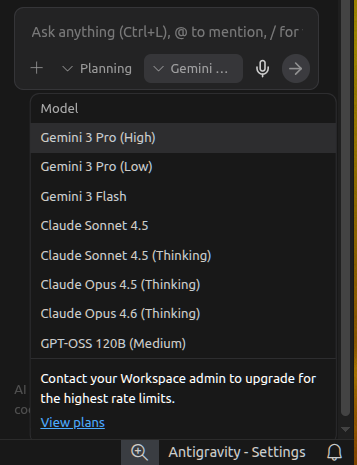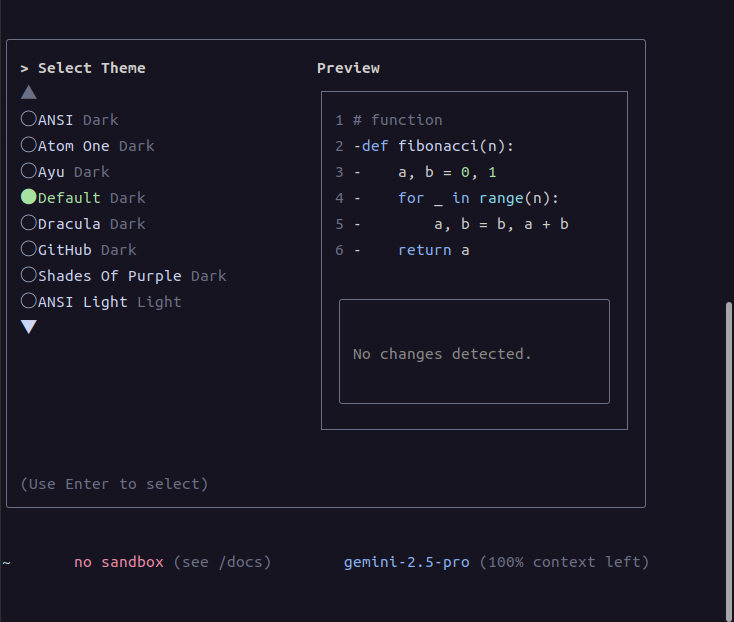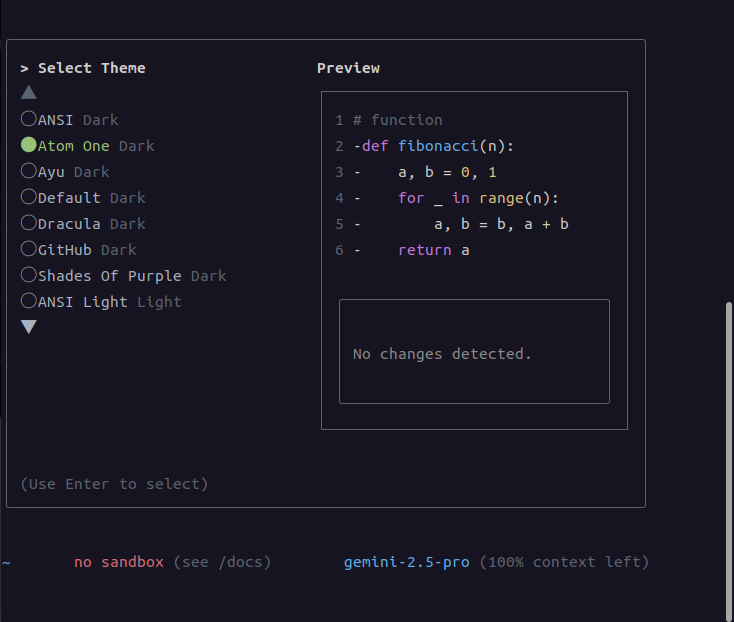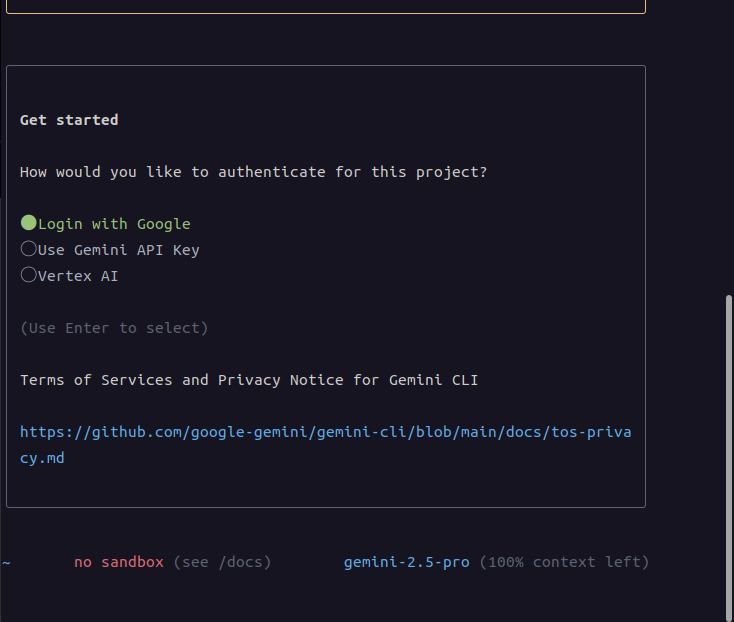
무료 로그인시


회사 계정 로그인시(google workspace)

 

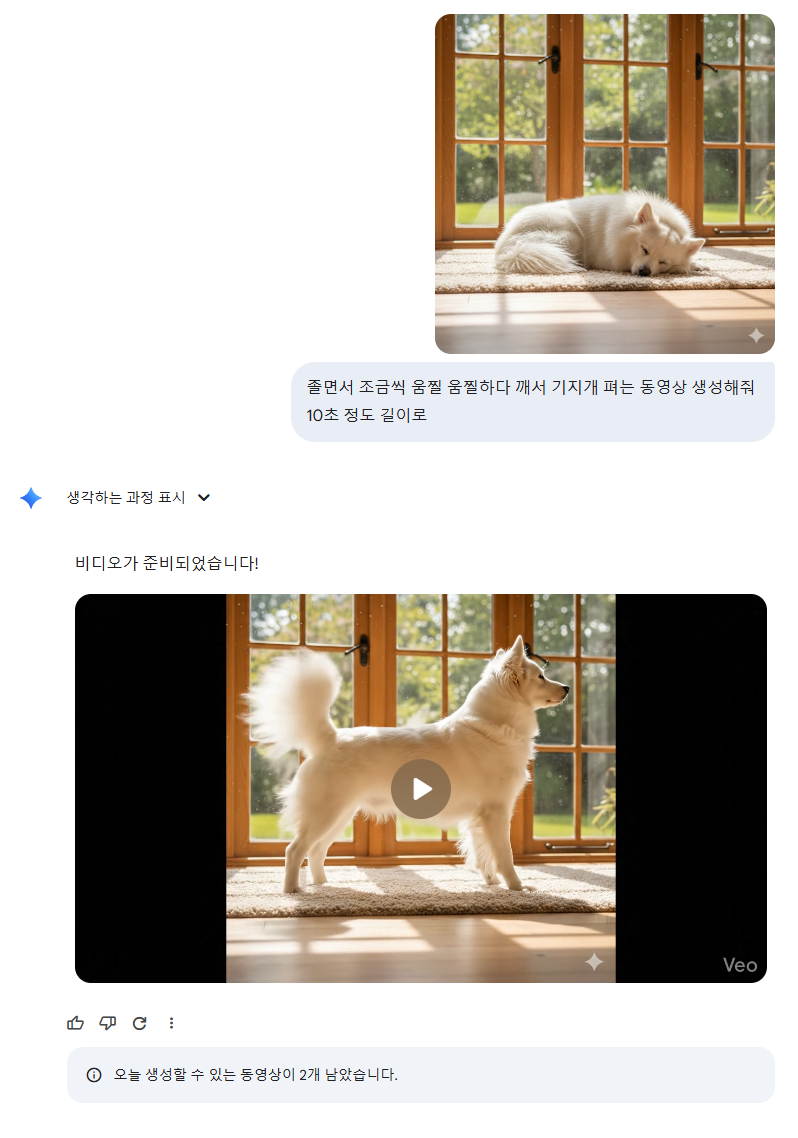
심심해서 이미지 생성 하고 그걸 다운로드 받은후 새 채팅으로 동영상 생성을 시작해서 해보는데

음.. 하루 3개?
'모종의 음모 > ai 프로그램' 카테고리의 다른 글

ollama 설치  (2) 2026.04.08
antigravity artifact  (0) 2026.03.18
antigravity 사용량 끝!  (0) 2026.02.20
antigravity 설치  (0) 2026.02.11
gemini cli 에서 gemini 3 flash 사용  (0) 2026.02.11
Posted by 구차니

한 30~40분? 두개 동시에 좀 돌렸더니 사용량 끝! 해버렸다

나름 회사에서 google workspace 써서 유료일텐데도 쿼터가 낮은가 보다.

그 와중에 3.1 Pro는 막상 사용하려고 하면 안되면서

3.0 Pro와 동시에 경고 떠서 쭈르륵 못쓰는건 무슨 유머(?) 일까 


'모종의 음모 > ai 프로그램' 카테고리의 다른 글

antigravity artifact  (0) 2026.03.18
gemini 동영상 만들기 (유료?)  (0) 2026.02.22
antigravity 설치  (0) 2026.02.11
gemini cli 에서 gemini 3 flash 사용  (0) 2026.02.11
gemini-cli 시도 실패  (0) 2025.07.15
Posted by 구차니

그나저나 바이너리 아니었나 800M를 160MB로 만들어지다니..

$ sudo apt install antigravity
패키지 목록을 읽는 중입니다... 완료
의존성 트리를 만드는 중입니다... 완료
상태 정보를 읽는 중입니다... 완료        
다음 새 패키지를 설치할 것입니다:
  antigravity
0개 업그레이드, 1개 새로 설치, 0개 제거 및 1개 업그레이드 안 함.
159 M바이트 아카이브를 받아야 합니다.
이 작업 후 786 M바이트의 디스크 공간을 더 사용하게 됩니다.

[링크 : https://antigravity.google/download/linux]


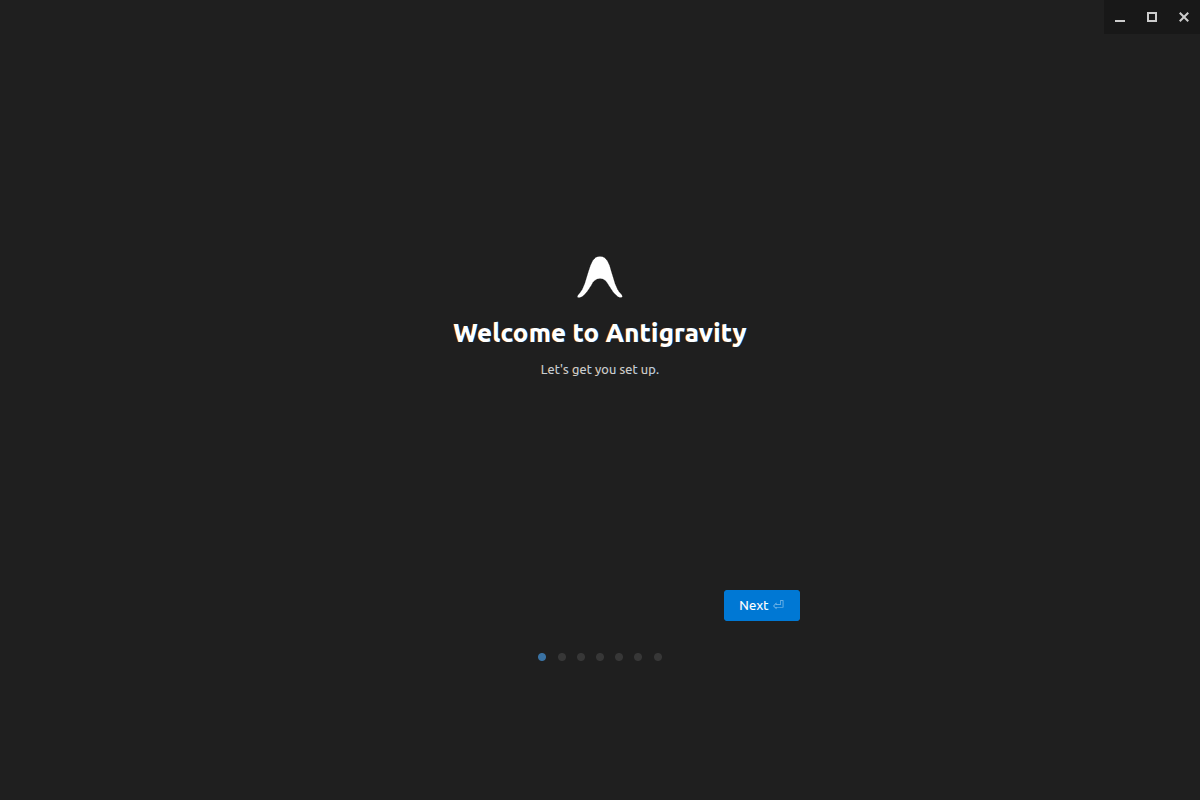
아니 왜 창이 안 옮겨져? 아무튼 Next


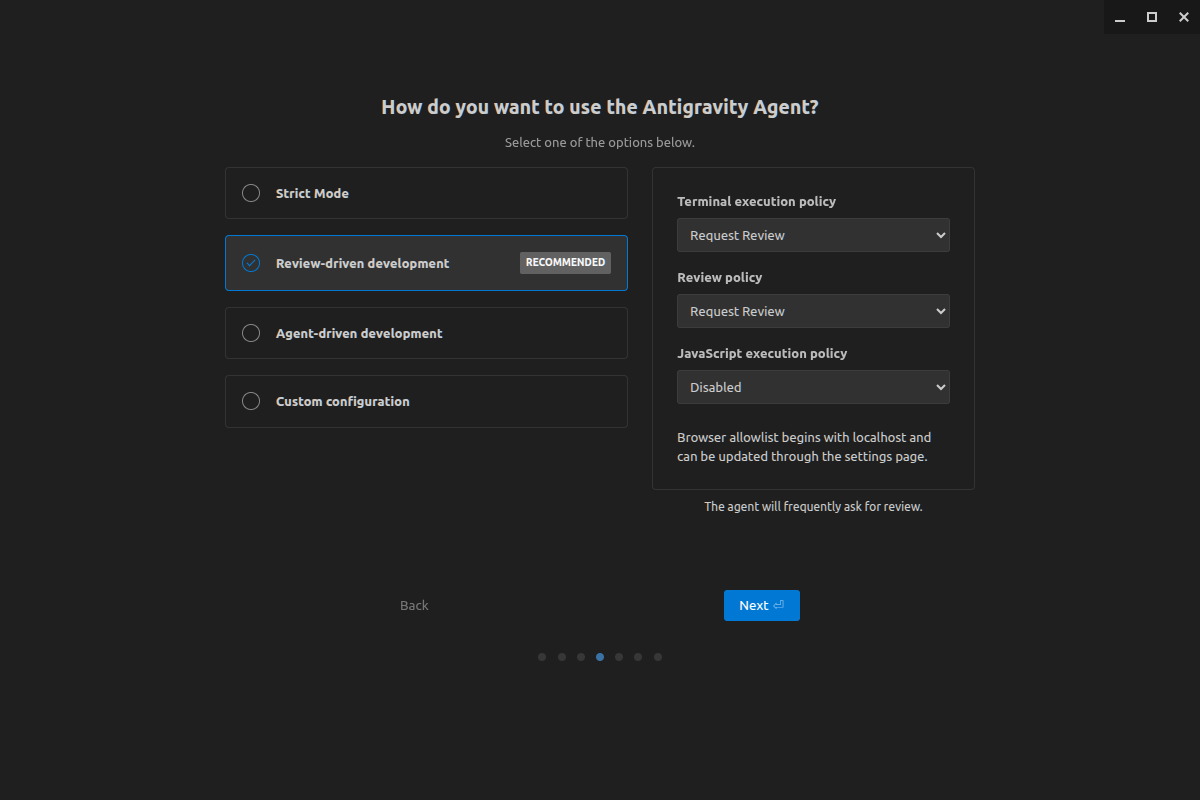
귀찮으니 기본값으로 ㄱㄱ


로그인 하고(구글) 동의


대화창 하단에 Gemini / Claude / chatGPT 쓸수 있는것 처럼 나오는데

다른 모델로 한번 다음에 시도해봐야겠다.


+

2026.02.12

4.5 는 안되는데 4.6을 써보라고 한다. 착하다고 해야하나? ㅋㅋ

Posted by 구차니

아래 링크에서 계정 로그인해서 api key 얻고

[링크 : https://aistudio.google.com/]


그냥 속편하게(?) gemini 에서

/auth logout

명령으로 로그아웃 이후 exit 하고(그냥 바로 login 해도 될 듯?)

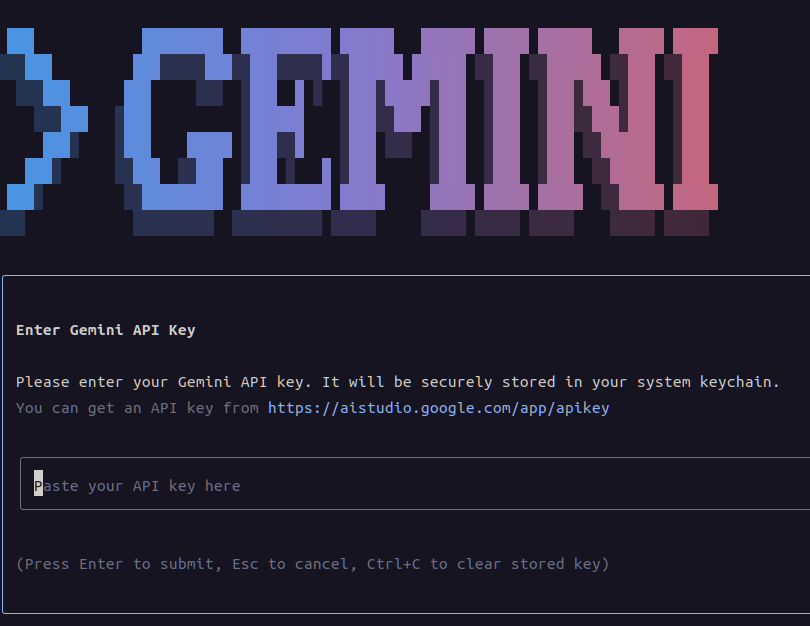
gemini 실행, api 키로 로그인


링크에서 api 키 복사해와서 넣고


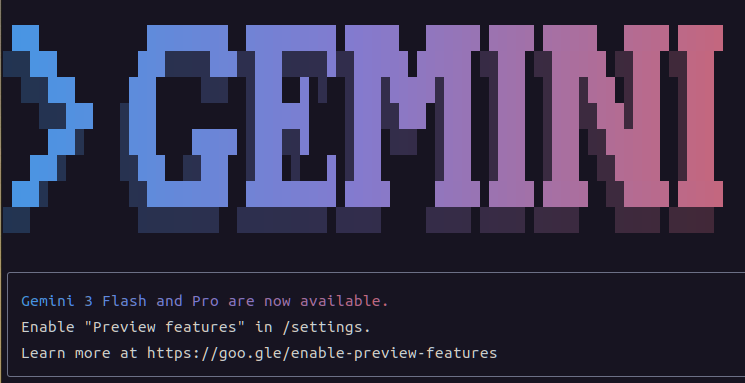
gemini 3 flash and pro 쓸수 있다고 쓰는데

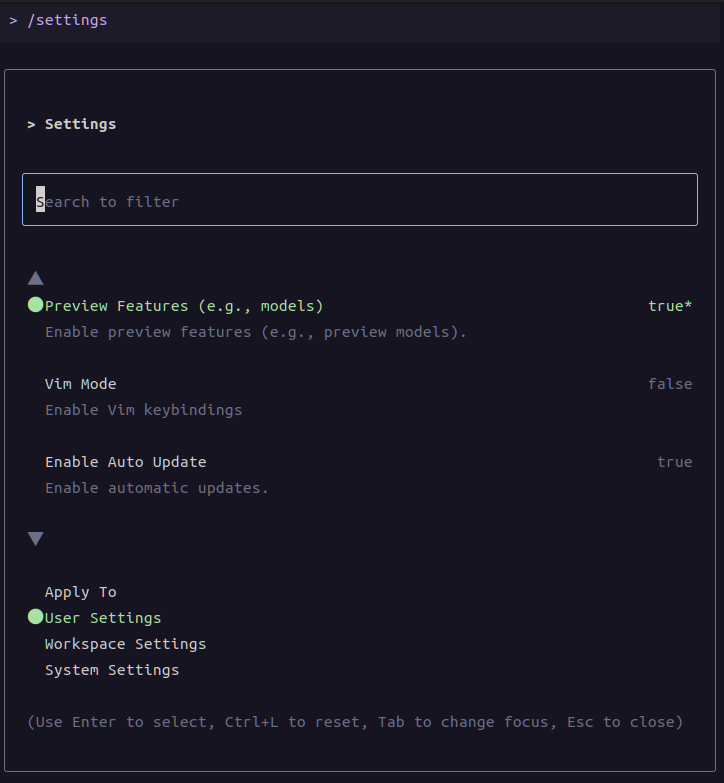
비활성화 되어있어서  preview features를 활성화 하라고 한다.


/settings 누르고 스페이스 누르면 false가 true로 바뀌고


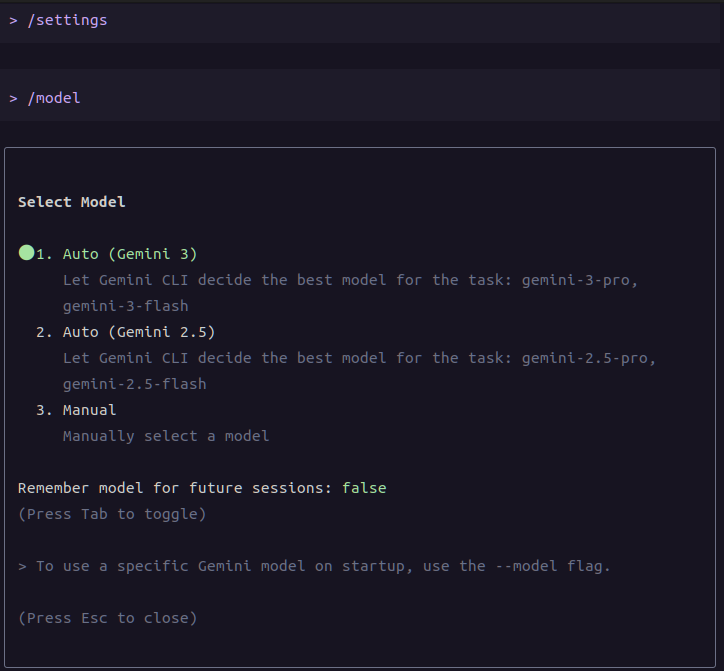
/model 명령을 통해 auto (gemini 3)가 선택이 되면 된다.


모델 바꾸고 질문하자마자 할당량 고갈?!?! 야이 -_-???


[링크 : https://geminicli.com/docs/cli/commands/]


+

일단 시간이 지나서 메일이 오고 나니 그 이후에 되는 듯.

Posted by 구차니

아래 소스를 참고하고

[링크  : https://github.com/geeooff/forza-data-web/blob/main/Console/ForzaDataConsole.cs]


원본 포맷도 참고해서

[링크 : https://support.forzamotorsport.net/hc/en-us/articles/21742934024211-Forza-Motorsport-Data-Out-Documentation]


몇가지 단위 수정함

영국놈들(!) 이라서 출력이 watt가 아니라 hp(horse power)로 되어있고

속도고 mph를 기본으로 던져주고

온도고 섭씨가 아니라 화씨.. 어우

[링크 : https://github.com/minimonk82/forza_horizon_4_telemetry]


아무튼.. 서보를 이용해서 서스펜션 길이를 가지고 장난질 치면 조금 수월하게 작업할수 있으려나?

라즈베리 파이 pico로 시리얼로 서스펜션 길이만 전송하고

pwm 4개 채널로 서보 제어해서 적당하게 맞춰봐야겠다.

Posted by 구차니

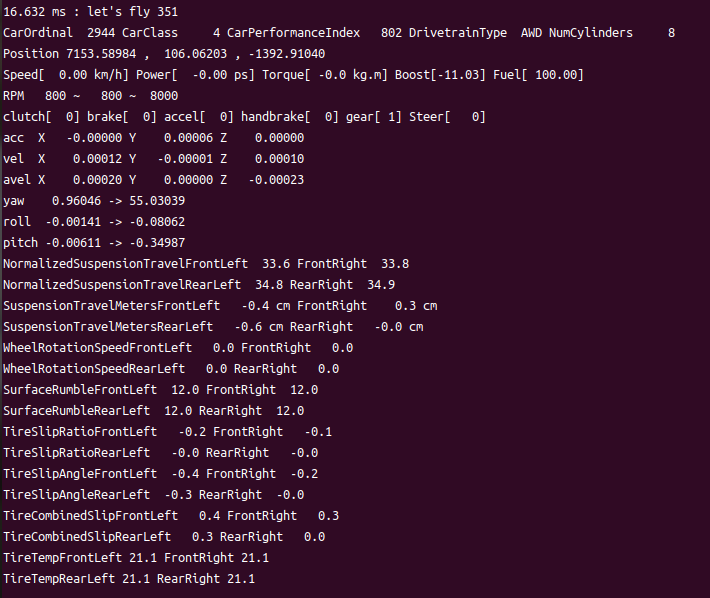
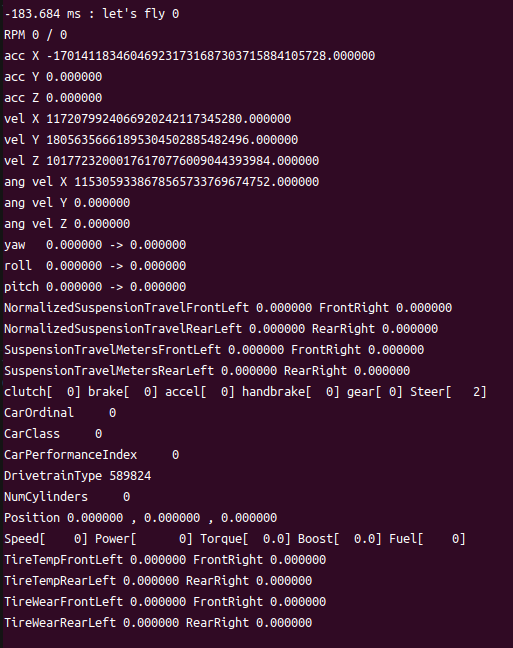
내부 ui에서 출력되는 것과 비교중

tirewear 등은 안 맞는것 같고

suspension도 딱 맞지 않는 느낌.


아래는 그냥 nc로 엔터쳐서 아무값도 안가 오류난 건데 아무튼..

타이어/서스펜션은 앞-좌/우 , 뒤-좌/우 라서 두 줄에 우겨넣어 출력함


[링크 : https://github.com/minimonk82/forza_horizon_4_telemetry]

Posted by 구차니

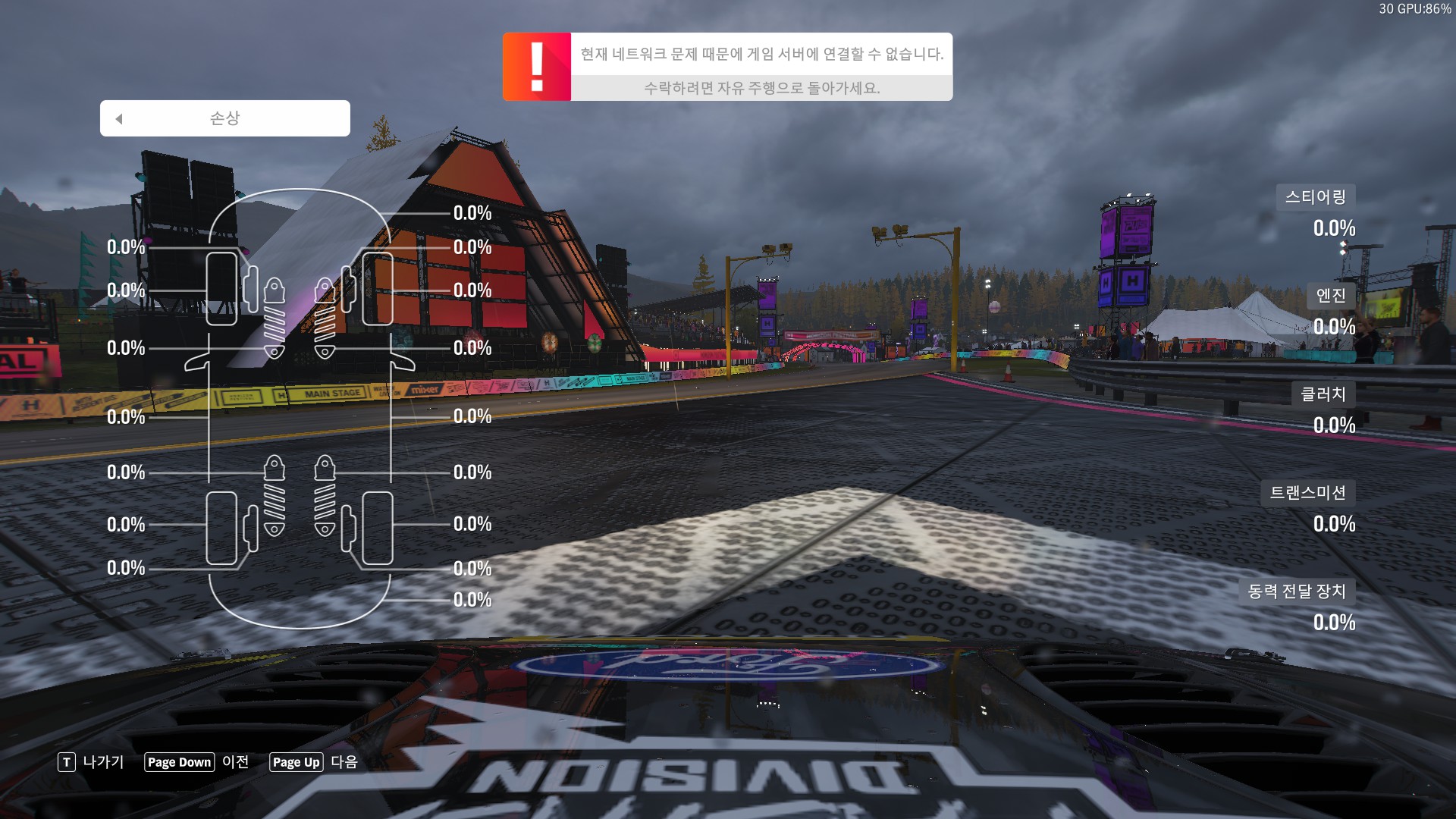
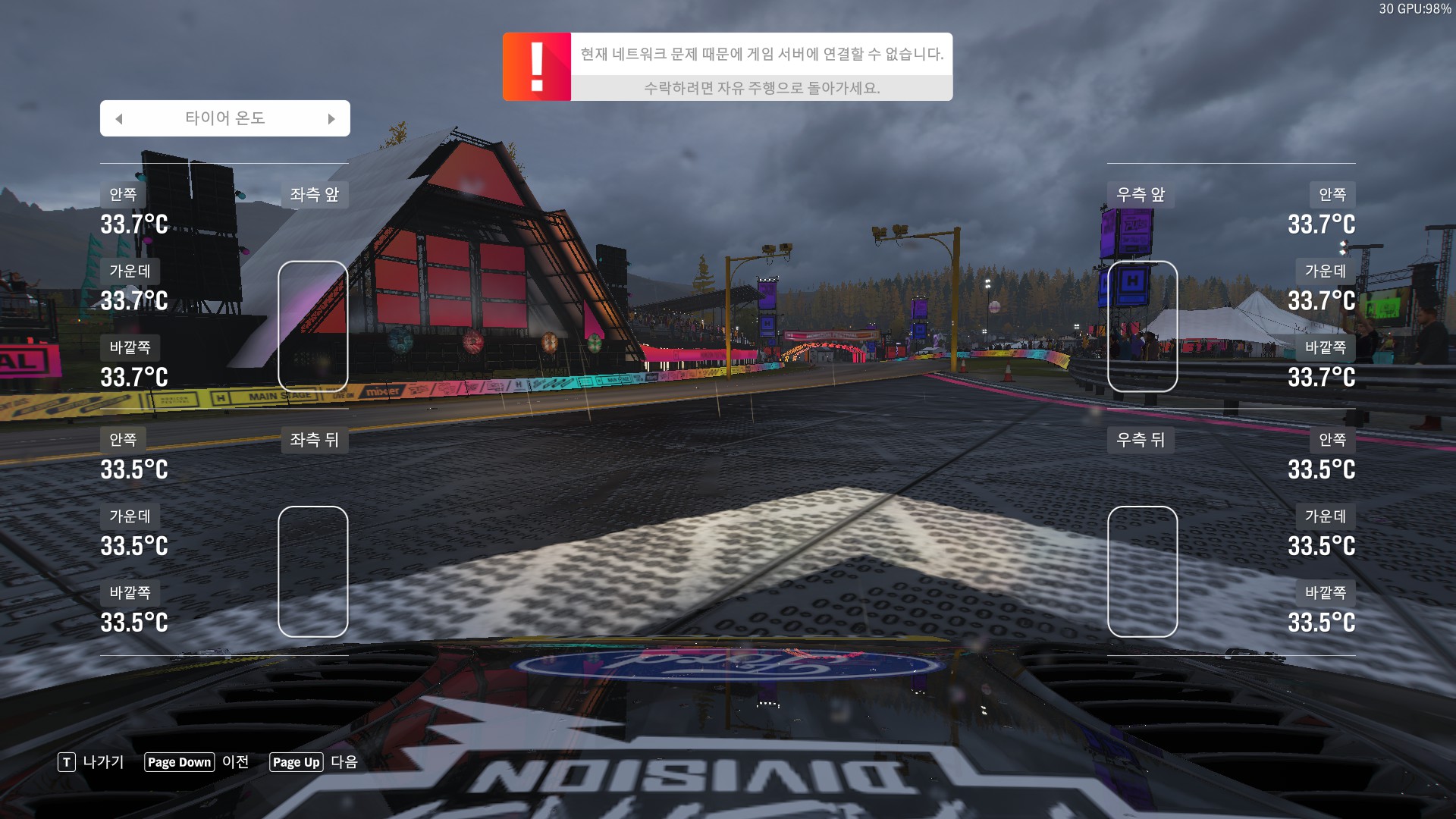
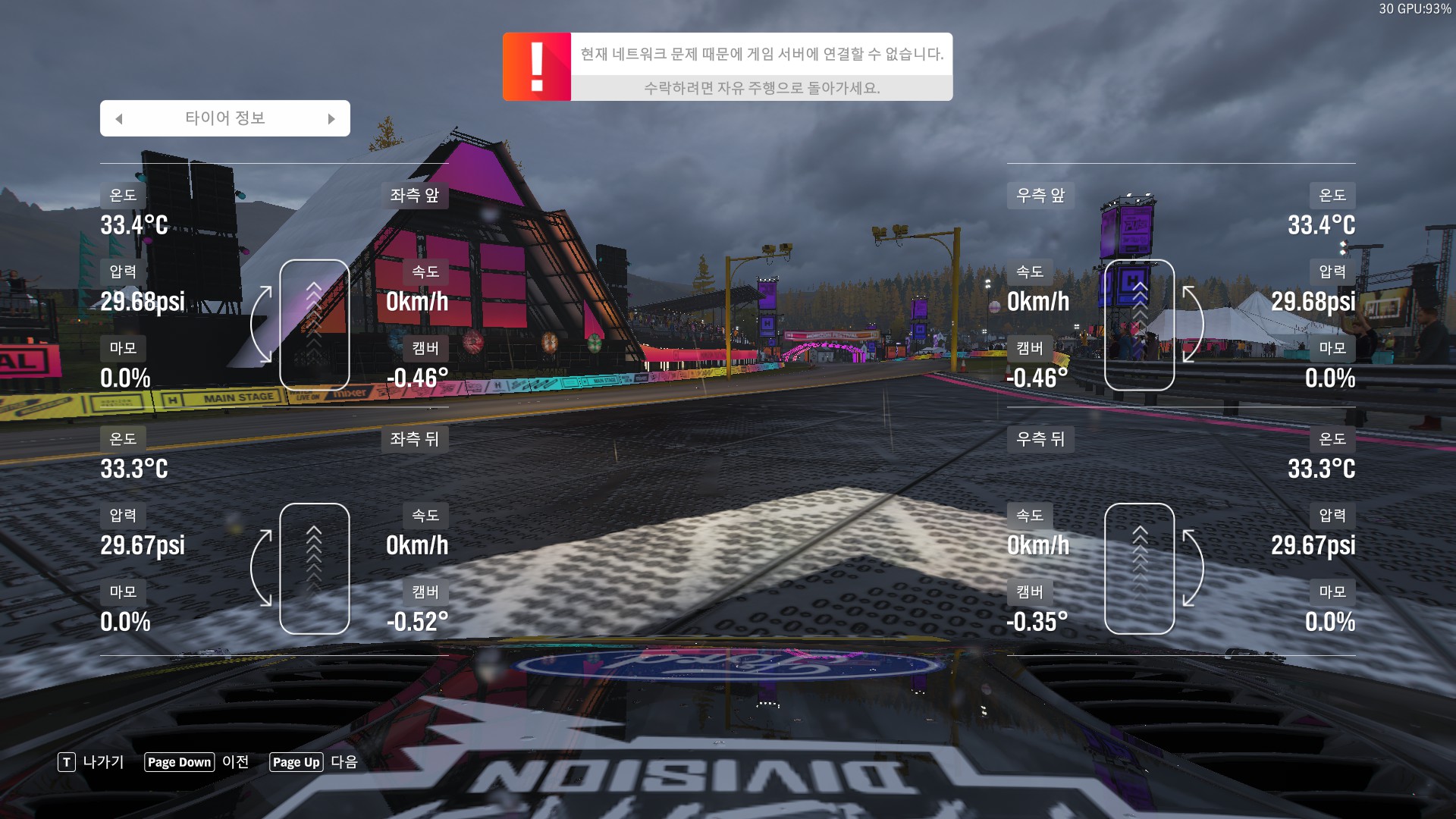
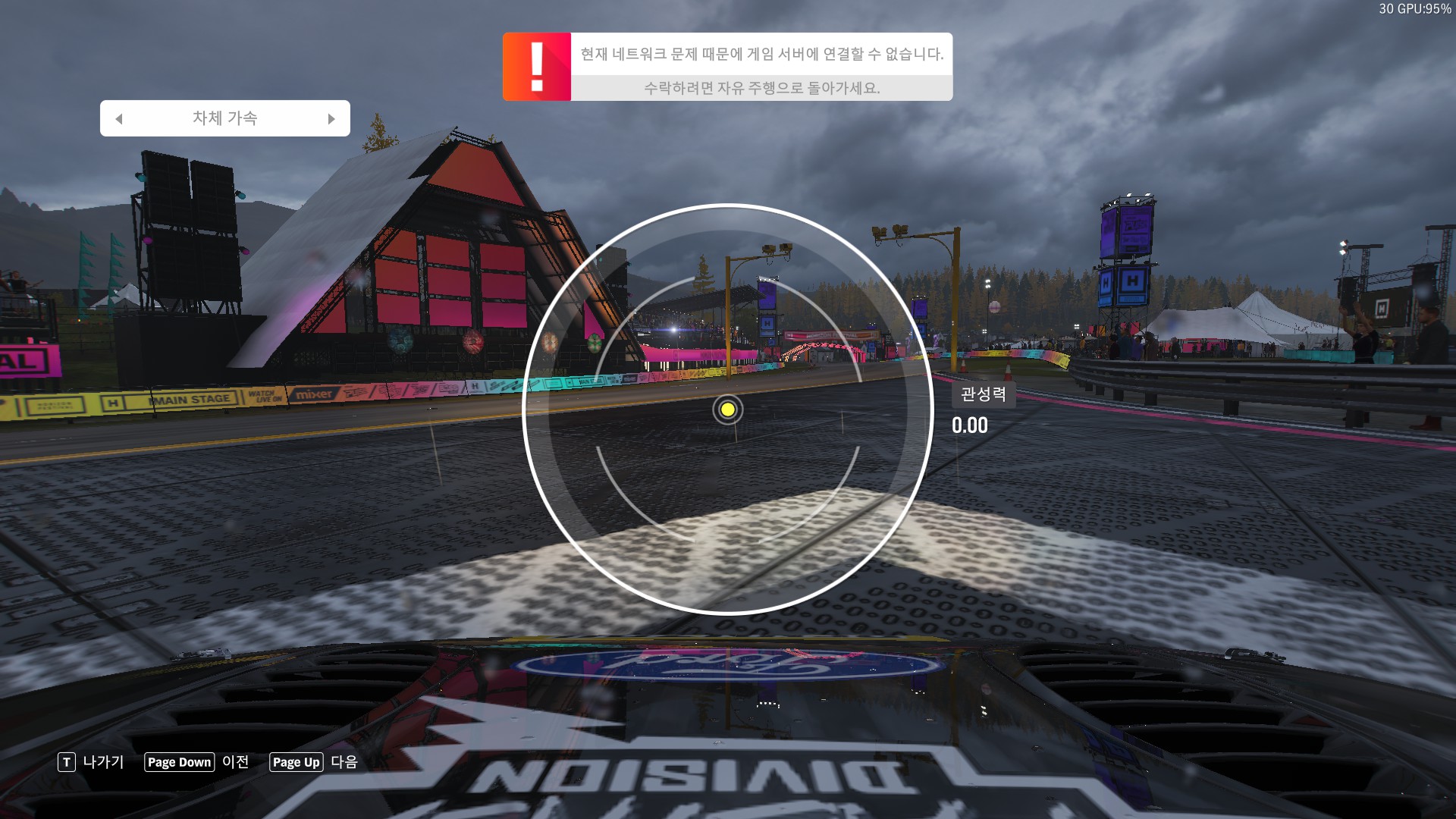
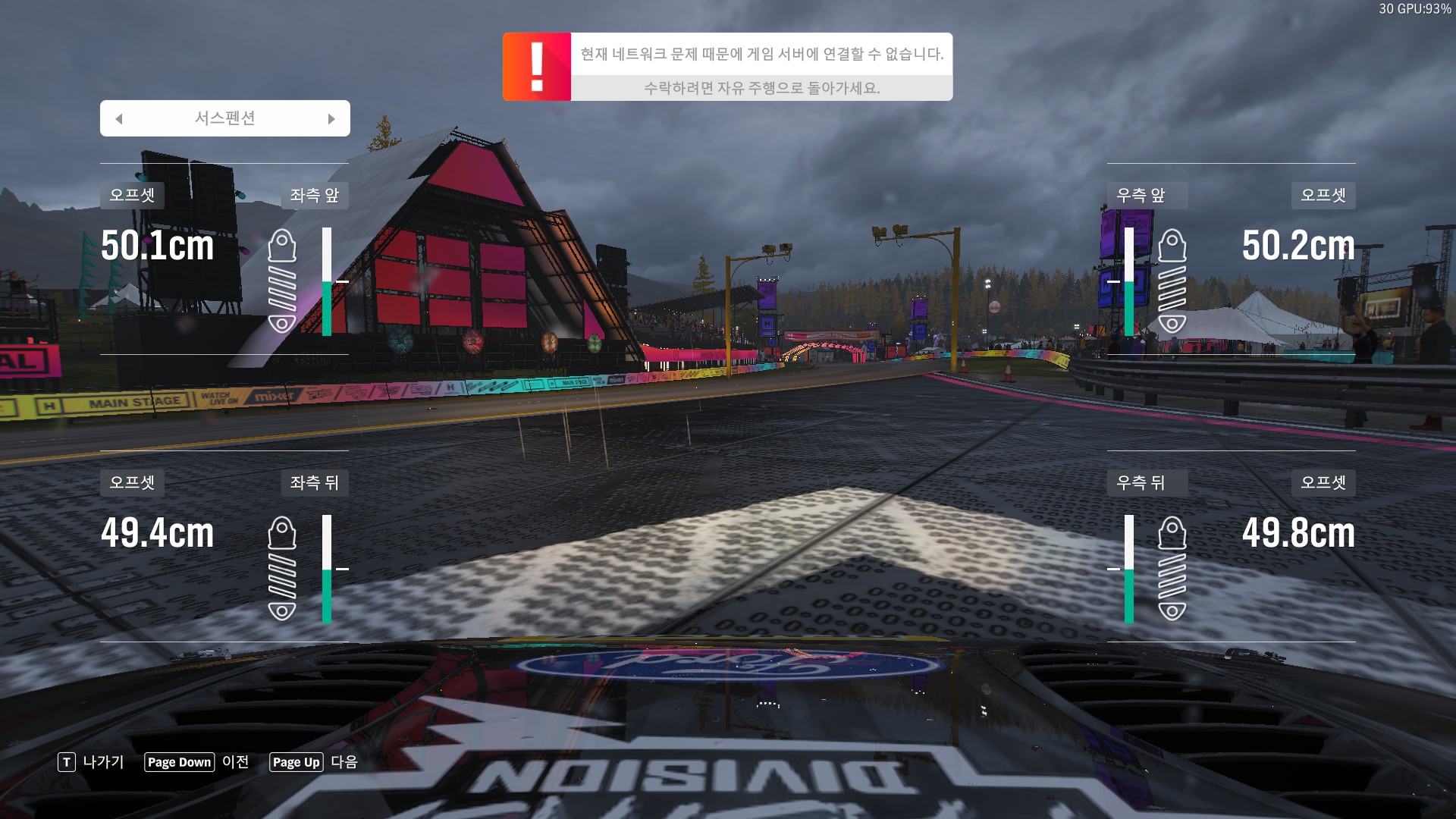
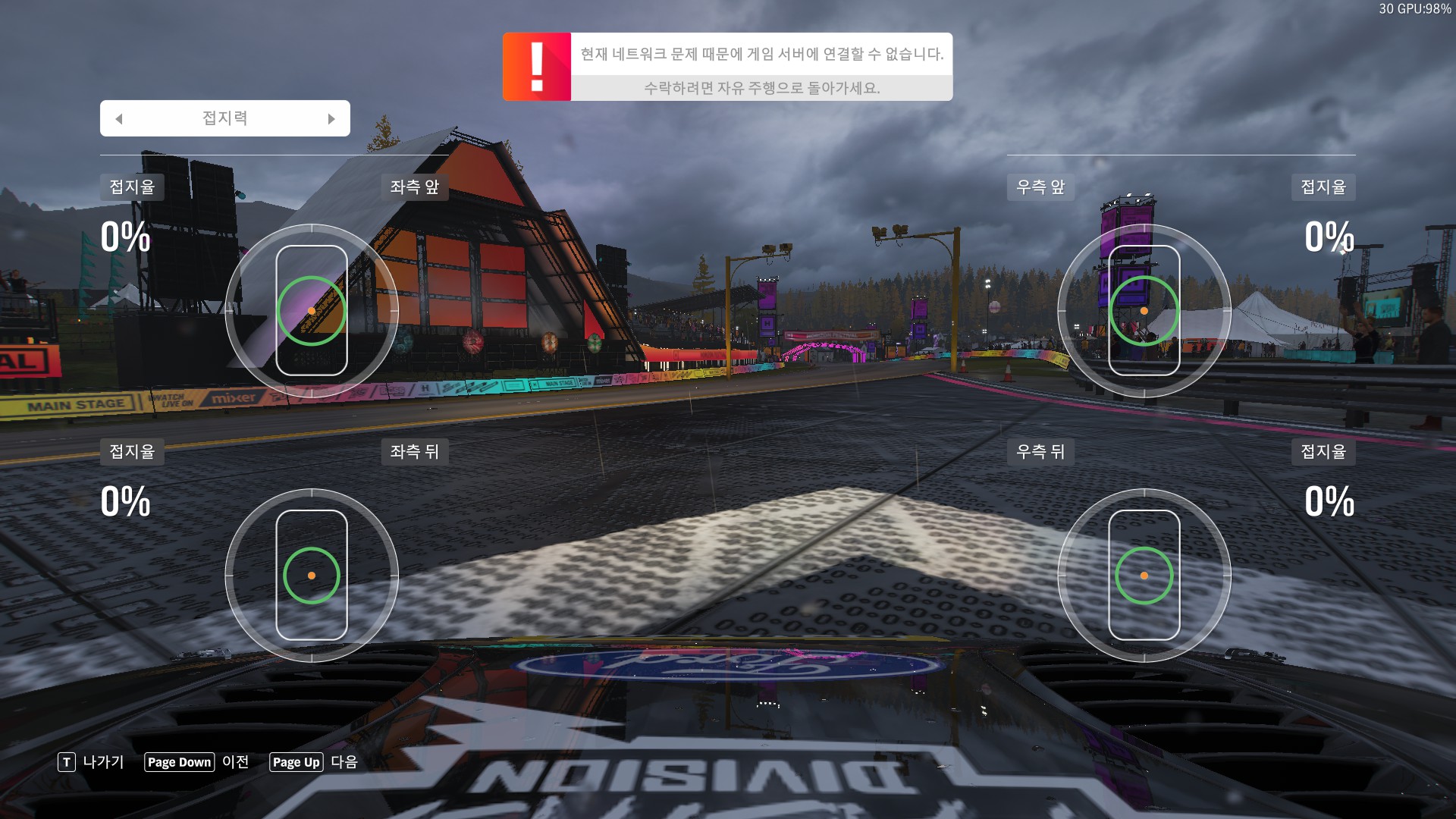
게임내에서 제공되는 텔레메트리 정보인데

프로토콜에서 제공되는 내용보다 더 다양한거 같다?

켜놓으면 재미있긴 한데 지도가 사라져서 아쉽..


없어 보이는 데이터로는

손상 /  타이어 온도 / 타이어 정보(압력)


여기부터는 udp telemetry에 있는 값들 같다.

Posted by 구차니

개인 권한으로 하려니 안되서 어쩔수 없이 root 권한으로 설치 --

sudo npm install -g @google/gemini-cli

[링크 : https://github.com/google-gemini/gemini-cli]


이후에 계정 연동해서 하려는데 회사 계정으로는 안된다.

나중에 개인 계정으로 시도해 봐야겠다.


Posted by 구차니
모종의 음모/CAN2025. 4. 1. 14:34

이거 머 보다가 나온거지 -ㅁ-?

FC-SAN 쪽에서 CIP로 시작한 것 같은데 기억이...


The Common Industrial Protocol (CIP) is an industrial protocol for industrial automation applications. It is supported by ODVA.
Previously known as Control and Information Protocol,[1] CIP encompasses a comprehensive suite of messages and services for the collection of manufacturing automation applications – control, safety, synchronization, motion, configuration and information. It allows users to integrate these manufacturing applications with enterprise-level Ethernet networks and the Internet. It is supported by hundreds of vendors around the world,[2] and is media-independent. CIP provides a unified communication architecture throughout the manufacturing enterprise. It is used in EtherNet/IP, DeviceNet, CompoNet and ControlNet.
ODVA is the organization that supports network technologies built on the Common Industrial Protocol (CIP). These also currently include application extensions to CIP: CIP Safety, CIP Motion and CIP Sync.

[링크 : https://en.m.wikipedia.org/wiki/Common_Industrial_Protocol]


DeviceNet is a network protocol used in the automation industry to interconnect control devices for data exchange. It utilizes the Common Industrial Protocol over a Controller Area Network media layer and defines an application layer to cover a range of device profiles. Typical applications include information exchange, safety devices, and large I/O control networks.[1]

[링크 : https://en.m.wikipedia.org/wiki/DeviceNet]

'모종의 음모 > CAN' 카테고리의 다른 글

MCP2515 on rpi .. 2번째  (0) 2026.07.24
obd can  (0) 2026.07.23
candump, cansend와 vcan  (0) 2025.02.19
linux can 테스트(가상 CAN IF)  (0) 2025.02.18
can-utils(cansend, candump)  (0) 2025.02.18
Posted by 구차니
모종의 음모/CAN2025. 2. 19. 16:35


$ modprobe vcan
modprobe: ERROR: could not insert 'vcan': Operation not permitted

$ sudo modprobe vcan
$ sudo ip link add dev vcan0 type vcan

$ ifconfig
br-638c83b169eb: flags=4099<UP,BROADCAST,MULTICAST>  mtu 1500
        inet 172.18.0.1  netmask 255.255.0.0  broadcast 172.18.255.255
        ether 02:42:d5:e6:f1:21  txqueuelen 0  (Ethernet)
        RX packets 0  bytes 0 (0.0 B)
        RX errors 0  dropped 0  overruns 0  frame 0
        TX packets 0  bytes 0 (0.0 B)
        TX errors 0  dropped 0 overruns 0  carrier 0  collisions 0

docker0: flags=4099<UP,BROADCAST,MULTICAST>  mtu 1500
        inet 172.17.0.1  netmask 255.255.0.0  broadcast 172.17.255.255
        ether 02:42:40:63:97:cb  txqueuelen 0  (Ethernet)
        RX packets 0  bytes 0 (0.0 B)
        RX errors 0  dropped 0  overruns 0  frame 0
        TX packets 0  bytes 0 (0.0 B)
        TX errors 0  dropped 0 overruns 0  carrier 0  collisions 0

enxf8e43b9b776b: flags=4163<UP,BROADCAST,RUNNING,MULTICAST>  mtu 1500
        inet 192.168.220.108  netmask 255.255.0.0  broadcast 192.168.255.255
        inet6 fe80::81f4:65ad:f7cc:2f2c  prefixlen 64  scopeid 0x20<link>
        ether f8:e4:3b:9b:77:6b  txqueuelen 1000  (Ethernet)
        RX packets 3619726  bytes 2156366501 (2.1 GB)
        RX errors 0  dropped 106170  overruns 0  frame 0
        TX packets 1452518  bytes 317915291 (317.9 MB)
        TX errors 0  dropped 0 overruns 0  carrier 0  collisions 0

lo: flags=73<UP,LOOPBACK,RUNNING>  mtu 65536
        inet 127.0.0.1  netmask 255.0.0.0
        inet6 ::1  prefixlen 128  scopeid 0x10<host>
        loop  txqueuelen 1000  (Local Loopback)
        RX packets 160829  bytes 14028478 (14.0 MB)
        RX errors 0  dropped 0  overruns 0  frame 0
        TX packets 160829  bytes 14028478 (14.0 MB)
        TX errors 0  dropped 0 overruns 0  carrier 0  collisions 0

wlo1: flags=4163<UP,BROADCAST,RUNNING,MULTICAST>  mtu 1500
        inet 192.168.220.107  netmask 255.255.0.0  broadcast 192.168.255.255
        inet6 fe80::104b:d69c:878f:cfaa  prefixlen 64  scopeid 0x20<link>
        ether 8c:55:4a:28:25:bc  txqueuelen 1000  (Ethernet)
        RX packets 809871  bytes 90255020 (90.2 MB)
        RX errors 0  dropped 99865  overruns 0  frame 0
        TX packets 53067  bytes 6125665 (6.1 MB)
        TX errors 0  dropped 0 overruns 0  carrier 0  collisions 0

$ ifconfig -a
br-638c83b169eb: flags=4099<UP,BROADCAST,MULTICAST>  mtu 1500
        inet 172.18.0.1  netmask 255.255.0.0  broadcast 172.18.255.255
        ether 02:42:d5:e6:f1:21  txqueuelen 0  (Ethernet)
        RX packets 0  bytes 0 (0.0 B)
        RX errors 0  dropped 0  overruns 0  frame 0
        TX packets 0  bytes 0 (0.0 B)
        TX errors 0  dropped 0 overruns 0  carrier 0  collisions 0

docker0: flags=4099<UP,BROADCAST,MULTICAST>  mtu 1500
        inet 172.17.0.1  netmask 255.255.0.0  broadcast 172.17.255.255
        ether 02:42:40:63:97:cb  txqueuelen 0  (Ethernet)
        RX packets 0  bytes 0 (0.0 B)
        RX errors 0  dropped 0  overruns 0  frame 0
        TX packets 0  bytes 0 (0.0 B)
        TX errors 0  dropped 0 overruns 0  carrier 0  collisions 0

enxf8e43b9b776b: flags=4163<UP,BROADCAST,RUNNING,MULTICAST>  mtu 1500
        inet 192.168.220.108  netmask 255.255.0.0  broadcast 192.168.255.255
        inet6 fe80::81f4:65ad:f7cc:2f2c  prefixlen 64  scopeid 0x20<link>
        ether f8:e4:3b:9b:77:6b  txqueuelen 1000  (Ethernet)
        RX packets 3620125  bytes 2156544266 (2.1 GB)
        RX errors 0  dropped 106183  overruns 0  frame 0
        TX packets 1452676  bytes 317938700 (317.9 MB)
        TX errors 0  dropped 0 overruns 0  carrier 0  collisions 0

lo: flags=73<UP,LOOPBACK,RUNNING>  mtu 65536
        inet 127.0.0.1  netmask 255.0.0.0
        inet6 ::1  prefixlen 128  scopeid 0x10<host>
        loop  txqueuelen 1000  (Local Loopback)
        RX packets 160841  bytes 14030154 (14.0 MB)
        RX errors 0  dropped 0  overruns 0  frame 0
        TX packets 160841  bytes 14030154 (14.0 MB)
        TX errors 0  dropped 0 overruns 0  carrier 0  collisions 0

vcan0: flags=128<NOARP>  mtu 72
        unspec 00-00-00-00-00-00-00-00-00-00-00-00-00-00-00-00  txqueuelen 1000  (UNSPEC)
        RX packets 0  bytes 0 (0.0 B)
        RX errors 0  dropped 0  overruns 0  frame 0
        TX packets 0  bytes 0 (0.0 B)
        TX errors 0  dropped 0 overruns 0  carrier 0  collisions 0

wlo1: flags=4163<UP,BROADCAST,RUNNING,MULTICAST>  mtu 1500
        inet 192.168.220.107  netmask 255.255.0.0  broadcast 192.168.255.255
        inet6 fe80::104b:d69c:878f:cfaa  prefixlen 64  scopeid 0x20<link>
        ether 8c:55:4a:28:25:bc  txqueuelen 1000  (Ethernet)
        RX packets 809990  bytes 90270371 (90.2 MB)
        RX errors 0  dropped 99877  overruns 0  frame 0
        TX packets 53074  bytes 6126348 (6.1 MB)
        TX errors 0  dropped 0 overruns 0  carrier 0  collisions 0

$ sudo ifconfig vcan0 up
$ ifconfig
br-638c83b169eb: flags=4099<UP,BROADCAST,MULTICAST>  mtu 1500
        inet 172.18.0.1  netmask 255.255.0.0  broadcast 172.18.255.255
        ether 02:42:d5:e6:f1:21  txqueuelen 0  (Ethernet)
        RX packets 0  bytes 0 (0.0 B)
        RX errors 0  dropped 0  overruns 0  frame 0
        TX packets 0  bytes 0 (0.0 B)
        TX errors 0  dropped 0 overruns 0  carrier 0  collisions 0

docker0: flags=4099<UP,BROADCAST,MULTICAST>  mtu 1500
        inet 172.17.0.1  netmask 255.255.0.0  broadcast 172.17.255.255
        ether 02:42:40:63:97:cb  txqueuelen 0  (Ethernet)
        RX packets 0  bytes 0 (0.0 B)
        RX errors 0  dropped 0  overruns 0  frame 0
        TX packets 0  bytes 0 (0.0 B)
        TX errors 0  dropped 0 overruns 0  carrier 0  collisions 0

enxf8e43b9b776b: flags=4163<UP,BROADCAST,RUNNING,MULTICAST>  mtu 1500
        inet 192.168.220.108  netmask 255.255.0.0  broadcast 192.168.255.255
        inet6 fe80::81f4:65ad:f7cc:2f2c  prefixlen 64  scopeid 0x20<link>
        ether f8:e4:3b:9b:77:6b  txqueuelen 1000  (Ethernet)
        RX packets 3620430  bytes 2156573250 (2.1 GB)
        RX errors 0  dropped 106197  overruns 0  frame 0
        TX packets 1452764  bytes 317953427 (317.9 MB)
        TX errors 0  dropped 0 overruns 0  carrier 0  collisions 0

lo: flags=73<UP,LOOPBACK,RUNNING>  mtu 65536
        inet 127.0.0.1  netmask 255.0.0.0
        inet6 ::1  prefixlen 128  scopeid 0x10<host>
        loop  txqueuelen 1000  (Local Loopback)
        RX packets 160841  bytes 14030154 (14.0 MB)
        RX errors 0  dropped 0  overruns 0  frame 0
        TX packets 160841  bytes 14030154 (14.0 MB)
        TX errors 0  dropped 0 overruns 0  carrier 0  collisions 0

vcan0: flags=193<UP,RUNNING,NOARP>  mtu 72
        unspec 00-00-00-00-00-00-00-00-00-00-00-00-00-00-00-00  txqueuelen 1000  (UNSPEC)
        RX packets 0  bytes 0 (0.0 B)
        RX errors 0  dropped 0  overruns 0  frame 0
        TX packets 0  bytes 0 (0.0 B)
        TX errors 0  dropped 0 overruns 0  carrier 0  collisions 0

wlo1: flags=4163<UP,BROADCAST,RUNNING,MULTICAST>  mtu 1500
        inet 192.168.220.107  netmask 255.255.0.0  broadcast 192.168.255.255
        inet6 fe80::104b:d69c:878f:cfaa  prefixlen 64  scopeid 0x20<link>
        ether 8c:55:4a:28:25:bc  txqueuelen 1000  (Ethernet)
        RX packets 810099  bytes 90278671 (90.2 MB)
        RX errors 0  dropped 99889  overruns 0  frame 0
        TX packets 53074  bytes 6126348 (6.1 MB)
        TX errors 0  dropped 0 overruns 0  carrier 0  collisions 0

[링크 : https://ola-page.tistory.com/66]


$ candump 
candump - dump CAN bus traffic.

Usage: candump [options] <CAN interface>+
  (use CTRL-C to terminate candump)

Options:
         -t <type>   (timestamp: (a)bsolute/(d)elta/(z)ero/(A)bsolute w date)
         -H          (read hardware timestamps instead of system timestamps)
         -c          (increment color mode level)
         -i          (binary output - may exceed 80 chars/line)
         -a          (enable additional ASCII output)
         -S          (swap byte order in printed CAN data[] - marked with '`' )
         -s <level>  (silent mode - 0: off (default) 1: animation 2: silent)
         -l          (log CAN-frames into file. Sets '-s 2' by default)
         -L          (use log file format on stdout)
         -n <count>  (terminate after reception of <count> CAN frames)
         -r <size>   (set socket receive buffer to <size>)
         -D          (Don't exit if a "detected" can device goes down.
         -d          (monitor dropped CAN frames)
         -e          (dump CAN error frames in human-readable format)
         -x          (print extra message infos, rx/tx brs esi)
         -T <msecs>  (terminate after <msecs> without any reception)

Up to 16 CAN interfaces with optional filter sets can be specified
on the commandline in the form: <ifname>[,filter]*

Filters:
  Comma separated filters can be specified for each given CAN interface:
    <can_id>:<can_mask>
         (matches when <received_can_id> & mask == can_id & mask)
    <can_id>~<can_mask>
         (matches when <received_can_id> & mask != can_id & mask)
    #<error_mask>
         (set error frame filter, see include/linux/can/error.h)
    [j|J]
         (join the given CAN filters - logical AND semantic)

CAN IDs, masks and data content are given and expected in hexadecimal values.
When the can_id is 8 digits long the CAN_EFF_FLAG is set for 29 bit EFF format.
Without any given filter all data frames are received ('0:0' default filter).

Use interface name 'any' to receive from all CAN interfaces.

Examples:
candump -c -c -ta can0,123:7FF,400:700,#000000FF can2,400~7F0 can3 can8

candump -l any,0~0,#FFFFFFFF
         (log only error frames but no(!) data frames)
candump -l any,0:0,#FFFFFFFF
         (log error frames and also all data frames)
candump vcan2,12345678:DFFFFFFF
         (match only for extended CAN ID 12345678)
candump vcan2,123:7FF
         (matches CAN ID 123 - including EFF and RTR frames)
candump vcan2,123:C00007FF
         (matches CAN ID 123 - only SFF and non-RTR frames)


$ cansend vcan0
cansend - send CAN-frames via CAN_RAW sockets.

Usage: cansend <device> <can_frame>.

<can_frame>:
 <can_id>#{data}          for 'classic' CAN 2.0 data frames
 <can_id>#R{len}          for 'classic' CAN 2.0 data frames
 <can_id>##<flags>{data}  for CAN FD frames

<can_id>:
 3 (SFF) or 8 (EFF) hex chars
{data}:
 0..8 (0..64 CAN FD) ASCII hex-values (optionally separated by '.')
{len}:
 an optional 0..8 value as RTR frames can contain a valid dlc field
<flags>:
 a single ASCII Hex value (0 .. F) which defines canfd_frame.flags

Examples:
  5A1#11.2233.44556677.88 / 123#DEADBEEF / 5AA# / 123##1 / 213##311223344 /
  1F334455#1122334455667788 / 123#R / 00000123#R3


아래는 데이터 출력 포맷 확인용

인터페이스 / CAN id / 길이 / 데이터(페이로드 길이)

receive send
$ candump vcan0
  vcan0  111   [5]  01 02 03 04 05
$ cansend vcan0 111#010203.04.05
  vcan0  112   [5]  01 02 03 04 05 $ cansend vcan0 112#010203.04.05
  vcan0  112   [0]  $ cansend vcan0 112#
  vcan0  112  [00] $ cansend vcan0 112##1
  vcan0  112  [01]  23 $ cansend vcan0 112##123
  vcan0  112   [0]  remote request $ cansend vcan0 112#R
  vcan0  112   [3]  remote request $ cansend vcan0 112#R3


받는 쪽에서 CAN id 제한할 경우, 112를 받도록 설정했기에 113은 무시된다.

   
$ candump vcan0,112:FF $ cansend vcan0 111#R3
  vcan0  112   [3]  remote request $ cansend vcan0 112#R3
  $ cansend vcan0 113#R3
  vcan0  112   [5]  01 02 03 04 05 $ cansend vcan0 112#010203.04.05
  vcan0  112   [6]  01 02 03 04 05 06 $ cansend vcan0 112#010203.04.0506
  vcan0  112   [7]  01 02 03 04 05 06 07 $ cansend vcan0 112#010203.04.0506.07
  vcan0  112   [0]  remote request $ cansend vcan0 112#R
$ cansend vcan0 112#R10
$ cansend vcan0 112#R100
  vcan0  112   [1]  remote request $ cansend vcan0 112#R1
  vcan0  112   [2]  remote request $ cansend vcan0 112#R2
  vcan0  112   [8]  remote request $ cansend vcan0 112#R8


그나저나 mask 라는데 이해가 안되네..

123 = 0x7B & 0x7F0 하면 0x7B가 되어야 하니 16개에 대해서 받아들여야 할 거 같은데 왜 119에서 130 까지 12개 받아들여 질까?

$ candump vcan0,123:7F0
  vcan0  120   [0]  remote request
  vcan0  121   [0]  remote request
  vcan0  122   [0]  remote request
  vcan0  123   [0]  remote request
  vcan0  124   [0]  remote request
  vcan0  125   [0]  remote request
  vcan0  126   [0]  remote request
  vcan0  127   [0]  remote request
  vcan0  128   [0]  remote request
  vcan0  129   [0]  remote request
$ cansend vcan0 119#R
$ cansend vcan0 120#R
$ cansend vcan0 121#R
$ cansend vcan0 122#R
$ cansend vcan0 123#R
$ cansend vcan0 124#R
$ cansend vcan0 125#R
$ cansend vcan0 126#R
$ cansend vcan0 127#R
$ cansend vcan0 128#R
$ cansend vcan0 129#R
$ cansend vcan0 130#R

'모종의 음모 > CAN' 카테고리의 다른 글

obd can  (0) 2026.07.23
DeviceNet CAN  (0) 2025.04.01
linux can 테스트(가상 CAN IF)  (0) 2025.02.18
can-utils(cansend, candump)  (0) 2025.02.18
can invader  (0) 2024.01.09
Posted by 구차니