하드웨어/Network 장비2025. 2. 19. 22:22

듀얼 포트인데 한쪽에서 설정을 켜면 다른 한쪽도 같이 적용 되어버린다.

우분투에서 SF(single Function)으로는 enp1s0f0 / enp1s0f1 라고 떴는데

NPAR로 설정하고 콜드 리부팅하니 enp1s0f0~7 까지 생겨난다.

3: enp1s0f0: <BROADCAST,MULTICAST,UP,LOWER_UP> mtu 1500 qdisc mq state UP mode DEFAULT group default qlen 1000
    link/ether f4:e9:d4:8c:d6:60 brd ff:ff:ff:ff:ff:ff promiscuity 0  allmulti 0 minmtu 46 maxmtu 9600 addrgenmode eui64 numtxqueues 46 numrxqueues 16 gso_max_size 65536 gso_max_segs 65535 tso_max_size 65536 tso_max_segs 65535 gro_max_size 65536 portid f4e9d48cd660 parentbus pci parentdev 0000:01:00.0 
4: enp1s0f1: <BROADCAST,MULTICAST,UP,LOWER_UP> mtu 1500 qdisc mq state UP mode DEFAULT group default qlen 1000
    link/ether f4:e9:d4:8c:d6:62 brd ff:ff:ff:ff:ff:ff promiscuity 0  allmulti 0 minmtu 46 maxmtu 9600 addrgenmode eui64 numtxqueues 46 numrxqueues 16 gso_max_size 65536 gso_max_segs 65535 tso_max_size 65536 tso_max_segs 65535 gro_max_size 65536 portid f4e9d48cd662 parentbus pci parentdev 0000:01:00.1 


그나저나 우분투에서 8개 까지만 출력하게 하다 보니 2번은 가출(!!)

전체목록을 가야 보인다. 링크는 설정에서100% bandwidth로 되어 있어서 10G가 그대로 뜬다.

10%면 1G로 뜨나 확인을 해봐야겠다.


맥이 짝수로 점프하는데 그럼.. 홀수는 누가 쓰고 있을까?

이전글에서확인해보니 iSCSI에서 해당 홀수 mac을 쓰고 있다. 그러면.. FCoE는 Ethernet이니 별도의 MAC은 할당되어 있지 않는건가?

2025.02.11 - [하드웨어/Network 장비] - BCM957810A1008G boot oprom


$ ifconfig
enp1s0f0: flags=4163<UP,BROADCAST,RUNNING,MULTICAST>  mtu 1500
        inet 192.168.0.1  netmask 255.255.255.0  broadcast 192.168.0.255
        ether f4:e9:d4:8c:d6:60  txqueuelen 1000  (Ethernet)
        RX packets 56  bytes 7322 (7.3 KB)
        RX errors 0  dropped 0  overruns 0  frame 0
        TX packets 44  bytes 2776 (2.7 KB)
        TX errors 0  dropped 0 overruns 0  carrier 0  collisions 0
        device interrupt 16  memory 0xe0000000-e07fffff  

enp1s0f1: flags=4163<UP,BROADCAST,RUNNING,MULTICAST>  mtu 1500
        inet 192.168.0.2  netmask 255.255.255.0  broadcast 192.168.0.255
        ether f4:e9:d4:8c:d6:62  txqueuelen 1000  (Ethernet)
        RX packets 55  bytes 7521 (7.5 KB)
        RX errors 0  dropped 0  overruns 0  frame 0
        TX packets 46  bytes 2890 (2.8 KB)
        TX errors 0  dropped 0 overruns 0  carrier 0  collisions 0
        device interrupt 17  memory 0xe1000000-e17fffff  

enp1s0f2: flags=4163<UP,BROADCAST,RUNNING,MULTICAST>  mtu 1500
        inet6 fe80::10a0:6d46:dd8b:5874  prefixlen 64  scopeid 0x20<link>
        ether f4:e9:d4:8c:d6:64  txqueuelen 1000  (Ethernet)
        RX packets 61  bytes 8164 (8.1 KB)
        RX errors 0  dropped 0  overruns 0  frame 0
        TX packets 18  bytes 3024 (3.0 KB)
        TX errors 0  dropped 0 overruns 0  carrier 0  collisions 0
        device interrupt 17  memory 0xe2000000-e27fffff  

enp1s0f3: flags=4163<UP,BROADCAST,RUNNING,MULTICAST>  mtu 1500
        inet6 fe80::56f0:e7ae:639d:4ac0  prefixlen 64  scopeid 0x20<link>
        ether f4:e9:d4:8c:d6:66  txqueuelen 1000  (Ethernet)
        RX packets 57  bytes 7967 (7.9 KB)
        RX errors 0  dropped 0  overruns 0  frame 0
        TX packets 16  bytes 2588 (2.5 KB)
        TX errors 0  dropped 0 overruns 0  carrier 0  collisions 0
        device interrupt 18  memory 0xe3000000-e37fffff  

enp1s0f4: flags=4163<UP,BROADCAST,RUNNING,MULTICAST>  mtu 1500
        inet6 fe80::6455:3064:bef9:3b30  prefixlen 64  scopeid 0x20<link>
        ether f4:e9:d4:8c:d6:68  txqueuelen 1000  (Ethernet)
        RX packets 57  bytes 7785 (7.7 KB)
        RX errors 0  dropped 0  overruns 0  frame 0
        TX packets 18  bytes 2859 (2.8 KB)
        TX errors 0  dropped 0 overruns 0  carrier 0  collisions 0
        device interrupt 18  memory 0xe4000000-e47fffff  

enp1s0f5: flags=4163<UP,BROADCAST,RUNNING,MULTICAST>  mtu 1500
        inet6 fe80::4d88:313b:1a0f:af85  prefixlen 64  scopeid 0x20<link>
        ether f4:e9:d4:8c:d6:6a  txqueuelen 1000  (Ethernet)
        RX packets 59  bytes 8362 (8.3 KB)
        RX errors 0  dropped 0  overruns 0  frame 0
        TX packets 18  bytes 2859 (2.8 KB)
        TX errors 0  dropped 0 overruns 0  carrier 0  collisions 0
        device interrupt 19  memory 0xe5000000-e57fffff  

enp1s0f6: flags=4163<UP,BROADCAST,RUNNING,MULTICAST>  mtu 1500
        inet6 fe80::7a24:ce1e:ab69:f11b  prefixlen 64  scopeid 0x20<link>
        ether f4:e9:d4:8c:d6:6c  txqueuelen 1000  (Ethernet)
        RX packets 61  bytes 8164 (8.1 KB)
        RX errors 0  dropped 0  overruns 0  frame 0
        TX packets 21  bytes 3400 (3.4 KB)
        TX errors 0  dropped 0 overruns 0  carrier 0  collisions 0
        device interrupt 19  memory 0xe6000000-e67fffff  

enp1s0f7: flags=4163<UP,BROADCAST,RUNNING,MULTICAST>  mtu 1500
        inet6 fe80::b1ad:7263:6c7e:7aa4  prefixlen 64  scopeid 0x20<link>
        ether f4:e9:d4:8c:d6:6e  txqueuelen 1000  (Ethernet)
        RX packets 57  bytes 7967 (7.9 KB)
        RX errors 0  dropped 0  overruns 0  frame 0
        TX packets 17  bytes 2654 (2.6 KB)
        TX errors 0  dropped 0 overruns 0  carrier 0  collisions 0
        device interrupt 16  memory 0xe7000000-e77fffff  

enp3s0: flags=4163<UP,BROADCAST,RUNNING,MULTICAST>  mtu 1500
        inet 192.168.219.111  netmask 255.255.255.0  broadcast 192.168.219.255
        inet6 fe80::6245:cbff:fe9d:3a12  prefixlen 64  scopeid 0x20<link>
        ether 60:45:cb:9d:3a:12  txqueuelen 1000  (Ethernet)
        RX packets 55  bytes 17755 (17.7 KB)
        RX errors 0  dropped 7  overruns 0  frame 0
        TX packets 99  bytes 12054 (12.0 KB)
        TX errors 0  dropped 0 overruns 0  carrier 0  collisions 0

lo: flags=73<UP,LOOPBACK,RUNNING>  mtu 65536
        inet 127.0.0.1  netmask 255.0.0.0
        inet6 ::1  prefixlen 128  scopeid 0x10<host>
        loop  txqueuelen 1000  (Local Loopback)
        RX packets 558  bytes 50639 (50.6 KB)
        RX errors 0  dropped 0  overruns 0  frame 0
        TX packets 558  bytes 50639 (50.6 KB)
        TX errors 0  dropped 0 overruns 0  carrier 0  collisions 0

'하드웨어 > Network 장비' 카테고리의 다른 글

ubtuntu 24.04 랜 이름이 왜이래?  (0) 2025.02.22
NPAR와 SR-IOV?  (0) 2025.02.20
BCM957810A1008G 메뉴얼  (0) 2025.02.11
BCM957810A1008G boot oprom  (0) 2025.02.11
SFP(Small Form-factor Pluggable)  (0) 2025.02.10
Posted by 구차니
하드웨어/FC_SAN_10G2025. 2. 19. 21:55

G4560 / 4GB / 128GB SATA SSD 에서 테스트 했는데

SSD도 문제가 있나.. 아니면 리눅스도 이제 4GB로는 무리인가.. 부팅도 오래걸리고, 설치도 엄청 오래 걸렸다.


최대 설정가능한 MTU는 ip 명령을 통해 확인이 가능하고

$ ip -d link list
1: lo: <LOOPBACK,UP,LOWER_UP> mtu 65536 qdisc noqueue state UNKNOWN mode DEFAULT group default qlen 1000
    link/loopback 00:00:00:00:00:00 brd 00:00:00:00:00:00 promiscuity 0  allmulti 0 minmtu 0 maxmtu 0 addrgenmode eui64 numtxqueues 1 numrxqueues 1 gso_max_size 65536 gso_max_segs 65535 tso_max_size 524280 tso_max_segs 65535 gro_max_size 65536 
2: enp3s0: <BROADCAST,MULTICAST,UP,LOWER_UP> mtu 1500 qdisc pfifo_fast state UP mode DEFAULT group default qlen 1000
    link/ether 60:45:cb:9d:3a:12 brd ff:ff:ff:ff:ff:ff promiscuity 0  allmulti 0 minmtu 68 maxmtu 9194 addrgenmode eui64 numtxqueues 1 numrxqueues 1 gso_max_size 64000 gso_max_segs 64 tso_max_size 64000 tso_max_segs 64 gro_max_size 65536 parentbus pci parentdev 0000:03:00.0 
3: enp1s0f0: <BROADCAST,MULTICAST,UP,LOWER_UP> mtu 1500 qdisc mq state UP mode DEFAULT group default qlen 1000
    link/ether f4:e9:d4:8c:d6:60 brd ff:ff:ff:ff:ff:ff promiscuity 0  allmulti 0 minmtu 46 maxmtu 9600 addrgenmode eui64 numtxqueues 46 numrxqueues 16 gso_max_size 65536 gso_max_segs 65535 tso_max_size 65536 tso_max_segs 65535 gro_max_size 65536 portid f4e9d48cd660 parentbus pci parentdev 0000:01:00.0 
4: enp1s0f1: <BROADCAST,MULTICAST,UP,LOWER_UP> mtu 1500 qdisc mq state UP mode DEFAULT group default qlen 1000
    link/ether f4:e9:d4:8c:d6:62 brd ff:ff:ff:ff:ff:ff promiscuity 0  allmulti 0 minmtu 46 maxmtu 9600 addrgenmode eui64 numtxqueues 46 numrxqueues 16 gso_max_size 65536 gso_max_segs 65535 tso_max_size 65536 tso_max_segs 65535 gro_max_size 65536 portid f4e9d48cd662 parentbus pci parentdev 0000:01:00.1 


$ sudo ifconfig enp1s0f1 mtu 9600

[링크: https://unix.stackexchange.com/questions/552107/how-to-get-maximum-supported-mtu-size-for-interface]


위는 MTU 1500

아래는 MTU 9600 로 설정하고 테스트 했는데

커널 내부 전송이었는지 10G NIC 인데 40G가 나오고 난리.. -_-

아무튼 MTU가 커지니 좀 안정적으로 40G 이상 나오는 것 정도로 정리되는데

$ iperf3 -s
-----------------------------------------------------------
Server listening on 5201 (test #1)
-----------------------------------------------------------
Accepted connection from 192.168.0.1, port 46302
[  5] local 192.168.0.1 port 5201 connected to 192.168.0.1 port 46304
[ ID] Interval           Transfer     Bitrate
[  5]   0.00-1.00   sec  5.09 GBytes  43.7 Gbits/sec                  
[  5]   1.00-2.00   sec  4.58 GBytes  39.4 Gbits/sec                  
[  5]   2.00-3.00   sec  3.87 GBytes  33.2 Gbits/sec                  
[  5]   3.00-4.00   sec  4.58 GBytes  39.4 Gbits/sec                  
[  5]   4.00-5.00   sec  4.47 GBytes  38.4 Gbits/sec                  
[  5]   5.00-6.00   sec  4.80 GBytes  41.3 Gbits/sec                  
[  5]   6.00-7.00   sec  4.78 GBytes  41.0 Gbits/sec                  
[  5]   7.00-8.00   sec  3.46 GBytes  29.8 Gbits/sec                  
[  5]   8.00-9.00   sec  2.80 GBytes  24.1 Gbits/sec                  
[  5]   9.00-10.00  sec  3.33 GBytes  28.6 Gbits/sec                  
[  5]  10.00-10.00  sec   768 KBytes  23.8 Gbits/sec                  
- - - - - - - - - - - - - - - - - - - - - - - - -
[ ID] Interval           Transfer     Bitrate
[  5]   0.00-10.00  sec  41.8 GBytes  35.9 Gbits/sec                  receiver
$ iperf3 -c 192.168.0.1
Connecting to host 192.168.0.1, port 5201
[  5] local 192.168.0.1 port 46304 connected to 192.168.0.1 port 5201
[ ID] Interval           Transfer     Bitrate         Retr  Cwnd
[  5]   0.00-1.00   sec  5.09 GBytes  43.7 Gbits/sec    0   1.62 MBytes       
[  5]   1.00-2.00   sec  3.34 GBytes  28.7 Gbits/sec    3   3.31 MBytes       
[  5]   2.00-3.00   sec  3.86 GBytes  33.2 Gbits/sec    0   4.12 MBytes       
[  5]   3.00-4.00   sec  4.58 GBytes  39.3 Gbits/sec    0   4.12 MBytes       
[  5]   4.00-5.00   sec  4.47 GBytes  38.4 Gbits/sec    0   4.12 MBytes       
[  5]   5.00-6.00   sec  4.80 GBytes  41.3 Gbits/sec    0   4.12 MBytes       
[  5]   6.00-7.00   sec  4.75 GBytes  40.8 Gbits/sec    0   4.12 MBytes       
[  5]   7.00-8.00   sec  3.45 GBytes  29.6 Gbits/sec    0   4.12 MBytes       
[  5]   8.00-9.00   sec  2.79 GBytes  23.9 Gbits/sec    0   4.12 MBytes       
[  5]   9.00-10.00  sec  3.32 GBytes  28.6 Gbits/sec    2   4.12 MBytes       
- - - - - - - - - - - - - - - - - - - - - - - - -
[ ID] Interval           Transfer     Bitrate         Retr
[  5]   0.00-10.00  sec  41.8 GBytes  35.9 Gbits/sec    5             sender
[  5]   0.00-10.00  sec  41.8 GBytes  35.9 Gbits/sec                  receiver

iperf Done.
-----------------------------------------------------------
Server listening on 5201 (test #4)
-----------------------------------------------------------
Accepted connection from 192.168.0.1, port 39920
[  5] local 192.168.0.1 port 5201 connected to 192.168.0.1 port 39926
[ ID] Interval           Transfer     Bitrate
[  5]   0.00-1.00   sec  4.99 GBytes  42.8 Gbits/sec                  
[  5]   1.00-2.00   sec  5.43 GBytes  46.6 Gbits/sec                  
[  5]   2.00-3.00   sec  5.30 GBytes  45.5 Gbits/sec                  
[  5]   3.00-4.00   sec  5.39 GBytes  46.3 Gbits/sec                  
[  5]   4.00-5.00   sec  5.31 GBytes  45.6 Gbits/sec                  
[  5]   5.00-6.00   sec  5.21 GBytes  44.7 Gbits/sec                  
[  5]   6.00-7.00   sec  5.39 GBytes  46.3 Gbits/sec                  
[  5]   7.00-8.00   sec  5.35 GBytes  46.0 Gbits/sec                  
[  5]   8.00-9.00   sec  5.37 GBytes  46.1 Gbits/sec                  
[  5]   9.00-10.00  sec  5.61 GBytes  48.2 Gbits/sec                  
[  5]  10.00-10.00  sec   512 KBytes  17.4 Gbits/sec                  
- - - - - - - - - - - - - - - - - - - - - - - - -
[ ID] Interval           Transfer     Bitrate
[  5]   0.00-10.00  sec  53.4 GBytes  45.8 Gbits/sec                  receiver

$ iperf3 -c 192.168.0.1
Connecting to host 192.168.0.1, port 5201
[  5] local 192.168.0.1 port 39926 connected to 192.168.0.1 port 5201
[ ID] Interval           Transfer     Bitrate         Retr  Cwnd
[  5]   0.00-1.00   sec  4.99 GBytes  42.8 Gbits/sec    0   1.12 MBytes       
[  5]   1.00-2.00   sec  5.41 GBytes  46.4 Gbits/sec    0   1.19 MBytes       
[  5]   2.00-3.00   sec  5.30 GBytes  45.5 Gbits/sec    0   1.37 MBytes       
[  5]   3.00-4.00   sec  3.92 GBytes  33.7 Gbits/sec    0   1.37 MBytes       
[  5]   4.00-5.00   sec  4.99 GBytes  42.9 Gbits/sec    0   1.37 MBytes       
[  5]   5.00-6.00   sec  5.21 GBytes  44.7 Gbits/sec    0   3.18 MBytes       
[  5]   6.00-7.00   sec  5.39 GBytes  46.3 Gbits/sec    0   3.18 MBytes       
[  5]   7.00-8.00   sec  5.35 GBytes  46.0 Gbits/sec    0   3.18 MBytes       
[  5]   8.00-9.00   sec  5.35 GBytes  46.0 Gbits/sec    0   3.18 MBytes       
[  5]   9.00-10.00  sec  5.62 GBytes  48.2 Gbits/sec    0   3.18 MBytes       
- - - - - - - - - - - - - - - - - - - - - - - - -
[ ID] Interval           Transfer     Bitrate         Retr
[  5]   0.00-10.00  sec  53.4 GBytes  45.8 Gbits/sec    0             sender
[  5]   0.00-10.00  sec  53.4 GBytes  45.8 Gbits/sec                  receiver

iperf Done.


-P 1 혹은 옵션 없이 하면 50% 정도 먹고


-P 4로 4 프로세스 사용하도록 하면 100%은 찍는데

물리 cpu가 2개에 HT 4개인 녀석이라, 40GBps 를 초과하진 못한다.

[링크: https://www.reddit.com/r/homelab/comments/11v94kz/new_10g_network_iperf_3_maxing_out_at_6_gbitssec/]

'하드웨어 > FC_SAN_10G' 카테고리의 다른 글

BCM957810A1008G 10g linux 로그  (0) 2025.02.23
10g with cat 8 S-FTP 케이블  (0) 2025.02.23
10g nic 테스트, link unstable  (0) 2025.02.22
BCM957810A1008G 10G nic 도착  (0) 2025.02.11
10G FCoE CEE?  (0) 2025.02.03
Posted by 구차니

서버 메인보드에서 NCSI 라는 명칭이 나오길래 찾아보는 중

서버 보드에 관리용 포트로 보이는게 두개 있는데

하나는 IPMI 라고 bios에서 써있고

다른 하나는 NCSI 라고 써있다.


[링크 : https://www.lr-link.com/newsdetail/654.html]

'하드웨어 > Server Case & board' 카테고리의 다른 글

xeon phi  (0) 2025.01.03
보드에 ECC/reg 장착하기  (0) 2024.04.09
구형 시스템 메모리 클럭 제한  (0) 2024.04.05
supermicro 구형 IPMI iKVM 접속  (0) 2024.04.01
xeon에 non-ecc가 가능한가?  (0) 2024.03.31
Posted by 구차니

윈도우에서 USB 카드리더를 통해서 읽으려는데 이런 에러가 발생한다.

"smart card resource manager is not running"


보안 정책을 바꾸어주고

Local:
Computer Configuration > Windows Settings > Security Settings > Local Policies > Security Options / Interactive logon: Smart card removal behvior (select any option other than "no action")

[링크 : https://github.com/actions/runner-images/discussions/9893


smart card service / smart card remove 등을 기동하도록 해주면 된다는데

Press the Windows + R keys on your keyboard to open the Run window. Type services. msc and hit Enter.
In the services find the Smart Card service > right-click then click start.

[링크 : https://answers.microsoft.com/en-us/windows/forum/all/smart-card-resource-manager-not-running-solution/bf1b13de-a66a-413a-b62f-22b46344a92e


일단 해결은 안됨.

Posted by 구차니

윈도우 10에 연결해보니 아래와 같이 나오는데


일단 제조사는 Advanced Card Systems Ltd 이고


SDK를 받아 실행하는데 목록에 안뜬다.. 왜지?

[링크 : https://www.ravirajtech.com/downloads/ACR1252/SDK/]


코드를 뒤져보니

"ACR122" 로 검색하는 소스라 ACR1252 와는 매칭되지 않아 안뜨는거 아닌가 생각된다.

수정하고 리빌드 해봐야하나..

Posted by 구차니
하드웨어/pen tablet2025. 2. 17. 22:13

음.. 갤럭시 노트 펜으로 안되려나?


인튜어스2? GD-0608

6.1.6 ~ 6.1.7

[링크 : https://puum.tistory.com/118]

인튜어스 3? PTZ-630

6.3.15-3

[링크 : https://support.wacom.com/hc/ko/articles/1500006341302-Intuos-3-PTZ-모델-타블렛의-드라이버는-무엇입니까]


gimp 에서 하려니 왜 안뜰까??

[링크 : https://www.youtube.com/watch?v=J198Mx75pJE]


[링크 : https://greenon.tistory.com/316]

Posted by 구차니

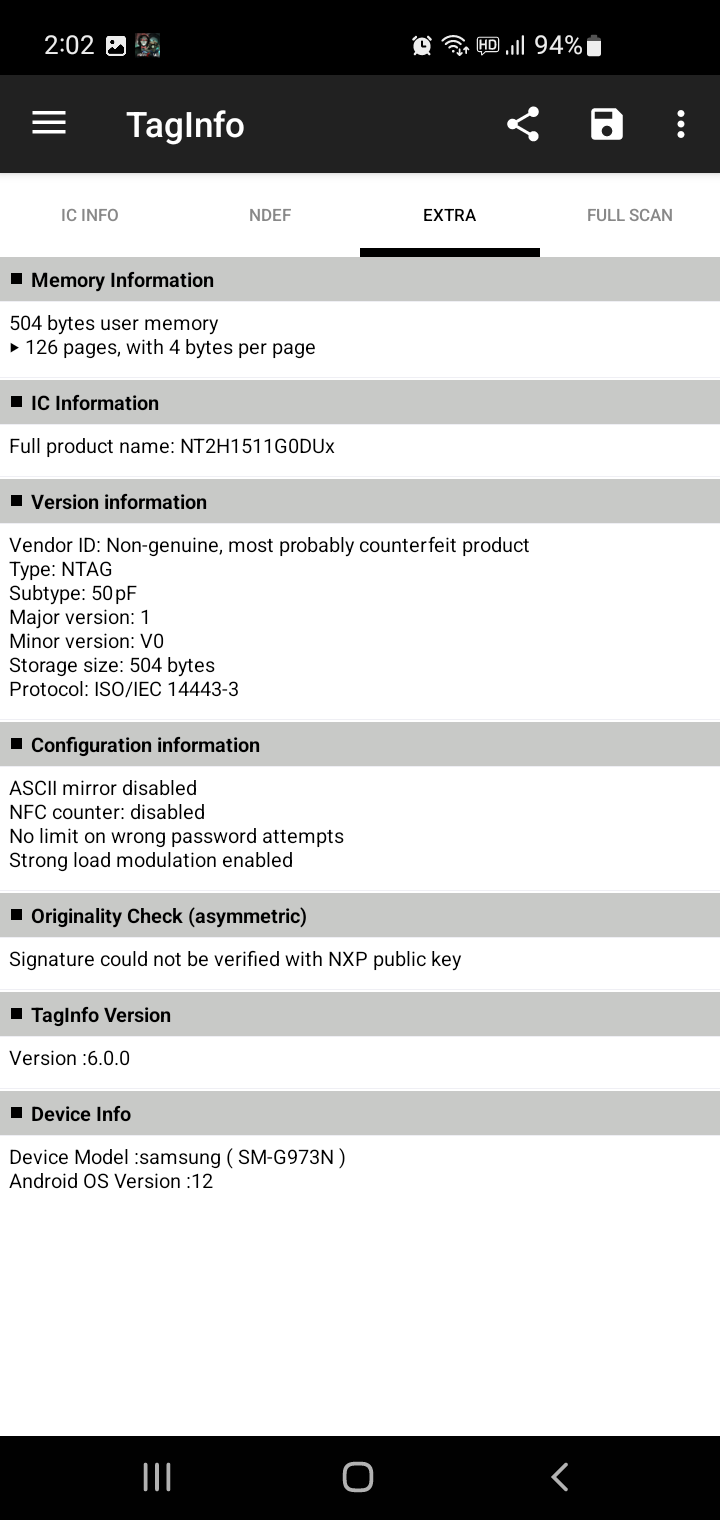
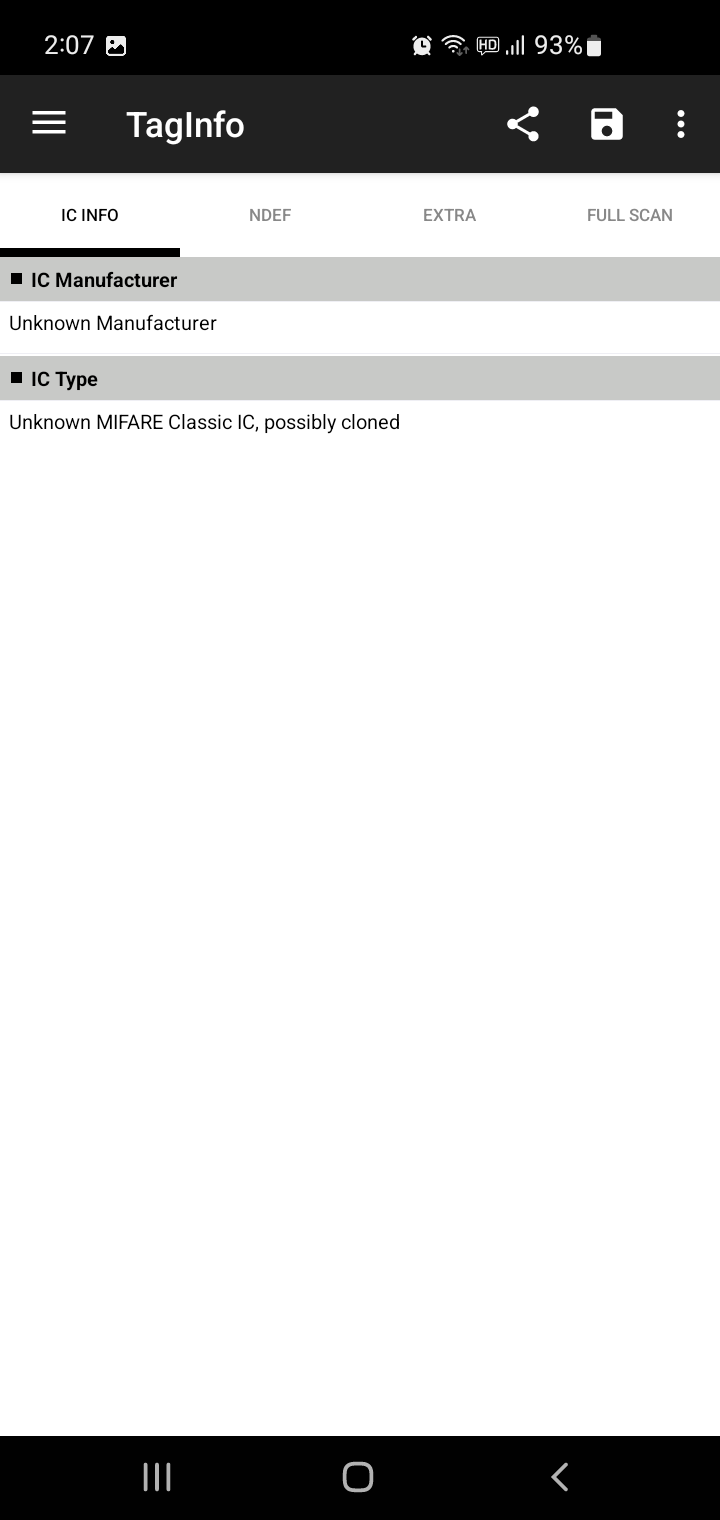
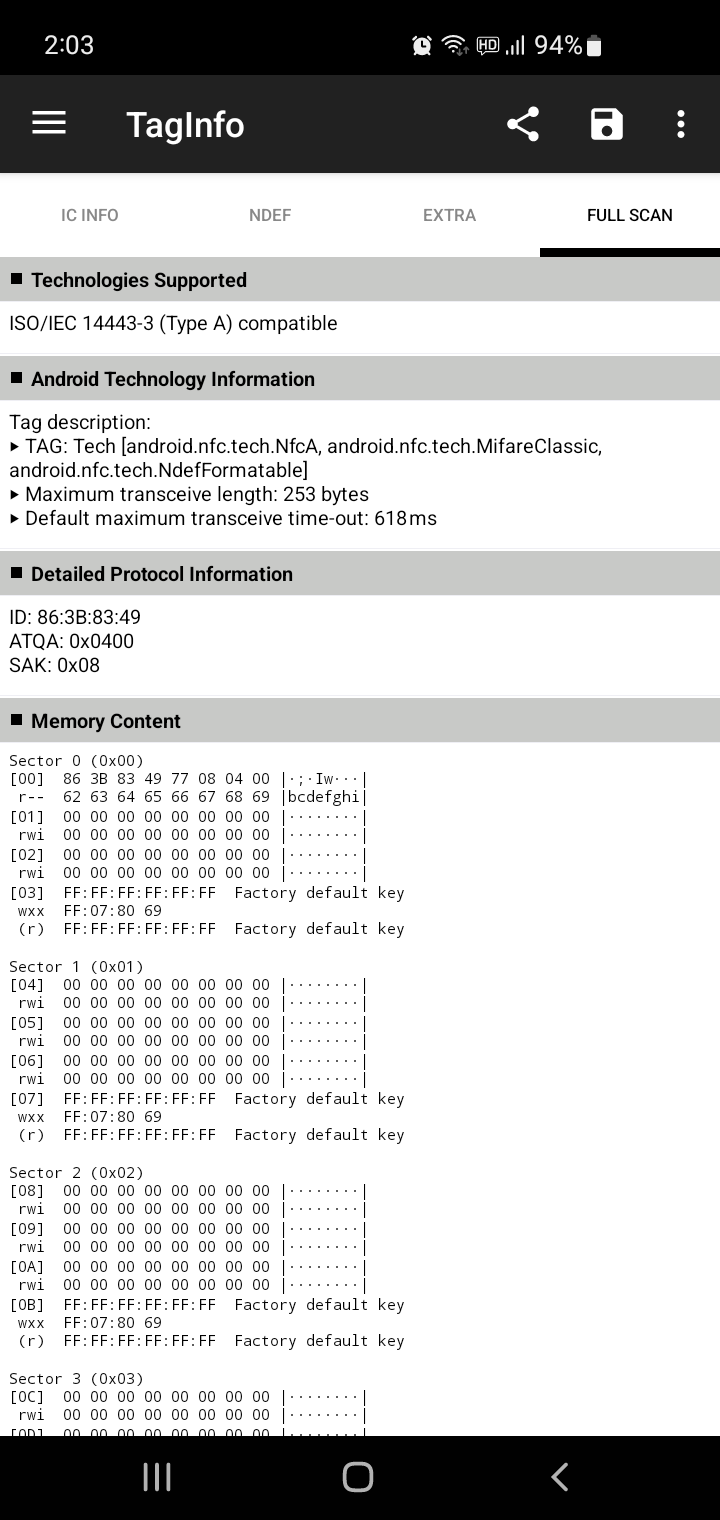
회사에서 RFID 카드 읽을일이 있어서 해보려는데 재료(?)가 없어서 구매!

회사에 올리면 귀찮으니 걍 지름!


'하드웨어 > rfid_nfc_smartcard' 카테고리의 다른 글

"smart card resource manager is not running"  (0) 2025.02.18
acr1252u 스마트 카드 리더  (0) 2025.02.18
libpcsclite 라이브러리  (0) 2025.02.14
rfid, smart card reader  (0) 2025.02.12
ubunut smart card 읽기  (0) 2025.02.12
Posted by 구차니

pcsc_scan 프로그램에서 정체를(?) 알 수 없는 함수들이 있어서 찾아보는데

libpcsclite 쪽 거였다. 별다르게 include 하는 것도 없어 보였는데 wincard.h 가 그거였던 듯..

그나저나 이름이나 변수타입 등등 윈도우 버전을 거의 그대로 옮긴 느낌이 강하네..


API 목록

$ readelf -a libpcsclite.so.1.0.0
The decoding of unwind sections for machine type AArch64 is not currently supported.

Symbol table '.dynsym' contains 77 entries:
   Num:    Value          Size Type    Bind   Vis      Ndx Name
     0: 0000000000000000     0 NOTYPE  LOCAL  DEFAULT  UND 
     1: 0000000000001638     0 SECTION LOCAL  DEFAULT   10 .init
     2: 000000000001b000     0 SECTION LOCAL  DEFAULT   22 .data
     3: 0000000000000000     0 FUNC    GLOBAL DEFAULT  UND memcpy@GLIBC_2.17 (2)
     4: 0000000000000000     0 FUNC    GLOBAL DEFAULT  UND strlen@GLIBC_2.17 (2)
     5: 0000000000000000     0 NOTYPE  WEAK   DEFAULT  UND _ITM_deregisterT[...]
     6: 0000000000000000     0 FUNC    WEAK   DEFAULT  UND _[...]@GLIBC_2.17 (2)
     7: 0000000000000000     0 FUNC    GLOBAL DEFAULT  UND p[...]@GLIBC_2.17 (2)
     8: 0000000000000000     0 OBJECT  GLOBAL DEFAULT  UND stderr@GLIBC_2.17 (2)
     9: 0000000000000000     0 FUNC    GLOBAL DEFAULT  UND kill@GLIBC_2.17 (2)
    10: 0000000000000000     0 FUNC    GLOBAL DEFAULT  UND fileno@GLIBC_2.17 (2)
    11: 0000000000000000     0 FUNC    GLOBAL DEFAULT  UND _[...]@GLIBC_2.17 (2)
    12: 0000000000000000     0 FUNC    GLOBAL DEFAULT  UND _[...]@GLIBC_2.17 (2)
    13: 0000000000000000     0 FUNC    GLOBAL DEFAULT  UND _[...]@GLIBC_2.17 (2)
    14: 0000000000000000     0 FUNC    GLOBAL DEFAULT  UND time@GLIBC_2.17 (2)
    15: 0000000000000000     0 FUNC    GLOBAL DEFAULT  UND malloc@GLIBC_2.17 (2)
    16: 0000000000000000     0 FUNC    GLOBAL DEFAULT  UND open@GLIBC_2.17 (2)
    17: 0000000000000000     0 FUNC    GLOBAL DEFAULT  UND poll@GLIBC_2.17 (2)
    18: 0000000000000000     0 FUNC    GLOBAL DEFAULT  UND p[...]@GLIBC_2.17 (2)
    19: 0000000000000000     0 FUNC    GLOBAL DEFAULT  UND memset@GLIBC_2.17 (2)
    20: 0000000000000000     0 FUNC    GLOBAL DEFAULT  UND g[...]@GLIBC_2.17 (2)
    21: 0000000000000000     0 FUNC    GLOBAL DEFAULT  UND p[...]@GLIBC_2.17 (2)
    22: 0000000000000000     0 FUNC    GLOBAL DEFAULT  UND s[...]@GLIBC_2.17 (2)
    23: 0000000000000000     0 FUNC    GLOBAL DEFAULT  UND rand@GLIBC_2.17 (2)
    24: 0000000000000000     0 FUNC    GLOBAL DEFAULT  UND strdup@GLIBC_2.17 (2)
    25: 0000000000000000     0 FUNC    GLOBAL DEFAULT  UND s[...]@GLIBC_2.17 (2)
    26: 0000000000000000     0 FUNC    GLOBAL DEFAULT  UND _[...]@GLIBC_2.17 (2)
    27: 0000000000000000     0 FUNC    GLOBAL DEFAULT  UND p[...]@GLIBC_2.17 (2)
    28: 0000000000000000     0 FUNC    GLOBAL DEFAULT  UND close@GLIBC_2.17 (2)
    29: 0000000000000000     0 NOTYPE  WEAK   DEFAULT  UND __gmon_start__
    30: 0000000000000000     0 FUNC    GLOBAL DEFAULT  UND stat@GLIBC_2.33 (3)
    31: 0000000000000000     0 OBJECT  GLOBAL DEFAULT  UND _[...]@GLIBC_2.17 (4)
    32: 0000000000000000     0 FUNC    GLOBAL DEFAULT  UND _[...]@GLIBC_2.17 (2)
    33: 0000000000000000     0 FUNC    GLOBAL DEFAULT  UND strcmp@GLIBC_2.17 (2)
    34: 0000000000000000     0 FUNC    GLOBAL DEFAULT  UND strtol@GLIBC_2.17 (2)
    35: 0000000000000000     0 FUNC    GLOBAL DEFAULT  UND free@GLIBC_2.17 (2)
    36: 0000000000000000     0 FUNC    GLOBAL DEFAULT  UND n[...]@GLIBC_2.17 (2)
    37: 0000000000000000     0 FUNC    GLOBAL DEFAULT  UND send@GLIBC_2.17 (2)
    38: 0000000000000000     0 FUNC    GLOBAL DEFAULT  UND c[...]@GLIBC_2.17 (2)
    39: 0000000000000000     0 FUNC    GLOBAL DEFAULT  UND p[...]@GLIBC_2.34 (5)
    40: 0000000000000000     0 FUNC    GLOBAL DEFAULT  UND fcntl@GLIBC_2.17 (2)
    41: 0000000000000000     0 FUNC    GLOBAL DEFAULT  UND socket@GLIBC_2.17 (2)
    42: 0000000000000000     0 FUNC    GLOBAL DEFAULT  UND p[...]@GLIBC_2.17 (2)
    43: 0000000000000000     0 FUNC    GLOBAL DEFAULT  UND strcpy@GLIBC_2.17 (2)
    44: 0000000000000000     0 FUNC    GLOBAL DEFAULT  UND read@GLIBC_2.17 (2)
    45: 0000000000000000     0 FUNC    GLOBAL DEFAULT  UND isatty@GLIBC_2.17 (2)
    46: 0000000000000000     0 FUNC    GLOBAL DEFAULT  UND srand@GLIBC_2.17 (2)
    47: 0000000000000000     0 FUNC    GLOBAL DEFAULT  UND s[...]@GLIBC_2.17 (2)
    48: 0000000000000000     0 NOTYPE  WEAK   DEFAULT  UND _ITM_registerTMC[...]
    49: 0000000000000000     0 FUNC    GLOBAL DEFAULT  UND _[...]@GLIBC_2.17 (2)
    50: 0000000000000000     0 FUNC    GLOBAL DEFAULT  UND getenv@GLIBC_2.17 (2)
    51: 0000000000000000     0 FUNC    GLOBAL DEFAULT  UND p[...]@GLIBC_2.17 (2)
    52: 0000000000000000     0 FUNC    GLOBAL DEFAULT  UND p[...]@GLIBC_2.17 (2)
    53: 0000000000000000     0 FUNC    GLOBAL DEFAULT  UND p[...]@GLIBC_2.34 (5)
    54: 0000000000000000     0 FUNC    GLOBAL DEFAULT  UND p[...]@GLIBC_2.34 (5)
    55: 0000000000004170   196 FUNC    GLOBAL DEFAULT   12 SCardGetAttrib
    56: 0000000000004990   324 FUNC    GLOBAL DEFAULT   12 SCardCancel
    57: 0000000000004ad4   160 FUNC    GLOBAL DEFAULT   12 SCardIsValidContext
    58: 00000000000027a0   608 FUNC    GLOBAL DEFAULT   12 SCardConnect
    59: 0000000000003f90   472 FUNC    GLOBAL DEFAULT   12 SCardControl
    60: 0000000000004234    80 FUNC    GLOBAL DEFAULT   12 SCardSetAttrib
    61: 0000000000002db0   416 FUNC    GLOBAL DEFAULT   12 SCardBeginTransaction
    62: 0000000000003094  1168 FUNC    GLOBAL DEFAULT   12 SCardStatus
    63: 0000000000008478    16 OBJECT  GLOBAL DEFAULT   14 g_rgSCardT0Pci
    64: 0000000000002a00   488 FUNC    GLOBAL DEFAULT   12 SCardReconnect
    65: 0000000000004560   548 FUNC    GLOBAL DEFAULT   12 SCardListReaders
    66: 0000000000008458    16 OBJECT  GLOBAL DEFAULT   14 g_rgSCardRawPci
    67: 0000000000004834   348 FUNC    GLOBAL DEFAULT   12 SCardListReaderGroups
    68: 0000000000002bf0   448 FUNC    GLOBAL DEFAULT   12 SCardDisconnect
    69: 0000000000003524  2668 FUNC    GLOBAL DEFAULT   12 SCardGetStatusChange
    70: 0000000000004784   176 FUNC    GLOBAL DEFAULT   12 SCardFreeMemory
    71: 0000000000002540   600 FUNC    GLOBAL DEFAULT   12 SCardReleaseContext
    72: 0000000000008468    16 OBJECT  GLOBAL DEFAULT   14 g_rgSCardT1Pci
    73: 0000000000004284   724 FUNC    GLOBAL DEFAULT   12 SCardTransmit
    74: 0000000000001d40   832 FUNC    GLOBAL DEFAULT   12 pcsc_stringify_error
    75: 0000000000004c30  1120 FUNC    GLOBAL DEFAULT   12 SCardEstablishContext
    76: 0000000000002f50   324 FUNC    GLOBAL DEFAULT   12 SCardEndTransaction

[링크 : https://pcsclite.apdu.fr/api/group__API.html]


+

리더기에 다이렉트로 붙이려면 SCARD_SHARE_DIRECT로 해서 명령을 보내라는데...

(난 카드의 시리얼을 받고 싶었고, 이 글은 리더기의 시리얼을 받고 싶어하고)

You should be using:

lReturn = SCardConnect(hResManager,szAvailRdr,SCARD_SHARE_SHARED,
                            SCARD_PROTOCOL_T1,
                            &hCardHandle,
                            &dwActProtocol);
Instead, try using:

lReturn = SCardConnect(hResManager,szAvailRdr,SCARD_SHARE_DIRECT,
                      NULL,
                      &hCardHandle,
                      NULL);
where szAvailRdr refers to the reader name (smartcard readername) and hCardHandle is a handle obtained before using scardconnect.

This should keep you going!

[링크 : https://stackoverflow.com/questions/6940824/getting-pcsc-reader-serial-number-with-winscard]


sector / block 개념으로 1k 데이터를 쓸수 있다고.

그러면 serial은 어디서 빼내지?

[링크 : https://you-rang.tistory.com/243]

[링크 : https://blog.naver.com/intopion/221613937290]

'하드웨어 > rfid_nfc_smartcard' 카테고리의 다른 글

acr1252u 스마트 카드 리더  (0) 2025.02.18
아내 몰래(?) 회사 몰래 지르기  (0) 2025.02.14
rfid, smart card reader  (0) 2025.02.12
ubunut smart card 읽기  (0) 2025.02.12
ATR (Answer To Reset)  (0) 2025.02.12
Posted by 구차니

usb input device로 뜨는 놈도 있나 본데.. 내가 가지건 그렇게 뜨진 않는다

[링크 : https://stackoverflow.com/questions/41071272/linux-command-to-read-rfid-usb-port]

[링크 : https://m.blog.naver.com/bitekrfid/222666545778]


안드로이드 앱에서 데이터 쓰는건 어디로 들어가려나?

이 기사에서는 DS9908R/DS9808R(RFID)이 EPC Class 1 Gen 2를 읽거나 쓸 수 있다고 명시하고 있습니다. EPC Gen2 V2; ISO-18000-63 RFID 태그. 기본적으로 HID 모드에서 EPC 메모리 뱅크 데이터를 읽을 수 있습니다. 그러나 HID 모드에서는 TID/USER/RESERVED 메모리 뱅크 데이터를 읽을 수 없습니다.

[링크 : https://supportcommunity.zebra.com/s/article/DS9908R-Reading-a-Gen2-RFID-Tag-User-Bank-Memory?language=ko]

'하드웨어 > rfid_nfc_smartcard' 카테고리의 다른 글

아내 몰래(?) 회사 몰래 지르기  (0) 2025.02.14
libpcsclite 라이브러리  (0) 2025.02.14
ubunut smart card 읽기  (0) 2025.02.12
ATR (Answer To Reset)  (0) 2025.02.12
rfid 12.5M / 125k  (0) 2024.07.25
Posted by 구차니

pcscd 를 설치하고

pcsc_scan 를 사용해서 읽으면 되는데

$ sudo apt-get install pcsc-tools


안드로이드의 NFC 리더 처럼 여러가지 값을 읽진 못한다.

USB 타입의 SC point 사 ACR1252U 라는 리더이고, 리눅스에서 꽂으면 다음과 같이 메시지가 나온다.

$ dmesg
[197861.911706] usb 1-2: new full-speed USB device number 13 using xhci_hcd
[197862.039152] usb 1-2: not running at top speed; connect to a high speed hub
[197862.040341] usb 1-2: New USB device found, idVendor=072f, idProduct=223b, bcdDevice= 1.11
[197862.040359] usb 1-2: New USB device strings: Mfr=1, Product=2, SerialNumber=0
[197862.040366] usb 1-2: Product: ACR1252 Dual Reader
[197862.040371] usb 1-2: Manufacturer: ACS


$ lsusb -t -v
/:  Bus 01.Port 1: Dev 1, Class=root_hub, Driver=xhci_hcd/12p, 480M
    ID 1d6b:0002 Linux Foundation 2.0 root hub
    |__ Port 1: Dev 2, If 0, Class=, Driver=, 12M
        ID 2109:0103 VIA Labs, Inc. 
    |__ Port 2: Dev 15, If 0, Class=Chip/SmartCard, Driver=usbfs, 12M
        ID 072f:223b Advanced Card Systems, Ltd 
    |__ Port 2: Dev 15, If 1, Class=Chip/SmartCard, Driver=usbfs, 12M
        ID 072f:223b Advanced Card Systems, Ltd 

[링크 : https://www.scpoint.co.kr/bbs/board.php?bo_table=s3_1_2&wr_id=58]


RFID 태그를 읽어보는데 ATR 이라는 것만 좀 나오고

별다른 상세 정보가 보이진 않는다. 특이(?)한 것 가져가 대면 뜨고, 떼면 removed 라고 인식된다는 점

$ pcsc_scan 
Using reader plug'n play mechanism
Scanning present readers...
Waiting for the first reader... found one
Scanning present readers...
0: ACS ACR1252 Dual Reader [ACR1252 Dual Reader PICC] 00 00
 
Wed Feb 12 16:51:00 2025
 Reader 0: ACS ACR1252 Dual Reader [ACR1252 Dual Reader PICC] 00 00
  Event number: 0
  Card state: Card removed, 
   
Wed Feb 12 16:51:01 2025
 Reader 0: ACS ACR1252 Dual Reader [ACR1252 Dual Reader PICC] 00 00
  Event number: 1
  Card state: Card inserted, 
  ATR: 3B 81 80 01 80 80

ATR: 3B 81 80 01 80 80
+ TS = 3B --> Direct Convention
+ T0 = 81, Y(1): 1000, K: 1 (historical bytes)
  TD(1) = 80 --> Y(i+1) = 1000, Protocol T = 0 
-----
  TD(2) = 01 --> Y(i+1) = 0000, Protocol T = 1 
-----
+ Historical bytes: 80
  Category indicator byte: 80 (compact TLV data object)
+ TCK = 80 (correct checksum)

Possibly identified card (using /usr/share/pcsc/smartcard_list.txt):
3B 81 80 01 80 80
RFID - ISO 14443 Type A - NXP DESFire or DESFire EV1 or EV2
"Reiner LoginCard" (or "OWOK", how they name it) - they have been distributed by a german computer magazine ("Computer BILD")
https://cardlogin.reiner-sct.com/
Belgium A-kaart (Antwerp citycard)
Oyster card - Transport for London (second-gen "D")
https://en.wikipedia.org/wiki/Oyster_card
Kaba Legic Advant 4k
Sydney Opal card public transport ticket (Transport)
https://www.opal.com.au
TH Köln (University of Applied Sciences Cologne) - Student Identity Card
https://www.th-koeln.de/en/academics/multica_5893.php
German red cross blood donation service
http://www.blutspende-nordost.de/
Greater Toronto/Hamilton/Ottawa PRESTO contactless fare card
http://en.wikipedia.org/wiki/Presto_card
Electic vehicle charging card of the EMSP EnBW Energie Baden-Württemberg AG, Tarif ADAC e-Charge, Germany
   
Wed Feb 12 16:51:02 2025
 Reader 0: ACS ACR1252 Dual Reader [ACR1252 Dual Reader PICC] 00 00
  Event number: 2
  Card state: Card removed, 


교통카드 읽어보는데 아래처럼 나온다.

$ pcsc_scan 
Using reader plug'n play mechanism
Scanning present readers...
0: ACS ACR1252 Dual Reader [ACR1252 Dual Reader PICC] 00 00
1: ACS ACR1252 Dual Reader [ACR1252 Dual Reader SAM] 01 00
 
Wed Feb 12 16:52:15 2025
 Reader 0: ACS ACR1252 Dual Reader [ACR1252 Dual Reader PICC] 00 00
  Event number: 0
  Card state: Card removed, 
 Reader 1: ACS ACR1252 Dual Reader [ACR1252 Dual Reader SAM] 01 00
  Event number: 0
  Card state: Card removed, 
   
Wed Feb 12 16:52:16 2025
 Reader 0: ACS ACR1252 Dual Reader [ACR1252 Dual Reader PICC] 00 00
  Event number: 1
  Card state: Card inserted, 
  ATR: 3B 8F 80 01 80 4F 0C A0 00 00 03 06 03 00 01 00 00 00 00 6A

ATR: 3B 8F 80 01 80 4F 0C A0 00 00 03 06 03 00 01 00 00 00 00 6A
+ TS = 3B --> Direct Convention
+ T0 = 8F, Y(1): 1000, K: 15 (historical bytes)
  TD(1) = 80 --> Y(i+1) = 1000, Protocol T = 0 
-----
  TD(2) = 01 --> Y(i+1) = 0000, Protocol T = 1 
-----
+ Historical bytes: 80 4F 0C A0 00 00 03 06 03 00 01 00 00 00 00
  Category indicator byte: 80 (compact TLV data object)
    Tag: 4, len: F (initial access data)
      Initial access data: 0C A0 00 00 03 06 03 00 01 00 00 00 00
+ TCK = 6A (correct checksum)

Possibly identified card (using /usr/share/pcsc/smartcard_list.txt):
3B 8F 80 01 80 4F 0C A0 00 00 03 06 03 00 01 00 00 00 00 6A
3B 8F 80 01 80 4F 0C A0 00 00 03 06 .. 00 01 00 00 00 00 ..
MIFARE Classic 1K (as per PCSC std part3)
3B 8F 80 01 80 4F 0C A0 00 00 03 06 03 00 01 00 00 00 00 6A
3B 8F 80 01 80 4F 0C A0 00 00 03 06 03 .. .. 00 00 00 00 ..
RFID - ISO 14443 Type A Part 3 (as per PCSC std part3)
3B 8F 80 01 80 4F 0C A0 00 00 03 06 03 00 01 00 00 00 00 6A
NXP/Philips MIFARE Classic 1K (as per PCSC std part3)
http://www.nxp.com/#/pip/pip=[pfp=41863]|pp=[t=pfp,i=41863]
Oyster card - Transport for London (first-gen)
https://en.wikipedia.org/wiki/Oyster_card
ACOS5/1k Mirfare
vivotech ViVOcard Contactless Test Card
Bangkok BTS Sky SmartPass
Mifare Classic 1K (block 0 re-writeable)
Electic vehicle charging card of the German Telekom, acting as EMSP GetCharge
Electic vehicle charging card of the EMSP Stadtwerke Muenchen (SWM), ladenetz.de, Germany
Electic vehicle charging card of the EMSP EinfachStromLaden of Maingau-Energie, Germany
Scouter carsharing customer card in Germany
https://scouter.de/
   
Wed Feb 12 16:52:17 2025
 Reader 0: ACS ACR1252 Dual Reader [ACR1252 Dual Reader PICC] 00 00
  Event number: 2
  Card state: Card removed, 


'하드웨어 > rfid_nfc_smartcard' 카테고리의 다른 글

libpcsclite 라이브러리  (0) 2025.02.14
rfid, smart card reader  (0) 2025.02.12
ATR (Answer To Reset)  (0) 2025.02.12
rfid 12.5M / 125k  (0) 2024.07.25
의약품 RFID  (2) 2023.09.12
Posted by 구차니