antigravity 가라사대~
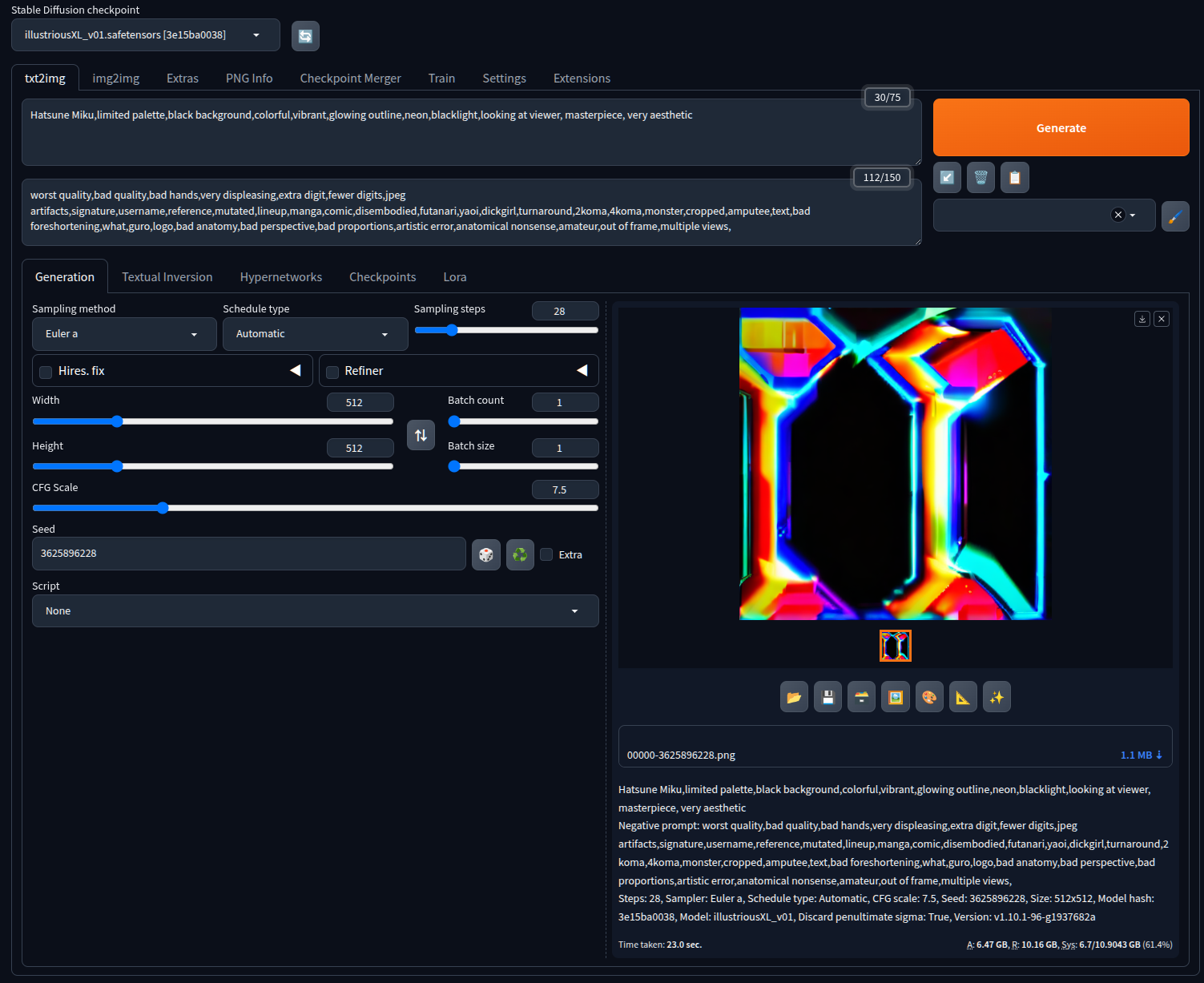
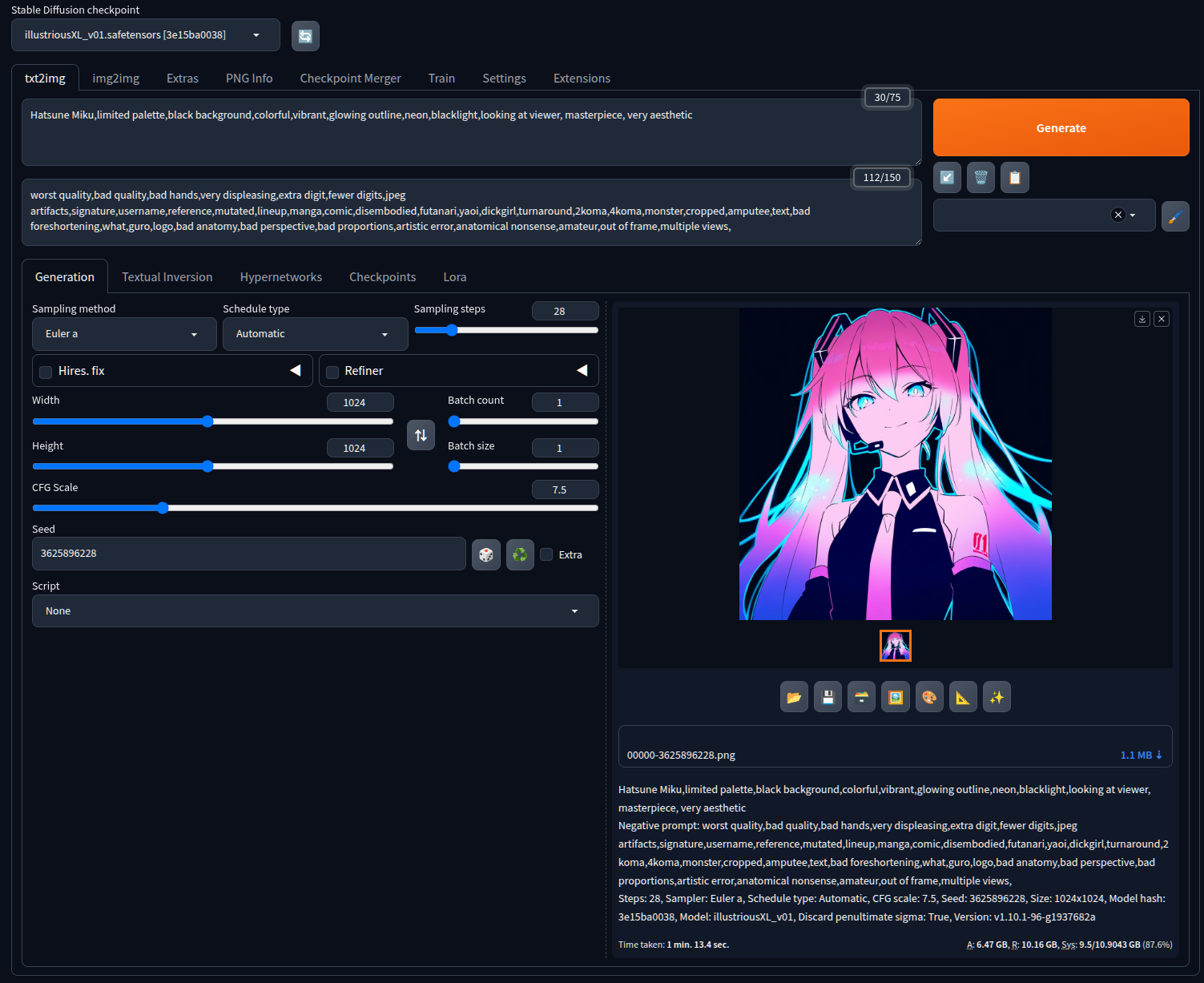
512x 512에서 1024x1024로 바꾸란다.
왜 되지?!?!
| 1. 해상도 (Resolution) 변경 🌟 (가장 중요) SD 1.5는 기본적으로 512x512 해상도로 학습되었습니다. SDXL은 1024x1024 기반으로 학습되었습니다. SDXL에서 512x512로 생성하면 이미지가 깨지거나 노이즈 덩어리처럼 나오게 됩니다. 변경: width와 height를 1024로 변경하거나, 원하는 비율에 맞춰 SDXL 권장 해상도(예: 832x1216, 1152x896 등)로 변경해야 합니다. 2. CFG Scale (분류기 자유도) 하향 현재 코드에 설정된 cfg_scale: 15 (img2img는 30)는 SD 1.5에서도 꽤 높은 편이지만, SDXL에서는 너무 높은 수치입니다. CFG가 너무 높으면 색감이 타고 이미지가 일그러집니다. 변경: SDXL은 프롬프트 이해력이 뛰어나므로 cfg_scale을 5.0 ~ 7.0 사이로 낮추는 것이 좋습니다. 3. 네거티브 프롬프트 (선택 사항) SDXL (특히 파생 모델들)은 SD 1.5만큼 복잡하고 긴 네거티브 프롬프트나 Embedding(EasyNegative 등)에 크게 의존하지 않습니다. 오히려 너무 무거운 네거티브 프롬프트는 생성을 방해할 수 있습니다. 현재 코드에 있는 base_neg 정도면 나쁘지 않으나, 필요하다면 줄일 수 있습니다. (우선은 그대로 두셔도 무방합니다.) |
512x512 생성 실패, VAE automatic 설정
1024x1024 생성 성공, VAE automatic 설정
----

API • GitHub • Gradio • Startup profile • Reload UI
version: v1.10.1-96-g1937682a • python: 3.10.12 • torch: 2.1.2+cu121 • xformers: N/A • gradio: 3.41.2 • checkpoint: 6ce0161689
[링크 : https://civitai.com/models/795765/illustrious-xl]
[링크 : https://huggingface.co/OnomaAIResearch/Illustrious-xl-early-release-v0/tree/main]
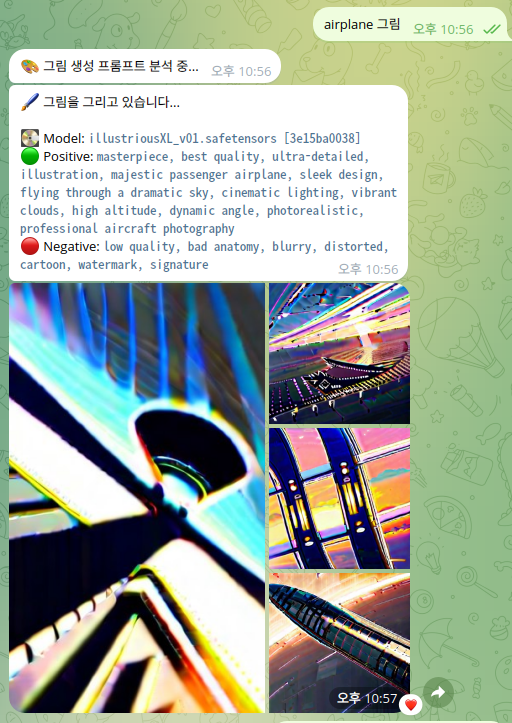
illustriousXL 모델로 하면 이상하게 나오는데
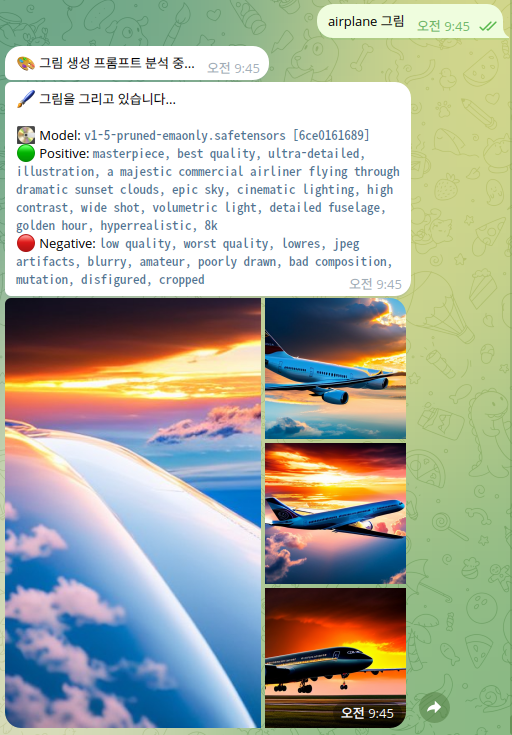
처음에 해봤던 V1.5 emanoly는 정상적으로 잘 나온다.(물론 이상한 비행기 형태인건 여전하지만)
|
There's not much to it. The SDXL models work similar to other models. They are just more resource intensive.
Update your A1111 installation. I find it easiest to just run "git pull" from a command line. Then download an SDXL model and VAE and put them with your other SD models. (The official SDXL release consists of a base model and a refiner but most people don't seem to bother with refiners.) If your graphics card has less than 12 GB VRAM, then add the "--medvram-sdxl" argument. Don't expect your 1.5 prompts to perform well with SDXL. You'll need to relearn how to write good prompts. Go to Civitai, grab a model that you like, look at the example images and study their prompts and settings. SDXL works best at around 1024×1024 pixels. |
[링크 : https://www.reddit.com/r/StableDiffusion/comments/1bwidjg/updated_guide_on_how_to_run_sdxl_on_a1111/]
[링크 : https://huggingface.co/stabilityai/sdxl-vae]
| /mnt/Downloads/stable-diffusion-webui/models$ ls -alR VAE* VAE: total 8 drwxrwxr-x 2 falinux falinux 4096 5월 4 21:38 . drwxrwxr-x 11 falinux falinux 4096 5월 4 21:51 .. -rw-rw-r-- 1 falinux falinux 0 5월 4 21:38 'Put VAE here.txt' VAE-approx: total 432 drwxrwxr-x 2 falinux falinux 4096 5월 6 21:57 . drwxrwxr-x 11 falinux falinux 4096 5월 4 21:51 .. -rw-rw-r-- 1 falinux falinux 213777 5월 4 21:38 model.pt -rw-rw-r-- 1 falinux falinux 213777 5월 6 21:57 vaeapprox-sdxl.pt |
| $ cat /mnt/Downloads/stable-diffusion-webui/repositories/generative-models/configs/inference/sd_xl_base.yamlml model: target: sgm.models.diffusion.DiffusionEngine params: scale_factor: 0.13025 disable_first_stage_autocast: True denoiser_config: target: sgm.modules.diffusionmodules.denoiser.DiscreteDenoiser params: num_idx: 1000 weighting_config: target: sgm.modules.diffusionmodules.denoiser_weighting.EpsWeighting scaling_config: target: sgm.modules.diffusionmodules.denoiser_scaling.EpsScaling discretization_config: target: sgm.modules.diffusionmodules.discretizer.LegacyDDPMDiscretization network_config: target: sgm.modules.diffusionmodules.openaimodel.UNetModel params: adm_in_channels: 2816 num_classes: sequential use_checkpoint: True in_channels: 4 out_channels: 4 model_channels: 320 attention_resolutions: [4, 2] num_res_blocks: 2 channel_mult: [1, 2, 4] num_head_channels: 64 use_spatial_transformer: True use_linear_in_transformer: True transformer_depth: [1, 2, 10] # note: the first is unused (due to attn_res starting at 2) 32, 16, 8 --> 64, 32, 16 context_dim: 2048 spatial_transformer_attn_type: softmax-xformers legacy: False conditioner_config: target: sgm.modules.GeneralConditioner params: emb_models: # crossattn cond - is_trainable: False input_key: txt target: sgm.modules.encoders.modules.FrozenCLIPEmbedder params: layer: hidden layer_idx: 11 # crossattn and vector cond - is_trainable: False input_key: txt target: sgm.modules.encoders.modules.FrozenOpenCLIPEmbedder2 params: arch: ViT-bigG-14 version: laion2b_s39b_b160k freeze: True layer: penultimate always_return_pooled: True legacy: False # vector cond - is_trainable: False input_key: original_size_as_tuple target: sgm.modules.encoders.modules.ConcatTimestepEmbedderND params: outdim: 256 # multiplied by two # vector cond - is_trainable: False input_key: crop_coords_top_left target: sgm.modules.encoders.modules.ConcatTimestepEmbedderND params: outdim: 256 # multiplied by two # vector cond - is_trainable: False input_key: target_size_as_tuple target: sgm.modules.encoders.modules.ConcatTimestepEmbedderND params: outdim: 256 # multiplied by two first_stage_config: target: sgm.models.autoencoder.AutoencoderKLInferenceWrapper params: embed_dim: 4 monitor: val/rec_loss ddconfig: attn_type: vanilla-xformers double_z: true z_channels: 4 resolution: 256 in_channels: 3 out_ch: 3 ch: 128 ch_mult: [1, 2, 4, 4] num_res_blocks: 2 attn_resolutions: [] dropout: 0.0 lossconfig: target: torch.nn.Identity |
SD VAE 에서 refresh 하고
sdxl_vae.safetensors 를 선택하고 apply settings 해준 후
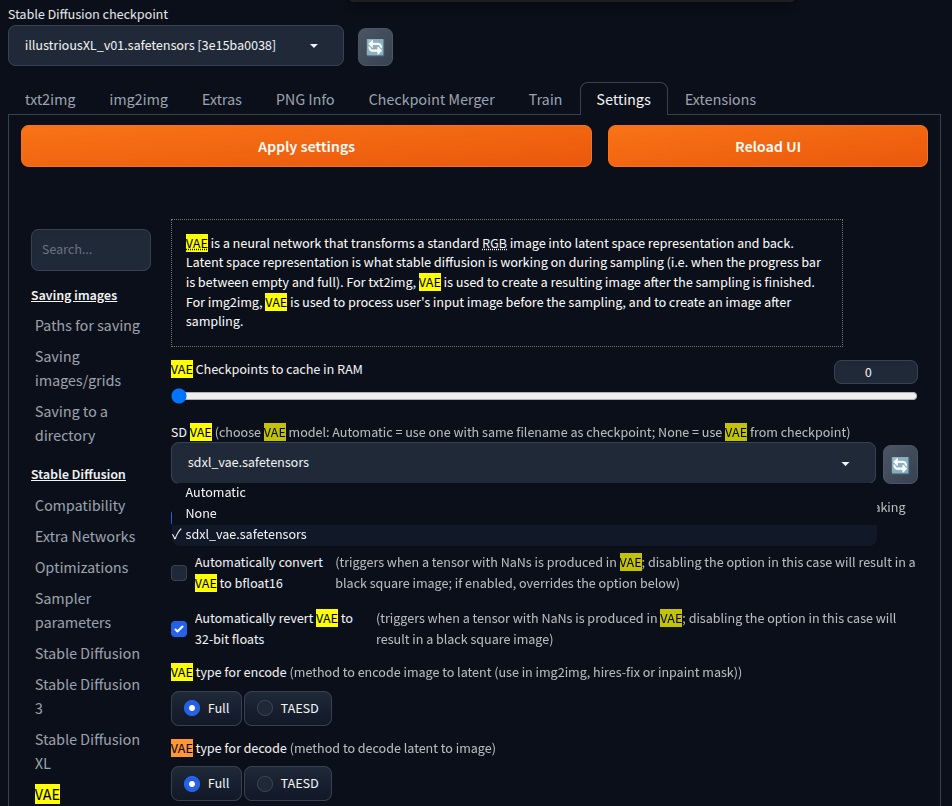
그리기 시도하니 얼추 비슷... 한건가?
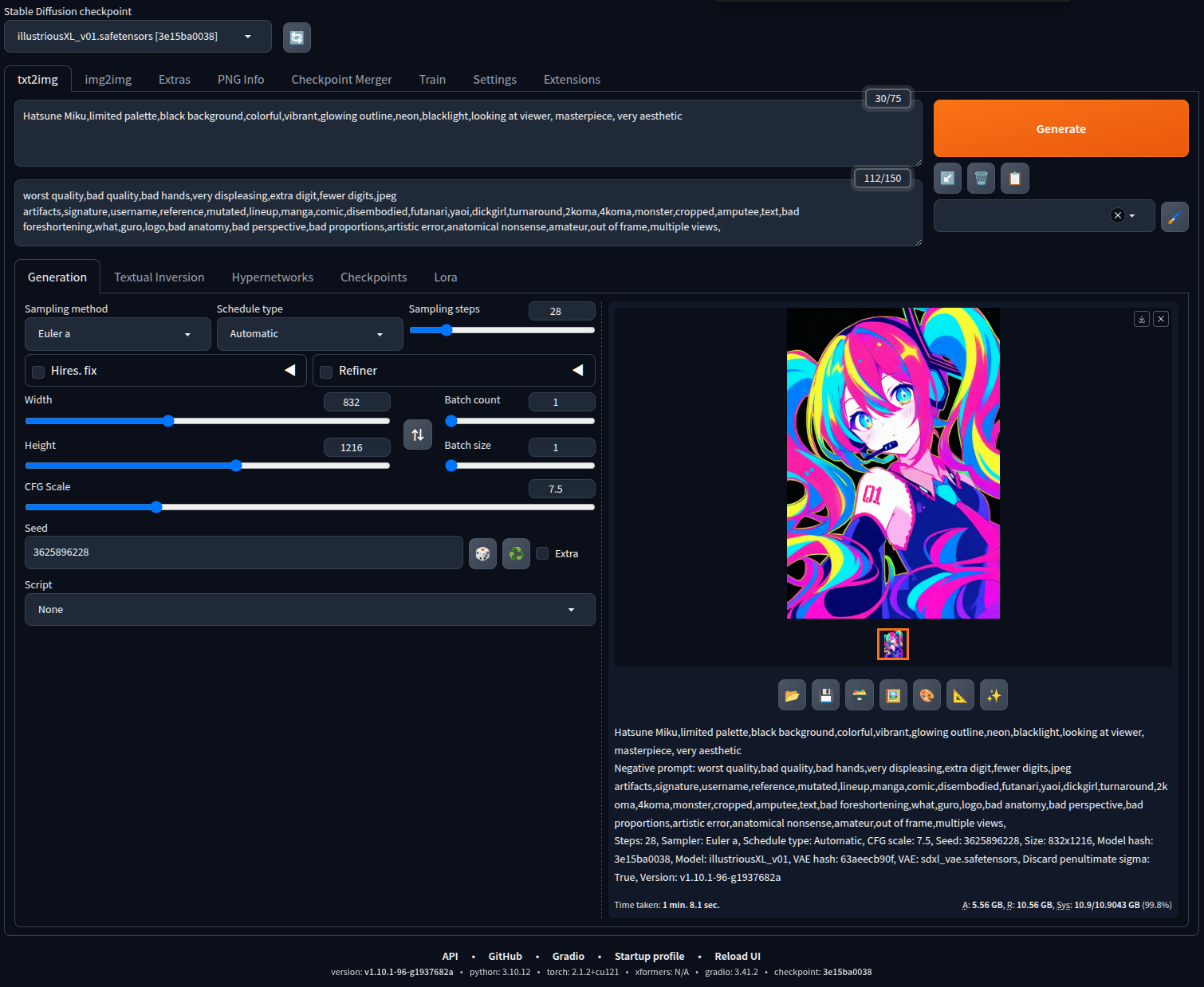
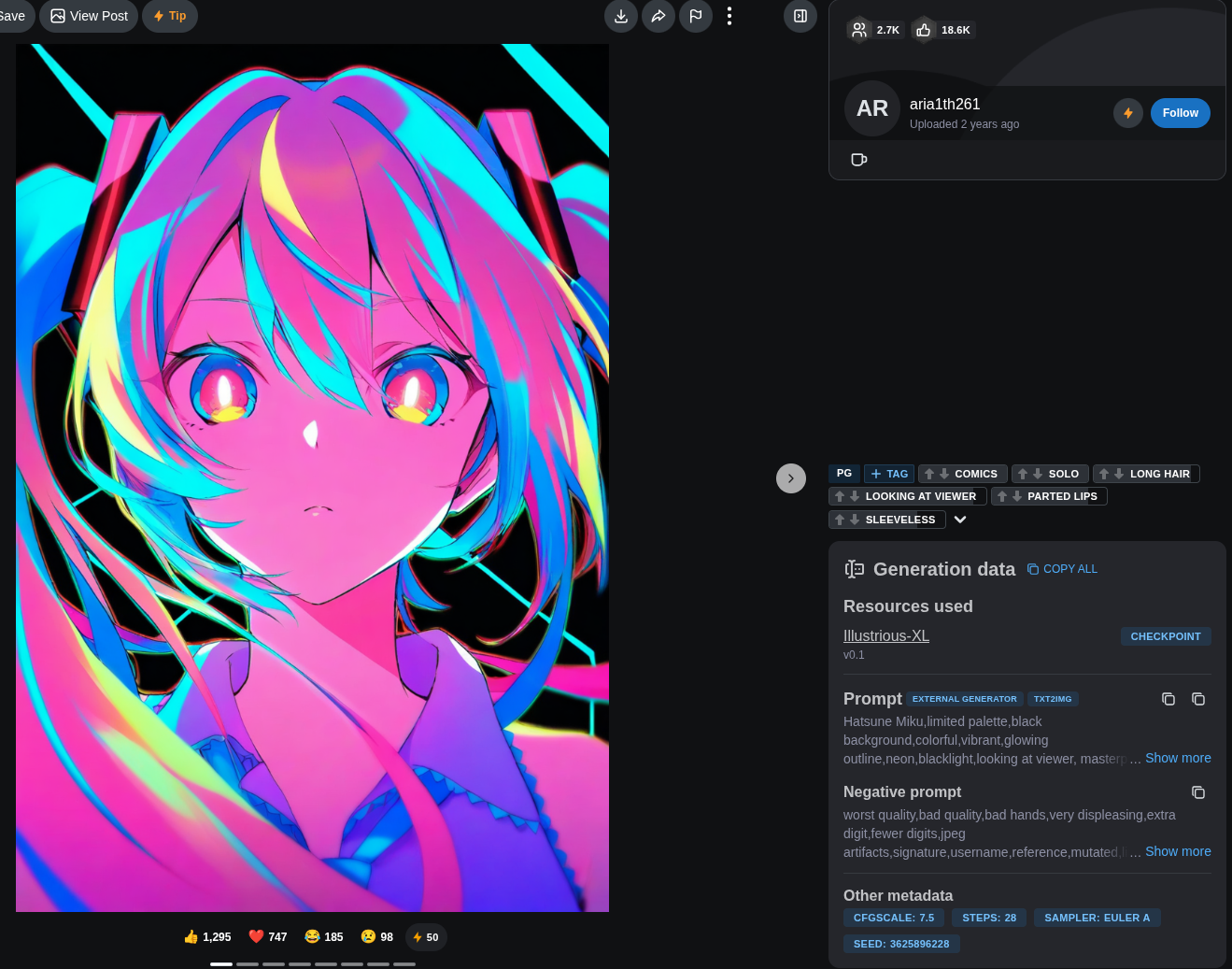
원래는 이런 이미지
|
Hatsune Miku,limited palette,black background,colorful,vibrant,glowing outline,neon,blacklight,looking at viewer, masterpiece, very aesthetic Negative prompt: worst quality,bad quality,bad hands,very displeasing,extra digit,fewer digits,jpeg artifacts,signature,username,reference,mutated,lineup,manga,comic,disembodied,futanari,yaoi,dickgirl,turnaround,2koma,4koma,monster,cropped,amputee,text,bad foreshortening,what,guro,logo,bad anatomy,bad perspective,bad proportions,artistic error,anatomical nonsense,amateur,out of frame,multiple views, Steps: 28, CFG scale: 7.5, Sampler: Euler a, Seed: 3625896228, Size: 832x1216, Model: Illustrious-XL-v0.1, Version: f1.0.2-v1.10.1RC-latest-691-g37223711, Model hash: 3e15ba0038, Schedule type: Automatic, Discard penultimate sigma: True
|
--lowvram
[링크 : https://huggingface.co/stabilityai/models?search=sdxl]
[링크 : https://huggingface.co/stabilityai/sdxl-turbo/tree/main]
[링크 : https://huggingface.co/stabilityai/sdxl-vae/tree/main]
'모종의 음모 > ai 프로그램' 카테고리의 다른 글
| LLM 소비전력 단상 (2) | 2026.05.13 |
|---|---|
| rag 관련 라이브러리, 방법 조사중 (0) | 2026.05.12 |
| 텔레그램 봇 업데이트 / 그림 그리기 (4) | 2026.05.11 |
| litert-lm 와 gemma4-e2b mtp 일단 실패 (0) | 2026.05.10 |
| vLLM (0) | 2026.05.10 |


