별 언급없으면 win 11
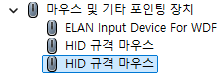
컨트롤러는 HID 규격 마우스로 잡히는 듯
모니터로 잡히는데 일반 모니터인건 맞는데 표기법이 다를 뿐이려나. 윈11은 PicoVR이라고 명시된다.
| win 11 | win10 |
 |
 |
USB Type-C Digital AV Adapter라.. 이건 머지?

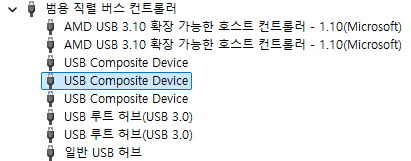
usb composite device 2개 추가, 일반 usb 허브 1개 추가
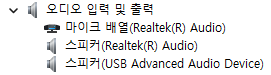
스피커(USB Advanced Audio Device) 추가
그래서 꽂으면 HDMI 모니터 대신 이쪽으로 소리가 넘어간다.
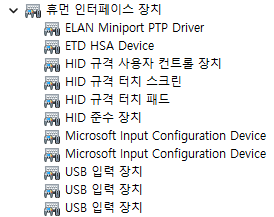
HID 규격 사용자 컨트롤 장치
HID 규격 터치 스크린
HID 준수 장치
Microsoft Input Configuration Device 1개
USB 입력 장치 3개 추가
+
win10 에서 custom resolution utility 를 통한 덤프
[링크 : https://m.blog.naver.com/kangyh5/221634215186]

+
꼬이는 바람에 드라이버 깔기 전으로 복원하고 라이젠 노트북에서 재시도
드라이버를 완전 재설치 해도 안풀리네.. -_-
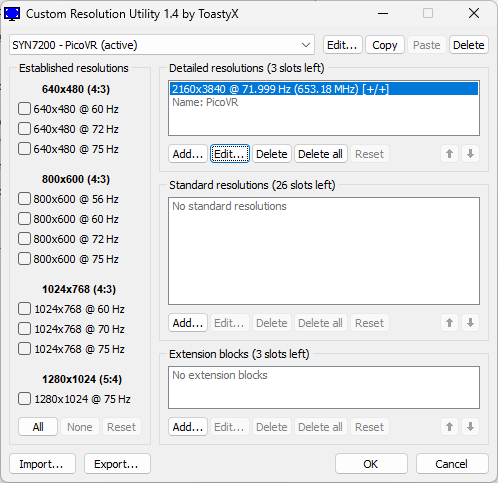
+
2026.02.11
intel i5-7200u 내장 그래픽인데
4k 72hz를 지원하네? dp로 인식해서 가능한건가?

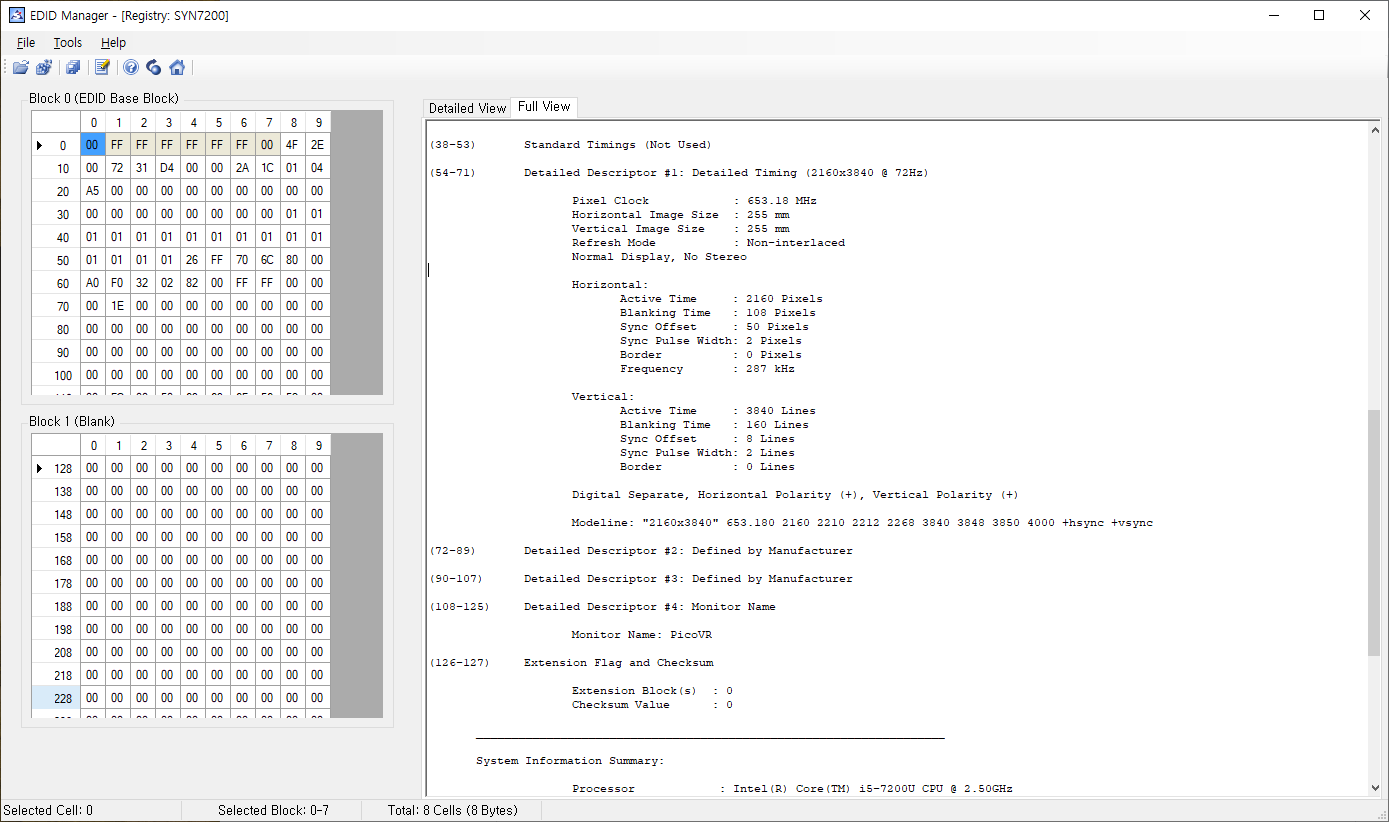
| Time: 오전 10:28:55 Date: 2026년 2월 11일 수요일 EDID Manager Version: 1.0.0.14 ___________________________________________________________________ Block 0 (EDID Base Block), Bytes 0 - 127, 128 BYTES OF EDID CODE: 0 1 2 3 4 5 6 7 8 9 000 | 00 FF FF FF FF FF FF 00 4F 2E 010 | 00 72 31 D4 00 00 2A 1C 01 04 020 | A5 00 00 00 00 00 00 00 00 00 030 | 00 00 00 00 00 00 00 00 01 01 040 | 01 01 01 01 01 01 01 01 01 01 050 | 01 01 01 01 26 FF 70 6C 80 00 060 | A0 F0 32 02 82 00 FF FF 00 00 070 | 00 1E 00 00 00 00 00 00 00 00 080 | 00 00 00 00 00 00 00 00 00 00 090 | 00 00 00 00 00 00 00 00 00 00 100 | 00 00 00 00 00 00 00 00 00 00 110 | 00 FC 00 50 69 63 6F 56 52 00 120 | 00 00 00 00 00 00 00 00 (8-9) ID Manufacture Name : SYN (10-11) ID Product Code : 7200 (12-15) ID Serial Number : (16) Week of Manufacture : 42 (17) Year of Manufacture : 2018 (18) EDID Version Number : 1 (19) EDID Revision Number: 4 (20) Video Input Definition : Digital DFP 1.x Compatible (21) Maximum Horizontal Image Size: 0 cm (22) Maximum Vertical Image Size : 0 cm (23) Display Gamma : 1.00 (24) Power Management and Supported Feature(s): MonochromeNon-sRGB (25-34) Color Characteristics Red Chromaticity : Rx = 0.000 Ry = 0.000 Green Chromaticity : Gx = 0.000 Gy = 0.000 Blue Chromaticity : Bx = 0.000 By = 0.000 Default White Point: Wx = 0.000 Wy = 0.000 (35) Established Timings I (Not Used) (36) Established Timings II (Not Used) (37) Manufacturer's Timings (Not Used) (38-53) Standard Timings (Not Used) (54-71) Detailed Descriptor #1: Detailed Timing (2160x3840 @ 72Hz) Pixel Clock : 653.18 MHz Horizontal Image Size : 255 mm Vertical Image Size : 255 mm Refresh Mode : Non-interlaced Normal Display, No Stereo Horizontal: Active Time : 2160 Pixels Blanking Time : 108 Pixels Sync Offset : 50 Pixels Sync Pulse Width: 2 Pixels Border : 0 Pixels Frequency : 287 kHz Vertical: Active Time : 3840 Lines Blanking Time : 160 Lines Sync Offset : 8 Lines Sync Pulse Width: 2 Lines Border : 0 Lines Digital Separate, Horizontal Polarity (+), Vertical Polarity (+) Modeline: "2160x3840" 653.180 2160 2210 2212 2268 3840 3848 3850 4000 +hsync +vsync (72-89) Detailed Descriptor #2: Defined by Manufacturer (90-107) Detailed Descriptor #3: Defined by Manufacturer (108-125) Detailed Descriptor #4: Monitor Name Monitor Name: PicoVR (126-127) Extension Flag and Checksum Extension Block(s) : 0 Checksum Value : 0 ___________________________________________________________________ System Information Summary: Processor : Intel(R) Core(TM) i5-7200U CPU @ 2.50GHz Operating System : Microsoft Windows 10 Home OS Version : 10.0.19045 Service Pack : 0.0 Video Controler: Device ID : VideoController1 Name : Intel(R) HD Graphics 620 Adapter Compatibility: Intel Corporation Video Processor : Intel(R) HD Graphics Family Video RAM : 1.00 GB (1,073,741,824 Bytes) Availability : Running or Full Power Driver Version : 26.20.100.7324 PNP Device ID : PCI\VEN_8086&DEV_5916&SUBSYS_C148144D&REV_02\3&11583659&0&10 Resolution : 1920x1080 Max Refresh Rate : 59 Hz Min Refresh Rate : 48 Hz Current Refresh Rate : 59 Hz Current Scan Mode : None-Interlaced Status : OK ___________________________________________________________________ |
'하드웨어 > VR' 카테고리의 다른 글
| pico real plus on linux (0) | 2026.02.09 |
|---|---|
| pico real plus 윈도우에 연결하기 (0) | 2024.07.31 |
| 5.5inch IPS 4k LCD (0) | 2024.07.29 |
| pico real plus for U+ 구매 (0) | 2024.07.28 |
| Gear VR 리눅스 접속 (0) | 2022.11.07 |


