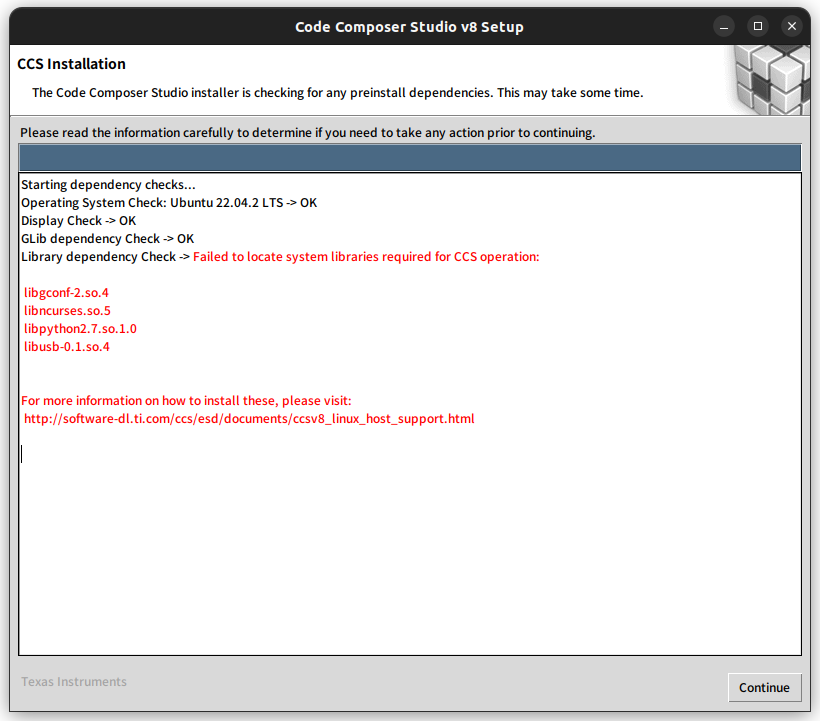
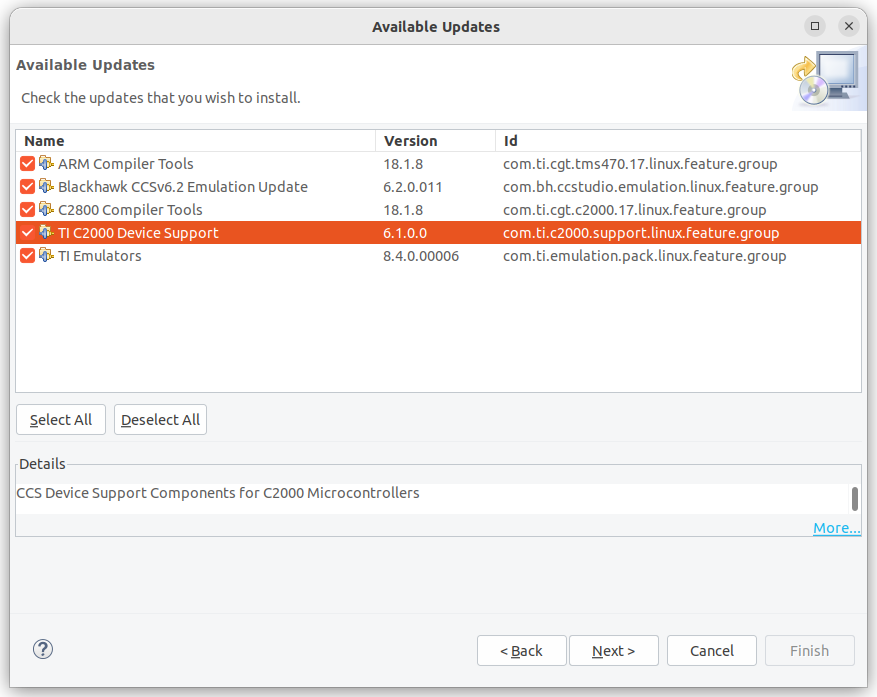
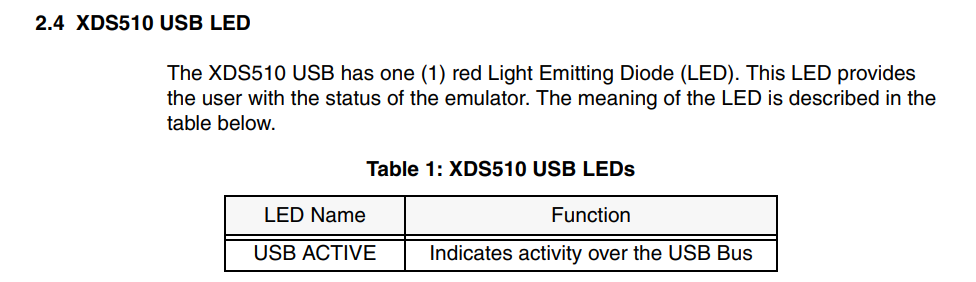
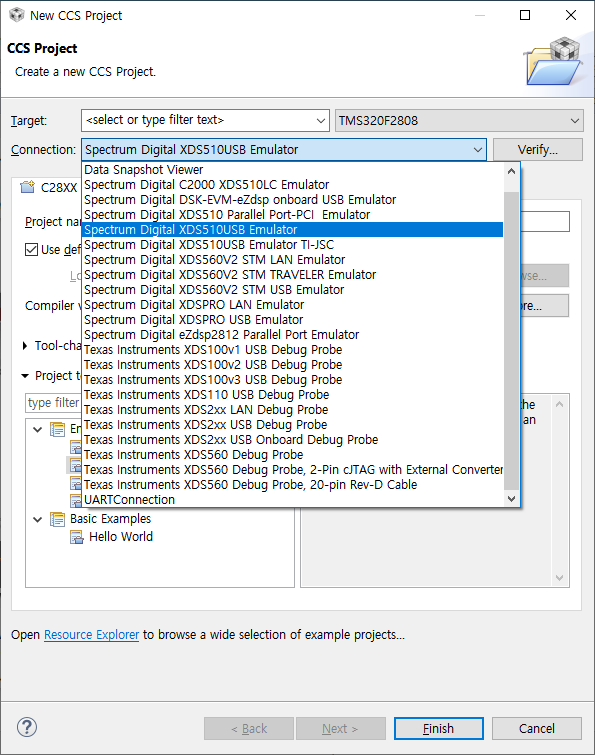
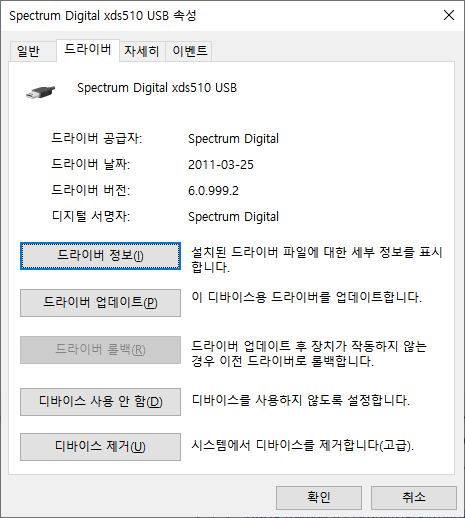
윈도우용 CCS v 8.3.1을 설치해서 시도!
일단은 리눅스에서는 안뜨던 Spectrum Digital XDS510USB가 뜬다.
버그인진 모르겠지만 Basic Example에 Hello World 로 생성하면
어셈블로로 작성된 로더쪽 스크립트 메모리 번지가 잘못되었다고 뜨는데 나중에 찾아봐야겠다.
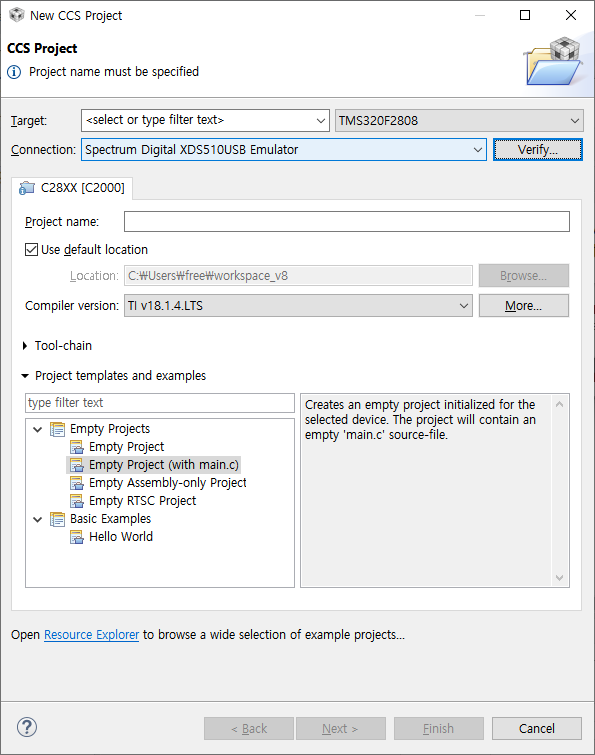
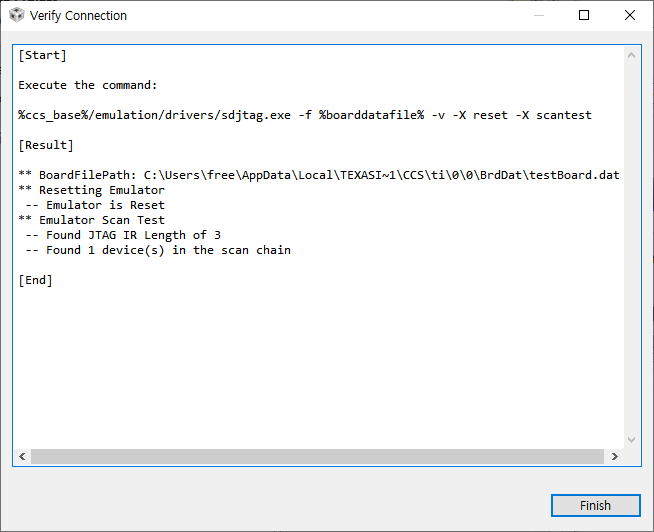
Verify 버튼을 누르니까 아래와 같이 먼가 테스트를 한다.
JTAG에 TMS320F2808 물려두고 전원 넣어둔 상태라 그런가
scan chain에 1개의 장치가 발견되었다고 뜬다.
근데 정작 디버그 모드 들어가려고 하면 이렇게 에러 발생 -_-
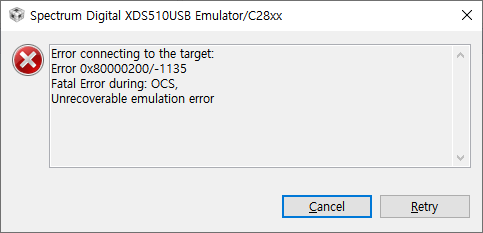
저 OCS가 On Chip Storage 이런건 아니겠지?
| C28xx: Error connecting to the target: Error 0x80000200/-1135 Fatal Error during: OCS, Unrecoverable emulation error |
일단은~ 설정 스크립트가 지칭하는대로 따라가보자..
verify 에서 문제가 없다고 한 녀석은 아래의 경로고
C:\Users\free\AppData\Local\Texas Instruments\CCS\ti\0\0\BrdDat\testBoard.dat
| # config version=3.5 $ sdopts emuportaddr=0x510 emujclkmode=Counter emuportspeed=0 emudisablepolling=YES emujclkfreqmhz=10 emutckdiv=1 emualttcktiming=NO emupowermode=Threshold_1Volt_IO emuiooffatexit=YES emuiooffatdisconnect=YES emu0pinlevel=HIZ emu1pinlevel=HIZ emuassertsysreset=NO emupulsetrst=NO emuserialnumber=ANY emuicepickrtrextended=NO devdelayedinit=NO $ / @ c28xx family=tms320c28xx irbits=38 drbits=1 # / |
HIZ 이런게 나오길래 생각을 해보니 SDConfigEx 라는 툴에서 XDS510USB로 했을때 나오던 거랑 비슷한 느낌이다?
TCK 주파수가 13에서 10으로 설정된걸 제외하면 사실상 같은 설정인 느낌.
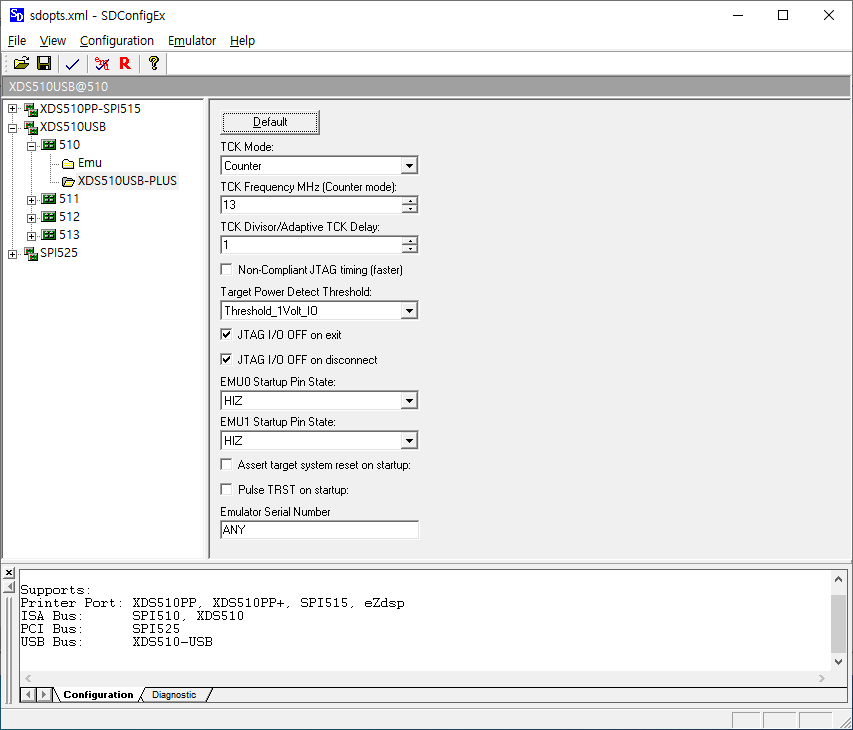
겸사겸사 SDConfigEx에서도 해보니
TMS320F2808 보드에 전원과 JTAG 연결하고 emulator - test 하면 아래와 같이 성공한다.
| ** Emulator Test ** $$ EmuProductName=XDS510USB $$ EmuPortAddr=0x510 $$ EmuPortMode=USB $$ ProductId=510 $$ ProductVersion=84 ** Emulator Scan Test -- Found JTAG IR length of 3 -- Found 1 JTAG device(s) in the scan chain |
emulator - diagnostics 누르고 하면
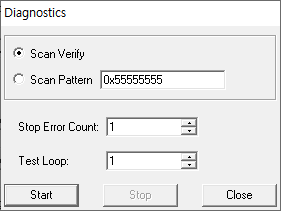
최소한 에러는 안나는데 멀까?
| ** Checking for a valid emulator/eZdsp ** Running diagnostic scan on EmuProductName=XDS510USB ** Checking emulator/eZdsp scan connection Performed 1 test loops with 0 errors. |
SDConfigEx 에서 저장되는 파일은 아래 경로에 존재하는데 XML인걸 제외하면 설정값들은 동일하다.
C:\ti\ccsv8\ccs_base\emulation\specdig\sdconfigex\sdopts.xml
| <SDConfiguration SelectedEmulator="XDS510USB_510"> <Emulator id="XDS510PP_3BC">3BC <Option id="EmuPortAddr">0X3BC</Option> <Option id="EmuPortMode">SPP8</Option> <Option id="EmuPortSpeed">0</Option> <Option id="EmuAddOptoPod">NO</Option> <Option id="EmuDisablePolling">YES</Option> <Option id="EmuProductName">XDS510PP_PLUS</Option> <Option id="EmuDoWaitInReset">NO</Option> </Emulator> <Emulator id="XDS510PP_278">278 <Option id="EmuPortAddr">0X278</Option> <Option id="EmuPortMode">SPP8</Option> <Option id="EmuPortSpeed">0</Option> <Option id="EmuAddOptoPod">NO</Option> <Option id="EmuDisablePolling">YES</Option> <Option id="EmuProductName">XDS510PP_PLUS</Option> <Option id="EmuDoWaitInReset">NO</Option> </Emulator> <Emulator id="XDS510PP_378">378 <Option id="EmuPortAddr">0X378</Option> <Option id="EmuPortMode">SPP8</Option> <Option id="EmuPortSpeed">0</Option> <Option id="EmuAddOptoPod">NO</Option> <Option id="EmuDisablePolling">YES</Option> <Option id="EmuProductName">XDS510PP_PLUS</Option> <Option id="EmuDoWaitInReset">NO</Option> </Emulator> <Emulator id="SPI525_100">100 <Option id="EmuPortAddr">0X100</Option> <Option id="EmuPortMode">PCI</Option> <Option id="EmuPortSpeed">0</Option> <Option id="EmuAddOptoPod">NO</Option> <Option id="EmuDisablePolling">YES</Option> <Option id="EmuProductName">SPI525</Option> <Option id="EmuDoWaitInReset">NO</Option> </Emulator> <Emulator id="XDS510USB_510">510 <Option id="EmuPortAddr">0X510</Option> <Option id="EmuPortMode">USB</Option> <Option id="EmuPortSpeed">0</Option> <Option id="EmuAddOptoPod">NO</Option> <Option id="EmuDisablePolling">YES</Option> <Option id="EmuProductName">XDS510USB</Option> <Option id="EmuDoWaitInReset">NO</Option> <Option id="EmuJclkMode">Counter</Option> <Option id="EmuJclkFreqMHz">13</Option> <Option id="EmuTckDiv">1</Option> <Option id="EmuAltTckTiming">NO</Option> <Option id="EmuPowerMode">Threshold_1Volt_IO</Option> <Option id="EmuIoOffAtExit">YES</Option> <Option id="EmuIoOffAtDisconnect">YES</Option> <Option id="Emu0PinLevel">HIZ</Option> <Option id="Emu1PinLevel">HIZ</Option> <Option id="EmuAssertSysReset">NO</Option> <Option id="EmuPulseTrst">NO</Option> <Option id="EmuSerialNumber">ANY</Option> </Emulator> <Emulator id="XDS510USB_511">511 <Option id="EmuPortAddr">0X511</Option> <Option id="EmuPortMode">USB</Option> <Option id="EmuPortSpeed">0</Option> <Option id="EmuAddOptoPod">NO</Option> <Option id="EmuDisablePolling">YES</Option> <Option id="EmuProductName">XDS510USB</Option> <Option id="EmuDoWaitInReset">NO</Option> <Option id="EmuJclkMode">Counter</Option> <Option id="EmuJclkFreqMHz">13</Option> <Option id="EmuTckDiv">1</Option> <Option id="EmuAltTckTiming">NO</Option> <Option id="EmuPowerMode">Threshold_1Volt_IO</Option> <Option id="EmuIoOffAtExit">YES</Option> <Option id="EmuIoOffAtDisconnect">YES</Option> <Option id="Emu0PinLevel">HIZ</Option> <Option id="Emu1PinLevel">HIZ</Option> <Option id="EmuAssertSysReset">NO</Option> <Option id="EmuPulseTrst">NO</Option> <Option id="EmuSerialNumber">ANY</Option> </Emulator> <Emulator id="XDS510USB_512">512 <Option id="EmuPortAddr">0X512</Option> <Option id="EmuPortMode">USB</Option> <Option id="EmuPortSpeed">0</Option> <Option id="EmuAddOptoPod">NO</Option> <Option id="EmuDisablePolling">YES</Option> <Option id="EmuProductName">XDS510USB</Option> <Option id="EmuDoWaitInReset">NO</Option> <Option id="EmuJclkMode">Counter</Option> <Option id="EmuJclkFreqMHz">13</Option> <Option id="EmuTckDiv">1</Option> <Option id="EmuAltTckTiming">NO</Option> <Option id="EmuPowerMode">Threshold_1Volt_IO</Option> <Option id="EmuIoOffAtExit">YES</Option> <Option id="EmuIoOffAtDisconnect">YES</Option> <Option id="Emu0PinLevel">HIZ</Option> <Option id="Emu1PinLevel">HIZ</Option> <Option id="EmuAssertSysReset">NO</Option> <Option id="EmuPulseTrst">NO</Option> <Option id="EmuSerialNumber">ANY</Option> </Emulator> <Emulator id="XDS510USB_513">513 <Option id="EmuPortAddr">0X513</Option> <Option id="EmuPortMode">USB</Option> <Option id="EmuPortSpeed">0</Option> <Option id="EmuAddOptoPod">NO</Option> <Option id="EmuDisablePolling">YES</Option> <Option id="EmuProductName">XDS510USB</Option> <Option id="EmuDoWaitInReset">NO</Option> <Option id="EmuJclkMode">Counter</Option> <Option id="EmuJclkFreqMHz">13</Option> <Option id="EmuTckDiv">1</Option> <Option id="EmuAltTckTiming">NO</Option> <Option id="EmuPowerMode">Threshold_1Volt_IO</Option> <Option id="EmuIoOffAtExit">YES</Option> <Option id="EmuIoOffAtDisconnect">YES</Option> <Option id="Emu0PinLevel">HIZ</Option> <Option id="Emu1PinLevel">HIZ</Option> <Option id="EmuAssertSysReset">NO</Option> <Option id="EmuPulseTrst">NO</Option> <Option id="EmuSerialNumber">ANY</Option> </Emulator> </SDConfiguration> |
eclipse(ccs) 에서 설정으로 쓰는 파일은 ccxml인데
connection에 instance와 platform 관련 내용으로 보면 2개 파일이 존재하낟.
C:\Users\free\workspace_v8\test\targetConfigs\TMS320F2808.ccxml
| <?xml version="1.0" encoding="UTF-8" standalone="no"?> <configurations XML_version="1.2" id="configurations_0"> <configuration XML_version="1.2" id="configuration_0"> <instance XML_version="1.2" desc="Spectrum Digital XDS510USB Emulator" href="connections/SD510USB_Connection.xml" id="Spectrum Digital XDS510USB Emulator" xml="SD510USB_Connection.xml" xmlpath="connections"/> <connection XML_version="1.2" id="Spectrum Digital XDS510USB Emulator"> <instance XML_version="1.2" href="drivers/sdgo28xusb.xml" id="drivers" xml="sdgo28xusb.xml" xmlpath="drivers"/> <platform XML_version="1.2" id="platform_0"> <instance XML_version="1.2" desc="TMS320F2808" href="devices/f2808.xml" id="TMS320F2808" xml="f2808.xml" xmlpath="devices"/> </platform> </connection> </configuration> </configurations> |
sdgo28xusb.xml는 드라이버(바이너리) 연결해주고 끝
C:\ti\ccsv8\ccs_base\common\targetdb\drivers\sdgo28xusb.xml
| <?xml version="1.0"?> <drivers id="TMS320C28XX"> <isa Type="TMS320C28XX" ProcID="0x5000A3F8"> <driver file="../../../emulation/drivers/sdgo28xusb.dvr"> <connectionType Type="SD510USB"/> <property Type="hiddenfield" Value="true" id="realtimeEnabled" /> </driver> </isa> </drivers> |
C:\ti\ccsv8\ccs_base\emulation\drivers\sdgo28xusb.dvr
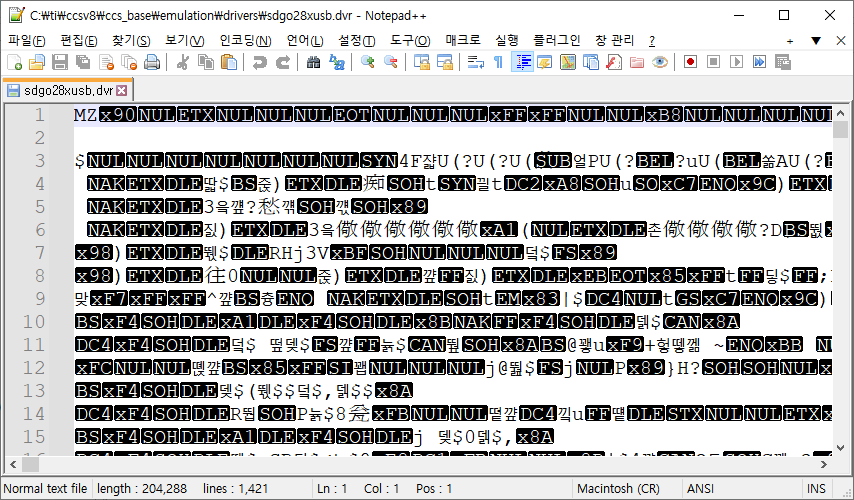
f2808.xml은 장치별 메모리만 기재해둔 파일이다.
C:\ti\ccsv8\ccs_base\common\targetdb\devices\f2808.xml
| <?xml version="1.0" encoding="UTF-8"?> <!-- TI File $Revision: /main/10 $ Checkin $Date: September 22, 2011 17:30:14 $ --> <device id="C28xx" partnum="TMS320F2808" HW_revision="1" XML_version="1" desc="TMS320F2808" description=""> <instance href="../cpus/c28xx.xml" desc="C28xx" description="" id="C2800" isa="TMS320C28XX" xml="c28xx.xml" xmlpath="../cpus/" /> <property Type="stringfield" Value="280x Fixed Point" id="FilterString" /> <cpu HW_revision="1.0" XML_version="1.2" description="CPU" deviceSim="false" id="C2800" isa="TMS320C28XX"> <property Type="filepathfield" Value="../../emulation/gel/f2808.gel" id="GEL File"/> <!-- Project Wizard Settings --> <property Type="stringfield" Value="--large_memory_model --unified_memory --silicon_version=28" id="CompilerBuildOptions" /> <property Type="stringfield" Value="--stack_size=0x300" id="LinkerBuildOptions" /> <property Type="stringfield" Value="2808_RAM_lnk.cmd" id="LinkerCmd" /> <!-- END Project Wizard Settings --> <instance href="../Modules/C2000/C2000_ADC_Type1_Registers.xml" id="ADC" xml="C2000_ADC_Type1_Registers.xml" xmlpath="../Modules/C2000/" HW_version="" description="ADC Registers" requestor="" baseaddr="0x007100" endaddr="0x00711F" size="0x0020" accessnumbytes="4" permissions="p" /> <instance href="../Modules/C2000/C2000_ADC_Type1_Mirror_Registers.xml" id="ADCMIRROR" xml="C2000_ADC_Type1_Mirror_Registers.xml" xmlpath="../Modules/C2000/" HW_version="" description="ADC Mirror Registers" requestor="" baseaddr="0x000B00" endaddr="0x000B0F" size="0x0010" accessnumbytes="4" permissions="p" /> <instance href="../Modules/C2000/280x_System_Control_Registers.xml" id="SYSCTRL" xml="280x_System_Control_Registers.xml" xmlpath="../Modules/C2000/" HW_version="" description="System Control Registers" requestor="" baseaddr="0x007010" endaddr="0x00702F" size="0x0020" accessnumbytes="4" permissions="p" /> <instance href="../Modules/C2000/C2000_Code_Security_Module_Registers.xml" id="CSM" xml="C2000_Code_Security_Module_Registers.xml" xmlpath="../Modules/C2000/" HW_version="" description="Code Security Module" requestor="" baseaddr="0x000AE0" endaddr="0x000AEF" size="0x0010" accessnumbytes="4" permissions="p" /> <instance href="../Modules/C2000/C2000_PWL_Registers.xml" id="PWL" xml="C2000_PWL_Registers.xml" xmlpath="../Modules/C2000/" HW_version="" description="PWL Locations" requestor="" baseaddr="0x3F7FF8" endaddr="0x3F7FFF" size="0x0008" accessnumbytes="4" permissions="p" /> <instance href="../Modules/C2000/C2000_CPU_Timer_Registers.xml" id="CPUTIMER" xml="C2000_CPU_Timer_Registers.xml" xmlpath="../Modules/C2000/" HW_version="" description="CPU Timer Registers" requestor="" baseaddr="0x000C00" endaddr="0x000C3F" size="0x0040" accessnumbytes="4" permissions="p" /> <instance href="../Modules/C2000/280x_Device_Emulation_Registers.xml" id="DEVEMU" xml="280x_Device_Emulation_Registers.xml" xmlpath="../Modules/C2000/" HW_version="" description="Device Emulation Registers" requestor="" baseaddr="0x000880" endaddr="0x9FF" size="0x180" accessnumbytes="4" permissions="p" /> <instance href="../Modules/C2000/C2000_eCAN_Type0_Registers.xml" id="eCANA" xml="C2000_eCAN_Type0_Registers.xml" xmlpath="../Modules/C2000/" HW_version="" description="eCAN-A Registers" requestor="" baseaddr="0x006000" endaddr="0x006032" size="0x0033" accessnumbytes="4" permissions="p" /> <instance href="../Modules/C2000/C2000_eCAN_Type0_Local_Acceptance_Masks.xml" id="eCANA_LAM" xml="C2000_eCAN_Type0_Local_Acceptance_Masks.xml" xmlpath="../Modules/C2000/" HW_version="" description="eCAN-A Local Acceptance Masks" requestor="" baseaddr="0x006040" endaddr="0x00607F" size="0x0040" accessnumbytes="4" permissions="p" /> <instance href="../Modules/C2000/C2000_eCAN_Type0_Message_Object_Time_Stamps.xml" id="eCANA_MOTS" xml="C2000_eCAN_Type0_Message_Object_Time_Stamps.xml" xmlpath="../Modules/C2000/" HW_version="" description="eCAN-A Message Object Time Stamps" requestor="" baseaddr="0x006080" endaddr="0x0060BF" size="0x0040" accessnumbytes="4" permissions="p" /> <instance href="../Modules/C2000/C2000_eCAN_Type0_Message_Object_TimeOut.xml" id="eCANA_MOTO" xml="C2000_eCAN_Type0_Message_Object_TimeOut.xml" xmlpath="../Modules/C2000/" HW_version="" description="eCAN-A Message Object Time-Outs" requestor="" baseaddr="0x0060C0" endaddr="0x0060FF" size="0x0040" accessnumbytes="4" permissions="p" /> <instance href="../Modules/C2000/C2000_eCAN_Type0_Mailbox_Registers.xml" id="eCANA_MBX_CONTENT" xml="C2000_eCAN_Type0_Mailbox_Registers.xml" xmlpath="../Modules/C2000/" HW_version="" description="eCAN-A Mailbox Content" requestor="" baseaddr="0x006100" endaddr="0x0061FF" size="0x0200" accessnumbytes="4" permissions="p" /> <instance href="../Modules/C2000/C2000_eCAN_Type0_Registers.xml" id="eCANB" xml="C2000_eCAN_Type0_Registers.xml" xmlpath="../Modules/C2000/" HW_version="" description="eCAN-B Control and Status Registers" requestor="" baseaddr="0x006200" endaddr="0x006232" size="0x0033" accessnumbytes="4" permissions="p" /> <instance href="../Modules/C2000/C2000_eCAN_Type0_Local_Acceptance_Masks.xml" id="eCANB_LAM" xml="C2000_eCAN_Type0_Local_Acceptance_Masks.xml" xmlpath="../Modules/C2000/" HW_version="" description="eCAN-B Local Acceptance Masks" requestor="" baseaddr="0x006240" endaddr="0x00627F" size="0x0040" accessnumbytes="4" permissions="p" /> <instance href="../Modules/C2000/C2000_eCAN_Type0_Message_Object_Time_Stamps.xml" id="eCANB_MOTS" xml="C2000_eCAN_Type0_Message_Object_Time_Stamps.xml" xmlpath="../Modules/C2000/" HW_version="" description="eCAN-B Message Object Time Stamps" requestor="" baseaddr="0x006280" endaddr="0x0062BF" size="0x0040" accessnumbytes="4" permissions="p" /> <instance href="../Modules/C2000/C2000_eCAN_Type0_Message_Object_TimeOut.xml" id="eCANB_MOTO" xml="C2000_eCAN_Type0_Message_Object_TimeOut.xml" xmlpath="../Modules/C2000/" HW_version="" description="eCAN-B Message Object Time-Outs" requestor="" baseaddr="0x0062C0" endaddr="0x0062FF" size="0x0040" accessnumbytes="4" permissions="p" /> <instance href="../Modules/C2000/C2000_eCAN_Type0_Mailbox_Registers.xml" id="eCANB_MBX_CONTENT" xml="C2000_eCAN_Type0_Mailbox_Registers.xml" xmlpath="../Modules/C2000/" HW_version="" description="eCAN-B Mailbox Content" requestor="" baseaddr="0x006300" endaddr="0x0063FF" size="0x0200" accessnumbytes="4" permissions="p" /> <instance href="../Modules/C2000/C2000_eCAP_Type0_Registers.xml" id="eCAP1" xml="C2000_eCAP_Type0_Registers.xml" xmlpath="../Modules/C2000/" HW_version="" description="eCAP1 Registers" requestor="" baseaddr="0x006A00" endaddr="0x006A1F" size="0x0020" accessnumbytes="4" permissions="p" /> <instance href="../Modules/C2000/C2000_eCAP_Type0_Registers.xml" id="eCAP2" xml="C2000_eCAP_Type0_Registers.xml" xmlpath="../Modules/C2000/" HW_version="" description="eCAP2 Registers" requestor="" baseaddr="0x006A20" endaddr="0x006A3F" size="0x0020" accessnumbytes="4" permissions="p" /> <instance href="../Modules/C2000/C2000_eCAP_Type0_Registers.xml" id="eCAP3" xml="C2000_eCAP_Type0_Registers.xml" xmlpath="../Modules/C2000/" HW_version="" description="eCAP3 Registers" requestor="" baseaddr="0x006A40" endaddr="0x006A5F" size="0x0020" accessnumbytes="4" permissions="p" /> <instance href="../Modules/C2000/C2000_eCAP_Type0_Registers.xml" id="eCAP4" xml="C2000_eCAP_Type0_Registers.xml" xmlpath="../Modules/C2000/" HW_version="" description="eCAP4 Registers" requestor="" baseaddr="0x006A60" endaddr="0x006A7F" size="0x0020" accessnumbytes="4" permissions="p" /> <instance href="../Modules/C2000/C2000_ePWM_Type0_Registers.xml" id="ePWM1" xml="C2000_ePWM_Type0_Registers.xml" xmlpath="../Modules/C2000/" HW_version="" description="ePWM1 Registers" requestor="" baseaddr="0x006800" endaddr="0x00683F" size="0x0040" accessnumbytes="4" permissions="p" /> <instance href="../Modules/C2000/C2000_ePWM_Type0_Registers.xml" id="ePWM2" xml="C2000_ePWM_Type0_Registers.xml" xmlpath="../Modules/C2000/" HW_version="" description="ePWM2 Registers" requestor="" baseaddr="0x006840" endaddr="0x00687F" size="0x0040" accessnumbytes="4" permissions="p" /> <instance href="../Modules/C2000/C2000_ePWM_Type0_Registers.xml" id="ePWM3" xml="C2000_ePWM_Type0_Registers.xml" xmlpath="../Modules/C2000/" HW_version="" description="ePWM3 Registers" requestor="" baseaddr="0x006880" endaddr="0x0068BF" size="0x0040" accessnumbytes="4" permissions="p" /> <instance href="../Modules/C2000/C2000_ePWM_Type0_Registers.xml" id="ePWM4" xml="C2000_ePWM_Type0_Registers.xml" xmlpath="../Modules/C2000/" HW_version="" description="ePWM4 Registers" requestor="" baseaddr="0x0068C0" endaddr="0x0068FF" size="0x0040" accessnumbytes="4" permissions="p" /> <instance href="../Modules/C2000/C2000_ePWM_Type0_Registers.xml" id="ePWM5" xml="C2000_ePWM_Type0_Registers.xml" xmlpath="../Modules/C2000/" HW_version="" description="ePWM5 Registers" requestor="" baseaddr="0x006900" endaddr="0x00693F" size="0x0040" accessnumbytes="4" permissions="p" /> <instance href="../Modules/C2000/C2000_ePWM_Type0_Registers.xml" id="ePWM6" xml="C2000_ePWM_Type0_Registers.xml" xmlpath="../Modules/C2000/" HW_version="" description="ePWM6 Registers" requestor="" baseaddr="0x006940" endaddr="0x00697F" size="0x0040" accessnumbytes="4" permissions="p" /> <instance href="../Modules/C2000/C2000_eQEP_Type0_Registers.xml" id="eQEP1" xml="C2000_eQEP_Type0_Registers.xml" xmlpath="../Modules/C2000/" HW_version="" description="eQEP1 Registers" requestor="" baseaddr="0x006B00" endaddr="0x006B3F" size="0x0040" accessnumbytes="4" permissions="p" /> <instance href="../Modules/C2000/C2000_eQEP_Type0_Registers.xml" id="eQEP2" xml="C2000_eQEP_Type0_Registers.xml" xmlpath="../Modules/C2000/" HW_version="" description="eQEP2 Registers" requestor="" baseaddr="0x006B40" endaddr="0x006B7F" size="0x0040" accessnumbytes="4" permissions="p" /> <instance href="../Modules/C2000/C2000_Flash_Type0_Registers.xml" id="FLASH" xml="C2000_Flash_Type0_Registers.xml" xmlpath="../Modules/C2000/" HW_version="" description="Flash/OTP Registers" requestor="" baseaddr="0x000A80" endaddr="0x000A87" size= "0x008" accessnumbytes="4" permissions="p" /> <instance href="../Modules/C2000/280x_External_Interrupt_Registers.xml" id="XINT" xml="280x_External_Interrupt_Registers.xml" xmlpath="../Modules/C2000/" HW_version="" description="External Interrupt Registers" requestor="" baseaddr="0x007070" endaddr="0x00707F" size="0x0010" accessnumbytes="4" permissions="p" /> <instance href="../Modules/C2000/280x_GPIO_Registers.xml" id="GPIO" xml="280x_GPIO_Registers.xml" xmlpath="../Modules/C2000/" HW_version="" description="GPIO Registers" requestor="" baseaddr="0x006F80" endaddr="0x006FFF" size="0x0080" accessnumbytes="4" permissions="p" /> <instance href="../Modules/C2000/C2000_I2C_Type0_Registers.xml" id="I2CA" xml="C2000_I2C_Type0_Registers.xml" xmlpath="../Modules/C2000/" HW_version="" description="I2CA Registers" requestor="" baseaddr="0x007900" endaddr="0x00792F" size="0x0030" accessnumbytes="4" permissions="p" /> <instance href="../Modules/C2000/C2000_PIE_Registers.xml" id="PIE" xml="C2000_PIE_Registers.xml" xmlpath="../Modules/C2000/" HW_version="" description="Peripheral Interrupt Expansion Registers" requestor="" baseaddr="0x000CE0" endaddr="0x000CFF" size="0x0020" accessnumbytes="4" permissions="p" /> <instance href="../Modules/C2000/C2000_SCI_Type0_Registers.xml" id="SCIA" xml="C2000_SCI_Type0_Registers.xml" xmlpath="../Modules/C2000/" HW_version="" description="Serial Communication Interface A Registers" requestor="" baseaddr="0x007050" endaddr="0x00705F" size="0x0010" accessnumbytes="4" permissions="p" /> <instance href="../Modules/C2000/C2000_SCI_Type0_Registers.xml" id="SCIB" xml="C2000_SCI_Type0_Registers.xml" xmlpath="../Modules/C2000/" HW_version="" description="Serial Communication Interface B Registers" requestor="" baseaddr="0x007750" endaddr="0x00775F" size="0x0010" accessnumbytes="4" permissions="p" /> <instance href="../Modules/C2000/C2000_SPI_Type0_Registers.xml" id="SPIA" xml="C2000_SPI_Type0_Registers.xml" xmlpath="../Modules/C2000/" HW_version="" description="Serial Peripheral Interface A Registers" requestor="" baseaddr="0x007040" endaddr="0x00704F" size="0x0010" accessnumbytes="4" permissions="p" /> <instance href="../Modules/C2000/C2000_SPI_Type0_Registers.xml" id="SPIB" xml="C2000_SPI_Type0_Registers.xml" xmlpath="../Modules/C2000/" HW_version="" description="Serial Peripheral Interface B Registers" requestor="" baseaddr="0x007740" endaddr="0x00774F" size="0x0010" accessnumbytes="4" permissions="p" /> <instance href="../Modules/C2000/C2000_SPI_Type0_Registers.xml" id="SPIC" xml="C2000_SPI_Type0_Registers.xml" xmlpath="../Modules/C2000/" HW_version="" description="Serial Peripheral Interface C Registers" requestor="" baseaddr="0x007760" endaddr="0x00776F" size="0x0010" accessnumbytes="4" permissions="p" /> <instance href="../Modules/C2000/C2000_SPI_Type0_Registers.xml" id="SPID" xml="C2000_SPI_Type0_Registers.xml" xmlpath="../Modules/C2000/" HW_version="" description="Serial Peripheral Interface D Registers" requestor="" baseaddr="0x007780" endaddr="0x00778F" size="0x0010" accessnumbytes="4" permissions="p" /> </cpu> </device> |
tms320 카페에서 ccs 디버거 설정에서 먼가하던데 그걸 빼먹어서 그런가?
'embeded > DSP C2000 Ti' 카테고리의 다른 글
| 잘가 tms320 ㅠㅠ (0) | 2023.07.28 |
|---|---|
| CCS v8.3.1 on ubuntu 22.04 (0) | 2023.07.14 |
| spectrum digital XDS510 USB (0) | 2023.07.14 |
| TMS320 소비전력 (0) | 2023.07.13 |
| tms320 어렵네... (4) | 2020.04.02 |