embeded/Cortex-M7 STM2024. 8. 1. 15:23

core 쪽은 추가하면 바로 빌드되는데

별도의 디렉토리를 추가하고 소스를 넣으면 빌드가 자동으로 안된다.


includes 탭은 include 파일/디렉토리를 추가하고


Source Location 에는 소스 파일/디렉토리를 추가하면 된다.

[링크 : https://mokhwasomssi.tistory.com/198]


드디어 에러가 발생한다아!!!! 만세!!

Posted by 구차니
embeded/Cortex-M7 STM2024. 8. 1. 10:49

한번 새로 프로젝트 만들려고 해보는데

어...라... STM32H7로 검색하니 750까지만 공개(?)되어 있고, 757은 안나온다.


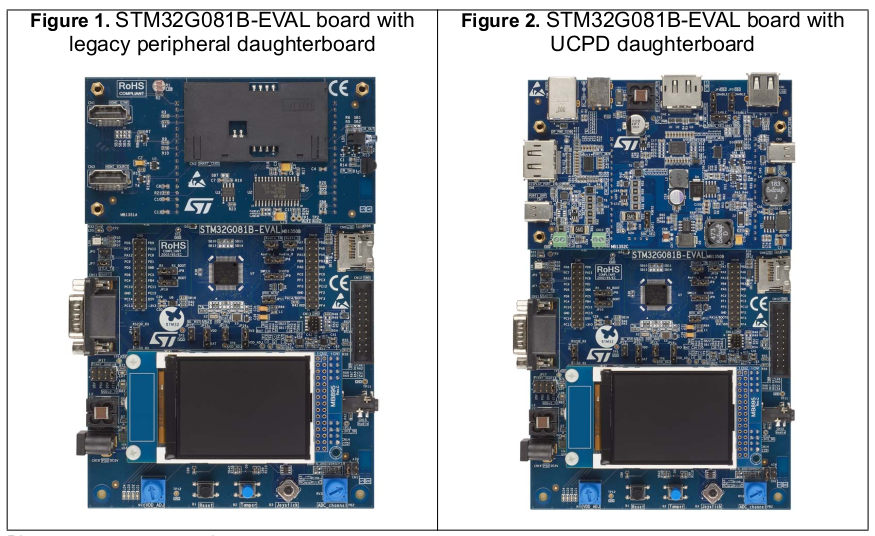
그래서 홈페이지 가서 뒤져보니 데모용 바이너리는 존재한다. 이거 소스는 못 받나?

[링크 : https://www.st.com/en/evaluation-tools/stm32h757i-eval.html#tools-software]

Posted by 구차니
embeded/rpi pico2024. 7. 31. 00:26

윈도우에서 가로(대칭 이동)으로 해서 헷갈렸던 듯.

"가로" 로 설정하면

왼쪽눈은 화면의 왼쪽 절반, 오른쪽눈은 화면의 오른쪽 절반이 보인다. (윈도우 <-, -> 로 하면 딱딱 한쪽만 보임)

'embeded > rpi pico' 카테고리의 다른 글

rpi pico sdk  (0) 2025.03.23
rpi pico usb joystick  (0) 2024.10.07
pico real plus for U+ 구매  (0) 2024.07.28
rpi pico ADC 범위  (0) 2024.07.16
rpi pico / micropython  (0) 2024.07.15
Posted by 구차니
embeded/raspberry pi2024. 7. 29. 11:41

검색을 해보니 대부분 python을 통해서 설치하는걸로 나온다.

아래는 설치 + 실행, 빨간건 재기동 이후 실행시 입력할 내용이다.

$ python3 -m venv pgadmin4

$ cd ~/pgadmin4
$ mkdir var
$ mkdir var/storage
$ mkdir var/sessions

source bin/activate

$ 
pip install pgadmin4
$ pip uninstall pyopenssl
$ pip uninstall cryptography
$ pip install pyopenssl
$ pip install cryptography

$ vi ~/pgadmin4/lib/python3.11/site-packages/config_local.py
import os

PGADMIN_DEFAULT_EMAIL      = '<YOUR_EMAIL>'
PGADMIN_DEFAULT_PASSWORD   = '<YOUR_PASSWORD>'
LOG_FILE                   = '/home/pi/pgadmin4/var/log'
SQLITE_PATH                = '/home/pi/pgadmin4/var/pgadmin4.db'
SESSION_DB_PATH            = '/home/pi/pgadmin4/var/sessions'
STORAGE_DIR                = '/home/pi/pgadmin4/var/storage'
DATA_DIR                   = os.path.realpath(os.path.expanduser(u'~/.pgadmin/'))
AZURE_CREDENTIAL_CACHE_DIR = os.path.join(DATA_DIR, 'azurecredentialcache')
DEFAULT_SERVER             = '0.0.0.0'


$ mkdir ~/.pgadmin
$ mkdir ~/.pgadmin/azurecredentialcache

$ pgadmin4


~/pgadmin4/lib/python3.11/site-packages/config_local.py 파일이 없으면 생기는 에러

$ pgadmin4
ERROR  : Failed to create the directory /var/lib/pgadmin:
           [Errno 13] Permission denied: '/var/lib/pgadmin'
HINT :   Create the directory /var/lib/pgadmin, ensure it is writeable by
         'pi', and try again, or, create a config_local.py file
         and override the SQLITE_PATH setting per
         https://www.pgadmin.org/docs/pgadmin4/6.21/config_py.html


AZURE_CREDENTIAL_CACHE_DIR 이 없을 경우 발생(혹은 디렉토리가 없을 경우)

$ pgadmin4
Traceback (most recent call last):
  File "/home/pi/pgadmin4/bin/pgadmin4", line 5, in <module>
    from pgadmin4.pgAdmin4 import main
  File "/home/pi/pgadmin4/lib/python3.11/site-packages/pgadmin4/pgAdmin4.py", line 93, in <module>
    app = create_app()
          ^^^^^^^^^^^^
  File "/home/pi/pgadmin4/lib/python3.11/site-packages/pgadmin4/pgadmin/__init__.py", line 267, in create_app
    create_app_data_directory(config)
  File "/home/pi/pgadmin4/lib/python3.11/site-packages/pgadmin4/pgadmin/setup/data_directory.py", line 118, in create_app_data_directory
    _create_directory_if_not_exists(config.AZURE_CREDENTIAL_CACHE_DIR)
  File "/home/pi/pgadmin4/lib/python3.11/site-packages/pgadmin4/pgadmin/setup/data_directory.py", line 21, in _create_directory_if_not_exists
    os.mkdir(_path)
FileNotFoundError: [Errno 2] No such file or directory: '/home/pi/.pgadmin/azurecredentialcache'


python openssl 모듈 버전 문제일 경우 발생

$ pgadmin4
NOTE: Configuring authentication for SERVER mode.

Enter the email address and password to use for the initial pgAdmin user account:

Email address: "환경파일에 기재된 이메일"
Password: "환경파일에 기재된 암호"
Retype password: "환경파일에 기재된 암호"
Traceback (most recent call last):
  File "/home/pi/pgadmin4/bin/pgadmin4", line 5, in <module>
    from pgadmin4.pgAdmin4 import main
  File "/home/pi/pgadmin4/lib/python3.11/site-packages/pgadmin4/pgAdmin4.py", line 93, in <module>
    app = create_app()
          ^^^^^^^^^^^^
  File "/home/pi/pgadmin4/lib/python3.11/site-packages/pgadmin4/pgadmin/__init__.py", line 553, in create_app
    driver.init_app(app)
  File "/home/pi/pgadmin4/lib/python3.11/site-packages/pgadmin4/pgadmin/utils/driver/__init__.py", line 27, in init_app
    DriverRegistry.load_modules(app)
  File "/home/pi/pgadmin4/lib/python3.11/site-packages/pgadmin4/pgadmin/utils/driver/registry.py", line 18, in load_modules
    from . import psycopg2 as module
  File "/home/pi/pgadmin4/lib/python3.11/site-packages/pgadmin4/pgadmin/utils/driver/psycopg2/__init__.py", line 30, in <module>
    from .server_manager import ServerManager
  File "/home/pi/pgadmin4/lib/python3.11/site-packages/pgadmin4/pgadmin/utils/driver/psycopg2/server_manager.py", line 35, in <module>
    from sshtunnel import SSHTunnelForwarder, BaseSSHTunnelForwarderError
  File "/home/pi/pgadmin4/lib/python3.11/site-packages/sshtunnel.py", line 25, in <module>
    import paramiko
  File "/home/pi/pgadmin4/lib/python3.11/site-packages/paramiko/__init__.py", line 22, in <module>
    from paramiko.transport import (
  File "/home/pi/pgadmin4/lib/python3.11/site-packages/paramiko/transport.py", line 138, in <module>
    class Transport(threading.Thread, ClosingContextManager):
  File "/home/pi/pgadmin4/lib/python3.11/site-packages/paramiko/transport.py", line 212, in Transport
    if KexCurve25519.is_available():
       ^^^^^^^^^^^^^^^^^^^^^^^^^^^^
  File "/home/pi/pgadmin4/lib/python3.11/site-packages/paramiko/kex_curve25519.py", line 30, in is_available
    X25519PrivateKey.generate()
  File "/home/pi/pgadmin4/lib/python3.11/site-packages/cryptography/hazmat/primitives/asymmetric/x25519.py", line 39, in generate
    from cryptography.hazmat.backends.openssl.backend import backend
  File "/home/pi/pgadmin4/lib/python3.11/site-packages/cryptography/hazmat/backends/openssl/__init__.py", line 6, in <module>
    from cryptography.hazmat.backends.openssl.backend import backend
  File "/home/pi/pgadmin4/lib/python3.11/site-packages/cryptography/hazmat/backends/openssl/backend.py", line 113, in <module>
    from cryptography.hazmat.bindings.openssl import binding
  File "/home/pi/pgadmin4/lib/python3.11/site-packages/cryptography/hazmat/bindings/openssl/binding.py", line 14, in <module>
    from cryptography.hazmat.bindings._openssl import ffi, lib
ImportError: /home/pi/pgadmin4/lib/python3.11/site-packages/cryptography/hazmat/bindings/_openssl.abi3.so: undefined symbol: FIPS_mode


openssl 패키지 갈아봤자 의미없고, pip를 통해서 업데이트 해주어야 한다.

pip uninstall pyopenssl
pip uninstall cryptography
pip install pyopenssl
pip install cryptography

[링크 : https://stackoverflow.com/questions/32518458/importerror-no-module-named-cryptography-hazmat-bindings-openssl]


원격으로 해서 포트 돌리고

$ ssh pi@my.domain.try -p 22 -X -C -L 5050:localhost:5050


로컬에서 접속하니 로그인은 떴다!!


엄청 오랫만에 보는 느낌이네..

그나저나 이거 다시 켜려면 venv 해서 또 해야하려나?


[링크 : https://medium.com/@jaimemartinagui/pgadmin-on-raspberry-pi-857872e6f3b2] << 요거 주로 참고

[링크 : https://www.alcher.me/databases-ru-en/postgresql/install-pgadmin-4-on-debian-buster/]

[링크 : https://medium.com/@mglaving/how-to-install-pgadmin4-on-raspberry-pi-4-raspbian-10-buster-howto-guide-495dab15199d]

[링크 : https://forums.raspberrypi.com/viewtopic.php?t=337180]

'embeded > raspberry pi' 카테고리의 다른 글

라즈베리 파이 gui 자동실행  (0) 2024.09.19
라즈베리 파이에 파이썬 스크립트를 서비스로 등록하기  (0) 2024.08.27
pgadmin3 안되잖아?!  (0) 2024.07.26
rpi 콘솔 옮기기  (0) 2024.02.26
rpi libcamera?  (0) 2024.02.26
Posted by 구차니
embeded/rpi pico2024. 7. 28. 22:21

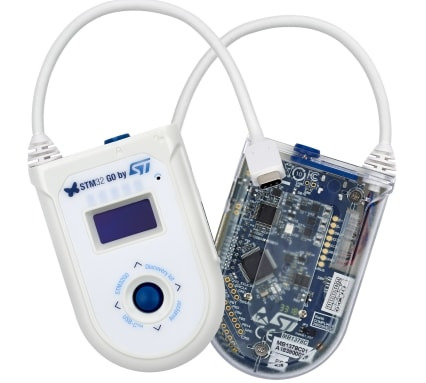
중고로 만원에 업어옴


케이스는 쌈박한데.. 문제는 메뉴얼이 없다는 것.


컨트롤러도 있는데 건전지 2개 들어간다.


LG U+ 똭!

USB C로 되어있어서 일반적인 데스크탑에서는 쓰기힘들 듯?


두께를 얇게 하기 위해 일반 렌즈가 아니라 프레넬 렌즈를 쓴 듯


 v50s 연결하고 카메라 앱 실행해서 보니 생각외로 산뜻하게 보이는데, 펜타일이 아니라 RGB인가?

4k 5.5인치에 RGB가 가능한가?


노트9에 연결하니 반응이 없어서 고장난 줄 알았는데

v50s나 7세대 노트북에는 잘되는걸 보면

usb-c alt mode (dp)가 4k로 작동해야만 켜지는 것 같다.


윈도우에서는 아래와 같이, 펜 / 오디오 / av adapter로 인식되고 자동 설치 된다.


근데.. 왜 세로지?


[링크 : https://m.blog.naver.com/ktd101/222134083802]

[링크 : https://minimax95.tistory.com/entry/Pico-real-plus-VR-사용-후기업데이트-필수]


KT 버전 v50s 라 그런가.. "U+VR커넥트"로 검색해도 플레이스토어에 안나온다?

[링크 : https://m.blog.naver.com/821lsy/221824121001]

[링크 : https://item.gmarket.co.kr/Item?goodscode=3149275061]


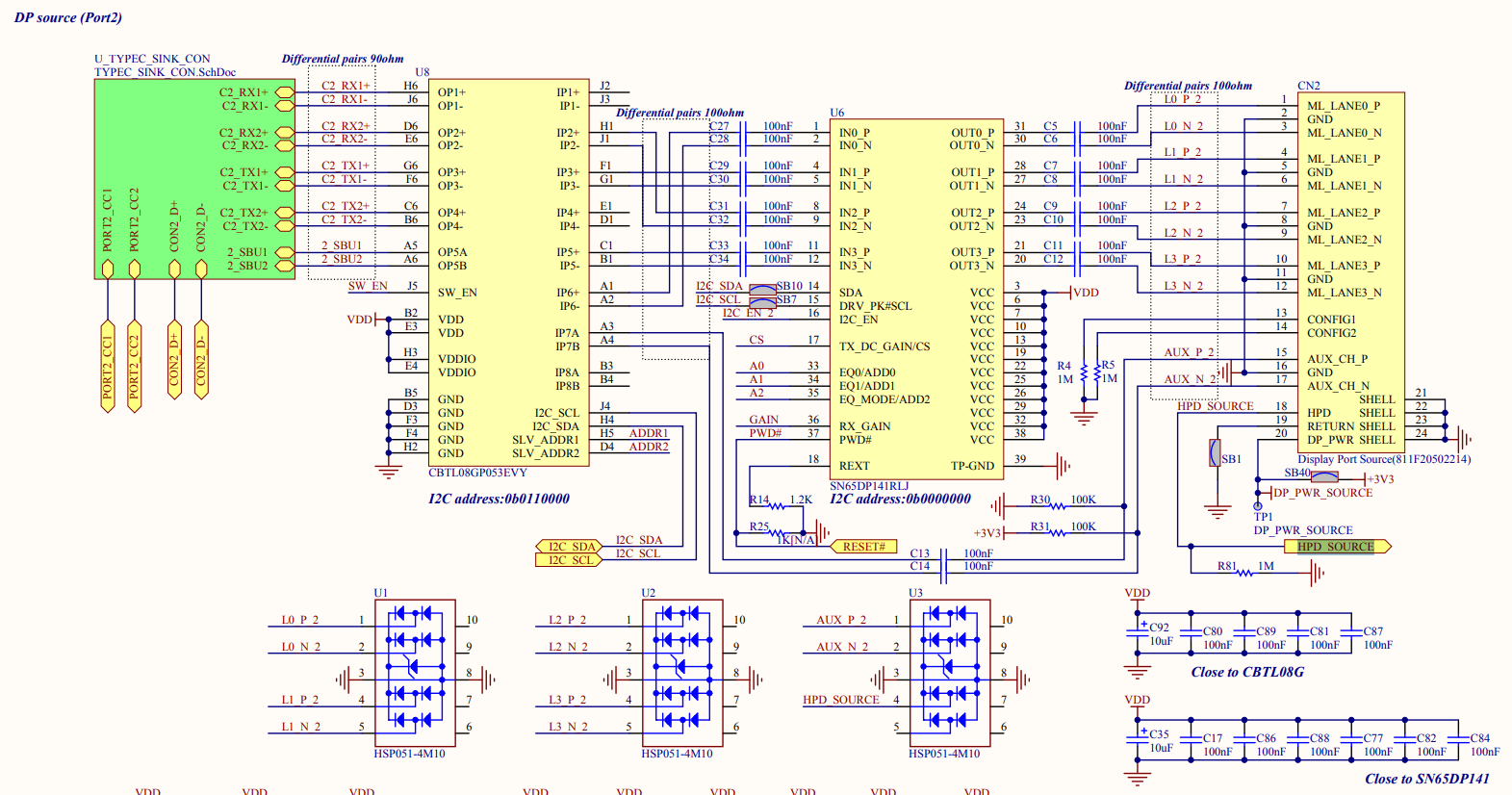
sunix upd2018-B 라는 보드가 있는데, DP를 꽂으면 usb-c로 출력해주는 녀석이다.

일단은 난 이걸 쓰지 않으니 상관은 없을 듯.

[링크 : https://prod.danawa.com/info/?pcode=5343557]

[링크 : https://blog.naver.com/tomynymph/222182380482]


+ 2024.08.07

dp to usb c

[링크 : https://coolenjoy.net/bbs/31/1016528]

[링크 : https://m.danawa.com/product/product.html?code=10634508&cateCode=1131812]

+ end


HLSL 쉐이더 + MPC BE 혹은 팟플레이어

[링크 : https://www.clien.net/service/board/lecture/15465628]


DesktopSBS 라는 프로그램을 쓰라고

[링크 : https://github.com/PaysPlat/DesktopSbS]

   [링크 : https://www.clien.net/service/board/lecture/15472017]


분해

[링크 : https://m.blog.naver.com/0106sang/222505160983]


pico G2 4K(한쪽 눈 기준 1920x2160(3840x2160)

[링크 : https://www.picoxr.com/kr/products/g2-4k]

[링크 : https://prod.danawa.com/info/?pcode=12055721#bookmark_product_information]

'embeded > rpi pico' 카테고리의 다른 글

rpi pico usb joystick  (0) 2024.10.07
pico real plus 윈도우에 연결하기  (0) 2024.07.31
rpi pico ADC 범위  (0) 2024.07.16
rpi pico / micropython  (0) 2024.07.15
rpi pico usb sound  (0) 2021.11.08
Posted by 구차니
embeded/raspberry pi2024. 7. 26. 10:23

postgresql 15.x 를 써서 그런가 안된다


pgadmin3가 아니라 pgadmin4를 써야 할 것 같은데

[링크 : https://dba.stackexchange.com/questions/251031/what-is-the-last-version-of-postgres-with-pgadmin-3]


라즈베리 파이에는 도대체 버전이 어떻게 관리 되길래 이런 대참사가 벌어지고 있는거냐..

$ apt-cache search pgadmin
pgadmin3 - graphical administration tool for PostgreSQL
pgadmin3-data - graphical administration tool for PostgreSQL - documentation
phppgadmin - web-based administration tool for PostgreSQL
postgresql-15-pldebugger - PostgreSQL pl/pgsql Debugger API
Posted by 구차니
embeded/Cortex-M7 STM2024. 7. 25. 13:51

자동 재시작이 안되서 이상하다 싶어 보는데

Reset behavior에 "Connect under reset"이 되어있으면 펌웨어 업데이트 이후 리셋을 눌러줘야 재기동하고

"Software system reset"을 하면 펌웨어 업데이트 이후 자동으로 재시작 된다.


Halt all cores가 체크 가능한건 두 개 뿐이네..

Posted by 구차니
embeded/전자회로2024. 7. 25. 11:57

가변저항이라는데, potentiometer 와의 차이를 모르겠다.


[링크 : https://www.analog.com/en/products/ad5272.html]

[링크 : https://blog.naver.com/roboholic84/220326171298]


포텐쇼미터는 전위차계로 번역을 하고, 레오스텟은 가변저항으로 번역을 하나?

[링크 : https://ko.efinetech.net/info/variable-load-resistor-84625884.html]


What is Rheostat?
The rheostat is composed of a resistive material that is used to control the voltage to the load. The setting of the rheostat can be adjusted by rotating a handle. This device is used to control current flow through a circuit

Difference between Potentiometer and Rheostats:
1) Potentiometer has two fixed resistors and a variable resistor, whereas Rheostat has only one variable resistor.
2) Potentiometer is mainly used for mechanical applications, whereas rheostats are primarily used for electrical applications.
3) The potentiometer is available with dials that help to read its setting value from outside of the circuit board, etc.
4) Potentiometers are available with a linear output, whereas Rheostats are available in logarithmic output.
5) Potentiometers are cheaper than Rheostats.
6) Both potentiometer and rheostat are used to control voltage.

[링크 : https://unacademy.com/content/neet-ug/study-material/physics/potentiometer-and-rheostats/]

[링크 : https://eepower.com/resistor-guide/resistor-types/rheostat/#]


포텐쇼미터는 단자가 3개라서, 중앙의 것과 양 끝단의 하나를 사용하면 가변저항 처럼 사용은 가능하지만

본 목적은 전압의 분배라는 새로운 사실을 알게 됨(!)

A potentiometer is basically a variable voltage divider; as the knob on the device is turned, a sliding contact creates a voltage divider between the input and the two outputs. In other words, a potentiometer is simply meant for voltage division. With a rheostat simply being a potentiometer with infinite resistance at the second output, it modulates total power received by the load connected to the output. If the rheostat and load resistance are equal, then maximum power is transferred to the load component.


[링크 : https://octopart.com/pulse/p/potentiometer-vs-rheostat-which-should-you-use]

'embeded > 전자회로' 카테고리의 다른 글

열전대 써모커플러  (0) 2025.07.17
buzzer - 액티브 패시브  (0) 2025.07.15
notch filter  (0) 2024.05.21
멀티미터 TR 테스트  (0) 2023.11.02
지름도착 - usb 인두기  (0) 2023.10.27
Posted by 구차니
embeded/Cortex-M7 STM2024. 7. 24. 16:18

아무생각없이 무지성으로 clean 하면 매번 빌드되서 짜증났는데

proejct 쪽 메뉴에서 preference 봐도 없길래

clean 메뉴를 다시 보니 가장 아래에

"Start a build immediately"에 체크가 되어있다.

아니.. clean 한다고 왜 빌드 바로 하라는 옵션이 있냐구요.. -_-


'embeded > Cortex-M7 STM' 카테고리의 다른 글

STM32H75I-EVAL  (0) 2024.08.01
stm32cubeide 펌웨어 업데이트 이후 자동 재시작  (2) 2024.07.25
우분투에서 stm32cubeide 삭제  (0) 2024.07.24
STM32H7 디버깅 설정(cubeIDE)  (0) 2024.07.22
STM32H750 operation mode  (0) 2024.07.22
Posted by 구차니
embeded/Cortex-M7 STM2024. 7. 24. 16:10

버전을 넣어서 삭제하면 끝

$ sudo apt purge segger-jlink-udev-rules st-stlink-server st-stlink-udev-rules st-stm32cubeide-1.5.0

[링크 : https://askubuntu.com/questions/1444347/uninstall-stm32cubeide]

Posted by 구차니