프로그램 사용/VNC2026. 2. 4. 12:06

자꾸 접속했다가 팅겨서 머가 문제인가 하고 보는데

먼가.. 무시무시한 오류가 난다?

$ sudo dmesg -w
[ 4951.341720] traps: RemmRDP:[38815] general protection fault ip:76a9265d58cb sp:76a8fabf3490 error:0 in libwinpr2.so.2.6.1[76a9265b1000+6f000]
[ 5112.540997] RemmRDP:[41287]: segfault at fffffffffffffff7 ip 000073aa12ca5795 sp 000073a9c6ff14a0 error 5 in libc.so.6[73aa12c28000+195000] likely on CPU 1 (core 1, socket 0)
[ 5112.541014] Code: 85 ed 0f 85 05 02 00 00 48 83 c4 28 4c 89 e7 5b 5d 41 5c 41 5d 41 5e 41 5f e9 17 f9 ff ff 0f 1f 80 00 00 00 00 48 85 ed 74 de <48> 8b 45 f8 4c 8d 6d f0 31 db 49 89 c7 49 83 e7 f8 a8 02 75 43 48


GPT 에게 물어보니 GPF(general protection fault) 라고 해서 segmentation fault  상위 에러라고 하는데.. 머지?

[링크 : https://en.wikipedia.org/wiki/General_protection_fault]


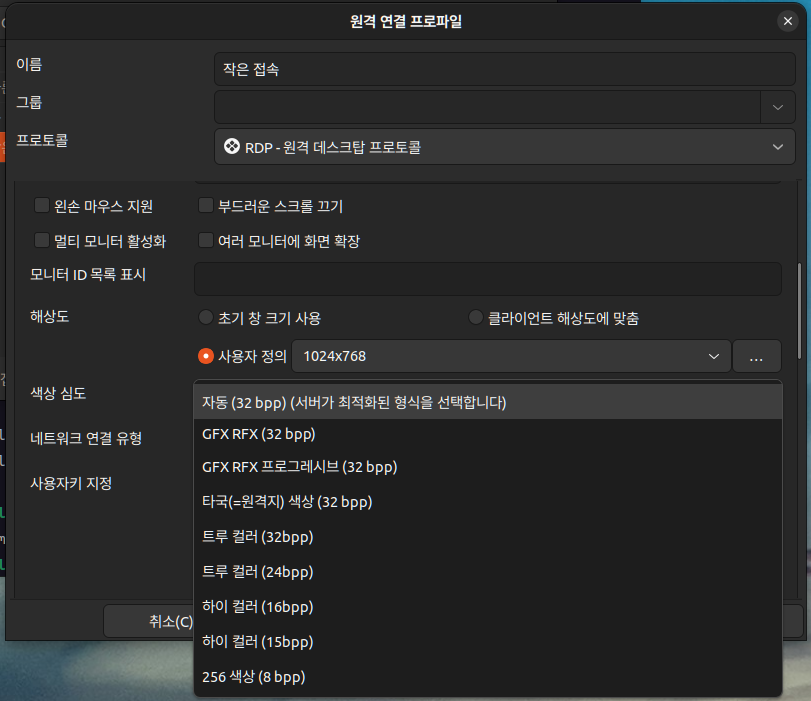
실험적으로는 자동 (32bpp) 대신 GFX RFX가 아닌 설정을 따라가면 된다(트루컬러나 하이컬러, 256색상 등)

다만 GFX RFX 로 하면 죽는건 마찬가지인데, GFX RFX가 멀까?
 

+

RemoteFX, H.264/AVC444, and GFX

[링크 : https://learn.microsoft.com/en-us/answers/questions/2278962/is-it-possible-to-use-gfxredir-extension-for-rdp-s]


Microsoft RemoteFX is a Microsoft brand name that covers a set of technologies that enhance visual experience of the Microsoft-developed remote display protocol Remote Desktop Protocol (RDP).[1] RemoteFX was first introduced in Windows Server 2008 R2 SP1 and is based on intellectual property that Microsoft acquired and continued to develop since acquiring Calista Technologies.[2] It is a part of the overall Remote Desktop Services workload.

[링크 : https://en.wikipedia.org/wiki/RemoteFX]


읭.. 그냥 graphics를 GFX로 표기했을 뿐?

GFX pl (plural only)
  1. (computing, informal) Abbreviation of graphics.

[링크 : https://en.wiktionary.org/wiki/GFX]


이번에 발표된 RemoteFX라는 기술은 서버쪽의 GPU (Graphic Processing Unit)을 이용하여 그래픽 관련 연산을 수행해서 클라이언트에도 동영상등의 서비스도 제공한다는 겁니다.
"쉽게 말해서, 가상 데스크탑환경에서도 동영상 안끊기고 본다."

[링크 : https://bcho.tistory.com/472]


RemoteFX vGPU는 단일 물리적 GPU를 여러 가상 머신 간에 공유할 수 있는 그래픽 가상화 기술입니다.

[링크 : https://blackcon.tistory.com/358]


RemoteFX는 화면을 캡쳐하고 스트리밍을 할 때, GPU를 이용한 하드웨어 가속을 지원하고, 미디어 스트리밍을 위하여 H.264를 지원하여 적은 트래픽으로도 고품질로 스트리밍이 가능하도록 지원하는 소프트웨어입니다.RemoteFX를 활성화하면, 네트워크가 느린 곳에서도 GPU를 이용한 하드웨어 가속H.264를 통하여 조금 더 깨끗하고 끊김없는 화면을 제공받을 수 있습니다.

[링크 : https://hbesthee.tistory.com/1831]


RemoteFX vGPU를 사용하면 여러 가상 머신이 실제 GPU를 공유할 수 있습니다. 이 기능은 Windows 7에 도입되어 Windows Server 2019의 사용자에 대한 옵션으로 제거되었습니다.  이제 RemoteFX vGPU의 현재 구현이 보안 취약성에 취약한 것으로 나타납니다(CVE세부 정보의 FAQ 섹션 참조). 새로 식별된 이러한 취약성은 아키텍처로, 기능은 이미 최신 버전의 Windows에서 제거되어 있기 때문에 2021년 4월 13일 Windows 보안 업데이트 및 모든 Windows 업데이트에는 RemoteFX vGPU 기능이 더 이상 포함되지 않습니다

[링크 : https://support.microsoft.com/ko-kr/topic/kb4570006-windows에서-remotefx-vgpu-구성-요소를-사용하지-않도록-설정하고-제거하기-위한-업데이트-bbdf1531-7188-2bf4-0de6-641de79f09d2]

'프로그램 사용 > VNC' 카테고리의 다른 글

libvncserver without password  (0) 2022.11.08
libvncserver 기본 인자  (0) 2022.11.04
libvncserver 종료 절차  (0) 2022.11.01
libvncserver 로그인  (0) 2022.09.26
libvncserver 접속 끊어짐 문제  (0) 2022.08.16
Posted by 구차니
프로그램 사용/VNC2022. 11. 8. 15:23


int main(int argc,char** argv)
{
  rfbScreenInfoPtr rfbScreen = rfbGetScreen(&argc,argv,maxx,maxy,8,3,bpp);
  if(!rfbScreen)
    return 1;
  rfbScreen->desktopName = "LibVNCServer Example";
  rfbScreen->frameBuffer = (char*)malloc(maxx*maxy*bpp);
  rfbScreen->alwaysShared = TRUE;
  rfbScreen->ptrAddEvent = doptr;
  rfbScreen->kbdAddEvent = dokey;
  rfbScreen->newClientHook = newclient;
  rfbScreen->httpDir = "../webclients";
  rfbScreen->httpEnableProxyConnect = TRUE;

[링크: https://github.com/LibVNC/libvncserver/blob/master/examples/example.c]


    server->authPasswdData = (void *)passwords;
    server->passwordCheck = rfbCheckPasswordByList;

[링크 : https://libvnc.github.io/doc/html/structrfb_screen_info.html#a0d709aef47e215065642eb6d0f6de633]

'프로그램 사용 > VNC' 카테고리의 다른 글

remmina가 미쳤어요! (vnc client)  (0) 2026.02.04
libvncserver 기본 인자  (0) 2022.11.04
libvncserver 종료 절차  (0) 2022.11.01
libvncserver 로그인  (0) 2022.09.26
libvncserver 접속 끊어짐 문제  (0) 2022.08.16
Posted by 구차니
프로그램 사용/VNC2022. 11. 4. 10:42

libvncserver 라이브러리에서 제공되는 기본 옵션이 존재한다.

# ./vncserver -help
-rfbport port          TCP port for RFB protocol
-rfbportv6 port        TCP6 port for RFB protocol
-rfbwait time          max time in ms to wait for RFB client
-rfbauth passwd-file   use authentication on RFB protocol
                       (use 'storepasswd' to create a password file)
-rfbversion 3.x        Set the version of the RFB we choose to advertise
-permitfiletransfer    permit file transfer support
-passwd plain-password use authentication
                       (use plain-password as password, USE AT YOUR RISK)
-deferupdate time      time in ms to defer updates (default 40)
-deferptrupdate time   time in ms to defer pointer updates (default none)
-desktop name          VNC desktop name (default "LibVNCServer")
-alwaysshared          always treat new clients as shared
-nevershared           never treat new clients as shared
-dontdisconnect        don't disconnect existing clients when a new non-shared
                       connection comes in (refuse new connection instead)
-sslkeyfile path       set path to private key file for encrypted WebSockets connections
-sslcertfile path      set path to certificate file for encrypted WebSockets connections
-httpdir dir-path      enable http server using dir-path home
-httpport portnum      use portnum for http connection
-httpportv6 portnum    use portnum for IPv6 http connection
-enablehttpproxy       enable http proxy support
-progressive height    enable progressive updating for slow links
-listen ipaddr         listen for connections only on network interface with
                       addr ipaddr. '-listen localhost' and hostname work too.
-listenv6 ipv6addr     listen for IPv6 connections only on network interface with
                       addr ipv6addr. '-listen localhost' and hostname work too.


http 자체는 disable 하는게 없다.

줄   9: 00084         if (strcmp(argv[i], "-help") == 0) {
줄  12: 00087         } else if (strcmp(argv[i], "-rfbport") == 0) { /* -rfbport port */
줄  19: 00094         } else if (strcmp(argv[i], "-rfbportv6") == 0) { /* -rfbportv6 port */
줄  26: 00101         } else if (strcmp(argv[i], "-rfbwait") == 0) {  /* -rfbwait ms */
줄  32: 00107         } else if (strcmp(argv[i], "-rfbauth") == 0) {  /* -rfbauth passwd-file */
줄  39: 00114         } else if (strcmp(argv[i], "-permitfiletransfer") == 0) {  /* -permitfiletransfer  */
줄  41: 00116         } else if (strcmp(argv[i], "-rfbversion") == 0) {  /* -rfbversion 3.6  */
줄  47: 00122         } else if (strcmp(argv[i], "-passwd") == 0) {  /* -passwd password */
줄  57: 00132         } else if (strcmp(argv[i], "-deferupdate") == 0) {  /* -deferupdate milliseconds */
줄  63: 00138         } else if (strcmp(argv[i], "-deferptrupdate") == 0) {  /* -deferptrupdate milliseconds */
줄  69: 00144         } else if (strcmp(argv[i], "-desktop") == 0) {  /* -desktop desktop-name */
줄  75: 00150         } else if (strcmp(argv[i], "-alwaysshared") == 0) {
줄  77: 00152         } else if (strcmp(argv[i], "-nevershared") == 0) {
줄  79: 00154         } else if (strcmp(argv[i], "-dontdisconnect") == 0) {
줄  81: 00156         } else if (strcmp(argv[i], "-httpdir") == 0) {  /* -httpdir directory-path */
줄  87: 00162         } else if (strcmp(argv[i], "-httpport") == 0) {  /* -httpport portnum */
줄  94: 00169         } else if (strcmp(argv[i], "-httpportv6") == 0) {  /* -httpportv6 portnum */
줄 101: 00176         } else if (strcmp(argv[i], "-enablehttpproxy") == 0) {
줄 103: 00178         } else if (strcmp(argv[i], "-progressive") == 0) {  /* -httpport portnum */
줄 109: 00184         } else if (strcmp(argv[i], "-listen") == 0) {  /* -listen ipaddr */
줄 118: 00193         } else if (strcmp(argv[i], "-listenv6") == 0) {  /* -listenv6 ipv6addr */
줄 126: 00201         } else if (strcmp(argv[i], "-sslkeyfile") == 0) {  /* -sslkeyfile sslkeyfile */
줄 132: 00207         } else if (strcmp(argv[i], "-sslcertfile") == 0) {  /* -sslcertfile sslcertfile */

[링크 : https://libvncserver.sourceforge.net/doc/html/cargs_8c_source.html]

'프로그램 사용 > VNC' 카테고리의 다른 글

remmina가 미쳤어요! (vnc client)  (0) 2026.02.04
libvncserver without password  (0) 2022.11.08
libvncserver 종료 절차  (0) 2022.11.01
libvncserver 로그인  (0) 2022.09.26
libvncserver 접속 끊어짐 문제  (0) 2022.08.16
Posted by 구차니
프로그램 사용/VNC2022. 11. 1. 10:45

정작 API 문서에는 아무런 설명도 없다.

[링크 : https://libvnc.github.io/doc/html/group__libvncserver__api.html#ga7560cf50d53208ad5dc24b3d82bbb418]

[링크 : https://libvnc.github.io/doc/html/group__libvncserver__api.html#ga69b57fe0447eac66fe216430bcda5859]


예제에 보면 F11, F12 누르면 서버 종료 되는 내용이 있다.

static void dokey(rfbBool down,rfbKeySym key,rfbClientPtr cl)
{
  if(down) {
    if(key==XK_Escape)
      rfbCloseClient(cl);
    else if(key==XK_F12)
      /* close down server, disconnecting clients */
      rfbShutdownServer(cl->screen,TRUE);
    else if(key==XK_F11)
      /* close down server, but wait for all clients to disconnect */
      rfbShutdownServer(cl->screen,FALSE);
  rfbShutdownServer(rfbScreen, TRUE);
#endif /* BACKGROUND_LOOP */

  free(rfbScreen->frameBuffer);
  rfbScreenCleanup(rfbScreen);

[링크 : https://github.com/LibVNC/libvncserver/blob/master/examples/example.c]


rfbScreenCleanup은 걍.. vnc 버전 free() 라고 보면 될 듯.

/* hang up on all clients and free all reserved memory */
 
 void rfbScreenCleanup(rfbScreenInfoPtr screen)

[링크 : https://libvnc.github.io/doc/html/main_8c_source.html]

'프로그램 사용 > VNC' 카테고리의 다른 글

libvncserver without password  (0) 2022.11.08
libvncserver 기본 인자  (0) 2022.11.04
libvncserver 로그인  (0) 2022.09.26
libvncserver 접속 끊어짐 문제  (0) 2022.08.16
libvncserver websocket example  (0) 2022.08.12
Posted by 구차니
프로그램 사용/VNC2022. 9. 26. 17:51

rfbCheckPasswordByList()는 계정-패스워드 쌍으로 되어있는 값을 이용하여 로그인을 구현하는 기본 함수이다.

희망(?)을 가졌던 newClientHook 이벤트는 시도때도 없이 발생했고(원래 기대했던 것은 로그인 시 1회)

로그인 별로 어떤 계정이 로그인 성공,실패 했는지는 함수를 확장해서 만들어야 할 듯..


newClientHook 에서도 cl->viewOnly가 설정되지 않는 걸 보면, vnc client 측의 설정과는 별개 인 듯

/* for this method, authPasswdData is really a pointer to an array
    of char*'s, where the last pointer is 0. */
 rfbBool rfbCheckPasswordByList(rfbClientPtr cl,const char* response,int len)
 {
   char **passwds;
   int i=0;
 
   for(passwds=(char**)cl->screen->authPasswdData;*passwds;passwds++,i++) {
     uint8_t auth_tmp[CHALLENGESIZE];
     memcpy((char *)auth_tmp, (char *)cl->authChallenge, CHALLENGESIZE);
     rfbEncryptBytes(auth_tmp, *passwds);
 
     if (memcmp(auth_tmp, response, len) == 0) {
       if(i>=cl->screen->authPasswdFirstViewOnly)
         cl->viewOnly=TRUE;
       return(TRUE);
     }
   }
 
   rfbErr("authProcessClientMessage: authentication failed from %s\n",
          cl->host);
   return(FALSE);
 }

[링크 : https://libvnc.github.io/doc/html/main_8c_source.html#l00786]

'프로그램 사용 > VNC' 카테고리의 다른 글

libvncserver 기본 인자  (0) 2022.11.04
libvncserver 종료 절차  (0) 2022.11.01
libvncserver 접속 끊어짐 문제  (0) 2022.08.16
libvncserver websocket example  (0) 2022.08.12
libvncserver 마우스 이벤트  (0) 2022.02.25
Posted by 구차니
프로그램 사용/VNC2022. 8. 16. 15:02

에러별 디버그 메시지 출력 위치 추적중.


24/03/2021 11:06:09 rfbProcessClientNormalMessage: FixColourMapEntries unsupported
24/03/2021 11:06:09 Client 192.168.0.6 gone

[링크 : https://github.com/LibVNC/libvncserver/blob/master/libvncserver/rfbserver.c#L2270]


24/03/2021 10:55:30 hybiReadAndDecode: read; Resource temporarily unavailable24/03/2021 10:55:30 hybiReadAndDecode: read; Resource temporarily unavailable24/03/2021 10:55:30 hybiReadAndDecode: read; Resource temporarily unavailable24/03/2021 10:55:30 hybiReadAndDecode: read; Resource temporarily unavailable24/03/2021 10:55:30 hybiReadHeader: got frame without mask; ret=6
24/03/2021 10:55:30 hybiReadAndDecode: unhandled opcode 13, b0: 9d, b1: 41
24/03/2021 10:55:30 rfbProcessClientNormalMessage: read: Protocol error
24/03/2021 10:55:30 Client 192.168.0.6 gone

[링크 : https://github.com/LibVNC/libvncserver/blob/master/libvncserver/ws_decode.c#L374]


24/03/2021 11:09:19 Pixel format for client 192.168.0.6:
24/03/2021 11:09:19   87 bpp, depth 5, little endian
24/03/2021 11:09:19   true colour: max r 47360 g 20997 b 2, shift r 179 g 0 b 77
24/03/2021 11:09:19 rfbSetTranslateFunction: client bits per pixel not 8, 16 or 32
24/03/2021 11:09:19 Client 192.168.0.6 gone

[링크 : https://github.com/LibVNC/libvncserver/blob/master/libvncserver/translate.c#L261]


+

2022.08.17

rfbRunEventLoop() 에 인자를 TRUE를 주고(background 실행하도록)

main loop 에서 rfbProcessEvents() 을 통해서 처리하게 하다 보니(websocket 처리를 위해)

양쪽에서 fd를 읽어 가려하다보니 데이터가 정상적으로 가져가지지 않아 죽는 것으로 판명됨.

'프로그램 사용 > VNC' 카테고리의 다른 글

libvncserver 종료 절차  (0) 2022.11.01
libvncserver 로그인  (0) 2022.09.26
libvncserver websocket example  (0) 2022.08.12
libvncserver 마우스 이벤트  (0) 2022.02.25
libvncserver 사용예  (0) 2022.02.15
Posted by 구차니
프로그램 사용/VNC2022. 8. 12. 10:58

음.. libvncserver 라이브러리를 이용해서 간단하게 저 인자 하나 주고 만들면 되려나?

int main(int argc,char** argv)
{
  rfbScreenInfoPtr rfbScreen = rfbGetScreen(&argc,argv,maxx,maxy,8,3,bpp);
  if(!rfbScreen)
    return 1;
  rfbScreen->desktopName = "LibVNCServer Example";
  rfbScreen->frameBuffer = (char*)malloc(maxx*maxy*bpp);
  rfbScreen->alwaysShared = TRUE;
  rfbScreen->ptrAddEvent = doptr;
  rfbScreen->kbdAddEvent = dokey;
  rfbScreen->newClientHook = newclient;
  rfbScreen->httpDir = "../webclients";
  rfbScreen->httpEnableProxyConnect = TRUE;

  initBuffer((unsigned char*)rfbScreen->frameBuffer);
  rfbDrawString(rfbScreen,&radonFont,20,100,"Hello, World!",0xffffff);

  /* This call creates a mask and then a cursor: */
  /* rfbScreen->defaultCursor =
       rfbMakeXCursor(exampleCursorWidth,exampleCursorHeight,exampleCursor,0);
  */

  MakeRichCursor(rfbScreen);

  /* initialize the server */
  rfbInitServer(rfbScreen);

#ifndef BACKGROUND_LOOP_TEST
#ifdef USE_OWN_LOOP
  {
    int i;
    for(i=0;rfbIsActive(rfbScreen);i++) {
      fprintf(stderr,"%d\r",i);
      rfbProcessEvents(rfbScreen,100000);
    }
  }
#else
  /* this is the blocking event loop, i.e. it never returns */
  /* 40000 are the microseconds to wait on select(), i.e. 0.04 seconds */
  rfbRunEventLoop(rfbScreen,40000,FALSE);
#endif /* OWN LOOP */
#else
#if !defined(LIBVNCSERVER_HAVE_LIBPTHREAD) && !defined(LIBVNCSERVER_HAVE_WIN32THREADS)
#error "I need pthreads or win32 threads for that."
#endif
  /* catch Ctrl-C to set a flag for the main thread */
  signal(SIGINT, intHandler);
  /* this is the non-blocking event loop; a background thread is started */
  rfbRunEventLoop(rfbScreen,-1,TRUE);
  fprintf(stderr, "Running background loop...\n");
  /* now we could do some cool things like rendering in idle time */
  while (maintain_connection) {
      sleep(5); /* render(); */
  }
  fprintf(stderr, "\nShutting down...\n");
  rfbShutdownServer(rfbScreen, TRUE);
#endif /* BACKGROUND_LOOP */

  free(rfbScreen->frameBuffer);
  rfbScreenCleanup(rfbScreen);

  return(0);
}

[링크 :https://github.com/LibVNC/libvncserver/blob/master/examples/example.c]

[링크 : https://github.com/LibVNC/libvncserver]


+

먼가 되나 했더니 안되네..

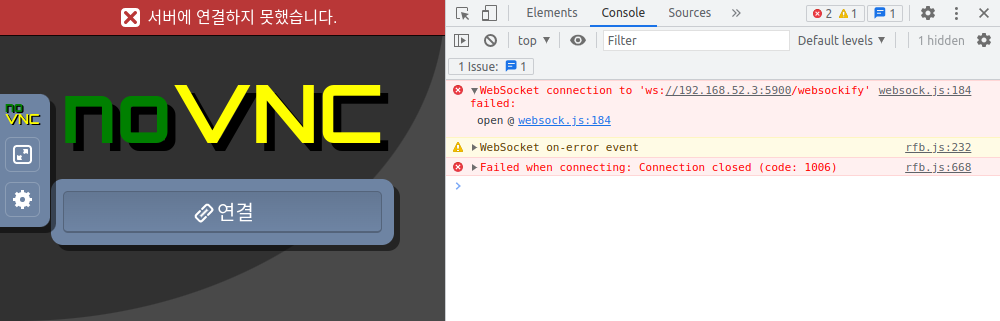
일단은.. noVNC 에서는 ws://ip/websockify 라는 경로를 열려고 하는데

libvncserver.so 에서 해당 경로를 열어주는 부분이 없나...?

[링크 : https://github.com/novnc/websockify]


example은 libvncserver의 example/example.c 빌드해서 나온거

revind / revind.so / run / websockify 는 websockify 에서 나온거

libvncserver 와 noVNC와 websockify 의 조합으로 어찌 되긴 하는데..

~/libvncserver/webclients $ ls -al
total 64
drwxr-xr-x  4 pi pi  4096 Aug 12 11:44 .
drwxr-xr-x 16 pi pi  4096 Aug 12 11:03 ..
-rwxr-xr-x  1 pi pi 25372 Aug 12 11:02 example
-rw-r--r--  1 pi pi  1601 Aug 12 10:32 index.vnc
drwxr-xr-x 10 pi pi  4096 Aug 12 11:00 novnc
-rwxr-xr-x  1 pi pi   424 Aug 12 11:39 rebind
-rwxr-xr-x  1 pi pi  7508 Aug 12 11:39 rebind.so
-rwxr-xr-x  1 pi pi    78 Aug 12 11:39 run
drwxr-xr-x  3 pi pi  4096 Aug 12 11:28 websockify


인자는 아래와 같이 하고 실행!

$ ./run 5900 -- ./example


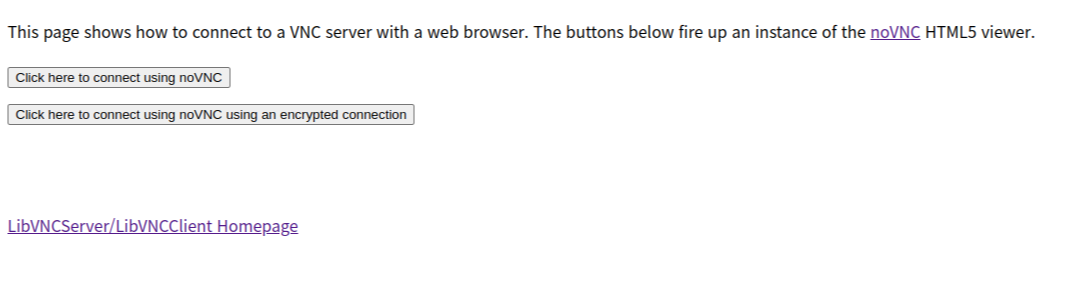
웹 브라우저에서 http://ip:5800 으로 접속하면 아래와 같이 뜨고

별다른 설정을 하지 않았다면 wss(websocket secure)를 안될테니 위에 "Click here to connect using noVNC"를 누른다.


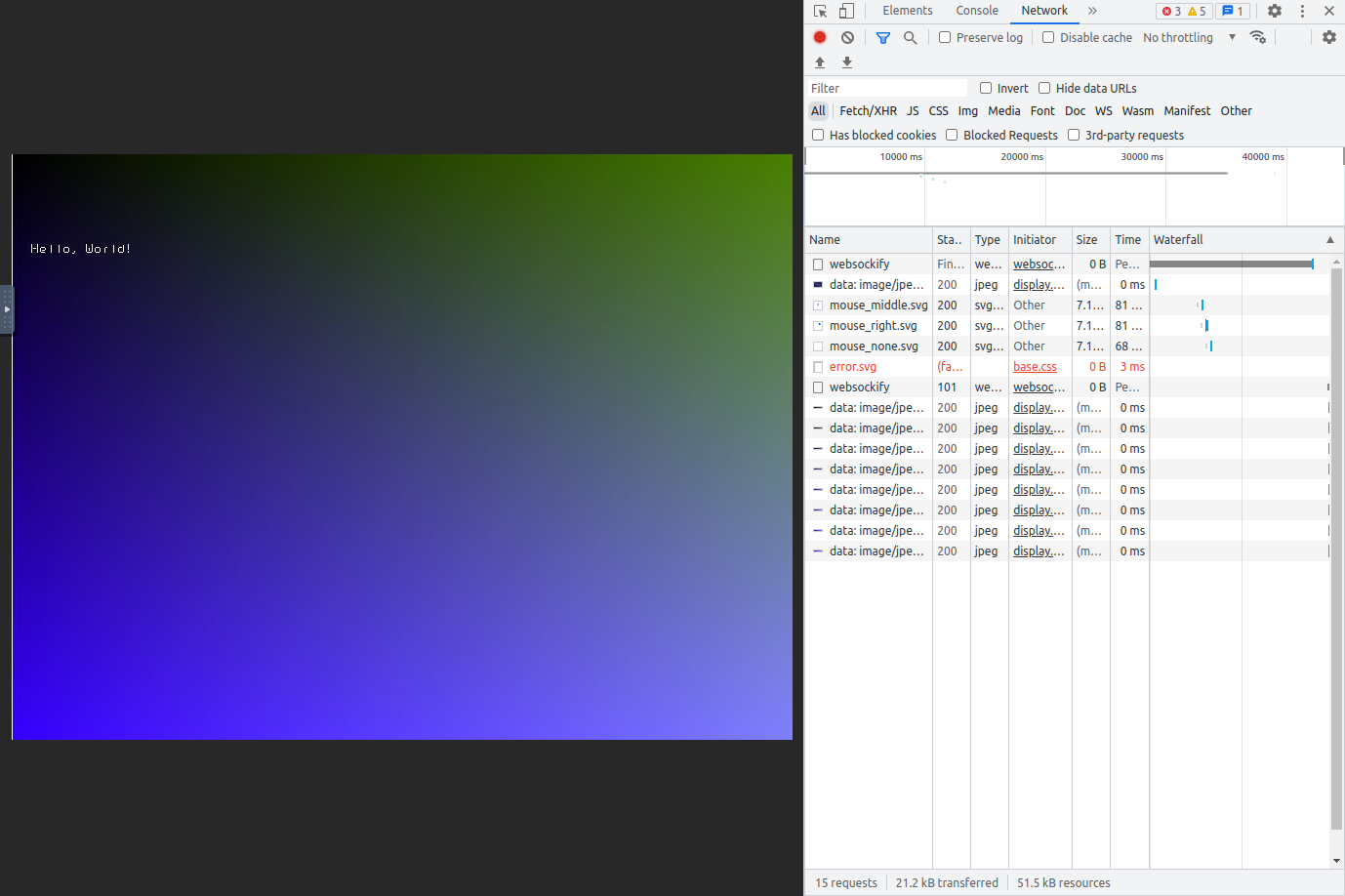
약간의 시간을 기다리면(libvncserver의 웹 서버가 느린지 파일 전송이 좀 느리다)

아래와 같이 쨘~


+

한번 되더니 websockify 없이도 되네.. 머지?


+

runInBackground 의 값을 TRUE 로 해주면 웹 서버가 작동을 안한다 -_-

어떻게 해야 할까..

void rfbRunEventLoop ( rfbScreenInfoPtr  screenInfo,
long  usec,
rfbBool  runInBackground  
)

[링크 : http://libvncserver.sourceforge.net/doc/html/group__libvncserver__api.html#ga1f5f3116deec0ab6bb18208c2eb538e6]


+

2022.08.17

하하하 안되는게 당연한거 였... ㅠㅠ

static THREAD_ROUTINE_RETURN_TYPE
listenerRun(void *data)
{
    rfbScreenInfoPtr screen=(rfbScreenInfoPtr)data;
    int client_fd;
    struct sockaddr_storage peer;
    rfbClientPtr cl = NULL;
    socklen_t len;
    fd_set listen_fds;  /* temp file descriptor list for select() */

    /*
       Only checking socket state here and not using rfbIsActive()
       because: When rfbShutdownServer() is called by the client, it runs in
       the client-to-server thread's context, resulting in itself calling
       its own the pthread_join(), returning immediately, leaving the
       client-to-server thread to actually terminate _after_ the listener thread
       is terminated, leaving the client list still populated.
     */
    /* TODO: HTTP is not handled */
}

'프로그램 사용 > VNC' 카테고리의 다른 글

libvncserver 로그인  (0) 2022.09.26
libvncserver 접속 끊어짐 문제  (0) 2022.08.16
libvncserver 마우스 이벤트  (0) 2022.02.25
libvncserver 사용예  (0) 2022.02.15
rfb(remote framebuffer) protocol  (0) 2022.01.26
Posted by 구차니
프로그램 사용/VNC2022. 2. 25. 12:18

client -> server 프로토콜

#define rfbKeyEvent 4
#define rfbPointerEvent 5


키보드 이벤트 관련 구조체

/*-----------------------------------------------------------------------------
 * KeyEvent - key press or release
 *
 * Keys are specified using the "keysym" values defined by the X Window System.
 * For most ordinary keys, the keysym is the same as the corresponding ASCII
 * value.  Other common keys are:
 *
 * BackSpace 0xff08
 * Tab 0xff09
 * Return or Enter 0xff0d
 * Escape 0xff1b
 * Insert 0xff63
 * Delete 0xffff
 * Home 0xff50
 * End 0xff57
 * Page Up 0xff55
 * Page Down 0xff56
 * Left 0xff51
 * Up 0xff52
 * Right 0xff53
 * Down 0xff54
 * F1 0xffbe
 * F2 0xffbf
 * ... ...
 * F12 0xffc9
 * Shift 0xffe1
 * Control 0xffe3
 * Meta 0xffe7
 * Alt 0xffe9
 */

typedef struct {
    uint8_t type; /* always rfbKeyEvent */
    uint8_t down; /* true if down (press), false if up */
    uint16_t pad;
    uint32_t key; /* key is specified as an X keysym */
} rfbKeyEventMsg;

#define sz_rfbKeyEventMsg 8


typedef struct {
    uint8_t type;     /* always rfbQemuEvent */
    uint8_t subtype;  /* always 0 */
    uint16_t down;
    uint32_t keysym;  /* keysym is specified as an X keysym, may be 0 */
    uint32_t keycode; /* keycode is specified as XT key code */
} rfbQemuExtendedKeyEventMsg;

#define sz_rfbQemuExtendedKeyEventMsg 12


내용이 부실한데 드래그를 구현하려면 down 이벤트를 보고 해당 버튼의 마스크가 사라질때 까지 보고 있어야 할 듯?

uinput에서 그럼 드래그 어떻게 구현해야 하냐... ㅠㅠ

/*-----------------------------------------------------------------------------
 * PointerEvent - mouse/pen move and/or button press.
 */

typedef struct {
    uint8_t type; /* always rfbPointerEvent */
    uint8_t buttonMask; /* bits 0-7 are buttons 1-8, 0=up, 1=down */
    uint16_t x;
    uint16_t y;
} rfbPointerEventMsg;

#define rfbButton1Mask 1
#define rfbButton2Mask 2
#define rfbButton3Mask 4
#define rfbButton4Mask 8
#define rfbButton5Mask 16
/* RealVNC 335 method */
#define rfbWheelUpMask rfbButton4Mask
#define rfbWheelDownMask rfbButton5Mask

#define sz_rfbPointerEventMsg 6

[링크 : https://github.com/LibVNC/libvncserver/blob/master/rfb/rfbproto.h]


키보드의 경우 키 다운, 업 이벤트가 오는 것 같고, 반복키 처리를 좀 찾아봐야 할 듯.

마우스는 buttonmask에 

static void doptr(int buttonMask, int x, int y, rfbClientPtr cl)
{

}

static void dokey(rfbBool down, rfbKeySym key, rfbClientPtr cl)
{

}

[링크 : http:// https://github.com/LibVNC/libvncserver/blob/master/examples/example.c]


키보드 입력관련 선언문

#define XK_VoidSymbol 0xFFFFFF /* void symbol */

#define XK_BackSpace 0xFF08 /* back space, back char */
#define XK_Tab 0xFF09
#define XK_Linefeed 0xFF0A /* Linefeed, LF */
#define XK_Clear 0xFF0B
#define XK_Return 0xFF0D /* Return, enter */
#define XK_Pause 0xFF13 /* Pause, hold */
#define XK_Scroll_Lock 0xFF14
#define XK_Sys_Req 0xFF15
#define XK_Escape 0xFF1B
#define XK_Delete 0xFFFF /* Delete, rubout */

#define XK_A                   0x041
#define XK_B                   0x042
#define XK_C                   0x043

#define XK_a                   0x061
#define XK_b                   0x062
#define XK_c                   0x063

[링크 : https://github.com/LibVNC/libvncserver/blob/master/rfb/keysym.h]


[링크 : https://github.com/LibVNC/libvncserver]


+

relative / absolute mode 관련 참고할 코드

doptr() 에서 현재 좌표 넘어온 것과 이전 마지막 좌표 계산해서 넣는것 외에는

libvncserver 자체에서 상대좌표 모드로 작동하진 않도록 구성되어 있는 것으로 보인다.

[링크 : https://github.com/hanzelpeter/dispmanx_vnc/blob/master/main.c]

Posted by 구차니
프로그램 사용/VNC2022. 2. 15. 16:33

-lvncserver 해주고 나면 의외로 건드릴게 별로 없다.


#include <rfb/rfb.h>

int main(int argc,char** argv)
{                                                                
  rfbScreenInfoPtr server=rfbGetScreen(&argc,argv,400,300,8,3,4);
  if(!server)
    return 1;
  server->frameBuffer=(char*)malloc(400*300*4);
  rfbInitServer(server);           
  rfbRunEventLoop(server,-1,FALSE);
  return(0);
}

[링크 : https://github.com/LibVNC/libvncserver/blob/master/examples/simple.c]

'프로그램 사용 > VNC' 카테고리의 다른 글

libvncserver websocket example  (0) 2022.08.12
libvncserver 마우스 이벤트  (0) 2022.02.25
rfb(remote framebuffer) protocol  (0) 2022.01.26
gconf-editor / ubuntu 14.04 LTS vino + VNC 접속불가  (0) 2015.03.22
VNC web 버전?  (0) 2014.12.11
Posted by 구차니
프로그램 사용/VNC2022. 1. 26. 17:07

'프로그램 사용 > VNC' 카테고리의 다른 글

libvncserver 마우스 이벤트  (0) 2022.02.25
libvncserver 사용예  (0) 2022.02.15
gconf-editor / ubuntu 14.04 LTS vino + VNC 접속불가  (0) 2015.03.22
VNC web 버전?  (0) 2014.12.11
VNC 5.0.5  (0) 2013.09.04
Posted by 구차니