모종의 음모/ai 프로그램
comfyui 실행
구차니
2026. 5. 19. 19:26
| /mnt/Downloads/ComfyUI$ python3 main.py --listen 0.0.0.0 setup plugin alembic.autogenerate.schemas setup plugin alembic.autogenerate.tables setup plugin alembic.autogenerate.types setup plugin alembic.autogenerate.constraints setup plugin alembic.autogenerate.defaults setup plugin alembic.autogenerate.comments WARNING: You need pytorch with cu130 or higher to use optimized CUDA operations. Found comfy_kitchen backend triton: {'available': True, 'disabled': True, 'unavailable_reason': None, 'capabilities': ['apply_rope', 'apply_rope1', 'dequantize_nvfp4', 'dequantize_per_tensor_fp8', 'quantize_mxfp8', 'quantize_nvfp4', 'quantize_per_tensor_fp8']} Found comfy_kitchen backend cuda: {'available': True, 'disabled': True, 'unavailable_reason': None, 'capabilities': ['apply_rope', 'apply_rope1', 'dequantize_nvfp4', 'dequantize_per_tensor_fp8', 'quantize_mxfp8', 'quantize_nvfp4', 'quantize_per_tensor_fp8', 'scaled_mm_nvfp4']} Found comfy_kitchen backend eager: {'available': True, 'disabled': False, 'unavailable_reason': None, 'capabilities': ['apply_rope', 'apply_rope1', 'dequantize_mxfp8', 'dequantize_nvfp4', 'dequantize_per_tensor_fp8', 'quantize_mxfp8', 'quantize_nvfp4', 'quantize_per_tensor_fp8', 'scaled_mm_mxfp8', 'scaled_mm_nvfp4']} Checkpoint files will always be loaded safely. Total VRAM 11165 MB, total RAM 15651 MB pytorch version: 2.7.1+cu118 Set vram state to: NORMAL_VRAM Device: cuda:0 NVIDIA GeForce GTX 1080 Ti : cudaMallocAsync Using async weight offloading with 2 streams Enabled pinned memory 14085.0 Using pytorch attention Unsupported Pytorch detected. DynamicVRAM support requires Pytorch version 2.8 or later. Falling back to legacy ModelPatcher. VRAM estimates may be unreliable especially on WindowsPython version: 3.10.12 (main, Mar 3 2026, 11:56:32) [GCC 11.4.0] ComfyUI version: 0.21.1 comfy-aimdo version: 0.3.0 comfy-kitchen version: 0.2.8 comfyui-frontend-package version: 1.43.18 comfyui-workflow-templates version: 0.9.77 comfyui-embedded-docs version: 0.5.0 comfy-kitchen version: 0.2.8 comfy-aimdo version: 0.3.0 [Prompt Server] web root: /home/minimonk/.local/lib/python3.10/site-packages/comfyui_frontend_package/static Asset seeder disabled Import times for custom nodes: 0.0 seconds: /mnt/Downloads/ComfyUI/custom_nodes/websocket_image_save.py Context impl SQLiteImpl. Will assume non-transactional DDL. Starting server To see the GUI go to: http://0.0.0.0:8188 ^C Stopped server |
그냥 켜면 기본으로 있는데
몰라서(!) ComfyUI/models/diffusion_models 에 *.safetensors 파일들을 넣어놓고는 체크포인트 로드에 왜 안뜨나 했는데
ComfyUI/models/checkpoints 에 넣어주고 리프레시 하면 뜬다.
[링크 : https://comfyui-wiki.com/ko/comfyui-nodes/loaders/checkpoint-loader-simple]
선이 먼가 드럽게 꼬여서
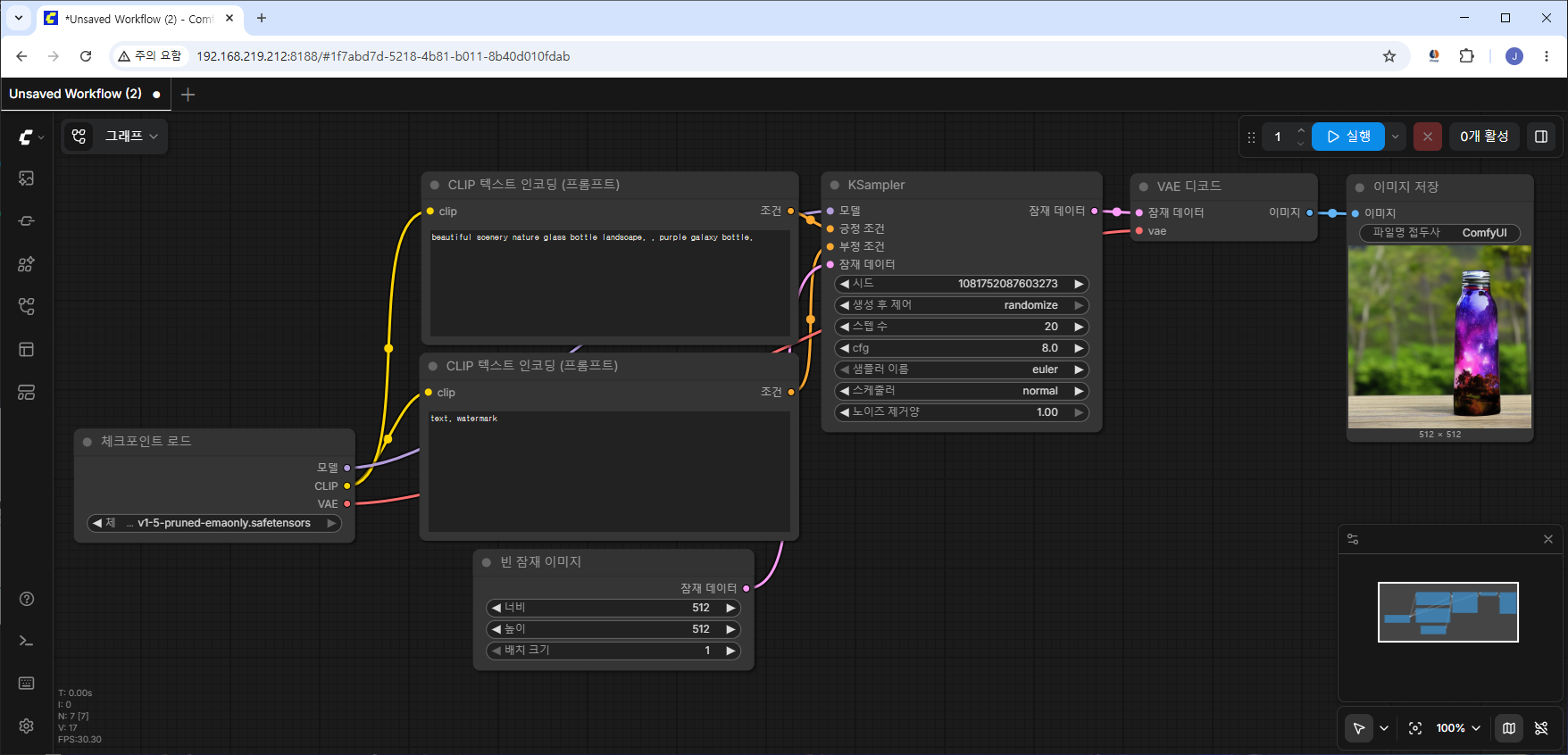
정리 하는데. 도대체 저 하나하나 노드들을 멀로 추가해야하나 모르겠다.
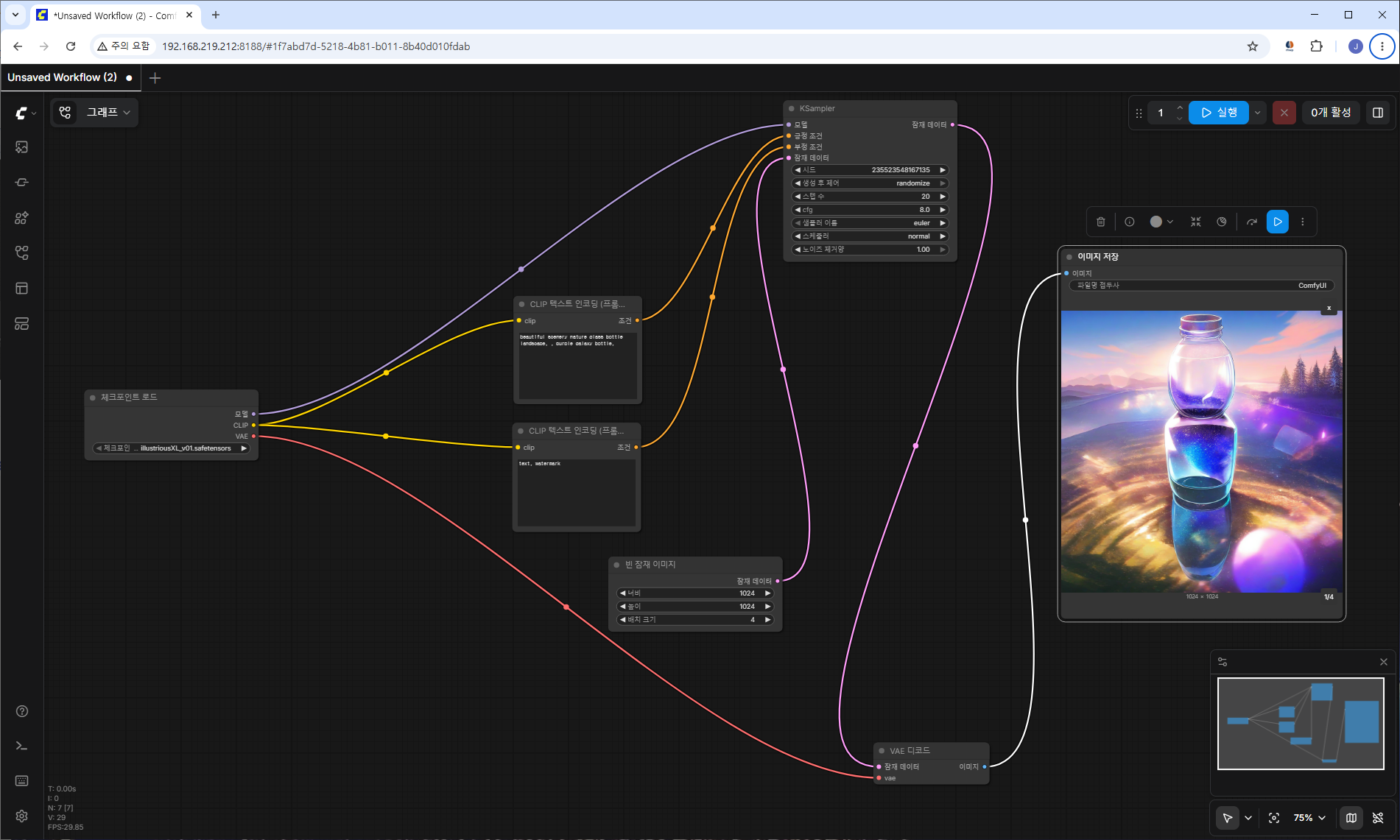
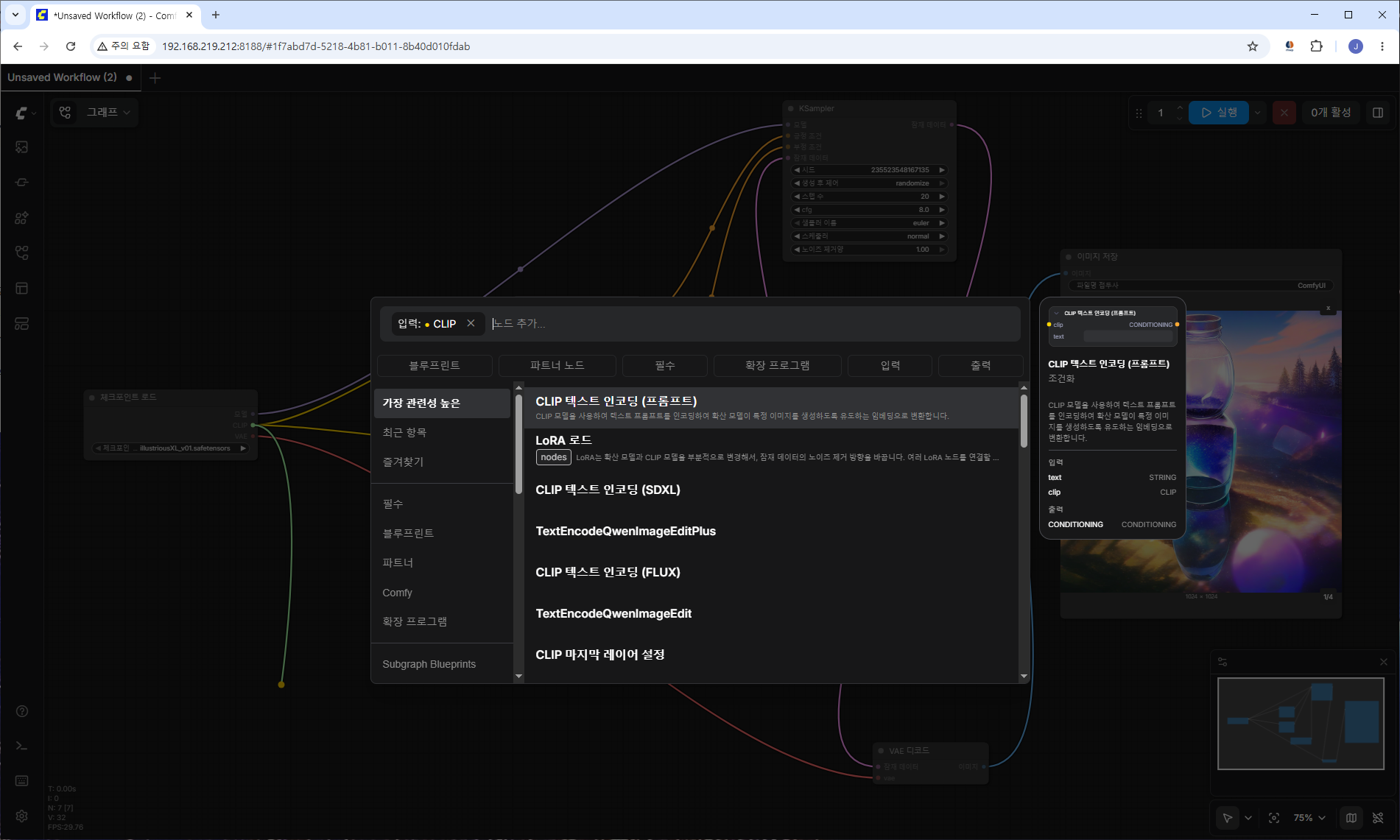
걍 CLIP 부분 드래그 해서 오니 추천으로 "CLIP 테스트 인코딩 (프롬프트)" 가 뜨니
우클릭해서 먼지 찾을 필요가 없을 듯?
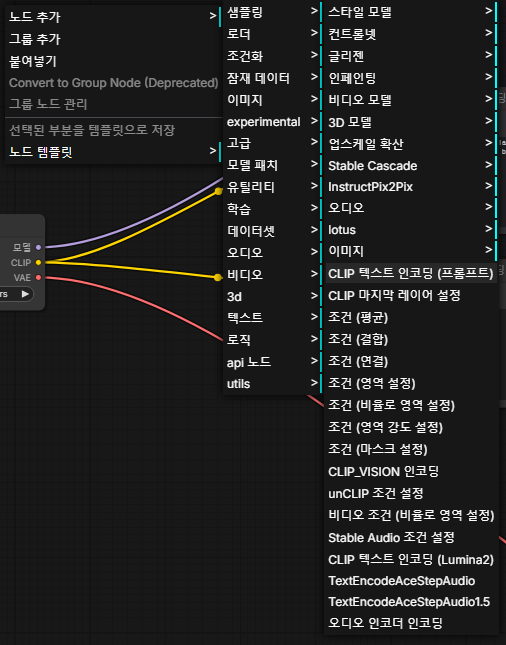
굳이.. 하겠다면
노드 추가 - 조건화 - CLIP 텍스트 인코딩 (프롬프트) 로 하면 될 것같은데
CLIP이 먼지 찾아봐야겠다.
+
[링크 : https://youngri.tistory.com/m/40/] api 서버?
[링크 : https://m.blog.naver.com/minwoo932/224142522248]
[링크 : https://comfyui-wiki.com/ko/tutorial/basic/creating-your-first-image-by-the-first-time]