모종의 음모/ai 프로그램
litert-lm 와 gemma4-e2b mtp 일단 실패
구차니
2026. 5. 10. 18:53
흐음.. 신기한걸 알았는데.. 또 파이썬이네.
핸드폰에서 돌려놓기도 하는거 보면 제법 가볍긴 한다 보다.
| D:\study\llm>pip install litert-lm D:\study\llm>litert-lm CLI tool for LiteRT-LM models. Usage: litert-lm [OPTIONS] COMMAND [ARGS]... Commands: benchmark Benchmarks a LiteRT-LM model. delete Deletes a model from the local storage. import Imports a model from a local path or HuggingFace hub. list Lists all imported LiteRT-LM models. rename Renames a model. run Runs a LiteRT-LM model interactively or with a single prompt. serve Start a server with a Gemini or OpenAI compatible API (alpha feature) Global options: --version Show the version and exit. -h, --help Show this message and exit. D:\study\llm>litert-lm run --from-huggingface-repo=litert-community/gemma-4-E4B-it-litert-lm gemma-4-E4B-it.litertlm --backend=gpu --enable-speculative-decoding=true --prompt="What is the capital of France?" Downloading gemma-4-E4B-it.litertlm from litert-community/gemma-4-E4B-it-litert-lm... gemma-4-E4B-it.litertlm: 0%| | 92.3k/3.66G [00:01<16:44:38, 60.7kB/s] gemma-4-E4B-it.litertlm: 100%|████████████████████████████████████████████████████| 3.66G/3.66G [05:00<00:00, 12.2MB/s] C:\Users\minimonk\AppData\Local\Programs\Python\Python310\lib\site-packages\huggingface_hub\file_download.py:143: UserWarning: `huggingface_hub` cache-system uses symlinks by default to efficiently store duplicated files but your machine does not support them in C:\Users\minimonk\.cache\huggingface\hub\models--litert-community--gemma-4-E4B-it-litert-lm. Caching files will still work but in a degraded version that might require more space on your disk. This warning can be disabled by setting the `HF_HUB_DISABLE_SYMLINKS_WARNING` environment variable. For more details, see https://huggingface.co/docs/huggingface_hub/how-to-cache#limitations. To support symlinks on Windows, you either need to activate Developer Mode or to run Python as an administrator. In order to activate developer mode, see this article: https://docs.microsoft.com/en-us/windows/apps/get-started/enable-your-device-for-development warnings.warn(message) The capital of France is **Paris**. |
찾아보니 저장소의 파일명이 그런거였군.

[링크 : https://huggingface.co/litert-community/gemma-4-E4B-it-litert-lm/tree/main]
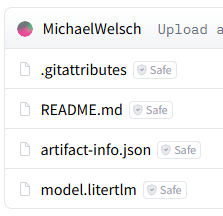
[링크 : https://huggingface.co/metricspace/gemma4-E2B-it-litert-128k-mtp/tree/main]
mtp 들어가면서 안되나?
| D:\study\llm>litert-lm run --from-huggingface-repo=metricspace/gemma4-E2B-it-litert-128k-mtp model.litertlm --backend=gpu --enable-speculative-decoding=true --prompt="What is the capital of France?" Downloading model.litertlm from metricspace/gemma4-E2B-it-litert-128k-mtp... E0000 00:00:1778407860.973266 8280 delegate_webgpu.cc:373] Failed to create litert::ml_drift::DelegateKernelLiteRt: RESOURCE_EXHAUSTED: Requested allocation size - 4294967296 bytes. Max allocation size for this GPU - 2147483648 bytes. Shape - {bhwdc, {1, 1, 8192, 1, 131072}}, data type - float32. === Source Location Trace: === third_party/ml_drift/common/task/tensor_desc.cc:1846 third_party/ml_drift/common/gpu_model_util.cc:232 third_party/ml_drift/common/gpu_model_util.cc:269 third_party/ml_drift/common/gpu_model_util.cc:432 third_party/odml/litert/ml_drift/delegate/delegate_kernel.cc:765 third_party/odml/litert/ml_drift/delegate/delegate_kernel.cc:695 third_party/odml/litert/ml_drift/delegate/delegate_kernel.cc:787 third_party/odml/litert/ml_drift/delegate/delegate_kernel.cc:284 third_party/odml/litert/ml_drift/delegate/delegate_kernel_litert.cc:167 ERROR: Failed to initialize kernel. ERROR: Node number 223 (STABLEHLO_COMPOSITE) failed to prepare. E0000 00:00:1778407862.768911 8280 engine.cc:491] Failed to create engine: INTERNAL: ERROR: [third_party/odml/litert_lm/runtime/executor/llm_litert_compiled_model_executor.cc:1928] ??ERROR: [./third_party/odml/litert/litert/cc/litert_compiled_model.h:1780] === Source Location Trace: === ./third_party/odml/litert/litert/cc/litert_macros.h:538 third_party/odml/litert_lm/runtime/executor/llm_litert_compiled_model_executor_factory.cc:144 third_party/odml/litert_lm/runtime/core/engine_impl.cc:384 An error occurred Traceback (most recent call last): File "C:\Users\minimonk\AppData\Local\Programs\Python\Python310\lib\site-packages\litert_lm_cli\model.py", line 255, in run_interactive engine_cm = litert_lm.Engine( File "C:\Users\ minimonk \AppData\Local\Programs\Python\Python310\lib\site-packages\litert_lm\engine.py", line 82, in __init__ raise RuntimeError( RuntimeError: Failed to create LiteRT-LM engine for C:\Users\ minimonk \.cache\huggingface\hub\models--metricspace--gemma4-E2B-it-litert-128k-mtp\snapshots\4dae3505f550397923c206eaa63be84f17ee43cb\model.litertlm |
[링크 : https://github.com/google-ai-edge/LiteRT-LM]
[링크 : https://huggingface.co/metricspace/gemma4-E2B-it-litert-128k-mtp]