Programming/qt
qt qml view
구차니
2026. 1. 13. 10:59
전체적인 레이아웃 잡는데에는 split view 나 stack view 나 tabview 정도가 적절해 보이는군.
| ScrollView | Provides a scrolling view within another Item |  |
| SplitView | Lays out items with a draggable splitter between each item | 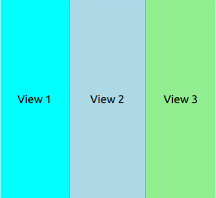 |
| StackView | Provides a stack-based navigation model | 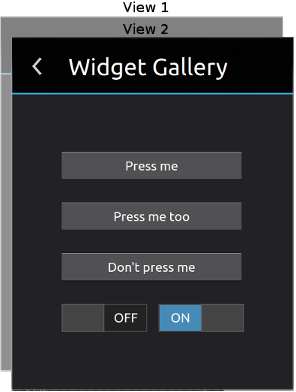 |
| TabView | A control that allows the user to select one of multiple stacked items | 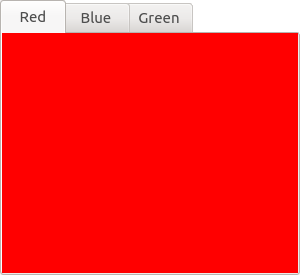 |
| TableView | Provides a list view with scroll bars, styling and header sections | 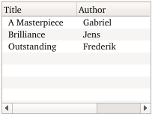 |
| TreeView | Provides a tree view with scroll bars, styling and header sections | 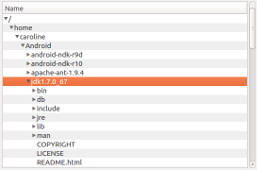 |
[링크 : https://doc.qt.io/archives/qt-5.15/qtquick-controls-qmlmodule.html]
[링크 : https://doc.qt.io/archives/qt-5.15/qml-qtquick-controls-stackview.html]
onclicked 이벤트에서 stackview.push 함수를 이용하여 qml을 넣어주면 끝인듯. 편하겠네
넣는건 push 빼는건 pop. 직관적이네~
| onClicked: { stackView.push(Qt.resolvedUrl("qrc:/screen2.qml"))//다음 화면을 출력하기 위해 stack에 화면을 쌓는 코드 //stack에 메인화면 두번째화면 세번째 화면이 쌓이게 된다. } onClicked: { stackView.pop();//이전화면을 호출하기위해 stack의 제일 위에 화면을 밖으로 빼주어 첫화면을 보여준다. } |
[링크 : https://youonlyliveonce1.tistory.com/16]
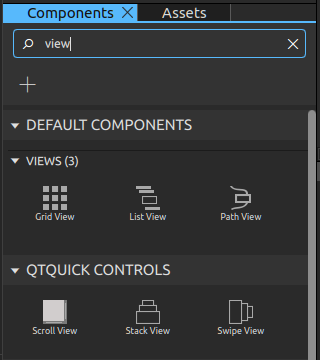
qt creator 에서 찾아보니 swipe view라는게 추가되어 보이고, 다른 tab 이나 split view가 안보인다.