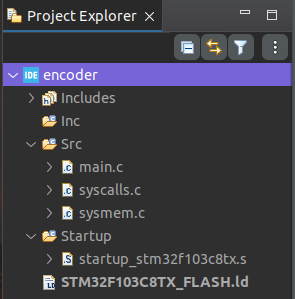
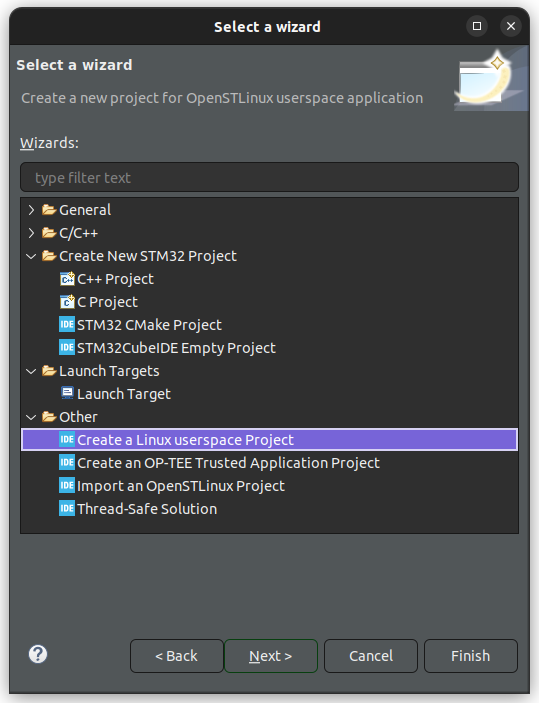
느린(?) eclipse 사용을 감수하는 이유가 cubeMX 설치없이 cubeIDE 에서 다 할 수 있어서 였는데
그 장점을 포기한 분리라.. 왜 이런 쓰레기 결정이 통과된거지?
We are pleased to announce that STM32CubeIDE 2.0.0 release is available. STM32CubeIDE is now independent from STM32CubeMX. With this release, device configuration, previously handled within STM32CubeIDE via STM32CubeMX, is now exclusively available through the stand-alone STM32CubeMX tool. Users will configure microcontroller peripherals and generate initialization code separately in STM32CubeMX, then import the generated projects into STM32CubeIDE for coding and debugging. STM32CubeIDE, is now a stand-alone tool, offers the possibility to create empty project through its own MCU/Board selectors now present inside. What does this change mean for developers?
Separate download and installation: STM32CubeMX is no more integrated in STM32CubeIDE, requiring separate download alongside STM32CubeIDE 2.0.0 for configuration and code generation.
Tool update flexibility: Developers can update and freeze STM32CubeMX and STM32CubeIDE independently, with multiple versions of each installed side-by-side.
Memory footprint and performance: Removing STM32CubeMX integration reduces installation size (~3.7GB to 2.9GB) and lowers CPU/RAM usage, improving stability especially on Linux and Mac.
Other relevant updates in STM32CubeIDE 2.0.0
Microcontroller, microprocessor, and board lists aligned with STM32CubeMX v6.16.0:
Added the support for new microcontrollers in the STM32N6 series
Added the support for new microcontrollers in the STM32H5 series
Added the support for new microcontrollers in the STM32WBA series
Added the support for new microcontrollers in the STM32WL3x product line
Added the support for new boards: NUCLEO-WL3RKB1 and NUCLEO-WL3RKB2
User authentication removed
ST-MCU-FINDER-PC removed
Support for ST-ARM-CLANG, STMicroelectronics LLVM-based toolchain for Arm®, through site update mechanism
Support for GCC 14 toolchain through site update mechanism
Support for semihosting feature through debug via ST-LINK GDB server
Or update your current installation of STM32CubeIDE using: Help > Check for updates (The in-tool update does not allow updating the drivers and STLINK server tool. Full installation is required for this to be done).